

-
- Install VPK (devilutionx-X.X.X-X.vpk) through VitaShell.
- Copy "diabdat.mpq" from your CD or GoG installation (or extract it from the GoG installer) to the "ux0:/data/diasurgical/devilution/".
Make sure it is all lowercase.
-
Default
Left analog or D-Pad: move hero
○: attack nearby enemies, talk to townspeople and merchants, pickup/place items in the inventory, OK while in main menu
×: select spell, back while in menus
△: pickup items, open nearby chests and doors, use item in the inventory
□: cast spell, delete character while in main menu
L1: use health item from belt
R1: use mana potion from belt
Left back touch panel: character sheet (alt: Start + ←)
Right back touch panel: inventory (alt: Start + →)
Start + ↓: toggle automap
Start + Select: game menu (alt: Start + ↑)
Select + ×/○/□/△: Spell hotkeys
Right analog: move automap or simulate mouse
Select + L1: left mouse click
Select + R1: right mouse click
Start + □: quest log
Start + △: spell book -
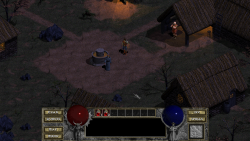
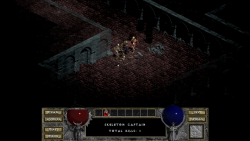
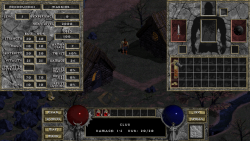
A few screenshots:
-
There's special vita section in diablo.ini file, that allows you to adjust controls:
Code:[vita] dpad_hotkeys=0 switch_potions_and_clicks=0 back_touch=0 gamepad_mapping=y:b0,b:b1,a:b2,x:b3,leftshoulder:b4,rightshoulder:b5,dpdown:b6,dpleft:b7,dpup:b8,dpright:b9,back:b10,start:b11,leftx:a0,lefty:a1,rightx:a2,righty:a3,- dpad_hotkeys: dpad works as hotkeys without holding Start button
- switch_potions_and_clicks: L1/R1 works as left/right mouse clicks by debault, and as health/mana potion while holding Select
- gamepad_mapping: allows you to remap controls. It uses https://github.com/gabomdq/SDL_GameControllerDB syntax (but without controller GUID/Name)
- back_touch: enable/disable back touch mapping to L2/R2
- Multiplayer is not supported yet.
Sources:
https://github.com/isage/devilutionX,
https://vitadb.rinnegatamante.it#/info/600,
https://github.com/diasurgical/devilutionX.


