
Since @Joel16 showed us his "Initial Release" of the PSV-VSH-Menu plugin back in April 2017, he has still at hard work to improve this plugin, not only with small bug-fixes, but also with several improvements and new features. Now the dev has updated his plugin to Version 2.0.
If you didn't know what this plugin is use for, it will allow you the access of several Hardware & Software based Functions to get control of your PSVita like overclocking the CPU & GPU clock speeds, displaying a "remaining hours" status from the internal battery and many more. Maybe you are already familiar with a similar plugin back at the PSP-era and since this plugin is based on that one from the PSP and it keeps it's classic and basic design which allows a very quick customization of those mentioned features.
If you didn't know what this plugin is use for, it will allow you the access of several Hardware & Software based Functions to get control of your PSVita like overclocking the CPU & GPU clock speeds, displaying a "remaining hours" status from the internal battery and many more. Maybe you are already familiar with a similar plugin back at the PSP-era and since this plugin is based on that one from the PSP and it keeps it's classic and basic design which allows a very quick customization of those mentioned features.
-Roxanne.
-
PSV VSH MENU - Version 2.0 is finally here!As of version 2.0 and above you will require a dependency plugin to be always enabled. (a modified (lighter) version of kuio.skprx is provided. KUIO was originally developed by Rinnegatamante) -- Instructions are on the bottom of the README.md.
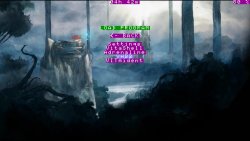
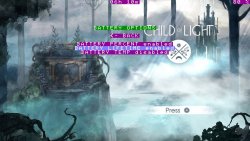
- Fixed empty config files with Cart/PSN games. This fixes the issue where things were not able to be modified under many games.
- Fix clock states not being properly saved when clock state was the only thing modified.
- Reload config when button combo is entered.
- VITABattery's fully integrated as a toggle. You can now toggle battery percent, hours remaining and temp.
- Quick launcher now has 5 modifiable slots. (Once the launcher.cfg file is generated in ur0:/data/vsh/launcher.cfg, feel free to change the title and title IDS to your preference. Keep in mind you can't use spaces for the title's name and you can't go above 5 (0-4) slots in the meantime.)
- Major src clean up.
The button combo to open the VSH menu is: L + R + START
Last edited by a moderator:

 for getting this up. .. Apologies to







