jolek
Senior Member
http://www.ps-gamers.ru/forum/26-257-1.
The translation into English was made using Google Translate.
PSX-DVR: GENERAL FAQS
PSX-DVR: SUPPORT AND RUNNING GAMES (FAQS)
PSX-DVR: TECHNICAL CHARACTERISTICS (FAQS)
PSX-DVR: FRONT AND BACK PANELS
PSX-DVR: COMPLETE KIT
PSX-DVR: XMB (and ENGLISH XMB TRANSLATION)
PSX-DVR: PSBB
Installing FMCB 1.94
Installing FMCB 1.966
-
Q: What is PSX?
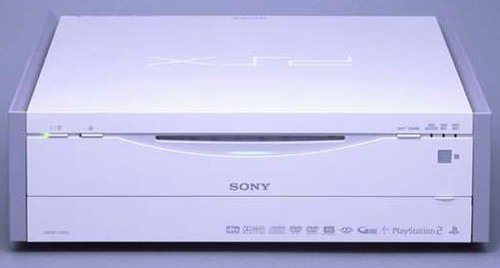
A: This is the same as the PS2, plus multimedia center.
Q: Were PSX was available?
A: In Japan.
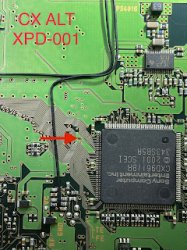
Q: Does PSX support modchip?
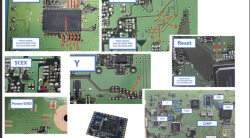
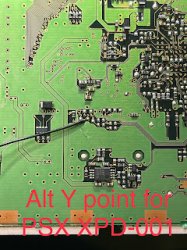
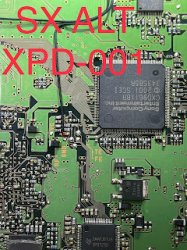
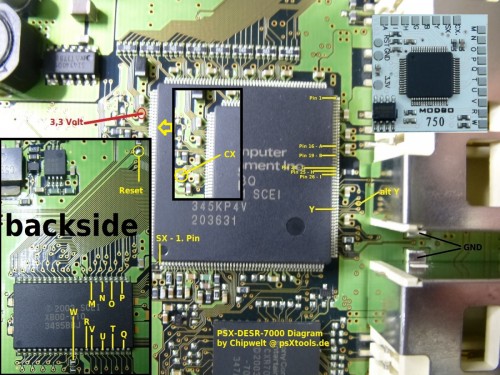
A: Yes PSX Support Modbo 760 Modchips, support launch PS1 PS2 Games and support Modchip menu, not support Launched All Games In to XMB menu
Chip soldering diagram for modbo 750:
Q: Many people confuse it with the PS1. Why?
A: This attachment is little known, and before it was considered PSX PSone
Q: Where can I buy a PSX?
A: At the moment, PSX is not officially for sale, but you can buy it through various auctions. Such as Yahoo and InJapan
Q: Where can I find more information about the PSX and contact those.
A: The official website PSX Equipped with hard disk DVD recorder "PSX"
Q: Will the Russian work function TV (cable television viewing and recording)?
A: PSX supports only NTSC Format TV.We will not work due to differences tv standards.
Q: What disc formats support PSX?
A: Recordable discs DVD-R (Video mode), DVD-RW (video mode, mode VR)
Playable media - DVD - Video,DVD-R (Video mode), DVD-RW (Video mode and mode VR)
Music CD, CD-R (JPEG), USB-camera PlayStation the standard CD-ROM, PlayStation 2 standard CD-ROM / DVD-ROM
Q: What are the known model numbers for PSX?
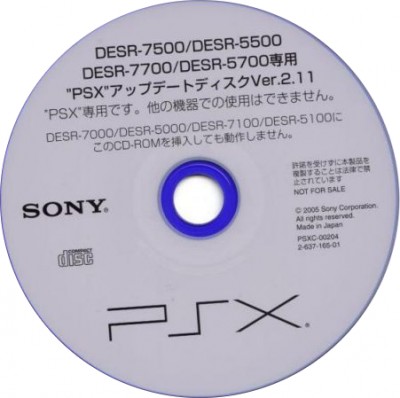
A: DESR-5000 and DESR-7000 models were the first and had a 160 GB and 250 GB HDD.Later improvements DESR-5100-5500-5700-7100-7500-7700 models were released in 2005 with a large hard disk support improved vibration function, support PSP tools and photo and video editing. -
Q: How do I control in games on PSX?
A: There was a special white PSX DUALSHOK They can control the main menu system and use it in games. Also on the rear panel are PSX 2 ports for standard joysticks DUALSHOCK from PS2.Conventional DUALSHOCK 2 are also supported
Q: What games can run on PSX?
A: All games on PS2 and PS1, plus your own from PSBB.
Q: Games which region supports PSX?
A: Run only licensed PS1/PS2 games region NTSC / J c drive or any games and applications installed in a special version of OPL
Q: Is there any problem with running games from the PS1 and PS2?
A: No, provided that the game will be licensed and native NTSC / J region.
Q: Is it possible to run unlicensed games another region?
A: Yes, you can. Games PS2 can run through the disc Swap Magic (it must be licensed and NTSC/J region). as well as through OPL
Q: PSX can run PS1/PS2 games with HDD?
A: Yes, just as the regular PS2 FAT with IDE HDD + Network Adaptor
Q: What is the maximum volume of HDD is available for use on the PSX games?
A: currently PSX allows 40GB of space on the HDD for games
Q: Can I increase the space for games to HDD?
A: at the moment, but in the future may increase the space for the game to 128GB
Q: What is Swap Magic?
A: Swap Magic allows the drive to run their own applications, games, software from the CD and DVD drives on your PSX.No order that it worked like a pair of conditions:
- The drive must be licensed
- it should be NTSC / J region (since PSX produced only in Japan) The disc will not damage your console and the warranty will remain. Games, published in Russia in recent years may not work. through Swap Magic will work only PS2 games for PS1 games need another disk
-
Q: What are the characteristics PSX in common?
A: Technical Specifications DESR-7700: Hard-disk capacity from 160 to 450gb (depending on model)
Code:- Processor and GPU - 90 nm EE + GS Recordable discs DVD-R (Video mode), DVD-RW (video mode, mode VR) - Playable media - DVD - Video, DVD-R (Video mode), DVD-RW (Video mode and mode VR), Music CD, CD-R (JPEG) - USB-carriers PlayStation the standard CD-ROM, PlayStation 2 standard CD-ROM/DVD-ROM - Length of video that can be recorded on 4.7GB DVD-R/RW: - 1 HSP about 1.5 hours 2 SP (Standard) - for about 2 hours 3 LP - about 3 hours 4 EP - about 4 hours 5 SLP about 6 hours - Length of video that can be recorded on the hard drive (depending on format): - HSP 1 about 81 hours 2 SP (Standard) - about 107 hours 3 LP about 164 hours 4 EP - about 217 hours 5 SLP about 325 hours - Video codec - MPEG2 Voice Recording System - WAV files Linear PCM (while mode HQ) - Dolby Digital 2 channel (HSP, SP, LP, EP, SLP and mode) - Receiving channels - Analog (VHF Low :0-4CH/VHF C :4-6CH/VHF High:7-13ch/UHF :14-83CH/CATV: CT-7-C99999CH), BS analog (1,3,5, 7,9,11,13,15 CH) - Duplication of functions - HDD> DVD high-speed dubbing (12x max) - Additional audio features - variable speed playback Simultaneous recording and playback - Voltage 110V Editing function AB (GOP) grouping images - Recording Function - spreadsheet program (EPG) High sound quality 3-dimensional Y/C-separation Interim distortion correction (TBC) - Video digital-to-analog converter (12-bit, 108 MHz) tuner, Poland, variable bit rate (VBR) recording, audio digital-to-analog converter (24 bit 96 kHz) - Feature photo viewer - File Format: JPEG (DCF standard) Memory Stick (only for Sony digital cameras) USB (only for Sony digital cameras) - Auto-display Image rotation (90 degrees, 180 degrees, 270 degrees) Music Features - File Format: ATRAC3, Media: Music CD Network functions: firmware update, - PSBB (PlayStation BroadBand) PS2 Service correspondent network - Antenna: VHF / UHF 75ohmF connector type BSIF: 75ohmF connector type - D-Terminal (D1/D2) x1 Composite output / 1 video tulip / tulip 2 (Stereo) x1 - Composite video input / 1 video tulip / tulip 2 (Stereo) - x1 S-video-input - x1 S-video-output - x1 Optical digital audio output (SPDIF) - x1 Ethernet 100 Base / TX x1 USB (1.1) input x1 Memory Card "memory Stick" - x1 connectors "Memory Cards PS2/PS1" connectors - X2 Connectors Dualshock-half - Dimensions: 312 x 88 x 323 mm (12.5 "x 3.5" x 12.75 ") - Weight: about 5.8 kg (13.75 lb) - Hard Drive: - DESR-5000: 160GB - DESR-5100: 160GB - DESR-5500: 160GB - DESR-5700: 250GB - DESR-7000: 160GB - DESR-7100: 160GB - DESR-7500: 160GB - DESR-7700: 250GB -
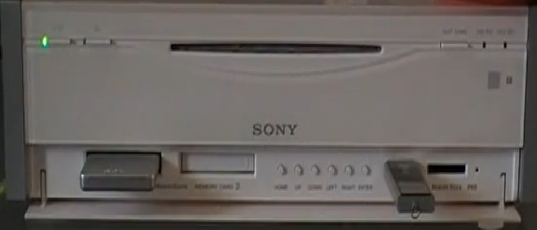
Front View

Back View -
Q: What is in the kit?
A: PSX set includes a remote control, and the controller (special version DualShock 2) must be purchased separately.
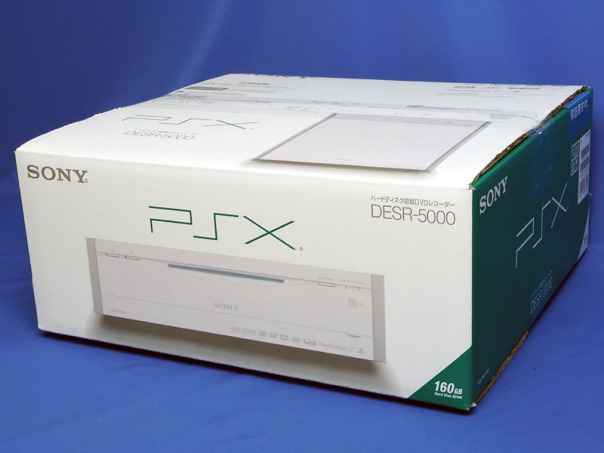
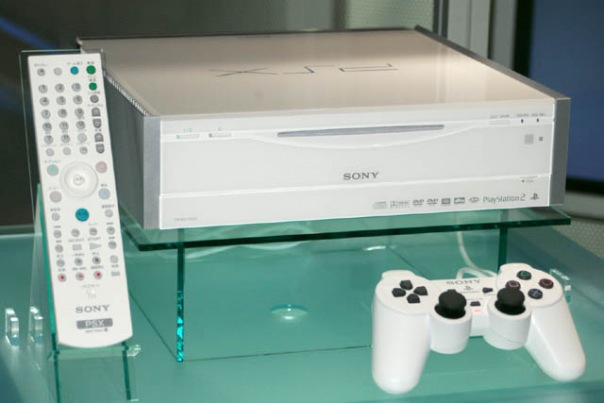
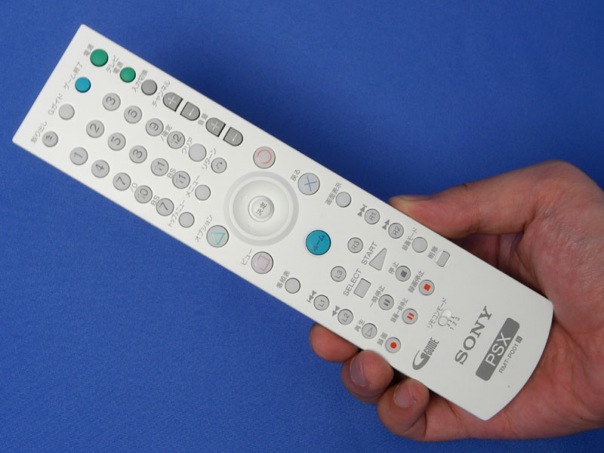
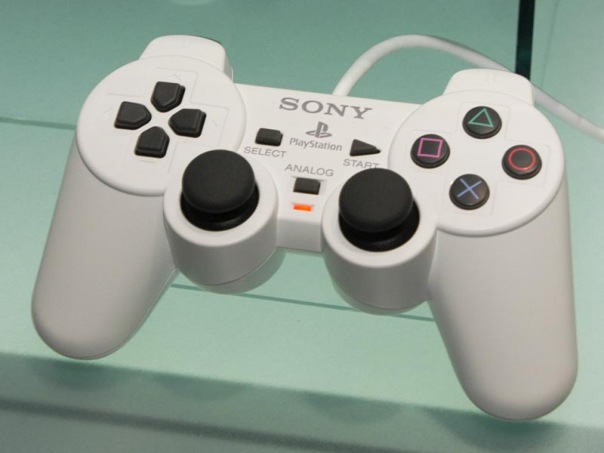
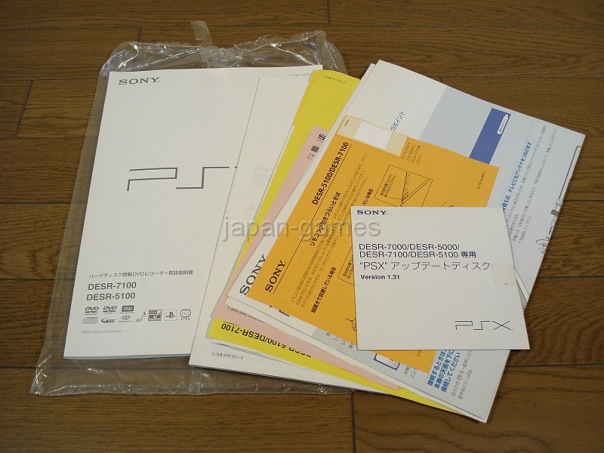
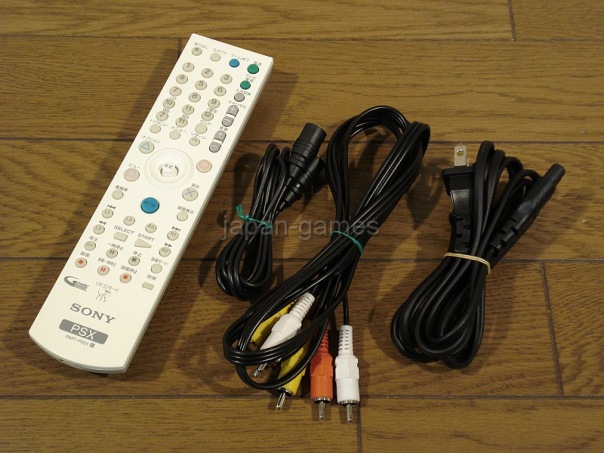
-
Q: What is the menu uses the PSX?
A: This is the first console using menu XMB (Xross Media Bar).In the future, this menu Bought PSP and PS3
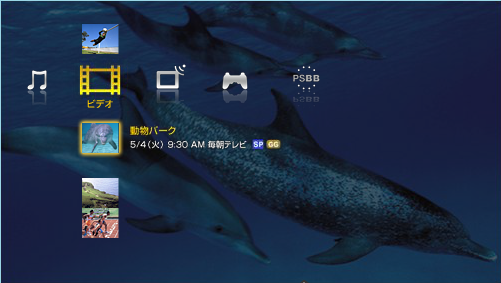
Translations for download can be found in attachments. -
Q: What is PSBB?
A: PlayStation BroadBand Navigator-line service for PS2 and PSX.

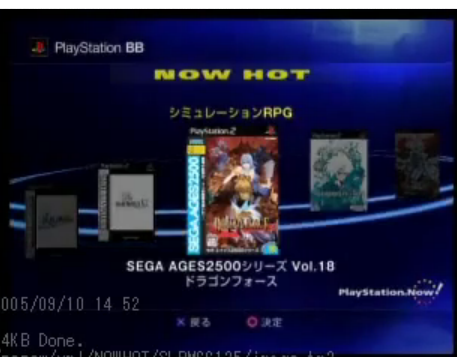

-
Q: How to install FMCB for PSX-DVR?
A: There are several ways:
- Install FMCB 1.94 on normal PS2 (Not PSX)
or Install it via USB Memory Card Adapter from the PS3 using a PC - Run on PS2 ulaunchELF using any launch metod
- Run FMCB 1.94 installer
- On the setup screen, press R1 select install for PSX
- Make the installation, then copy ulaunchELF to the BOOT folder on the memory card,
if you don't have one, create - launch FMCB using PS2, launch the configurator at the very bottom of the FMCB menu,
configure launching UlaunchELF on a hot button, for example, R1, save the settings
A: after installing FMCB-1.94 to run it on PSX-DVR need to do a few more steps:
-
Q: will be required to run FMCB-1.94 on PSX-DVR?
A: run FMCB Configurator using the normal PS2 and assign the copied application on quick-keys
-
Q: how to run the application using FMCB on PSX?
- Insert a memory card prepared for PSX FMCB1-1.94 1st card slot memory PSX-DVR
- Turn the PSX, with the appearance of the logo FMCB hold the assigned hotkey for application and hold it up to run the application
-
Q: What gives softmod PSX using FreeMCboot?
A: This will install and run on PSX applications and games from the PS1 PS2 and translate its main menu (XMB) in any language
-
Q:What language uses the XMB menu and whether it is possible to change it?
A: Used Japanese.Ability to change it there, but you need a specially prepared FreeMCboot and spec version UlaunchELF XMB menu for translation into English you just need to replace all the files in xml-console that those in the accompanying archive. Watch that would lay all exchanged files in the correct folder, failing this may result in inability to start consoles, please backup the original xml-files before transfer
- Install FMCB 1.94 on normal PS2 (Not PSX)
-
Q: How to install FMCB 1.966 for PSX-DVR?
- Run the installation from any PS2 (not from PSX-DVR).
A way to run Homebrew is needed. - On the installer screen press R1 to select the installation for PSX
- After installation will finish, shutdown PS2, insert memory card into PSX-DVR
Q: How to run applications on PSX using FMCB-1.966?
A1: copy applications to the BOOT folder on the memory card using a standard PS2 chip or soft mode using UlaunchELF
A2: launch FMCB Configurator using a regular PS2 and assign copied applications
on launch by hotkey
Q: How to run applications using FMCB on PSX?
A1: Insert a memory card with PSX FMCB1-1.966 prepared for PSX into the 1st card slot
Memory on PSX DVR
A2: turn on PSX, when the FMCB logo appears, hold down the hotkey assigned to the application
and hold it until the application starts
Q: What does a PSX softmod do with FreeMCboot?
A: This will allow you to install and run applications and games from PS1 PS2 on PSX and also translate its main menu (XMB) into any language - Run the installation from any PS2 (not from PSX-DVR).
Useful links, sources:
- http://www.ps-gamers.ru/forum/26-257-1,
- https://www.youtube.com/user/vitas155/videos,
- http://psx-scene.com/forums/f20/psx-dvr-faq-124028/,
- https://en.wikipedia.org/wiki/PSX_(digital_video_recorder),
- http://psx-scene.com/forums/f153/[windows-linux]-fmcb-1-9x-installer-ps3-memory-card-adaptor-132919/,
- https://www.psx-place.com/threads/fmcb-fhdb-v1-9-series-release-thread.13413/,
- https://assemblergames.com/threads/psx-dvr-modchip.65677/,
- http://psx-scene.com/forums/f20/psx-dvr-modchip-156978/.
Attachments
Last edited: