
PSP on PS3
- Views Views: 368
- Last updated Last updated:
-
 The PS3 is capable of emulating parts of the PSP library of games. Using the firmware's internal PSP emulator, while its not a full PSP emulator, there are 2 available modes: Remaster & Mini's that can be utilize, each mode giving different result depending on the title. While some game can not be played the PS3 can emulate an estimated 60% of the PSP library. See PSP on PS3 Compatibility List.
2 PSP Launchers There are 2 PSP Launchers: Minis (PSPM66820) and Remasters (PSPC66820)
- MultiMAN - uses only the PSP Remasters Launcher (PSPC66820)
- webMAN MOD - supports both (If you only installed Minis (PSPM66820), multiMAN will report an error.)
- Only ISO's are supported, CSO, ZSO & JAX are not supported
- ISO should be placed in /PSPISO folder
- Internal HDD & External Storage Devices are supported.
- USB can be FAT32, NTFS, exFAT or ext2/3. FAT32 is recommended.
Converting & Dumping your PSP games.
- UMD should be dumped as ISO 9660.
- Convert from PBP to ISO (Link)
Additional Notes
- How to apply PSP Config's (link)
- How to get PSP games into full screen mode. (link)
- PSP on PS3 Compatibility List (link)
-
- Blitz Overtime
- Call Of Duty: Roads to Victory
- Crisis Core: Final Fantasy VII
- Crazy Taxi: Fare Wars
- F1 2009
- F1 Gran Prix
- God of War: Chains of Olympus (minor issue's)
- Grand Theft Auto: Chinatown Wars
- Grand Theft Auto: Liberty City Stories (PS2 version playable on PS3)
- Grand Theft Auto:Vice City Stories (PS2 Version playable on PS3)
- Gran Turismo
- Metal Gear AC!D
- Monster Hunter Freedom Unite
- Ratchet & Clank: Size Matters
- Tekken 6
See: PSP on PS3 Compatibility List @ PS3 Dev Wiki
-
Tutorials
Launching PSP Games
- Method #1 - Using PSP Remaster / Mini Launchers via Aldostools
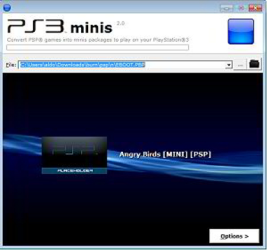
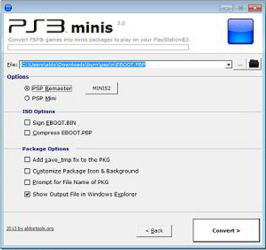
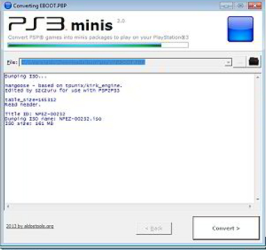
- Method #2 - Creating a PKG using PSP2PS3 via Aldostools
-
- Forum Link
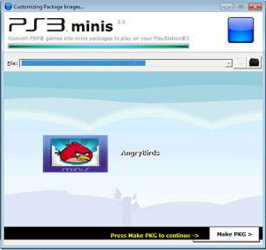
A second method for launching PSP games involves the creation of a PKG using PSP2PS3 mini found in my PS3 Tools Collection. https://www.psx-place.com/threads/playing-psp-on-ps3.115/
Using this method the PSP game is installed on internal HDD and launched directly from XMB.
The compatibility could be slightly better due the tool includes configs for a few games.
Also there are more options that can be tweaked.
NTFS & exFAT USB Support
- Using NTFS & exFAT USB Drives w/ webMAN MOD via MrMario2011
Official XMB Settings for PSP Gameplay
via https://www.psdevwiki.com/ps3/Emulation#Special_notes -
Loading…