


jolek
Senior Member
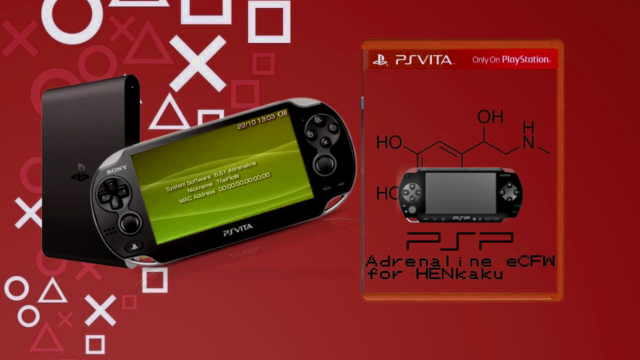
Adrenaline is a software that modifies the official PSP Emulator using taiHEN CFW framework to make it run a PSP 6.61 custom firmware. Thanks to the power of taiHEN, Adrenaline can inject custom code into the IPL which allows unsigned code to run at boottime.
-
How to install:
- Download Adrenaline.vpk and install it using VitaShell.
- Launch Adrenaline and press
 to download the 6.61 firmware.
After finishing it will automatically terminate.
- Relaunch Adrenaline, this time it will go into pspemu mode. Follow the instructions on screen.
- Download Adrenaline.vpk and install it using VitaShell.
-
How to update:
If you have already been using Adrenaline and want to quickly update, simply open Adrenaline.vpk as zip file and copy all modules from sce_module to ux0:app/PSPEMUCFW/sce_module. -
Getting rid of double launch bug
Adrenaline has been redesigned in 6.61 Adrenaline-6, so you'd need to launch Adrenaline twice everytime you reboot your device. To get rid of that, simply write this line to *KERNEL
Code:*KERNEL ux0:app/PSPEMUCFW/sce_module/adrenaline_kernel.skprx -
Network update
For 6.61 Adrenaline-6.4 or higher, you can use the System Update in the XMB to update Adrenaline to the latest version.
- Choose 'System Update' in XMB, then click Update via Internet.
- If a connection name does already exist, skip to step 5.
- Otherwise select [New Connection], then Enter Manually, press RIGHT three times until you need to enter a connection name.
- Type any connection name and press RIGHT two times. You'll now see the message Press the
 /
/ button to save settings.
- Press /
 on any connection name.
- Follow the instructions to update Adrenaline.
- After updating and rebooting you can then delete the update file.
- Choose 'System Update' in XMB, then click Update via Internet.
-
Changelog v7
- Fixed issue where plugins were loaded in recovery mode.
- Moved native display buffer to a different location, so GePatch works for some more games.
Changelog v6.9
- Added support for native resolution patches.
Changelog v6.8
- Added sharp bilinear without scanlines filter. Thanks to rsn8887.
- Fixed PS1 slowdowns. Thanks to rsn8887.
- Fixed compatiblity with h-encore 2.0.
- Fixed compatiblity with udcd_uvc.skprx plugin.
Changelog v6.7
- Added support for PS1 multiplayer on PS Vita using an upcoming DS3/DS4 plugin.
Changelog v6.6
- Fixed bug from previous update that caused black screen in other DJ max games.
- Inferno driver was not included correcty, now it is.
- Tekken 6 can now be played with any CPU speed.
Changelog v6.5
- Added updated inferno driver by codestation which improves performance of CSO reading.
- Added option to choose USB device.
- Added xmc0: option.
- Fixed stupid mistake that made DJ max portable 1 crash. Install it again, because this has been added post-release
- Fixed little bug in msfs.
- Removed savestate version restriction, old savestates will not disappear anymore.
Changelog v6.4
- Added ability to fast forward in PS1 games by pressing L+SELECT.
- Fixed double launch bug when using without enso. You need to add the kernel module to config to do so.
Changelog v6.3
- Added support for 3.68.
- Added ability to freely adjust the screen size to your desire in both psp and ps1 modes.
- Removed 'Screen Mode' and 'Screen Size' from menu.
- Improved Adrenaline Menu.
Changelog v6.2
- Added f.lux by Rinnegatamante.
- Fixed PS1 framerate when using custom screen.
- Fixed bug where exiting a game with 'High memory layout' would crash.
- Fixed compatiblity with 'Kingdom Hearts: Birth by Sleep' english patch, again.
Changelog v6.1
- Added support for 3.65/3.67.
SOURCE:
https://github.com/TheOfficialFloW/Adrenaline
Last edited by a moderator:


