PS2 After Update to latest OPL some Art are shown, some are not

Tackskull

Member
Hy guys,

I have a silver phat ps2 that is booting free mc boot from a memory card, and I also put a 2tb hardisk inside the ps2 to store all the games.
so after I updated OPL to the last beta versione, many art are not seeing.

Yesterday I downloaded again all the art with OPL manager, all the images in png format, but still, only some of some games are displayed, for other games there are no arts.

Around I found that maybe because I used HDL Batch Instalelr to install games on my ps2 hard disk, the program change the name of the games that not match with the art names.

So I used HDL Batch Installer to download all the ART, wich all the images are in jpg format, and still, some art are showing and some are not.

What I noticed is that nomather what kind of image format I use, the games that are not showing the ART are always the same.

How do I solve this issue?
 
The latest beta does not tell me anything.
Use a proper number e.g. OPL 2026.
You can check which version you have in about page (at the top) or by a name of a file (e.g. OPL-2026.elf).

Since OPL 2159 support for .bmp and .jpg has been dropped:
Code:
rev2159 - 2024-10-22 20:14..c5a12a0a - Wolfywolfy
Remove .bmp and .jpg images support.

In the end I do not fully understand in which format (.png or in .jpg) your covers are?!

Additionally all covers should have extension (.png) in lowercase: SLES_544.39_COV.png
 
The latest beta does not tell me anything.
Use a proper number e.g. OPL 2026.
You can check which version you have in about page (at the top) or by a name of a file (e.g. OPL-2026.elf).

Since OPL 2159 support for .bmp and .jpg has been dropped:
Code:
rev2159 - 2024-10-22 20:14..c5a12a0a - Wolfywolfy
Remove .bmp and .jpg images support.

In the end I do not fully understand in which format (.png or in .jpg) your covers are?!

Additionally all covers should have extension (.png) in lowercase: SLES_544.39_COV.png

I am using a beta about some day ago: v1.2.0-BETA-2223-45875D

I tryed both the jpg and png, and in both cases only some games ART is shown. So I'll focus more on png

Is that maybe the folder is wrong?
I am putting the ART folder in this path HDD0: / +OPL / ART
Should I put it on another path?
 
By the default OPL uses hdd0:/+OPL/ART:
OPL-hdd.png

Can you give me names and ID of these games that do not have a cover (the cover is not displaying)?
E.g. Burnout 3: Takedown (SLES_525.85), Tekken 5 (SCES_532.02)...
At least a few of them.

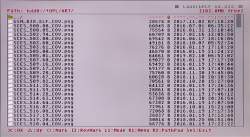
Additionally take a photo of ID from ART folder from wLe.
If a game ID is SCES_532.02 look for SCES_532.02_COV.png and take its photo.
Or at lest write it down very precise.
 
By the default OPL uses hdd0:/+OPL/ART:
View attachment 47064

Can you give me names and ID of these games that do not have a cover?
E.g. Burnout 3: Takedown (SLES_525.85), Tekken 5 (SCES_532.02)...
At least a few of them.

Additionally take a photo of ID from ART folder from wLe.
If a game ID is SCES_532.02 look for SCES_532.02_COV.png and take its photo.
Or at lest write it down very precise.

I downloaded with OPL manager all the art in png format and put it in HHD0 / +OPL / ART
In my hard disk there are around 600 games, so I'll write just a few games that have this issue:

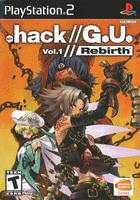
.hack//G.U. Vol.1 - Rebirth SLUS_212.58 (i have the art SLUS_212.58_COV.png in the art folder but doesn't show it)
.hack//G.U. Vol.2 - Reminisce SLUS_214.88 (i have the art SLUS_214.88_COV.png in the art folder but doesn't show it)
.hack//G.U. Vol.3 - Redemption SLUS_214.89 (i have the art SLUS_214.89_COV.png in the art folder but doesn't show it)
 
Can you try these covers:
SLUS_212.58_COV.png
SLUS_214.88_COV.png
SLUS_214.89_COV.png


Copy (overwrite) them into hdd0:/+OPL/ART.

Another note is that these games have these symbols //.
If somehow your ISO name is .hack//G.U. Vol.1 - Rebirth.iso it may cause issues.
However I'm not sure if it is even possible to have any file with them...
 
Can you try these covers:
View attachment 47070 View attachment 47069 View attachment 47068

Copy (overwrite) them into hdd0:/+OPL/ART.

Another note is that these games have these symbols //.
If somehow your ISO name is .hack//G.U. Vol.1 - Rebirth.iso it may cause issues.
However I'm not sure if it is even possible to have any file with them...

Thanks man, yes maybe those character are causing problem, but in reality I can say that more tha 50% of out of 600 games are not showing art. I 'll try to replace these 3 images and I'll report.

Can't I try do something to make all these games showing art?

EDIT: I puted the 3 images and they works, so basically what is the problem? How can I modify all my images (wich have cover, backgrounds, logo etc) to work in all the games?
 
Last edited:
Can you upload a few not working covers?

So I am posting 5 covers that are not showed on OPL.
I want to clarify that I downloaded all the ART using OPL manager
 

Attachments

  • SLES_533.66_COV.png
    SLES_533.66_COV.png
    18.3 KB · Views: 15
  • SLUS_212.58_COV.png
    SLUS_212.58_COV.png
    72.4 KB · Views: 18
  • SLUS_204.69_COV.png
    SLUS_204.69_COV.png
    20.7 KB · Views: 14
  • SLES_543.57_COV.png
    SLES_543.57_COV.png
    22.6 KB · Views: 16
  • SLES_537.55_COV.png
    SLES_537.55_COV.png
    18.2 KB · Views: 16
All the covers that you sent me are in 8 Bit, 140x200 size.
Mine were in 24 Bit, 140x200 size.

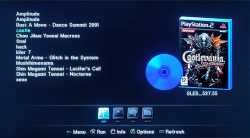
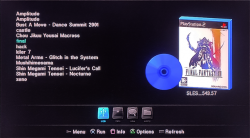
Anyway. All of them work:
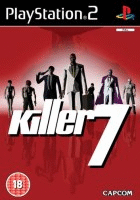
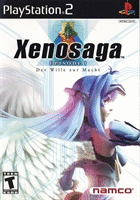
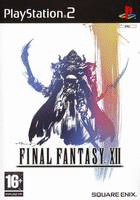
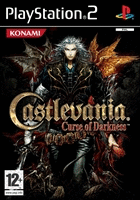
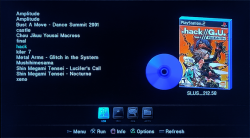
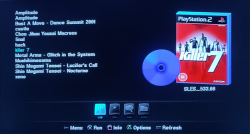
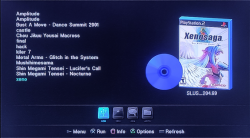
castle.png final.png hack.png kil7.png xenoon.png

How did you create the +OPL partition?
Did you extend it?

Additionally in the attachment there is "test_for_cd.7z".
Download it. Unpack it.
Inside it there are fake ISOs with fake "SYSTEM.CNF".

Copy all of these fake ISOs to your USB device in the "CD" folder.
Copy all these 5 cover that you sent me to "ART" folder and check if they work with OPL 2223.
 

Attachments

All the covers that you sent me are in 8 Bit, 140x200 size.
Mine were in 24 Bit, 140x200 size.

Anyway. All of them work:
View attachment 47076 View attachment 47077 View attachment 47078 View attachment 47079 View attachment 47080

How did you create the +OPL partition?
Did you extend it?

Additionally in the attachment there is "test_for_cd.7z".
Download it. Unpack it.
Inside it there are fake ISOs with fake "SYSTEM.CNF".

Copy all of these fake ISOs to your USB device in the "CD" folder.
Copy all these 5 cover that you sent me to "ART" folder and check if they work with OPL 2223.

I don't remember how I created the partition, was years ago following a youtube video.
I puted the iso in the cd folder and didn't work.
I also tried to convert all my images to 24 bit but didn't work.

It seems that your images seems to work well, can you give me the download link to all the ART you have? Or at least tell how did you downloaded them? Using OPL manager?
 
Your covers also work as I shown you earlier.

Did you put all the covers and ISOs on a flashdrive?
ISOs in "mass:/CD".
Covers in "mass:/ART".
Do NOT copy them onto HDD.
Launch OPL and go to "Settings" -> "BDM Start Mode" -> "Auto".
In "Display Settings" look for "Cover Art" -> "ON"
Save settings.

Now press :but start: or :but cir: to go to the Games List:
castle.png

Under USB page all your games should have covers.

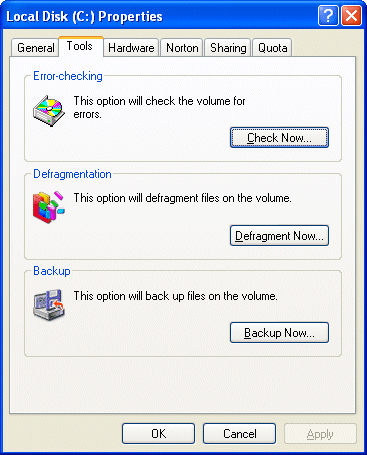
Additionally you can check your disk for errors:
tools.gif
 
Proper size ART for current OPLs are:
  • for disc box: 256x256 8bit PNG
  • for disc cover: 128x128 8bit PNG
Nothing else is and will be supported. You can use higher bit depth but keep in mind that this can conflict with high resource demanding themes, especially if themes are made improperly (majority of them). You can use different sizes but will be resized to these.
 
Proper size ART for current OPLs are:
  • for disc box: 256x256 8bit PNG
  • for disc cover: 128x128 8bit PNG
Nothing else is and will be supported. You can use higher bit depth but keep in mind that this can conflict with high resource demanding themes, especially if themes are made improperly (majority of them). You can use different sizes but will be resized to these.

can you guys just share your own ART folder with me? SO i can just drop in hte HArd disk and having all the art showing properly.
The ART Jolek sent me worked very well, I would be so thankfull
 

Similar threads

Back
Top