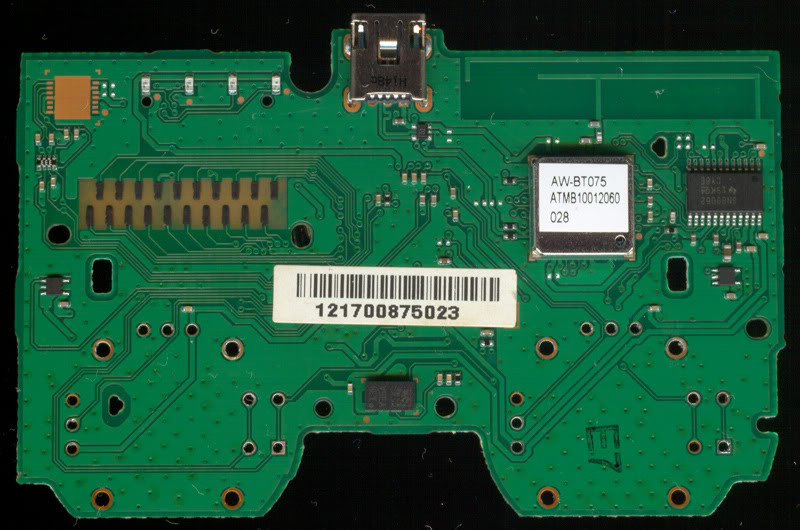
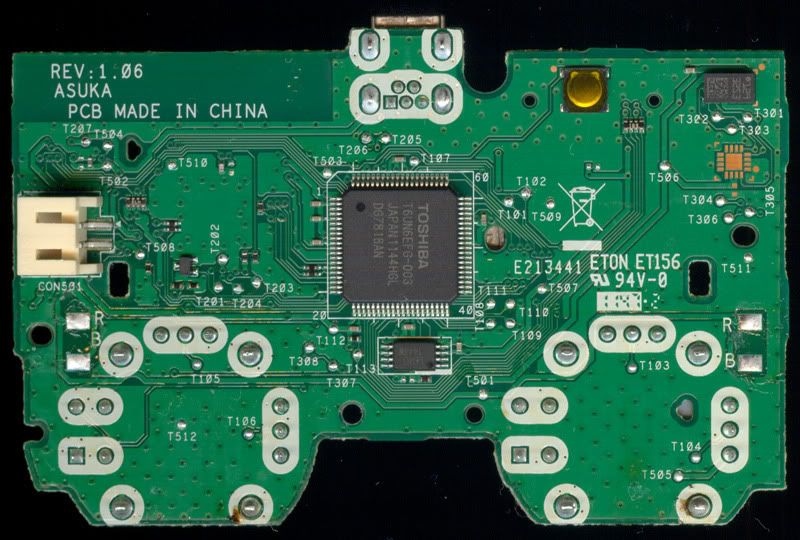
ASUKA 1.06 DualShock 3 Analog stick

I've already disassembled a bunch of these, and it was a pain in the ass to get them assembled again, I think what I will do is cut the plastic that holds the button and remove it, then solder another button without the restrictions of the plastic that holds it, as I have a lot of buttons laying around, so I can replace those.
 
Yeah, that butons are very common, if you have some electronics garbage with buttons probably you can recycle them from it
Btw, im reading the thread again, i dont want to confuse you

That problem with the "press" button is minor, i dont have the parts in front of my nose to be sure, but i think is easy
The other problem is the 4 "pillars" of metal at the corners of the "metal body"... that needs to enter in "holes" in the circuit board

Im thinking that the official circuit boards are dual side (there is nothing in intermediate layers)... so maybe you can "drill" a bit to move the holes some milimeters
You know... for this to work is needed to check if there is some copper trace next to the hole
Incase there is no other trace that could interfer our drilling work... then yeah i think this could work (but try to dont remove the ground layer to solder the "pillar" in it)
Not sure, just ideas... mostly because in this side of the circuit board there is nothing around the holes
ASUKA_REV_1.06_%28Top%29.jpg


And at this side... im not so sure but it looks the idea could work, i dont see much obstacles for the drilling
ASUKA_REV_1.06_%28Bottom%29.jpg
 
I'll have to drill holes if I were to use the PS4 analog sticks, but I've ordered some PS2 ones that are the same size, all holes and pins match except for the pressing button. I'll take the button out, melt its plastic to "relocate" its pins and then try soldering it. I have a lot of spare buttons the same exact size as the PS2 ones in my electronics garbage bin so I don't mind destroying a few.
When my PS2 analogs arrive I'll try this and then report back my results and pictures (if I succeed).

Thanks for all the info and ideas @sandungas !
 
Last edited:
I'll have to drill holes if I were to use the PS4 analog sticks, but I've ordered some PS2 ones that are the same size, all holes and pins match excepto for the pressing button. I'll take the button out, melt its plastic to "relocate" its pins and then try soldering it. I have a lot of spare buttons the same exact size as the PS2 ones in my electronics garbage bin so I don't mind destroying a few.
When my PS2 analogs arrive I'll try this and then report back my results and pictures (if I succeed).

Thanks for all the info and ideas @sandungas !

FYI you can also use 360 analog sticks, these also use 3 pin pots
 
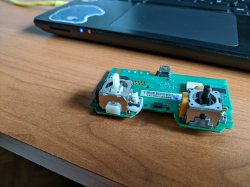
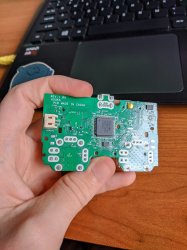
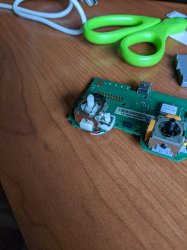
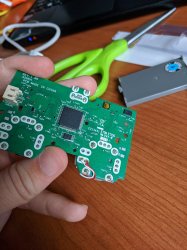
So I finally fixed mine (had to wait 1 F*CKING YEAR for the analogs to arrive).

I used a PS2 analog stick replacement and kept it's button but I bent the legs outwards and used wires to solder them to the bottom side.

Here are some pictures:
IMG_20210316_154856.jpg IMG_20210316_154943.jpg
IMG_20210316_162045.jpg IMG_20210316_162052.jpg
 
So I finally fixed mine (had to wait 1 F*CKING YEAR for the analogs to arrive).

I used a PS2 analog stick replacement and kept it's button but I bent the legs outwards and used wires to solder them to the bottom side.

Here are some pictures:
View attachment 32143 View attachment 32144
View attachment 32145 View attachment 32146
Nice, now you can use standard stick replacements :)
Im reading again the thread and wanted to make a drawing about my idea of drilling holes, maybe is handy for other people, it would look like this, i dont know the exact position or his diameter though
TwU39Rd.jpg

For this to work it would be needed to remove a bit of the ground layer around the new holes (with a razor knife or something) to isolate the pins
And after that, solder the pins to the original holes with a couple of solder blobs

Btw, the ASUKA allows to enter in the PS3 recovery menu ? (like an official DS3)
 
Nice, now you can use standard stick replacements :)
Im reading again the thread and wanted to make a drawing about my idea of drilling holes, maybe is handy for other people, it would look like this, i dont know the exact position or his diameter though
TwU39Rd.jpg

For this to work it would be needed to remove a bit of the ground layer around the new holes (with a razor knife or something) to isolate the pins
And after that, solder the pins to the original holes with a couple of solder blobs

Btw, the ASUKA allows to enter in the PS3 recovery menu ? (like an official DS3)

Drilling holes seems overkill, but I must admit that it would be the best way to make it fit without issues. The thing is that you'll have to drill 4 holes, as none of the button pins fit.

For the recovery menu, I'll have to try, I'll edit the post when I have the answer.
 
Back
Top