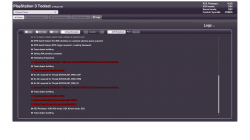
• Official PS3 Toolset is now supporting 4.92 Firmware

    View Official Release Post for additional information HERE

PS3 [BG Toolset] User Issues and Dump Submissions

I've run into kinda same problem with my NOR Slim 2501B model. After a full format HDD, the system refused to boot into XMB and Recovery Mode didn't detect my HDD (which was the factory one). So, I've surrendered, called it a brick and disconnected everything.

But the following morning, I've decided to give it another shot by downloading 4.88 OFW, triple MD5 check, using two old USB thumbs (FAT32 MBR, 512 MB each) and booted into Recovery Mode.

First, I've selected Restore file system in order to let the PS3 format the HDD and set everything up. Then, I've update the FW and everything went good. I was relieved that my console didn't brick and saved almost U$D 250 for an E3 Flasher.

I believe that maybe there is some capacitor or circuitry that holds some charge and blocks some chip or processor into booting properly.
Yea i've tried all the options in recovery and unfortunately still a no-go. I may give it another go, but so far it's failed to recognize any alternative drive i've installed into it. The CECHA models are known to be trickier to recover from a soft-brick. I still think i'll be able to get it up and going again, just looks like it's proving to be more of a pain than i'd wish for it to be.
 
Ticking all the boxes.Checked the fw version on my slim with the minverchk. All good
New profile, cleared the cookies, cache, search history, auth info. Time is synced.
go to toolset dot com and loads an error "The PS3 Exploitation Framework Download Failed"
Went from Wifi to Wired, same results.
If I try to reload, the page doesnt load at all, instead is just says Just a moment at the top and seems to hang.
if I delete cookies again it will load, to the same error message. "The PS3 Exploitation Framework Download Failed"
I never get the security warning. I go to discontinue browser security and Trend is greyed out.
Im on FW 4.90 official.
Only resources I see are saying to keep trying over and over, but its not clear that they have to clear cookies every time. Someone said use a better network connection, thats why i switched to ethernet.

the top right says The PS3 exploitation framework download failed.

and I get 3 errors in red:
HTTP error 403
Integer Library file downloading error
Session GC Failed.


any ideas other than, keep clearing the cookies and trying again?

Thanks in advance.
 
Ticking all the boxes.Checked the fw version on my slim with the minverchk. All good
New profile, cleared the cookies, cache, search history, auth info. Time is synced.
go to toolset dot com and loads an error "The PS3 Exploitation Framework Download Failed"
Went from Wifi to Wired, same results.
If I try to reload, the page doesnt load at all, instead is just says Just a moment at the top and seems to hang.
if I delete cookies again it will load, to the same error message. "The PS3 Exploitation Framework Download Failed"
I never get the security warning. I go to discontinue browser security and Trend is greyed out.
Im on FW 4.90 official.
Only resources I see are saying to keep trying over and over, but its not clear that they have to clear cookies every time. Someone said use a better network connection, thats why i switched to ethernet.

the top right says The PS3 exploitation framework download failed.

and I get 3 errors in red:
HTTP error 403
Integer Library file downloading error
Session GC Failed.


any ideas other than, keep clearing the cookies and trying again?

Thanks in advance.

Same here on a Japanese CECH00. I even set the language to English (United States) and changed the time zone from Tokyo to where I'm really located in (it's a secret), but no luck.

This problem hasn't been addressed in over a week either...
 
A constant 403 error means the request received by the site is NOT 100% identical to the request made by the Toolset, in other words, something modified it before it reached the site.

This problem hasn't been addressed in over a week either...
That would be because there's no problem to address as far as I am concerned, your issues are most likely caused by either your ISP or your local WAN setup.
Using ethernet will not change a thing, try another Internet connection altogether, maybe your phone as mobile hotspot, and avoid VPN, proxy, etc...

If our sites weren't attacked all the time, we could let malformed and ISP modified requests go through but as is, it's better to have a handful of users getting this issue than everyone else being impacted by site downtime every other day.
 
Last edited:
A constant 403 error means the request received by the site is NOT 100% identical to the request made by the Toolset, in other words, something modified it before it reached the site.


That would be because there's no problem to address as far as I am concerned, your issues are most likely caused by either your ISP or your local WAN setup.
Using ethernet will not change a thing, try another Internet connection altogether, maybe your phone as mobile hotspot, and avoid VPN, proxy, etc...

If our sites weren't attacked all the time, we could let malformed and ISP modified requests go through but as is, it's better to have a handful of users getting this issue than everyone else being impacted by site downtime every other day.
I'm also noticing problems with the domain.
Memory errors for me even though I'm on Evilnat 4.90
 

Attachments

  • PS3 Toolset by @bguerville.png
    PS3 Toolset by @bguerville.png
    112.9 KB · Views: 143
The Toolset couldn't allocate memory from the browser memory container because there isn't enough available memory left in it.
Reboot the PS3 and try again in a fresh browser session.
 
Hey everyone! First time posting on this thread however not my first time PS3 modding.

I have a PS3 Slim (CECH-2501A) currently running a fresh install of OFW 4.90. I have ran the MinVerChk pup file which reported the consoles minimum version is 3.40 which is well under the required 3.56 or lower to install CFW. I have synchronized the time using the internet and completely cleared the internet browser. After closing/opening the internet browser, I searched "ps3toolset.com"... waited a few seconds and the logs reported the following information.
  • HTTP Error 403
  • Integer library file downloading error
  • Session GC failed
I tried my other PS3 Slim (CECH-2001A), which is already running Evilnat's 4.90 CFW and I ran through the same prerequisites before traversing to "ps3toolset.com", and it reported the same error in the logs.

After reading a few previous posts in the thread, I have no reason to believe that my network is causing traffic to be dropped. Does anyone know of any issues "@bguerville" might be experiencing?

Thanks,
Cosmo

 
Hey everyone! First time posting on this thread however not my first time PS3 modding.

I have a PS3 Slim (CECH-2501A) currently running a fresh install of OFW 4.90. I have ran the MinVerChk pup file which reported the consoles minimum version is 3.40 which is well under the required 3.56 or lower to install CFW. I have synchronized the time using the internet and completely cleared the internet browser. After closing/opening the internet browser, I searched "ps3toolset.com"... waited a few seconds and the logs reported the following information.
  • HTTP Error 403
  • Integer library file downloading error
  • Session GC failed
I tried my other PS3 Slim (CECH-2001A), which is already running Evilnat's 4.90 CFW and I ran through the same prerequisites before traversing to "ps3toolset.com", and it reported the same error in the logs.

After reading a few previous posts in the thread, I have no reason to believe that my network is causing traffic to be dropped. Does anyone know of any issues "@bguerville" might be experiencing?

Thanks,
Cosmo
Try another Internet connection altogether (your mobile phone hotspot for instance).
 
I manually patched my IDPS offsets so here's a dump of my flash
PS3 Model: CECH-4301C
Firmware Version: 4.90.1
Firmware Type: HFW CEX
IDPS Is Masked: Yes
Have Original Dump: No
Have Patched Dump: Yes
Dump 2 URL:
https://mega.nz/file/u2gjTCZR#jgaMo1o3DHpYQYmiorpBikEZVnf5biyHFwLPXPly50M
System Boots To XMB: Yes
System Boots To Recovery: Yes
Firmware Version Displayed In Recovery: 4.90
Minimum Firmware Version Displayed In Toolset: 4.60
Disc In Drive: No
 
@bguerville I am a Turkish Developer. We want to install PS3 Toolset v1.2.006 on a Subdomain (x0r.tc) with our team and we want to do localisation. Can you share the github repo with us for this?
 
There's no GitHub repo, the official source code is private.
As far as I have researched, there is no complete documentation content about PS3 Toolset in our region, generally PS3 Users use their PS3 with HEN, we wanted to create an alternative area under your control without touching the source code as you requested, thanks for everything anyway, thank you also for responding to my request, regards
 
I wish all the guides would have the same Pqt h instructions as this post.
I figured it was done after you downloaded patch (read validated as done), but you had to apply it as well
Well thanks for the much clearer instructions

HFW will install fine, but cfw will fail at 72%.
 
Hi all, I'm fairly new to the scene of CFW so I've been trying my best to follow MrMario's guide on YT (
).

I'm stuck with using the PS3 toolset trying to save my flash memory backup.
When I attempt the process, I have an error pop up and when I check the log it says File Save IO Error 0x8001002b.

I've tried making sure all cookies and caches were cleared before I tried again, reset my PS3, made sure my USB drive is formatted to FAT32 MBR also trying a different network.

I'm practically a noob at this so any help will definitely be appreciated.

Cheers
Silver
 
Hi all, I'm fairly new to the scene of CFW so I've been trying my best to follow MrMario's guide on YT (
).

I'm stuck with using the PS3 toolset trying to save my flash memory backup.
When I attempt the process, I have an error pop up and when I check the log it says File Save IO Error 0x8001002b.

I've tried making sure all cookies and caches were cleared before I tried again, reset my PS3, made sure my USB drive is formatted to FAT32 MBR also trying a different network.

I'm practically a noob at this so any help will definitely be appreciated.

Cheers
Silver
Can you try a different USB flash drive? I think its a hardware issue.
 
Back
Top