Sorry no discord yet, sub to my YouTube if your interested in the project. I'll be doing live-streams and stuff, and I will post a discord and other networks there. I just finished this update literally today btw, tomorrow I will have to register my copyright. I'll be using the Aladdin free public license, you want another preview? Everything I was working on was scrapped and re-written several times btw, this mod is next-level now. ZEUS Mod CORE (Zombies External Universal Settings Mod Centre for Operations and Resource Execution) has several rare/unique focuses now. ZEUS Mod CORE supports menus for splitscreen users without conflictions. ZEUS Mod CORE is built in a manner that is easily cross-platform with the tiniest bit of tweaking. ZEUS Mod CORE features user plugin menus, anybody can make and share their menu and plug it straight into mine. ZEUS Mod CORE works on all firmwares and game versions. ZEUS Mod CORE will support other languages (eventually). ZEUS Mod CORE supports teleportation on any map. And perhaps most importantly of all, ZEUS Mod CORE supports the summoning of any gun/knife/grenade/lethal/equipment on any map, including DOA.
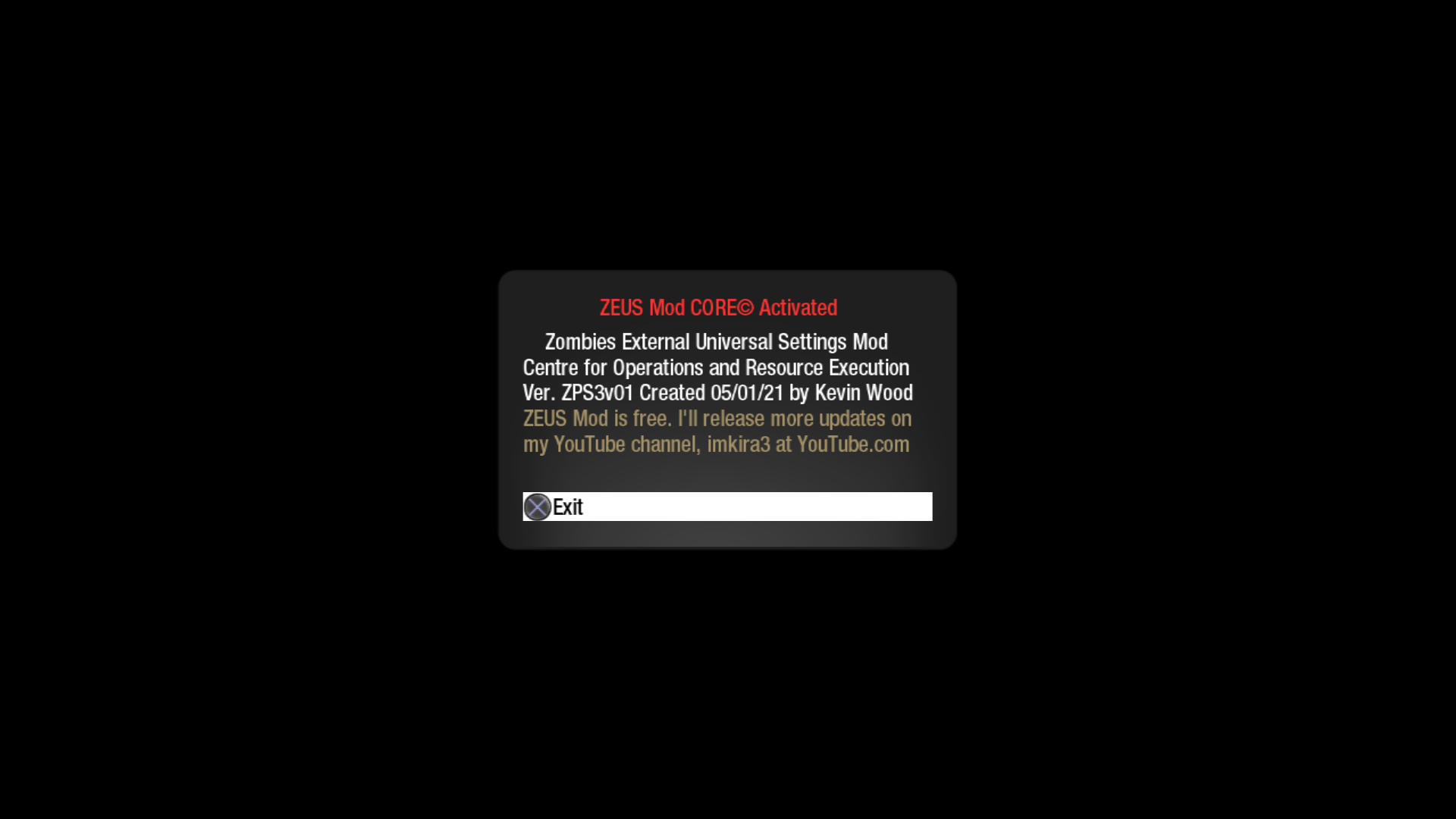
Launch Confirmation Window:
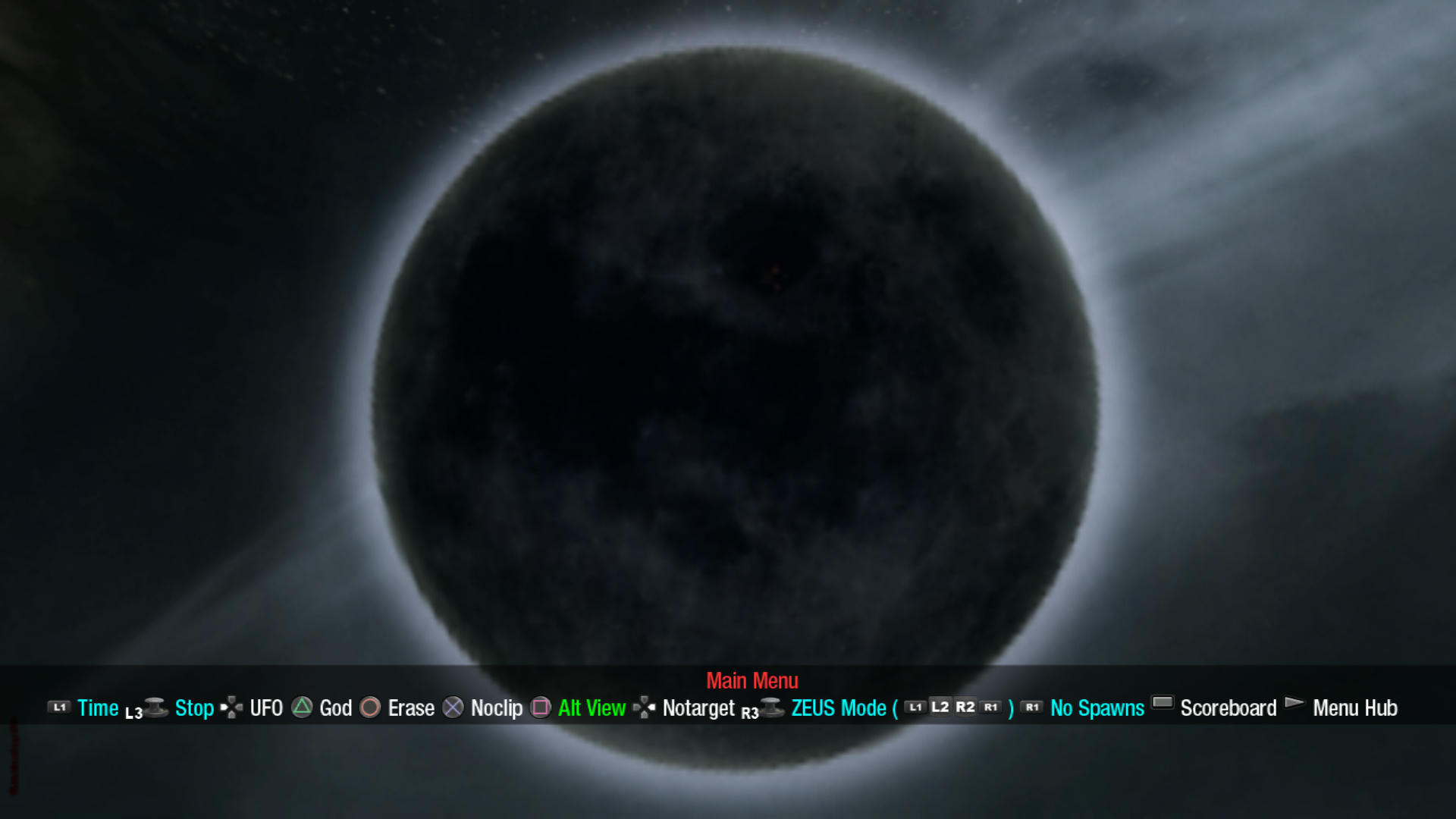
Main Menu:
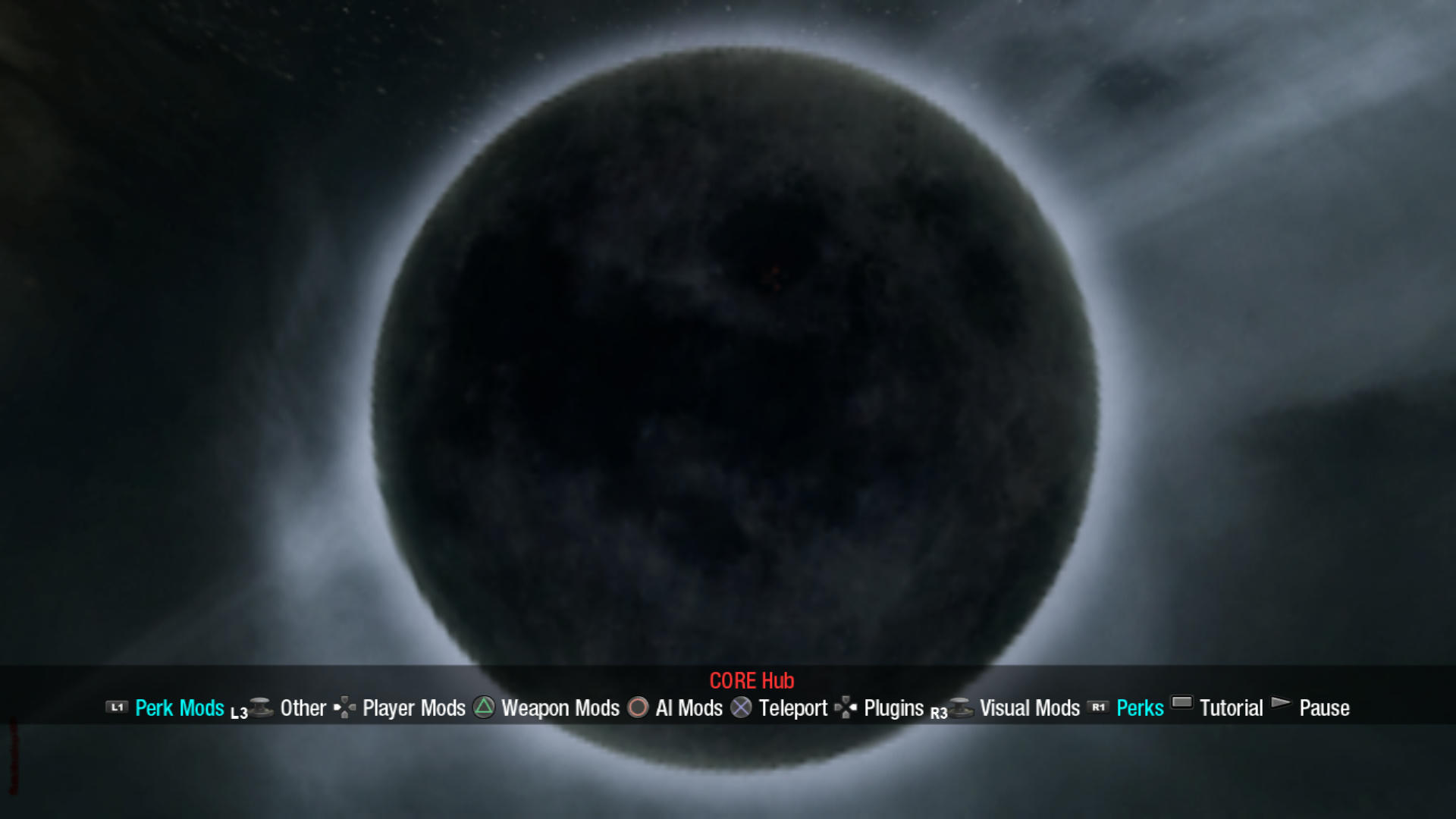
Menu Hub:
This is text copy/pasted from my menus tutorial menu and edited to be a bit more readable in text form:
Hello, and welcome to ZEUS Mod! This tutorial will focus on explaining basic controls, operation of the ZEUS menus and the options contained within the Main Menus, Plugins Menus, WeaponWheel Menus and WeaponPad Menus. Controls are basically the same, though the DPAD options can now be altered using the WeaponPad Menus. I also created a second way to access your claymores and other equipment by pressing Triangle and then Up Right Down or Left in case you do reassign the DPAD. I moved the scoreboard to the Main Menus and moved pause to the Menu Hubs, so pause is now Start > Start > Start and the scoreboard is now Start > Select. This leaves Start free to open the mod menus, and Select can open the WeaponWheel Menus, through which the WeaponPad Menus can be accessed. I also made an addition to the basic controls, adding two cheat codes that can be used outside the menus: Circle > X > Square > Triangle > Circle will quit the game, and Square > X > Circle > Triangle > Square will execute the ''Test.cfg'' file found in the ''ZEUS'' folder. The first thing you need to understand is how ZEUS menus work with different modes. There are 3 different modes featuring different options depending on whether you are playing offline, host or nonhost. Some menus will also change based on the map you are playing on, and the Main Menus have 2 additional modes for offline splitscreen and offline DOA. ZEUS Mod now has the ability to detect what mode you are playing on and shift you to the appropriate menu automatically. Most options will load instantly, but there are limits while modding nonhost. The nonhost menu has fewer options, and they can only be executed so fast. Basically you have to wait for the host server to process your command before you can launch another command, so if you are launching commands too fast the host server might not register some of them. There are two main types of menus, the smaller menus like this one require fewer buttons and so can be built to stay open without interfering with gameplay much, but most menus will close when you move in case you need to dodge some zombies. No menu will ever try and reassign your aim or shoot buttons. Summoning guns is easy with the WeaponWheel Menus, and with the WeaponPad Menus you can assign different summons to different DPAD buttons. You can summon guns, knives, grenades, lethals and equipment, however lethals and equipment cannot be properly summoned unless you already bought them. They are only there for restoring your claymores, cymbal monkeys, etc., after using the ''Take Weapons'' command but guns and knives summon fine. Grenades do too but there seems to be a certain order to them. You can hold multiple sets of grenades at the same time, but you will throw the first set you acquired first. So you might want to try removing your default grenades with the ''Take Weapons'' command before you try giving yourself another type of grenades. Be sure to reset any custom DPAD options each time you change maps, summoning the wrong weapon on the wrong map online can throw up an error code which is why we have different menus for all 11 zombies maps, but those weapons summon just fine offline and are included in the offline weapon menus. If you are having trouble picking up a third weapon, it's because players have to buy their third weapon to get 3 guns using Mule Kick, and make sure to switch back to your gun by pressing after summoning a knife or equipment before you try summoning something else, or your next summon will replace your new knife or equipment because they summon in your hands for some reason. As for the Plugins Menus, these are for advanced users to program their own menus, and it makes it easy to install custom menus created by someone else. I will post more details on this subject on my YouTube channel. Now as for the Main Menus, host/nonhost/offline options include: God - Makes you immortal.; Noclip - Allows you to fly through physical barriers. Be careful when flying out of bounds, as this can get you killed on some maps. Don't activate the first teleporter early on Moon or you might break the gate. Activating the power on Moon without opening the first door will kill whoever falls through the floor. Don't activate the power early on ''FIVE'' without calling both elevators or you will break the teleporters. Don't activate the power early on Ascension without opening the first door or you will break the lander.; UFO - Allows you to fly through physical barriers with a fixed y axis, and has the same risks as ''Noclip''.; Erase - This option will delete all spawned enemies, and can be quite disastrous if misused. Deleting the doctor on ''FIVE'' will break round progression. Deleting George on Call of the Dead may cause the game to crash next time George tries to respawn. Deleting the monkies on Ascension will break round progression. Deleted dogs will not drop a max ammo.; Notarget - This option will make you invisible to zombies, but you won't earn points and can't interact with some objects. This option can also be used to teleport with one less player on Moon. ^5Host/offline ^7options include: ^5Time ^7- This option manipulates time. You can crash the server if you play too fast or slow with a bad connection.; ^5Stop ^7- This option freezes/unfreezes all AI. If zombies can't move for a while they will eventually time out and respawn.; ^5ZEUS Mode ^7- ''ZEUS Mode'' is a quick way to configure most of the menu options to their optimal setting. Advanced users can change the nature of ZEUS Mode by editing ''ZEUSModeCustomSettings1.cfg'', ''ZEUSModeCustomSettings2.cfg'' and ''ZEUSModePerks.cfg'' in the ''ZEUS'' folder. ''ZEUS Mode'' will bind the ''Ammo Bind'' command to L1 L2 R2 and R1. I will post more in-depth information and tutorials on this subject on my YouTube channel.; ^5No Spawns ^7- This option will halt AI spawning, and can be quite disastrous if misused. Stopping the doctor on ''FIVE'' from spawning will break round progression. Stopping George from spawning on Call of the Dead will break round progression. Stopping monkies from spawning on Ascension will break round progression. Activating this option quickly after starting a game on Moon will result in rapid round skipping. ^2Offline ^7options include: ^2Alt View ^7- This option will do one of two different things depending on the mode. In offline splitscreen mode this option can toggle between splitscreen and first person view. This is a manipulation of the pause menu, and so pausing will reset the camera. In offline DOA mode this option can toggle between top-down and first person view, and will bind to the APAD (Left analog movement) on your controller.; Test Command - This option will execute the ''Test.cfg'' file found in the ''ZEUS'' folder. This option is only present in the offline Main Menus however the associated cheat code will work on any mode. For more updates and neat content check out my channel, imkira3 at YouTube.com. Have fun, and please mod responsibly!
This mod has a tutorial and many help sections, but I'll keep the new options a secret for now

but that doesn't matter much now we have the plugins menu, anyone can add extra code if they want options I didn't add.
EDIT: The Aladdin public license is a lot like the GNU public license, in fact it's based on it. There are a few differences though ofc, the main one being that the software is free to modify and distribute as long as you make any modifications clearly known and a few other details, but the program will NOT be legal to sell in either an original or modified form. This project is free, plain and simple. These restrictions do not apply to files inside the "ZEUS" folder, that folder is technically separate from ZEUS Mod CORE and not under the same license. The entire point of the ZEUS folder is to be editable by anyone without restriction, and contains plugin menu templates, plugin help menu templates, perklists and settings files that can override the official settings. If your wondering about the name change, the project doesn't even have a scrap of code left from the old betas, so I have renamed the project.


 and you can find the current release at se7ensins. This mod is built entirely with cfg files, it's a simple matter to use on PC or any console that can launch cfg files, just change the paths with the Notepad++ mass edit tool