PS3 Can this CELL Processor be patched after botched delid?

K112

Member
Hi all,

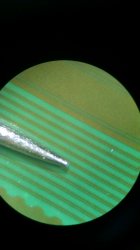
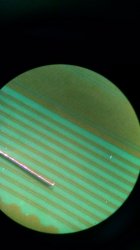
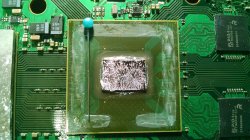
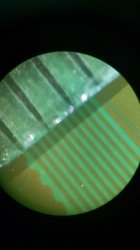
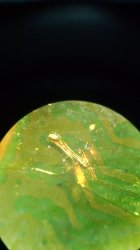
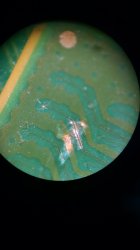
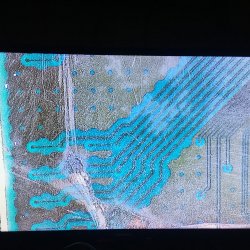
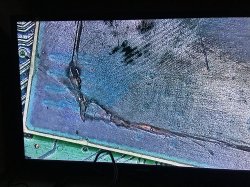
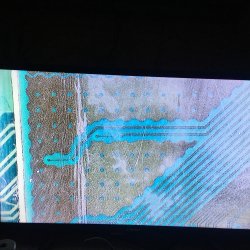
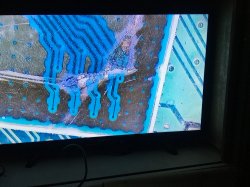
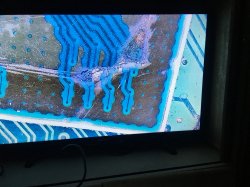
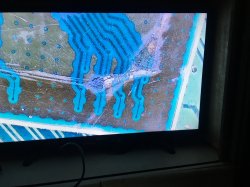
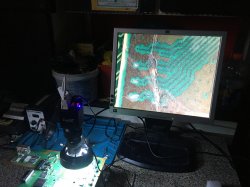
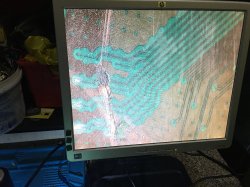
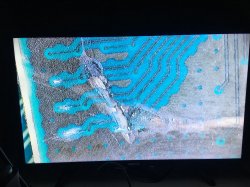
I did a IHS delid on a CECH-L04 console CELL which ended bad. However, I'd like to enquire if it can perhaps be patched using copper from one end trace to the other side? Please note: all the other scratches on the other side of the CPU (see 4th picture) were superficial-after scratching it was tested to work and that it was only when I scratched the marked area (please see second picture; if pictures not available please view the second url) that the console stopped booting thereafter.

For further info, no, the RSX was not delidded.

Thanks in advance


IMG-0707.jpg


IMG-0695-edit.jpg


IMG-0728.jpg


IMG-0687.jpg


IMG-0709.jpg


https://ibb.co/hyHt9Qk
https://ibb.co/nfB1Qnt
https://ibb.co/pLnYvRC
 
You'll need a microscope to see the real damage. Asumming the deep cuts aren't damaging anything apart of the traces we can see (which is hard to believe but I'm not sure), there're a lot of jumpers to make. This job is difficult if you have no experience and good pro tools (my case), but if you want to give it a go, I recommend you asking someone to let you take a look to those cuts under the scope and take a few pics of the damage. Then you'll know if it's possible, but also, as I said before, I don't know how far those cut were inside the pcb.
 
Thank you for replying. Unfortunately I can't send PMs to your profile yet(account still new) and throws an error when I open it. If i could ask more in depth here , in your case, you mentioned that there are two lines joined "together" . can one solder to the larger green part or is it necessary to solder from the head (or the end line) to the affected points?
 
I can help you here, no problem. It's better so anyone can see it.

The problem about the CELL is that under the scope things are scary, I explanied that 'cause it was my strategy to face the problem, but you can choose your own path to the solution, at the end, the fix is only one. I had luck that in my case the cut was in only two traces that were in parallel, that's why I said they were together, 'cause in my scale of precision, they looked just one lol

If you have a cut in, let's say, two traces at the same point, marking a straight line, you can use a scalpel to remove some green protection on one trace, until you can see the shinny copper. Then you have to do the same with the other trace, a few nanometers above or below the first incision. Then, you have to shave those heads, with too much care, use the scalpel to do it, until the copper is shinny, once again.

Then prepare for the worst part, making the actual soldering. You need 0.1mm> jumper wire to achive this goal, if you are prepare and don't care anything that comes ahead, you can go for the 0.01mm jumper wire (this one is naked, so you don't need to care about burning the tips) https://es.aliexpress.com/i/4000797195470.html and the best solder iron you can get, with the thinnest tip (40w).

I did it in about an hour, with the poor equipment I have :D

I'm adding old photos I have.
 

Attachments

  • IMG_20201020_131022317.jpg
    IMG_20201020_131022317.jpg
    2.7 MB · Views: 399
  • IMG_20201020_131305021.jpg
    IMG_20201020_131305021.jpg
    2.9 MB · Views: 393
  • IMG_20201020_131406444.jpg
    IMG_20201020_131406444.jpg
    4.3 MB · Views: 410
  • IMG_20201020_142102455.jpg
    IMG_20201020_142102455.jpg
    3.1 MB · Views: 401
  • IMG_20200206_091546414.jpg
    IMG_20200206_091546414.jpg
    1.9 MB · Views: 399
  • IMG_20200206_082124511.jpg
    IMG_20200206_082124511.jpg
    1.3 MB · Views: 449
Thank you. Got 0.10mm jumper wire (enamel wire) at hand. Will check later on in the day for other jumper wire if needed, and if others possibly are in posession of microscopes.
 
Thank you. Got 0.10mm jumper wire (enamel wire) at hand. Will check later on in the day for other jumper wire if needed, and if others possibly are in posession of microscopes.
The enameled wires are probably the worst kind of wire for this job, because are coated with a layer to insulate them all along, is like a varnish that is going to prevent the wire to be attached to the trace

I guess the only way to prevent that is if you "sandpaper" it... but at that tiny scales of 0.1mm i guess the result after the sandpapering is not going to be good enought
The other guetto way i figure you could try is to "burn" it at the tip with fire, this should remove the coating, but not sure if the copper core of the wire is going to resist the fire without melting, lol... and yeah this is going to generate some residues so the result probably is not going to be good enought either

The sunshine wire mentioned by @ElGris is special for this job because have silver, i never had a wire like that but i bet it attaches to the copper trace very easilly... like a chemical reaction that makes the wire to have some attraction to the copper
And thats extremelly important for this solder job because the problem you are going to have is there is going to be a huge percentage of the times (over 90%) where you try to solder the wire on the trace and the result is the wire is not soldered to the trace at all, so you need to repeat... and repeat... and evrytime you repeat the copper of the trace is degraded a bit more and a bit more, etc...

---------
Btw, another guetto-idea i had time ago to increase the percentage of success while doing this kind of solder job is a "problem" that can be seen in the photos uploaded by elgris...
If we think in the geometry of the trace and the wire... we have a flat surface (the trace) touching with a cylinder (the wire)
The contact in between a flat surface and a cylinder is just a thin line... and thats not optimal
So i had the idea of placing the tip of the wire on top of a metal block and HAMMER IT !
This way we convert the cylinder into an oval (or we flatten it)
The theory on paper sounds good... but at that scale of 0.1mm im not so sure if it can be made so easilly with a hammer, lol
 
I've seen a trace before on 360 that was "patched" with the same enameled wire- just needed to burn it with the soldering iron tip as you mentioned so solder can stick to it.

how @ElGris has made it simple is exciting. The 5th picture (the one with the soldered wire to the lines/traces) makes me curious. It appears the lines all communicated to each other (I assume hence why @ElGris has soldered from one head to the next line across) and it doesn't have any side effects(yes, having metioned all the dots represent the ground plane).
 
I've seen a trace before on 360 that was "patched" with the same enameled wire- just needed to burn it with the soldering iron tip as you mentioned so solder can stick to it.
But is better if you use a copper wire without the coating, is easy if you have some wires at home, i mean the standard ones with a plastic insulation used for electricity, peel the insulation a bit and take a look at how is made internally, most are made with threads rolled around and that threads are copper without any coating
As far i understood you have a caliper, take a look maybe you have something around 0.1mm or smaller
how @ElGris has made it simple is exciting. The 5th picture (the one with the soldered wire to the lines/traces) makes me curious. It appears the lines all communicated to each other (I assume hence why @ElGris has soldered from one head to the next line across) and it doesn't have any side effects(yes, having metioned all the dots represent the ground plane).
Well, we had some fun with that photo calling it "the spaghetti fix" but not as something offensive because we should consider it aceptable if done without any special equipment
The solder iron with a tiny tip is a "must have"... but without microscope and good wire is a bit like a lottery, there is not much control of the results, so is a matter of continue trying again and again... and if at some point you see the wire was attached to the copper traces check with the multimeter to see if is electrically fine
Thats what happened to elgris... visually looks like a big shorcut, lol, but electrically was fine, and the PS3 was working

I would not say that looks like the kind of fix that is going to be workig foerever... but depends of how many time you spend in it and how desperated you are
 
But is better if you use a copper wire without the coating, is easy if you have some wires at home, i mean the standard ones with a plastic insulation used for electricity, peel the insulation a bit and take a look at how is made internally, most are made with threads rolled around and that threads are copper without any coating
As far i understood you have a caliper, take a look maybe you have something around 0.1mm or smaller

Well, we had some fun with that photo calling it "the spaghetti fix" but not as something offensive because we should consider it aceptable if done without any special equipment
The solder iron with a tiny tip is a "must have"... but without microscope and good wire is a bit like a lottery, there is not much control of the results, so is a matter of continue trying again and again... and if at some point you see the wire was attached to the copper traces check with the multimeter to see if is electrically fine
Thats what happened to elgris... visually looks like a big shorcut, lol, but electrically was fine, and the PS3 was working

Edit:Yes we have plenty of those insulated wires at home- the copper strands will be just nice for the job!:nevreness:
Haha spaghetti fix:tranquillity::flustered:, it's a matter of hit and miss.... the console has not been used in 2 years, and as everyone suggested to use a painters knife and heat....But I went without the heat and used it blunt, no flatting it with sandpaper (think 800 grit and 1200 grit will be just fine) and scratched twice and thus as a result ended with this:mad new:.

30 gauge/awg wire is too thick in this use-case(if anyone was considering). According to the google- 0.10 mm and 0.1mm are the same (decimal placing if anyone gets confused):biggrin:, the wire mentioned in the link is 0,01. Buying from Aliexpress unffortunately will not work (as of present) till /bans/embargoes/ taxes are lowered and removed in the country i'm in.

I would not say that looks like the kind of fix that is going to be workig foerever... but depends of how many time you spend in it and how desperated you are


As long as I don't open this up too often(I can't promis myself that,haha) I assume it will live very long once done correctly.
Just need a fibreglass pen(sandpaper I have at hand too rough for pcb work) and possibly the wire @ElGris mentioned.
Will be a nice project
 
Last edited:
Is also a matter of finding your limits and the limits of the tools/equipment you are using, in the mythological spaguetti fix by elgris it seems the problem was the wire, he was struggling with it because was not attaching to the trace

For other readers that doesnt know what we are talking about, is this thread, posted almost 1 year ago, he was humble to post it as a curiosity to show what can be made without expensive equipment
https://www.psx-place.com/threads/joy-ive-delided-4-cells-in-a-row-cell-repairing.28068/
 
The 5th picture (the one with the soldered wire to the lines/traces) makes me curious. It appears the lines all communicated to each other (I assume hence why @ElGris has soldered from one head to the next line across) and it doesn't have any side effects(yes, having metioned all the dots represent the ground plane).

Actually those traces (even if they're in parallel) are different, they're not the same. I didn't mention that this picture:

https://www.psx-place.com/attachments/img_20200206_082124511-jpg.35306/

Belongs to a CECH-C that I repaired right after the G I posted the last year, so this is a different fix, but same issue, two traces cut. CUT!!! :(

I know the picture where I shared the second fix is confuse, it has kapton tape on it, but what I wanted to clarify is that those traces are different, in that case, if I remember well, one trace needed a jumper (which is the big wire you see), the other one just a soldering point, but as I know that's complicated (even at funny sizes like these), I think I added a second small jumper over the second trace, which looks intact but it was clearly cut, because that C was giving me still GLOD.

I recommend you @K112 to use a small needle to remove the protection on the traces/heads if you don't have a scalpel, and please use a good scope, because is really difficult if you can't see anything.

@sandungas knows all the story, really funny btw :D

I used a crappy soldering iron, a low cost microscope (cheap but at least is not digital, really important), wire that I don't even know what size it is (I grabbed it from an old chinese alarm clock, since the jumper wire I had was thicker) and cheap ass flux (really cheap).

From all of this, the most important thing is the scope, like I said, you need to see what you are doing, if you really want to accomplish this.

I want to improve it though, since I still have this C in a box (I also want to rework it), just need to get the right tools. And then, the spaguetti is going to evolve :D

it seems the problem was the wire, he was struggling with it because was not attaching to the trace/

Actually it was EVERYTHING LOL. The one that put his ass to do it with the crap tools I had at the time will understand :D

Btw, @K112 my method in every soldering is to apply flux and "paint" with tin the traces I need to solder, that in this case were two, and two heads. Once the soldering points are "tinned" with the iron, you need to tin the wire, by just grabbing some tin with the tip of the soldering iron and make contact in both sides of the jumper. With the iron I have the only way to solder small jumpers like this is putting the tip over the wire and make some pressure for and instant. Not too much, else the other side of the jumper will loose.

As last comment, these are spaguetties 'cause I couldn't cut jumpers small enough to be able to grab them with the tweezers. And while the job was done, and I'm sure it was firm, I didn't want to cut anything with the scalpel, 'cause my scope hasn't a good zoom for this job. If you want to do it like a pro, you need barlow lens.

I wish you good luck :beaten:
 
Update: got the fiberglass pen; don't seem to have microscopes at the usual stores I go to for parts. Will keep informed on more things as soon as I can
 
Hi all, warm greetings to @ElGris and @sandungas

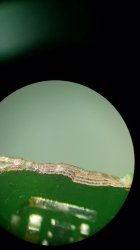
Long time no see. Here's the cpu/CELL under a microscope:

For reference, the key being BE MONTBLANC is the area where I scratched it (in the bottom left). No Barlow lens here, so I propped it on a box small enough to fit under it.

Not sure if I can add more or what the total size limit of pictures are.


View attachment 36801
IMG_0214.JPG
IMG_0230.JPG
IMG_0228.JPG
View attachment 36805
IMG_0214.JPG
 

Attachments

  • IMG_0226.jpg
    IMG_0226.jpg
    3.4 MB · Views: 68
  • IMG_0199.jpg
    IMG_0199.jpg
    4.9 MB · Views: 82
  • IMG_0224.JPG
    IMG_0224.JPG
    2.6 MB · Views: 74
  • IMG_0250-flipped.JPG
    IMG_0250-flipped.JPG
    3.2 MB · Views: 69
  • IMG_0251-flipped.JPG
    IMG_0251-flipped.JPG
    3.3 MB · Views: 62
  • IMG_0252-flipped.JPG
    IMG_0252-flipped.JPG
    3 MB · Views: 72
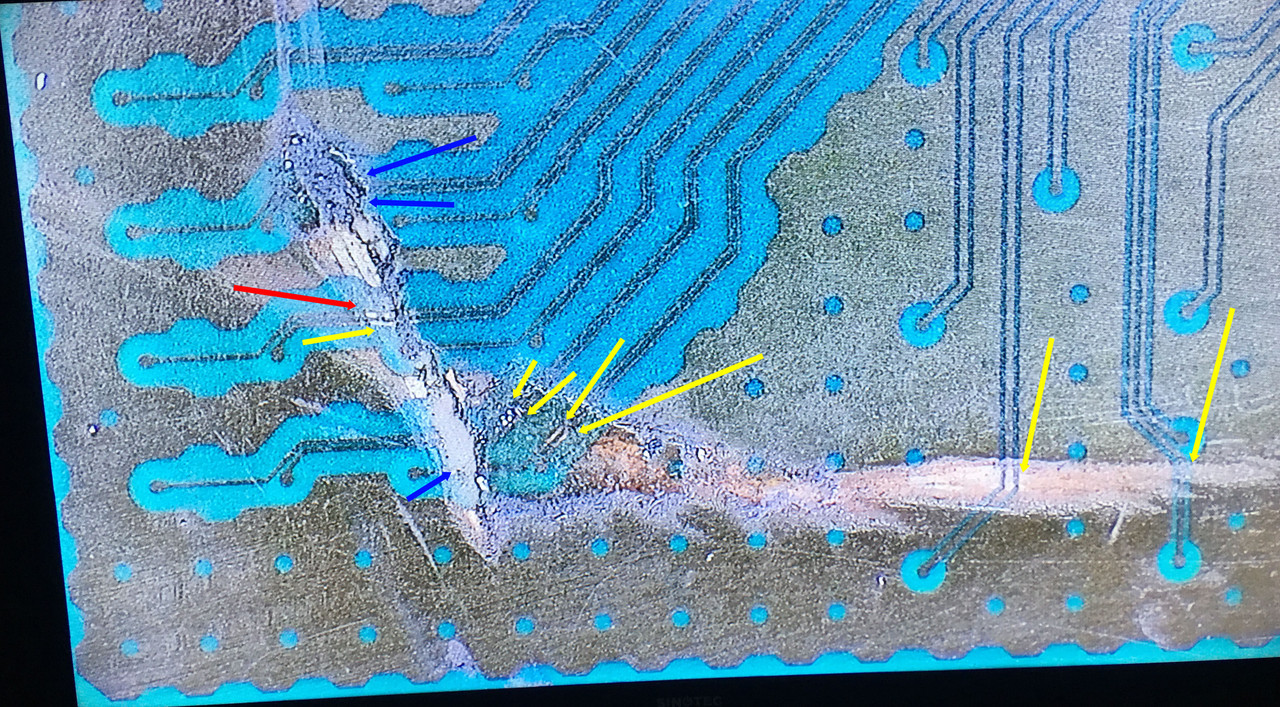
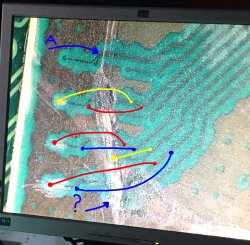
I painted some arrows to comment them but i cant see it well
IMG-0228ty.jpg

In the yellow arrows it seems you exposed the copper lines but you didnt cutted them
The blue arrows are doubtful because the varnish surface became white (the same effect if you sandpaper it) and doesnt allows to see under it, that white color could be an indication that the scratch didnt went through the varnish
The red arrow seems to be cutted, the copper line is like displaced laterally also

If you make more photos, try to "wet" the surface with isopropil alchol before making the photo, this restores the transparency of the varnish temporally (before the liquid evaporates) and allows to take a look under the whitened areas
 
@sandungas at that point in time no I did not sand anything. I have now with 2000 grit(anything harder i.e lower grit and pcb will begin to ruin) and have attempted with no success yet. Will continue later on. Adding pictures.
 

Attachments

  • IMG_0276.JPG
    IMG_0276.JPG
    2.2 MB · Views: 104
  • IMG_0277.JPG
    IMG_0277.JPG
    2.5 MB · Views: 96
  • IMG_0273.JPG
    IMG_0273.JPG
    3.3 MB · Views: 105
Last edited:
Hey man, nice to see you around again. Shhhi.. If I were you I'd be like this, kind of.. https://c.tenor.com/h6B7wmIxzREAAAAC/himym-barney.gif

I see a few important issues here, first of there're little chances of getting that running again, because I'm seeing really big craters, and I don't really know how near the 2nd sublayer of the CELL pcb is from the 1st one (what you can see as brown lines). I once had to remove a short from a cell phone pcb by isolating a few layers of it, because there was a short-explosion, and they were more than 3 layers.. imagine this piece of engineering :/

Meaning that you probably will have to fight with a few shorts right there, and this will be noticed once you fix everything and boot the console. I don't know either how dangerous could be this for the die, maybe it could kill it or not, who knows.

If you, let say, solder every jumper, you still have the last two of the bottom that I can't reconize, it seems you lost a pad there (soldering point) and I asume those pads go 90º against the the 2nd sublayer, so if you lost that "head", it's game over I'm afraid.

Also, don't use sand paper, you just need a needle or scalpel. It's cleaner and clear for your eyes.

I made a 5 years old draw with one of your pics. You should check also "A" to see if those aren't cut too.

I recommend you to take you time if you wanna start this, make a jumper and relax, one per day if you prefer it, because it's a pain in the ass, even more with those digital scopes that doesn't show you a clear image. Btw, that looks like those 1080p cameras right? I was planning to get one along with my next scope, but those are really expensive down here (hell) :D

I think I wouldn't feel comfortable don't seeing directly to my hands hahaha.
 

Attachments

  • CELL 001b.jpg
    CELL 001b.jpg
    776.5 KB · Views: 215
  • IMG_20190816_212010822.jpg
    IMG_20190816_212010822.jpg
    2.4 MB · Views: 170
Last edited:
@sandungas at that point in time no I did not sand anything.
I think you misunderstood me, what i meant is that you have a lot of white surfaces because the scratch
Is the same visual effect like if you take one of that amber pieces from jurasic park and you sandpaper it... originally the amber is translucid but after the sandpapering becomes white. Thats the visual effect you are having and is an annoyance because doesnt allows to see under the white surfaces

To bypass that problem you need to "wet" the surface... with isopropil alchohol or just by dropping some flux on it, this way the white surfaces becomes transparent
 
Hi,

will add further on in the day.

I have no issue with this as this is for experimenting, learning purpose and so others can learn too.

I may have gone too far, but no problem.

Yes, I used a needle but thought it was possible to expose traces like you usually can on cellphones/ pcbs etc. NOTE: IT DOES NOT WORK THAT WAY ON PS3.
Soldering was difficult- insulated copper wire did not take- usb data line cable wire seems to be thin enough...... still did not catch.

Unfortunately this system is not very well documented for.....Would have been open to the idea of tracking and tracing between the data lines that feed to the cpu and back.
 
After reading this post, I ended up buying a microscope hoping to fix my Cell after a failed delid. Getting syscon error 3013. But after looking, I'm struggling to find the cut trace, I only see exposed copper. @ElGris or @sandungas could you have a look to see if this is possible to fix? I did use isotropic alcohol to try to see through the silicone

XGywNlT
TaDtiaL
0m6wAWN
eVOg0Xb
qQKdcVh
 

Similar threads

Back
Top