try thisi found the problem.
u can drop one file one time,u drop config,cant drop rap on ps2 classic gui
here's the rap number file and psn CONFIG file,who can tranfer and analyse it.
my computer knowledge can't handle this.
@Zar @sandungas

You are using an out of date browser. It may not display this or other websites correctly.
You should upgrade or use an alternative browser.
You should upgrade or use an alternative browser.
PS3 Compatibility List - PS2 on PS3
- Thread starter STLcardsWS
- Start date
OMG!!!!!!!!!!!!!!!!try this
speed back to normal! and picture same as psn version !
how did u decrypt the config file?

sandungas
Developer
Im looking at the config for curiosity sake... and im going to post it here just incase someone is interested to see how this worksOMG!!!!!!!!!!!!!!!!
speed back to normal! and picture same as psn version !
What i do is to start looking at this table, mostly because usually some comands are very straightforward and easy to identify just by looking at that table
https://www.psdevwiki.com/ps3/Talk:PS2_Emulation#PS2_Emulators_Config_Commands
Eventually the config could have a more complex command (that could confuse you), and this is when you need to take a look at this list
https://www.psdevwiki.com/ps3/PS2_Emulation#Config_Commands
This config uses the command 0xA (a tricky one) composed by:
uint32_t count, <List> (offset, original opcode, replace opcode)
uint32_t count, <List> (offset, original opcode, replace opcode)
This is the config, in a HxD view
Code:
Offset(h) 00 01 02 03 04 05 06 07 08 09 0A 0B 0C 0D 0E 0F

00000000  3D 00 00 00 27 44 00 00 46 00 00 00 41 00 00 00  =...'D..F...A...
00000010  0A 00 00 00 02 00 00 00 94 E0 11 00 04 68 06 0C  ........"à...h..
00000020  00 00 00 00 9C E0 11 00 54 A6 08 0C 00 00 00 00  ....œà..T¦......
00000030  00 00 00 00 53 4C 50 53 2D 32 35 36 30 36        ....SLPS-25606
3D000000 = 27440000 <---- Config file revision
46000000 <---------------- Enable L2H Improvement
41000000 <---------------- Disable lwsync ?
0A000000 = 02000000 <---- Patch EE memory with 1 opcode (but is using a counter =2 ...so are 2 patches)
-----94E01100 (offset), 0468060C (original opcode), 00000000 (replace opcode)
-----9CE01100 (offset), 54A6080C (original opcode), 00000000 (replace opcode)
00000000 = SLPS-25606 <---- Config terminator or TitleID enforcer
----------------------------
In plain words... is "switching" 2 commands ("Enable L2H Improvement", and "Disable lwsync")
And is applying 2 patches in EE memory that replaces the original values by zeroes (at offset 94E01100, and at offset 9CE01100)

kozarovv
Developer
0x110e94, and 0x110e9cAnd is applying 2 patches in EE memory that replaces the original values by zeroes (at offset 94E01100, and at offset 9CE01100)

US version of Raw Danger!
Code:
Offset(h) 00 01 02 03 04 05 06 07 08 09 0A 0B 0C 0D 0E 0F

00000000  3D 00 00 00 27 44 00 00 46 00 00 00 41 00 00 00
00000010  0A 00 00 00 02 00 00 00 04 E1 11 00 5C 6A 06 0C
00000020  00 00 00 00 0C E1 11 00 EC A8 08 0C 00 00 00 00
00000030  00 00 00 00
EU version of Raw Danger!
Code:
Offset(h) 00 01 02 03 04 05 06 07 08 09 0A 0B 0C 0D 0E 0F

00000000  3D 00 00 00 27 44 00 00 46 00 00 00 41 00 00 00
00000010  0A 00 00 00 02 00 00 00 F4 E0 11 00 40 6A 06 0C
00000020  00 00 00 00 FC E0 11 00 D0 A8 08 0C 00 00 00 00
00000030  00 00 00 00
Both untested. @nictse thanks for sharing original patch.

sandungas
Developer
With any program able to display DDS files, i suggest you to use this one https://www.irfanview.com/guys, how to transfer ps2 classic manual *.dxt to normal picture?
0x11e094, and 0x11e09c :P0x110e94, and 0x110e9c
In my explanation i didnt changed any endianess, but it was made on purpose incase someone wanted to compare it with the hexeditor view
@sandungas rfanview cant open *.dxt......need anyother soft to transfer?
sandungas
Developer
Sorry i confused them with the PS3 manuals (that are really DDS), can you upload some sample of that DXT files ?@sandungas rfanview cant open *.dxt......need anyother soft to transfer?
Im not sure if there is some progam to create PS2 manuals, there is an explaination here about how to convert the DXT to DDS, but is not very well explained and is tricky
https://www.psdevwiki.com/ps3/Multimedia_Formats_and_Tools#DXT
Devildwarf
Member
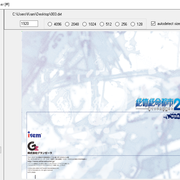
@sandungas
i checked the debug menu
L2H Improvement Enable ([Performance]For a title using L2H)
Force Film Field disable ([Hang] For soft-lock)
VSYNC DELAY off ([Performance]Generic improvement )
XQR CSR disable ([Graphic]For fullscreen line corruption)
all game's debug menu same or not?
i checked the debug menu
L2H Improvement Enable ([Performance]For a title using L2H)
Force Film Field disable ([Hang] For soft-lock)
VSYNC DELAY off ([Performance]Generic improvement )
XQR CSR disable ([Graphic]For fullscreen line corruption)
all game's debug menu same or not?
Last edited:
sandungas
Developer
Yes, sadly the debug menu only displays that 4 commands :/@sandungas
i checked the debug menu
L2H Improvement Enable ([Performance]For a title using L2H)
Force Film Field disable ([Hang] For soft-lock)
VSYNC DELAY off ([Performance]Generic improvement )
XQR CSR disable ([Graphic]For fullscreen line corruption)
all game's debug menu same or not?

mrjaredbeta
Developer
Is there a config command to force 4:3 aspect ratio? Seems the emulator defaults to 16:9 internally (i.e. Burnout defaults to 16:9 from internal BIOS settings and there's no way to change ingame).
only way i know is use the widescreen patch to isoIs there a config command to force 4:3 aspect ratio? Seems the emulator defaults to 16:9 internally (i.e. Burnout defaults to 16:9 from internal BIOS settings and there's no way to change ingame).
you can use edit .CONFIG add 16:9 to patch the ELFIs there a config command to force 4:3 aspect ratio? Seems the emulator defaults to 16:9 internally (i.e. Burnout defaults to 16:9 from internal BIOS settings and there's no way to change ingame).
But need the original value, hope someone can patch ps2's config without checking the original value
mrjaredbeta
Developer
only way i know is use the widescreen patch to iso
you can use edit .CONFIG add 16:9 to patch the ELF
But need the original value, hope someone can patch ps2's config without checking the original value
I do not want to add a widescreen code/ELF patch. I want to negate the automatic switching to 16:9 from PS2 BIOS (games like the Burnout series auto default to 16:9 from your PS2 menu settings in System Configuration). I guess I could make a "4:3" patch to negate the auto widescreen, but that's a little unorthodox.
Hi!
Can anything at all be done regarding these ps2 games config-wise?
- Eternal Poison (SLUS_217.79): audio sync delay problems during FMVs (e.g.: new game intro scene); subtitles fade out during certain dialog scenes and part of the text becomes unreadable (e.g.: the first dialog as soon as you arrive in the first city right after the prologue).
- Ghost in the Shell (SLUS_210.06): audio sync delay during FMVs (e.g.: new game intro scene); Managunz automatically recommends a few configs when launching the game, but I've noticed that when you enter the "game options" and select "configuration" (via managunz) there is a red highlighted block option in the "advanced section": 0x0B. The other ones are 0x3D and 0x00 but they are not highlighted in red. I have no idea if this is supposed to work this way.
Growlanser V / Growlanser Heritage of War (SLUS_215.71): There is a permanent, very noticeable black line across the face of the main character (the same happens with Growlanser II and III but the line is not really noticeable on those, so it is a minor problem); Since there is an official ps2 classic available, I was hoping for a config file that could solve this issue.
Growlanser Generations (SLUS_207.58): there is also a red highlighted block option in the "advanced section" (via mangunz): 0x0B. The other ones are 0x3D, 0x2E and 0x00.
Dead or Alive 2 (SLUS_200.71): again, there is also a red highlighted block option in the "advanced section": 0x0B. The other ones are 0x3D, 0x0A and 0x00. Nevertheless, I've noticed no problems whatsoever with this one.
Wild Arms - Alter Code F (SLUS_209.37): during the initial intro scene, the dialog boxes start shacking heavily making it quite hard to read.
Wild Arms 3 (SCUS_97.203): some issues were reported on another thread but a custom config was never made available? (I'm not sure about this one).
These games have not been tested thoroughly, but most of them are reported playable in the wiki, so I'm probably messing something up.
I'm using Rebug Rex 4.84 and launching games (iso format) via managunz on a non-BC fat ps3.
Thank you so much for all the work you guys have been doing regarding this stuff. I really appreciate it.
Can anything at all be done regarding these ps2 games config-wise?
- Eternal Poison (SLUS_217.79): audio sync delay problems during FMVs (e.g.: new game intro scene); subtitles fade out during certain dialog scenes and part of the text becomes unreadable (e.g.: the first dialog as soon as you arrive in the first city right after the prologue).
- Ghost in the Shell (SLUS_210.06): audio sync delay during FMVs (e.g.: new game intro scene); Managunz automatically recommends a few configs when launching the game, but I've noticed that when you enter the "game options" and select "configuration" (via managunz) there is a red highlighted block option in the "advanced section": 0x0B. The other ones are 0x3D and 0x00 but they are not highlighted in red. I have no idea if this is supposed to work this way.
Growlanser V / Growlanser Heritage of War (SLUS_215.71): There is a permanent, very noticeable black line across the face of the main character (the same happens with Growlanser II and III but the line is not really noticeable on those, so it is a minor problem); Since there is an official ps2 classic available, I was hoping for a config file that could solve this issue.
Growlanser Generations (SLUS_207.58): there is also a red highlighted block option in the "advanced section" (via mangunz): 0x0B. The other ones are 0x3D, 0x2E and 0x00.
Dead or Alive 2 (SLUS_200.71): again, there is also a red highlighted block option in the "advanced section": 0x0B. The other ones are 0x3D, 0x0A and 0x00. Nevertheless, I've noticed no problems whatsoever with this one.
Wild Arms - Alter Code F (SLUS_209.37): during the initial intro scene, the dialog boxes start shacking heavily making it quite hard to read.
Wild Arms 3 (SCUS_97.203): some issues were reported on another thread but a custom config was never made available? (I'm not sure about this one).
These games have not been tested thoroughly, but most of them are reported playable in the wiki, so I'm probably messing something up.
I'm using Rebug Rex 4.84 and launching games (iso format) via managunz on a non-BC fat ps3.
Thank you so much for all the work you guys have been doing regarding this stuff. I really appreciate it.
Last edited:
Similar threads
-
-
-

-
PS2 SNESticle LBA Fixed-MC Mod -by hugostoso/almazCrystal
- Started by almazCrystal
- Replies: 0