DKWDRV

PS2 DKWDRV Unified PS1DRV for all PS2 models 1.7.6h

Edit * Tekken 3: copied it again to the USB and now it works, but some graphics are invisible, like arms or legs
Sometimes 1 arm is invisible, while all other limbs are visible
Rockman X4 now works for me, it skips the fmv, the other X games where not working before the update, will check them later
 
Last edited:
A great PS1DRV homebrew replacement with USB loading for Optical Drive Emulation, by an anonymous source.

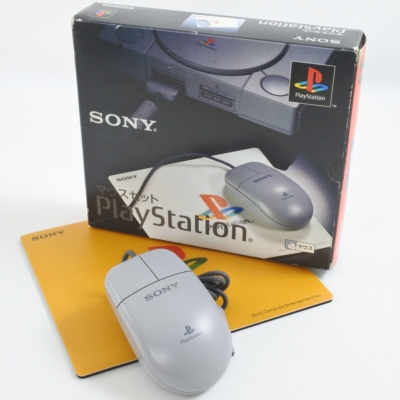
Is there a way to add peripherals support like a PS1 mouse?
s-l1600-1.jpg


It will much easier to play games like Warcraft II: The Dark Saga.


EDIT: Warcraft II: The Dark Saga does not support PS1 mouse.

PS1DRV does support a PS1 mouse.
E.g. Command & Conquer: Red Alert - Retaliation, X-COM: Terror from the Deep are playable with it.
 
Last edited:
the 1.76 also improved the input latency of METAL SLUG X, pretty good, in 1.75 it had a noticeable input lag
 
@jolek Don't they already work?
Haven't tried personally the mouse personally, still don't have one, just chimed in (though I imagine it should?).

I actually have a SCPH-90001 I'll have to try this usb support with my favorite game (Parasite Eve). Still haven't finished the Chrysler building (I'm amazing at the rest of the game).

The USB support for the DRV is insanely impressive, I remember reading about the project stalling when that was first implemented since it is such a huge undertaking. Using the IOP in as both the CPU in PS1 mode and to access the USB drive is incredible.
 
My bad.

It actually does.
I tested the wrong game, because Warcraft II: The Dark Saga does not support PS1 mouse.
With Command & Conquer: Red Alert - Retaliation or with X-COM: Terror from the Deep everything is ok as long as a PS1 mouse is in the 1st controller port.

List of games compatible with the PlayStation Mouse
Notes
  1. ^ This functionality was only present in the Japanese release, titled Backgammon. It was released in PAL territories as Pro Backgammon without Playstation Mouse compatibility.
  2. ^ The compilation includes three titles, two of which are compatible (Broken Sword: The Shadow of the Templars and Myst) and a third (Road Rash) which is not.
  3. ^ This functionality was only present in the Japanese release, titled Prism Land Story. It was released in PAL territories as Prism Land and in North America as Sorcerer's Maze without Playstation Mouse compatibility.
  4. ^ This functionality was only present in the PAL release.
 
Last edited:
Oh nice! I did not know that the list of supported games is so long!

AFAIR I have 2 PS-Mouses, but I only know where one is.
 
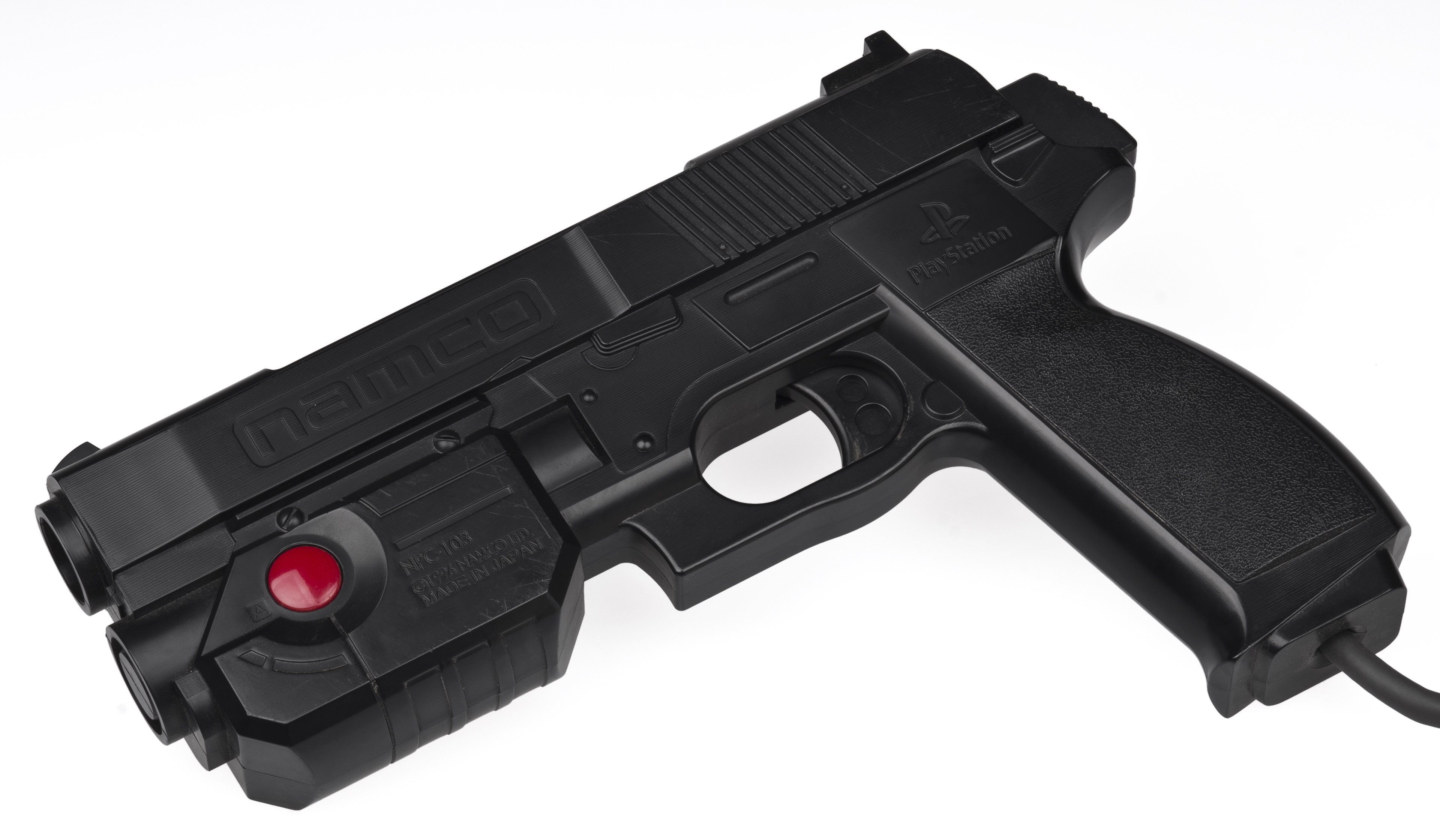
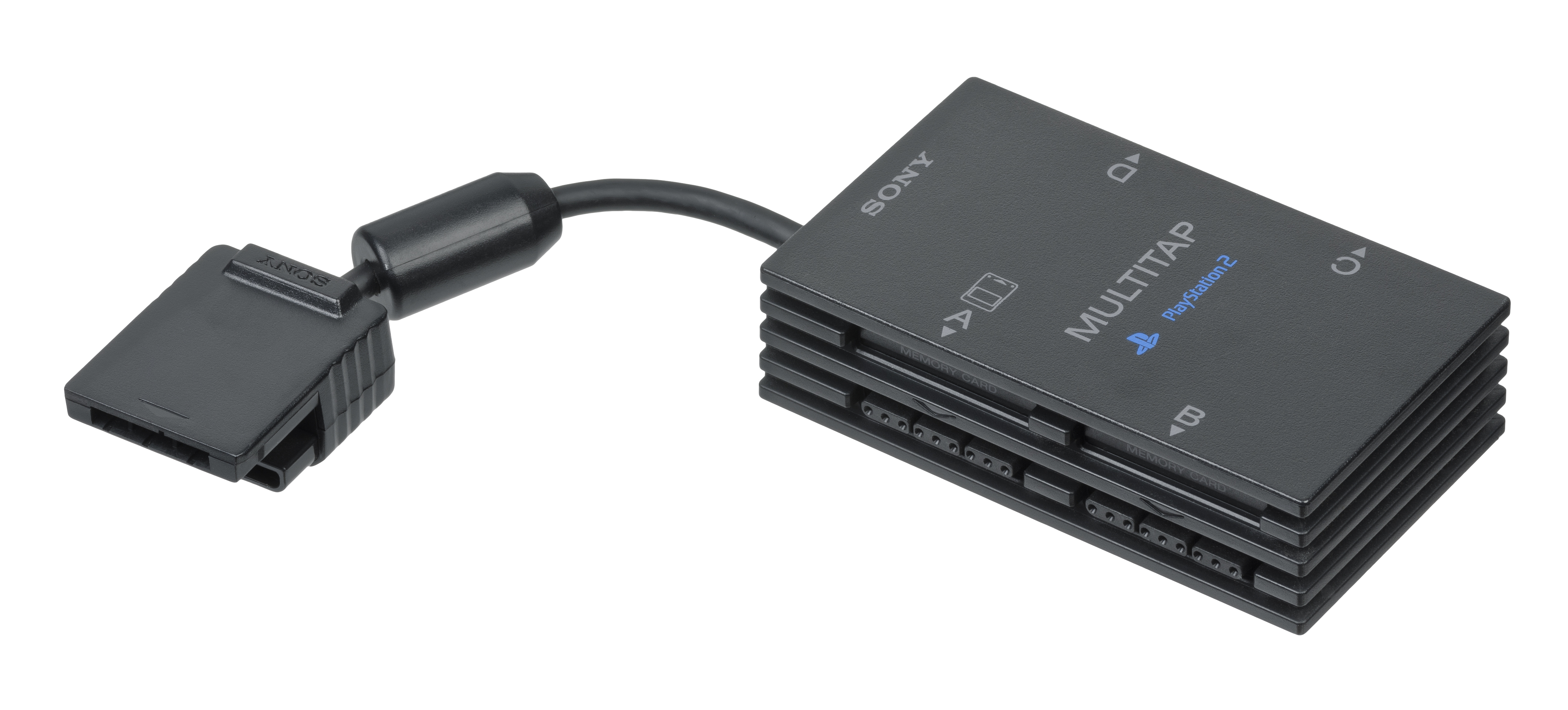
Can anyone check if DKWDRV supports PS1 or PS2 Multitap and GunCon?
POPStarter doesn't support any of these things.
Namco-GunCon-PS1.jpg

PlayStation-Multitap-Adaptor.jpg

Sony-PlayStation-2-Multitap.jpg
 
  • Like
Reactions: TnA
Can anyone check if DKWDRV supports PS1 or PS2 Multitap and GunCon?
POPStarter doesn't support any of these things.
Namco-GunCon-PS1.jpg

PlayStation-Multitap-Adaptor.jpg

Sony-PlayStation-2-Multitap.jpg

As I understand this project, it is only redirecting CD access to the USB mass device and that should not affect any accessories from working or not.
 
Area 51 (Konami justifer) worked in 1.7.5, but it had terrible input lag and my shots were all over the place, making it not playable. One of the time crisis games actually wouldn't get past the title screen with the guncon plugged in, but worked using the control pad.
I haven't tried the newest version, so maybe those issues got ironed out.
 
  • Like
Reactions: TnA
Area 51 (Konami justifer) worked in 1.7.5, but it had terrible input lag and my shots were all over the place, making it not playable. One of the time crisis games actually wouldn't get past the title screen with the guncon plugged in, but worked using the control pad.
I haven't tried the newest version, so maybe those issues got ironed out.
Test them and let us know the results
 
I saw this project handles LibCrypt by directly modifying the COP0 reg, does it have any support for non-LibCrypt protections regarding non-stealth SCEX spamming mod-chips? In this Tonyhax International source file (starting at line 195) lives all the GameShark codes used by Tonyhax International to defeat the APv1 and APv2 protection schemes. There looks to already be a cheat function in DKWDRV, so this could be applied to it with a bit of work. I have documented everything I know about protected games here.

If there is some other reason why modchipped consoles have issues with DKWDRV, what is it exactly?
 
The cheat-stuff is patching during runtime and only works on DECKARD-PS2s if I don't misremember!

Better would be AOT (if possible) instead of JIT, because then it should work on any PS2!
 
The cheat-stuff is patching during runtime and only works on DECKARD-PS2s if I don't misremember!

Better would be AOT (if possible) instead of JIT, because then it should work on any PS2!

Is having a SCEX spamming non-stealth mod-chip possible/common in deckards?
 
Possible yes! Common? Not that I know of.
Hmm, I guess it wouldn't be all that useful then for DECKARD. I did have some people ask for SCPH-50000 and up compatibility in Tonyhax International because they have a non-stealth mod-chip in their fat PS2, but the problem is Sony seemed to have disabled the SetSession command in the CDROM controller BIOS for anything newer then SCPH-39004. I don't really understand what changed from 39004 to 50000 that would cause the CDROM controller to always report as 1) Japanese region (regardless of the region of the actual PS2) and 2) Ignore the SetSession command (which is the workaround for japanese cdrom controllers). Espically when the iOP only changed in the 750XX.
 
And Quake II :)

Can you try this patch?
It only works with an NTSC (SLUS-00757) version.
It should add 2 axis support.
I mean to move with the left analog stick.
Look around with the right analog stick.

Download Cheat Patcher from here:
Download Quake II control modification.rar from the attachment.
Unpack it.

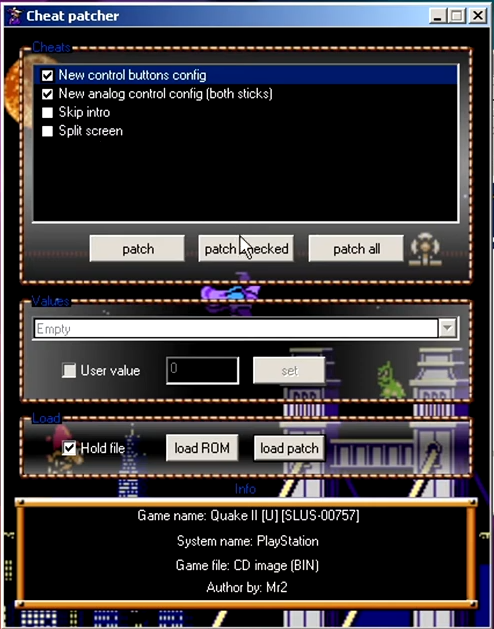
1. Open Cheat Patcher
2. Load ROM
3. Select you game image (.BIN) -> Open\Load
4. load patch -> Quake II (U).cp -> Open\Load
5. Select New control buttons config, New analog control config (both sticks) -> patch checked
qqw.png

6. Patching is successfully finished
7. Launch game -> Enable analog on DS1
8. Select Options -> Player Option -> Controller -> Both Sticks
9. Additionally -> Autocenter - [OFF]
Improved controls in Quake II on the PlayStation 1:
 

Attachments

Last edited:
Can you try this patch?
It should add 2 axis support.
I mean to move with the left analog stick.
Look around with the right analog stick.

Download Cheat Patcher from here:
Download Quake 2 control fix.7z from the attachment.
Unpack it.

1. Open Cheat Patcher
2. Load ROM
3. Select you game image (.BIN) -> Open\Load
4. load patch -> Quake II (U).cp -> Open\Load
5. Select New control buttons config, New analog control config (both sticks) -> patch checked
qqw.png

6. Patching is successfully finished
Improved controls in Quake II on the PlayStation 1:

I'm already have, it works pretty well!
 
Back
Top