


jolek
Senior Member
DoomRPG-RE
About
How to install
Default controls
Screenshots
Save and config data
Cheat codes
Bug reporting
License
-
This is a PS Vita port of the reverse engineered Doom RPG by [GEC].
All credits go to the GEC team, this project would not exist without their hard work. -
How to install:
- Search for "Doom RPG BREW" on archive.org to get the original mobile game assets file: doomrpg.bar (CRC32: d7cf11c5)
- Next, you need BarToZip.exe converter tool (Windows only) included in the PC release
- Copy doomrpg.bar to a folder containing BarToZip.exe. Run BarToZip.exe to generate DoomRPG.zip file
- Download the latest VPK release and install it using VitaShell
- Copy the newly generated DoomRPG.zip to ux0:data/doomrpg/
- You can now start the game
-
Action Button Move Forward D-pad up Move Backward D-pad down Move Left L Move Right R Turn Left D-pad left Turn Right D-pad right Attack/Talk/Use X Next Weapon Triangle Prev Weapon Circle Pass Turn Square Automap Select Menu Open/Back Start -
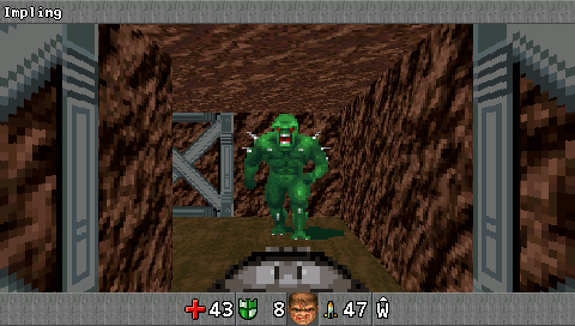
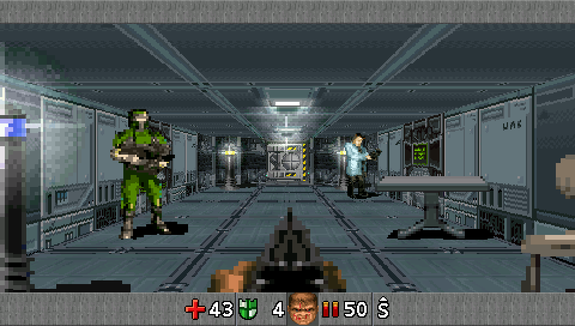
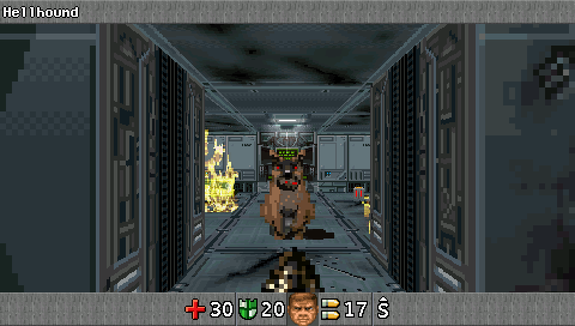
-
All user data is stored in ux0:data/doomrpg/ - these files are compatible with the PC release.
-
Code Default controls Action 3666 R → → → Open debug menu 43629 ← R → ↑ □ Max health and armor 4332 ← R R ↑ All keys, items and weapons 3366 R R → → Start benchmark -
If you find a bug, please send me an e-mail to [email protected] or open an issue here on github.
- GNU General Public License v3.0
Source:
https://github.com/jakubito/DoomRPG-RE-vita.

