


jolek
Senior Member
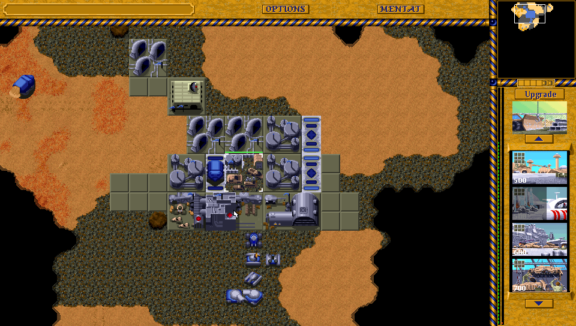
The program Dune Legacy is an modernized clone of the excellent Westwood Studios game "Dune 2".
-
Install:
- Download and install dunelegacy.vpk. Extract content of dunelegacy_data.zip into ux0:data/.
https://github.com/Northfear/dunelegacy-vita/releases
- The following PAK-files from the original Dune 2 are needed to play Dune Legacy:
HARK.PAK ATRE.PAK ORDOS.PAK ENGLISH.PAK DUNE.PAK SCENARIO.PAK MENTAT.PAK VOC.PAK MERC.PAK FINALE.PAK INTRO.PAK INTROVOC.PAK SOUND.PAK GERMAN.PAK (for playing in German) FRENCH.PAK (for playing in French)
Copy them into ux0:data/dunelegacy folder.
- Download and install dunelegacy.vpk. Extract content of dunelegacy_data.zip into ux0:data/.
-
Controls:
- Left analog stick - Cursor movement
- Right analog stick - Map scrolling
- × - Left mouse button
- ○ - Right mouse button
- □ - Attack
- △ - Stop (Guard)
- D-Pad Up/Right/Down/Left - 1/2/3/4 button
- L1 - Ctrl
- R1 - Shift (also used for cursor movement speedup)
- SELECT - Esc (Menu)
- START - Space (Pause)
Use L1 + D-Pad to create teams (1-4) and D-Pad to select them (same as Ctrl + 1-4 on keyboard).
You can change cursor movement speed by editing ux0:data/dunelegacy/Dune Legacy.ini and changing the Controller Speed option.
-
Additional info
Multiplayer is not supported on PS Vita.
Also special thanks to GrapheneCt for help with GXM debugging!
Sources:
https://github.com/Northfear/dunelegacy-vita,
https://vitadb.rinnegatamante.it/#/info/732.
