PS3 evilnat 4.92.2 rsx oc values won't save after reboot

ksausage

Member
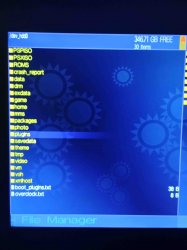
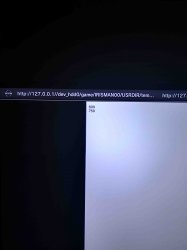
hello, long story short, was able to update my ps3, followed the tutorial on saving values for the oc. after reboot, my oc values will go back to default (500/650). i uploaded the file showing up in my hdd root as well as the actual txt file to see if it could be the file itself. im able to change the value by selecting it in the oc menu, but wont save after reboot, thus this post
edit: not working with usb either (usb000) help
 

Attachments
  • IMG_20250630_211413192_HDR.jpg
    IMG_20250630_211413192_HDR.jpg
    172.5 KB · Views: 55
  • IMG_20250630_211351825_HDR.jpg
    IMG_20250630_211351825_HDR.jpg
    228.8 KB · Views: 56
  • overclock.txt
    overclock.txt
    8 bytes · Views: 50
Last edited:
hello, long story short, was able to update my ps3, followed the tutorial on saving values for the oc. after reboot, my oc values will go back to default (500/650). i uploaded the file showing up in my hdd root as well as the actual txt file to see if it could be the file itself. im able to change the value by selecting it in the oc menu, but wont save after reboot, thus this post
edit: not working with usb either (usb000) help
Use my attached file as a base, also make sure that you are using my latest release of 4.92.2

Don't use webMAN and Cobra to overclock the PS3, choose only one. I have tested Cobra and overclock.txt and it is working for me in /dev_hdd0 and /dev_usb000

Make sure that:
  • Cobra is enabled
  • overclock.txt file is valid (use mine) and it is in /dev_hdd0/overclock.txt or /dev_usb000/overclock.txt
  • You are not using another method to overclock, they can be overlapped or changed to another value that you have configured
  • Overclocks options in xai_plugin will disappear when you restart the PS3, they are not permanent, they are for experimentation
 

Attachments

Use my attached file as a base, also make sure that you are using my latest release of 4.92.2

Don't use webMAN and Cobra to overclock the PS3, choose only one. I have tested Cobra and overclock.txt and it is working for me in /dev_hdd0 and /dev_usb000

Make sure that:
  • Cobra is enabled
  • overclock.txt file is valid (use mine) and it is in /dev_hdd0/overclock.txt or /dev_usb000/overclock.txt
  • You are not using another method to overclock, they can be overlapped or changed to another value that you have configured
  • Overclocks options in xai_plugin will disappear when you restart the PS3, they are not permanent, they are for experimentation

i used your text file and it works! thanks man, im not sure what the differences of the two are other than yours was 10 bytes in size. i used notepad
 
everyone reading use the provided overclock.txt file my created overclock.txt didn't work either
 
Back
Top