
- Forums
- PlayStation 3 (PS3)
- PS3 Homebrew
- PS3 Homebrew Apps / Plugins / Emulators
- Emulators for PS3
- Other Emulators
You are using an out of date browser. It may not display this or other websites correctly.
You should upgrade or use an alternative browser.
You should upgrade or use an alternative browser.

PS3 FB Neo RL Plus v2.30
- Thread starter Crystal
- Start date

XiC
Member
Mame 0.142 PS3 PKG install
https://mega.nz/#!d74VUIYK!yIUzVXYsCuH1onF9su7MDmHDHtD9u3Rg5N3gZBoNB80
edit: no sources around, maybe we can ask him directly
https://mega.nz/#!d74VUIYK!yIUzVXYsCuH1onF9su7MDmHDHtD9u3Rg5N3gZBoNB80
edit: no sources around, maybe we can ask him directly
Last edited:
Yes I checked with Mame125 and its working. And there is other thing i have this romsetAre there Mame 0.142 By RoboHobo sources ? Anyway, do you have tested Mame 0125 core with right roms? I test them (at office with PS3 emulator) and they seems work correctly.
Check your roms (files and CRC32), for mame 0.125 must be:
View attachment 24086
View attachment 24087
******Please no links to pirated material********
And its in a folder. is there any way to split these game in Manufacturer order? And If possible please add core select option thus we can select any core to play these game. Because these game not working in Fba Core. Thank you for your feedback.
Last edited by a moderator:

nCadeRegal
Senior Member
hey watch what you guys are posting in here as far as links go to rom sets and such.
Sorryhey watch what you guys are posting in here as far as links go to rom sets and such.

JediKnight007
Member

STLcardsWS
Administrator
CPS3 games are not running full-speed, they did with the original FB Retro Loader and its fb_alpha2012 core. @Crystal, would it be possible to port that core? Maybe have users create a fba2012 folder and have games run from there use the fb_alpha2012 core?
Note that CPS-X's core was modified from the original

Geese howard
Member
Few days... last little things and beta testing.... with new retro layer core i will test all missings and bugs.
View attachment 24068 View attachment 24069 View attachment 24070
Awesome!!!
JediKnight007
Member
Note that CPS-X's core was modified from the original
I just tested 5 out of 6 CPS3 games (excluding SF3 3rd Strike) with the February 19th nightly compile of fb_alpha2012 - full-speed on all of them. A.B. Cop runs slightly better as well, other games might benefit from this core.
CPS3 games list: Red Earth, Jojo's Venture, Jojo's Bizarre Adventure, Street Fighter III New Generation, Street Fighter III 2nd Impact, Street Fighter III 3rd Strike. LOL, first Capcom couldn't count to 3, then when they learned how they forgot how to count to 4.


Crystal
Developer
I will test CPS3 games with last FB neo and other cores.... tons of roms are good for FB alpha core and FBneo core without change rom set. In future other cores will be avalaible to run a games with a core fixed or player selected.
It's good have feedback to know what games are better for a core or another core.
It's good have feedback to know what games are better for a core or another core.
Crystal
Developer
https://drive.google.com/open?id=1g5vxnRuRxrgBDt4QTHlBcCuBive7rW-Z
Watch that video... i think it is fast enough and there was scanline shaders....
Watch that video... i think it is fast enough and there was scanline shaders....
JediKnight007
Member
SF3 3rd Strike also runs full-speed in FBA2012, though it appears to be one of those games that runs only from the Favorites or History tab. Just "RetroArch being RetroArch".
Crystal
Developer
New version! 1.20
added Libretro snes9x to play SNES Games. Now 10199 total games can be recognized.
RetroArch layer upgrated from 0.9.9.6 to 1.85 for both FBneo and snes9x cores.
No folder name restrictions to recognize snes games, just follow the standard Libretro names for them. I taken names from:
https://github.com/libretro/libretr...ndo - Super Nintendo Entertainment System.rdb
If you want look at names, download array.txt (https://mega.nz/#!xY4SAAZD!5-w-8Ulrr7dyo5iobhrZgY6J2hOiOdWPNyfxovly_r4), snes games are after 12314 game ID. Zip file name must be gamename plus zip extention and inside the zip there will be the snes game rom.
In the option menu you can select Retroarch menu type (XMB, RGUI, OZONE e GLUI). Game menu is started witth L3+R3 buttons meanwhile you are playing a game with FBneo or Snes core.
Added Midway and Snes game filters.
To extend the number of game recognized, i rewrote the way how internal games array is created. Now exist an external file (array.txt) to do that. But isn't a good idea modify it by users.
Libretro shaders and bezels are working.
PKG: https://mega.nz/#!gFhEFACJ!y658WozGOOxgKXyIYlrNDXPkQD9gRWhnKx6n1h32HX8
added Libretro snes9x to play SNES Games. Now 10199 total games can be recognized.
RetroArch layer upgrated from 0.9.9.6 to 1.85 for both FBneo and snes9x cores.
No folder name restrictions to recognize snes games, just follow the standard Libretro names for them. I taken names from:
https://github.com/libretro/libretr...ndo - Super Nintendo Entertainment System.rdb
If you want look at names, download array.txt (https://mega.nz/#!xY4SAAZD!5-w-8Ulrr7dyo5iobhrZgY6J2hOiOdWPNyfxovly_r4), snes games are after 12314 game ID. Zip file name must be gamename plus zip extention and inside the zip there will be the snes game rom.
In the option menu you can select Retroarch menu type (XMB, RGUI, OZONE e GLUI). Game menu is started witth L3+R3 buttons meanwhile you are playing a game with FBneo or Snes core.
Added Midway and Snes game filters.
To extend the number of game recognized, i rewrote the way how internal games array is created. Now exist an external file (array.txt) to do that. But isn't a good idea modify it by users.
Libretro shaders and bezels are working.
PKG: https://mega.nz/#!gFhEFACJ!y658WozGOOxgKXyIYlrNDXPkQD9gRWhnKx6n1h32HX8
Geese howard
Member
New version! 1.20
added Libretro snes9x to play SNES Games. Now 10199 total games can be recognized.
RetroArch layer upgrated from 0.9.9.6 to 1.85 for both FBneo and snes9x cores.
No folder name restrictions to recognize snes games, just follow the standard Libretro names for them. I taken names from:
https://github.com/libretro/libretro-database/blob/master/rdb/Nintendo - Super Nintendo Entertainment System.rdb
If you want look at names, download array.txt (https://mega.nz/#!xY4SAAZD!5-w-8Ulrr7dyo5iobhrZgY6J2hOiOdWPNyfxovly_r4), snes games are after 12314 game ID. Zip file name must be gamename plus zip extention and inside the zip there will be the snes game rom.
In the option menu you can select Retroarch menu type (XMB, RGUI, OZONE e GLUI). Game menu is started witth L3+R3 buttons meanwhile you are playing a game with FBneo or Snes core.
Added Midway and Snes game filters.
To extend the number of game recognized, i rewrote the way how internal games array is created. Now exist an external file (array.txt) to do that. But isn't a good idea modify it by users.
Libretro shaders and bezels are working.
PKG: https://mega.nz/#!gFhEFACJ!y658WozGOOxgKXyIYlrNDXPkQD9gRWhnKx6n1h32HX8
some issues:
-cannot choose aspect ratio;
-some shaders fails to apply, like crt and cgwg-variation;
-shaders are not saved in overrides;
-screen resolution change from 1080p to 720p when load a game.
However, cps3 games loads perfectly!!!
some issues:
-cannot choose aspect ratio;
-some shaders fails to apply, like crt and cgwg-variation;
-shaders are not saved in overrides;
-screen resolution change from 1080p to 720p when load a game.
However, cps3 games loads perfectly!!!
I AGREE WITH ALL
i install this shaders last version for ps3 retroarch
https://drive.google.com/file/d/1d0RMln05luqV6OntSGlHUMWpaMapmWNl/view
Crystal
Developer
Video resolution and aspect ratio: enable video settings menu.
L3+R3 to access in game menu and bact to main menu then Settings -> User Interface -> Views -> Settings -> Show Video (ON)
To save config file and test overrides i will test a bit more them
About Shaders, tons of thems don't work on PS3, only old shaders can work.... so they must be tested one by one...
L3+R3 to access in game menu and bact to main menu then Settings -> User Interface -> Views -> Settings -> Show Video (ON)
To save config file and test overrides i will test a bit more them
About Shaders, tons of thems don't work on PS3, only old shaders can work.... so they must be tested one by one...
some issues:
-cannot choose aspect ratio;
-some shaders fails to apply, like crt and cgwg-variation;
-shaders are not saved in overrides;
-screen resolution change from 1080p to 720p when load a game.
However, cps3 games loads perfectly!!!
Geese howard
Member
Video resolution and aspect ratio: enable video settings menu.
L3+R3 to access in game menu and bact to main menu then Settings -> User Interface -> Views -> Settings -> Show Video (ON)
To save config file and test overrides i will test a bit more them
About Shaders, tons of thems don't work on PS3, only old shaders can work.... so they must be tested one by one...
- aspect ratio and resolution: ok
- shaders : really dont save override setting;
- i should delete retroarch.cfg one time for emu doesn't return to ps3 xmb (same bug of retroarch, maybe corrupted file??);
- emu completely freezes ps3 once and i must turn off console manually.
JediKnight007
Member
However, cps3 games loads perfectly!!!
Confirmed CPS3 games are running fine, guess I was using an older unoptimized build.
amazing work for ps3 thanks dude!!!!!
honestly good work.
questions :
1) I don't see the option to add my games to favorites can you help me?
my list of roms is large.
2)
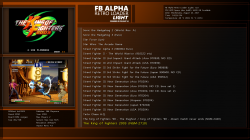
hey crystal can you help me? in my tv 50inch i saw the preview picture of the games really smaller ! can you fix that? :O
thanks crystal for the retroemu! i upload a pic for another captain fix for example thanks master
https://ibb.co/B3hWtvG
honestly good work.
questions :
1) I don't see the option to add my games to favorites can you help me?
my list of roms is large.
2)
hey crystal can you help me? in my tv 50inch i saw the preview picture of the games really smaller
! can you fix that? :Othanks crystal for the retroemu! i upload a pic for another captain fix for example thanks master
https://ibb.co/B3hWtvG
Attachments
Last edited:
Similar threads
-

-
 PS2 RETROLauncher (Launcher created on Enceladus for Retroarch, POPStarter, Neutrino, wLE_ISR and OPL)
- Started by Boon Tobias
- Replies: 124
-
 Retro Install Batocera on USB and create your retro console.
- Started by gamerman 5000
- Replies: 0
-
 PS3 Which Arcade core is the faster and most compatible? [Optimized games collection]
- Started by Lambada
- Replies: 2