Five Night at Freddy's 2  PS1

PS1 Five Night at Freddy's 2 PS1 v1.0.1

STLcardsWS

Administrator
STLcardsWS submitted a new resource:

Five Night at Freddy's 2 PS1 - A Ps1 port of Five Night's at Freddy's 2


  • After FNAF1PSX, I attempted to port its sequel into the Playstation 1 !
    If you make a video about it and wanna post it on youtube, I can add your video here ! (if I like it !!)
    Game discord server : https://discord.gg/DQbWVtKHnw
    Source code : https://github.com/Soeiz/FNaF2-PS1-Project

    By using ancient scrolls left by the ancestors (psyq + nugget sdk) and my past experiences, I've made my way into...

Read more about this resource...
 
I was finally able to build this (my first psx build). I built it in linux, which required several name changes, mostly extensions, since linux is case-sensitive. I think it's intended to be built in windows considering:

upload_2024-11-24_8-27-55.png


edit: btw, here's mine. I don't have a modded psx/1, so I'd appreciate it if someone could test:

https://1fichier.com/?2kceznxohnv0tzthw5rq
 
Last edited:
Booted up on Duckstation on android (Retroid Pocket 4 Pro), and I was able to make it through the first night with no issues. Same story for PCSXRearmed on Retroarch (steam). Widescreen for both emulators.
 
Booted up on Duckstation on android (Retroid Pocket 4 Pro), and I was able to make it through the first night with no issues. Same story for PCSXRearmed on Retroarch (steam). Widescreen for both emulators.

with which one, mine or the dev's? the dev's is in the first link, the last version (I think), uploaded last night.
 
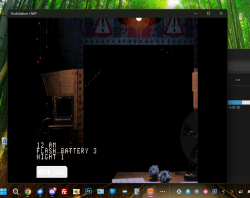
I got tired of waiting for my build of duckstation to download (I had deleted it), so I tested it on the series x. you can zip up files by the way, like the bios files, and have them unzip with file explorer in xbox device portal. I did that to get the bios on duckstation, then tested five nights at freddy's 2. it worked fine:
 

Attachments

  • Untitled-1.png
    Untitled-1.png
    941.3 KB · Views: 56
For android, Im using the Google Play Store version of Duckstation, and on pc I used the retroarch core of PCSXRearmed, both using the correct bios file.
 
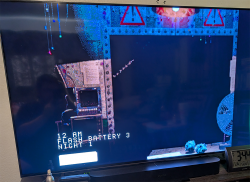
nm, I got this figured out. you have to use an xbox controller, in my case my series x controller, on the app in windows, then switch to digital to use it in game, just like the sonics in uwp. I'm not sure why I didn't think of it before:
 

Attachments

  • Untitled-2.png
    Untitled-2.png
    607.8 KB · Views: 55

Similar threads

Back
Top