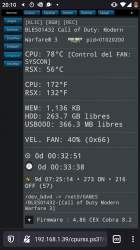
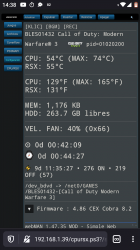
PS3 Frankenstein PHAT PS3: CECHA with 40nm RSX

Do you think you would be able to offer this type of swapping service in the US ? Seems like the demand is there. Makes no sense for them to ship it across the ocean just to get this done.
Taking on customer consoles with unknown issues and a deadline isn't something I'm interested in. Not as a service. A few times for myself or to buy, fix, and sell maybe.
 
PS3#8 - Continued
(Frankenstein Phat therml test)​
I am continuing the thermal tests for PS3#8. I started this project in the YLOD/tokin thread, but now that it's become a frankenstein, it fall into this thread now. Here's a recap from earlier today.


After this I disassembled it again. This time I delided both the CPU and RSX. As suspected the CPU needed it and the RSX did not. Regardless I wanted to delid, so I bit the bullet and just did it. It was scary! CPU was easy, but the RSX's thermal adhesive is strong on 40nm chips. It required an unsettling amount of force followed by a sickening crack as it finally gave way. Luckily, It went well and the BGA is holding strong. So far anyway.

I replaced all the TIC with MX-5 this time around. I also applied new thermal pads for everything except the BluRay drive, which doesn't need it. I used ThermalRight Extreem Odyssey Thermal Pads. They are supposed to have 12.8w/mk thermal conductivity, way better than the stock pads. They weren't cheap, but this console is worth it! Then I reassembled it for the last time.

Here are the temps with the same test procedure as before.
  • CPU = 68C
  • RSX = 54C
  • Fan = 28%
  • Ambient (room Temp) = 25C
  • Exhaust (out hottest part of back vents) = 48C
As expected, the exhaust temp went up. This means there was an improvement in thermal transfer. Perhaps counterintuitively the RSX temps are higher than before. So what gives? Well, I expected that. Because the CPU needed a delid, it was heating up more than it did this time. So it took a higher fan speed of 30% to keep it under control. Because the fan was higher and the RSX had good thermal paste, it was being cooled more. So this time a fan speed of only 28% was needed to keep the CPU cool, so the RSX would run a few degrees warmer. That's normal.

So what's next? Well, I'm happy with it as is, but I do want to install a custom fan curve. I'll need @Pacorretaco's help with that. He's been messing around with that more than I have. So how about it buddy, feel like walking me through that process? I don't want to mess with webMan mod, I want to edit the fan curves through the syscon.
Sure, I've been less active lately but first of all congratulations on the success!

There is more information on the fan curve thread but it's quite simple really, especially with Mullion syscons. Assuming you have the standard 0x7115 thermal config, you can just copy and paste my settings like a batch of commands for example. And that's it.

These are just the settings I use. You can tweak them of course to your individual preferences. There are many variables... Even different fans (and in your case different chips!) But these settings will already be better than default SYSCON and way better than WebMan fan control in my opinion.

And if you wanted for some reason you could write back the original 0x7115 settings in the same way, so yeah you can try and see, then maybe play with the values etc...

Cheers
 

Attachments

THX what's SB debugging? An JAP RSX from slim is it compatible with CECHC04 semi BC PAL?
SB debugging is kind of data logger in stages of process while ps3 will boot up to the start screen. To obtain that information you need to read and understand finding faults thread

https://www.psx-place.com/threads/f...syscon-first-steps-and-error-reporting.30100/

in order to understand what you need to access syscon. From there you will write to syscon an address 7202 02 in order to activate Southbridge (SB) uart port (by default you can not see that port), after this you can use putty with your USB uart adaptor to see what is going on boot stages and how different parts are initialized.
As per example I use 2 adaptors one for syscon, one to SB after enabling.
You should get something like this
0be81c2d47f57c2b50f7d5f9f8486f60.jpg
In my photo I've write address 1202 with 02 because this was for slims. You will find answers if you don't rush and take everything in small steps to understand.
 
Last edited:
Sure, I've been less active lately but first of all congratulations on the success!

There is more information on the fan curve thread but it's quite simple really, especially with Mullion syscons. Assuming you have the standard 0x7115 thermal config, you can just copy and paste my settings like a batch of commands for example. And that's it.

These are just the settings I use. You can tweak them of course to your individual preferences. There are many variables... Even different fans (and in your case different chips!) But these settings will already be better than default SYSCON and way better than WebMan fan control in my opinion.

And if you wanted for some reason you could write back the original 0x7115 settings in the same way, so yeah you can try and see, then maybe play with the values etc...

Cheers
THX man! I just went ahead and used your modified. It was a breeze. I like how you left the last write! I just had to confirm it was coorect (it was) and it fixed the checksum. Easy peezy!

I didn't realize that you had to power cycle the conole off at the switch for it to update from the ini file however. So instead I only did a regular power cycle. Then I tested the same temps (CPU=70, RSX=55, Fan 28%). Here is the SYSCON:
Code:
>$ fantbl setini 1 p0 00.00 48.00 0x33
fantbl setini 1 p0 00.00 48.00 0x33
fancon No:01
P0: TempD:0.0(0x0000) - TempU:48.0(0x3000) duty:20%(0x33)
[mullion]$
>$ fantbl setini 1 p1 40.00 58.00 0x40
fantbl setini 1 p1 40.00 58.00 0x40
fancon No:01
P1: TempD:40.0(0x2800) - TempU:58.0(0x3a00) duty:25%(0x40)
[mullion]$
>$ fantbl setini 1 p2 46.00 64.00 0x47
fantbl setini 1 p2 46.00 64.00 0x47
fancon No:01
P2: TempD:46.0(0x2e00) - TempU:64.0(0x4000) duty:27%(0x47)
[mullion]$
>$ fantbl setini 1 p3 54.00 68.00 0x4d
fantbl setini 1 p3 54.00 68.00 0x4d
fancon No:01
P3: TempD:54.0(0x3600) - TempU:68.0(0x4400) duty:30%(0x4d)
[mullion]$
>$ fantbl setini 1 p4 56.00 72.00 0x54
fantbl setini 1 p4 56.00 72.00 0x54
fancon No:01
P4: TempD:56.0(0x3800) - TempU:72.0(0x4800) duty:32%(0x54)
[mullion]$
>$ fantbl setini 1 p5 60.00 74.00 0x5a
fantbl setini 1 p5 60.00 74.00 0x5a
fancon No:01
P5: TempD:60.0(0x3c00) - TempU:74.0(0x4a00) duty:35%(0x5a)
[mullion]$
>$ fantbl setini 1 p6 66.00 76.00 0x66
fantbl setini 1 p6 66.00 76.00 0x66
fancon No:01
P6: TempD:66.0(0x4200) - TempU:76.0(0x4c00) duty:40%(0x66)
[mullion]$
>$ fantbl setini 1 p7 70.00 78.00 0x80
fantbl setini 1 p7 70.00 78.00 0x80
fancon No:01
P7: TempD:70.0(0x4600) - TempU:78.0(0x4e00) duty:50%(0x80)
[mullion]$
>$ fantbl setini 1 p8 72.00 80.00 0x99
fantbl setini 1 p8 72.00 80.00 0x99
fancon No:01
P8: TempD:72.0(0x4800) - TempU:80.0(0x5000) duty:60%(0x99)
[mullion]$
>$ fantbl setini 1 p9 73.00 85.00 0xff
fantbl setini 1 p9 73.00 85.00 0xff
fancon No:01
P9: TempD:73.0(0x4900) - TempU:85.0(0x5500) duty:100%(0xff)
[mullion]$
>$ tshutdown setini 1 85
tshutdown setini 1 85
TZone No:01
RSX Primary  Temperature:85.0(0x5500)
[mullion]$
>$ fantbl setini 0 p0 00.00 58.00 0x33
fantbl setini 0 p0 00.00 58.00 0x33
fancon No:00
P0: TempD:0.0(0x0000) - TempU:58.0(0x3a00) duty:20%(0x33)
[mullion]$
>$ fantbl setini 0 p1 48.00 68.00 0x40
fantbl setini 0 p1 48.00 68.00 0x40
fancon No:00
P1: TempD:48.0(0x3000) - TempU:68.0(0x4400) duty:25%(0x40)
[mullion]$
>$ fantbl setini 0 p2 60.00 72.00 0x47
fantbl setini 0 p2 60.00 72.00 0x47
fancon No:00
P2: TempD:60.0(0x3c00) - TempU:72.0(0x4800) duty:27%(0x47)
[mullion]$
>$ fantbl setini 0 p3 66.00 76.00 0x4d
fantbl setini 0 p3 66.00 76.00 0x4d
fancon No:00
P3: TempD:66.0(0x4200) - TempU:76.0(0x4c00) duty:30%(0x4d)
[mullion]$
>$ fantbl setini 0 p4 67.00 77.00 0x54
fantbl setini 0 p4 67.00 77.00 0x54
fancon No:00
P4: TempD:67.0(0x4300) - TempU:77.0(0x4d00) duty:32%(0x54)
[mullion]$
>$ fantbl setini 0 p5 68.00 78.00 0x5a
fantbl setini 0 p5 68.00 78.00 0x5a
fancon No:00
P5: TempD:68.0(0x4400) - TempU:78.0(0x4e00) duty:35%(0x5a)
[mullion]$
>$ fantbl setini 0 p6 70.00 80.00 0x66
fantbl setini 0 p6 70.00 80.00 0x66
fancon No:00
P6: TempD:70.0(0x4600) - TempU:80.0(0x5000) duty:40%(0x66)
[mullion]$
>$ r 34fe 2
r 34fe 2
+0 +1 +2 +3 +4 +5 +6 +7 +8 +9 +A +B +C +D +E +F
-----------------------------------------------
15 71
[mullion]$
>$ eepcsum
eepcsum
Addr:0x000032fe should be 0x52b7
sum:0x794e
Addr:0x000034fe should be 0xfffff7c7
Addr:0x000039fe should be 0x0f38
Addr:0x00003dfe should be 0x00ff
Addr:0x00003ffe should be 0x00ff
>$ w 34fe c7 f7
w 34fe c7 f7
w complete!
[mullion]$
>$ eepcsum
eepcsum
Addr:0x000032fe should be 0x52b7
Addr:0x000034fe should be 0xf7c7
Addr:0x000039fe should be 0x0f38
Addr:0x00003dfe should be 0x00ff
Addr:0x00003ffe should be 0x00ff
>$fantbl get 0
fancon No:00
P0: TempD:0.0(0x0000) - TempU:74.0(0x4a00) duty:20%(0x33)
P1: TempD:60.0(0x3c00) - TempU:75.0(0x4b00) duty:25%(0x40)
P2: TempD:61.0(0x3d00) - TempU:76.0(0x4c00) duty:28%(0x48)
P3: TempD:67.0(0x4300) - TempU:77.0(0x4d00) duty:30%(0x4d)
P4: TempD:68.0(0x4400) - TempU:78.0(0x4e00) duty:35%(0x5a)
P5: TempD:71.0(0x4700) - TempU:79.0(0x4f00) duty:40%(0x66)
P6: TempD:71.50(0x4780) - TempU:80.0(0x5000) duty:45%(0x73)
P7: TempD:72.0(0x4800) - TempU:81.0(0x5100) duty:50%(0x80)
P8: TempD:72.50(0x4880) - TempU:82.0(0x5200) duty:60%(0x99)
P9: TempD:73.0(0x4900) - TempU:85.0(0x5500) duty:100%(0xff)
[mullion]$
>$ fantbl get 1
fantbl get 1
fancon No:01
P0: TempD:0.0(0x0000) - TempU:83.0(0x5300) duty:20%(0x33)
P1: TempD:48.0(0x3000) - TempU:84.0(0x5400) duty:25%(0x40)
P2: TempD:71.0(0x4700) - TempU:85.0(0x5500) duty:28%(0x48)
P3: TempD:77.0(0x4d00) - TempU:86.0(0x5600) duty:30%(0x4d)
P4: TempD:78.0(0x4e00) - TempU:87.0(0x5700) duty:35%(0x5a)
P5: TempD:80.0(0x5000) - TempU:88.0(0x5800) duty:40%(0x66)
P6: TempD:80.50(0x5080) - TempU:89.0(0x5900) duty:45%(0x73)
P7: TempD:81.0(0x5100) - TempU:90.0(0x5a00) duty:50%(0x80)
P8: TempD:81.50(0x5180) - TempU:91.0(0x5b00) duty:60%(0x99)
P9: TempD:82.0(0x5200) - TempU:95.0(0x5f00) duty:100%(0xff)
[mullion]$
>$
Lol...that had me scratching my head until I thought to flip the rocker to fully power cycle the console! I just powered back up and it's running your modified curves now. I was about to post the above asking why it didn't work! Anyway, it's good it works the way it does because I forgot to save the fan tables before I overwrote them! So I was able to retrieve them during the test because they were still in volitile memory (I'm guessing)? Anyhoo, they did match what you said the default curve was supposed to be. Nothing special there.

Here are the new temps using your fan curve (same procedure as before):
  • CPU = 69C
  • RSX = 55C
  • Fan = 27%
  • Ambient (room Temp) = 25C
  • Exhaust (out hottest part of back vents) = 50C
Notice that exhaust temp has increased another 2 degrees? That the thermal paste curing! It takes a burn-in period plus a few days to reach optimal conductivity. Now it's 4 degrees hotter than it was before the CPU delid, meaning better thermal transfer. Exhaust should be hot!

Also the fan is running 1% slower at these temps. So there's a slight increase in the temps. I would like to run a bit faster. So I think I'll adjust the fan speed to 29%. So @Pacorretaco, would I just change the 0x47 to 0x49?
 
THX man! I just went ahead and used your modified. It was a breeze. I like how you left the last write! I just had to confirm it was coorect (it was) and it fixed the checksum. Easy peezy!

I didn't realize that you had to power cycle the conole off at the switch for it to update from the ini file however. So instead I only did a regular power cycle. Then I tested the same temps (CPU=70, RSX=55, Fan 28%). Here is the SYSCON:
Code:
>$ fantbl setini 1 p0 00.00 48.00 0x33
fantbl setini 1 p0 00.00 48.00 0x33
fancon No:01
P0: TempD:0.0(0x0000) - TempU:48.0(0x3000) duty:20%(0x33)
[mullion]$
>$ fantbl setini 1 p1 40.00 58.00 0x40
fantbl setini 1 p1 40.00 58.00 0x40
fancon No:01
P1: TempD:40.0(0x2800) - TempU:58.0(0x3a00) duty:25%(0x40)
[mullion]$
>$ fantbl setini 1 p2 46.00 64.00 0x47
fantbl setini 1 p2 46.00 64.00 0x47
fancon No:01
P2: TempD:46.0(0x2e00) - TempU:64.0(0x4000) duty:27%(0x47)
[mullion]$
>$ fantbl setini 1 p3 54.00 68.00 0x4d
fantbl setini 1 p3 54.00 68.00 0x4d
fancon No:01
P3: TempD:54.0(0x3600) - TempU:68.0(0x4400) duty:30%(0x4d)
[mullion]$
>$ fantbl setini 1 p4 56.00 72.00 0x54
fantbl setini 1 p4 56.00 72.00 0x54
fancon No:01
P4: TempD:56.0(0x3800) - TempU:72.0(0x4800) duty:32%(0x54)
[mullion]$
>$ fantbl setini 1 p5 60.00 74.00 0x5a
fantbl setini 1 p5 60.00 74.00 0x5a
fancon No:01
P5: TempD:60.0(0x3c00) - TempU:74.0(0x4a00) duty:35%(0x5a)
[mullion]$
>$ fantbl setini 1 p6 66.00 76.00 0x66
fantbl setini 1 p6 66.00 76.00 0x66
fancon No:01
P6: TempD:66.0(0x4200) - TempU:76.0(0x4c00) duty:40%(0x66)
[mullion]$
>$ fantbl setini 1 p7 70.00 78.00 0x80
fantbl setini 1 p7 70.00 78.00 0x80
fancon No:01
P7: TempD:70.0(0x4600) - TempU:78.0(0x4e00) duty:50%(0x80)
[mullion]$
>$ fantbl setini 1 p8 72.00 80.00 0x99
fantbl setini 1 p8 72.00 80.00 0x99
fancon No:01
P8: TempD:72.0(0x4800) - TempU:80.0(0x5000) duty:60%(0x99)
[mullion]$
>$ fantbl setini 1 p9 73.00 85.00 0xff
fantbl setini 1 p9 73.00 85.00 0xff
fancon No:01
P9: TempD:73.0(0x4900) - TempU:85.0(0x5500) duty:100%(0xff)
[mullion]$
>$ tshutdown setini 1 85
tshutdown setini 1 85
TZone No:01
RSX Primary  Temperature:85.0(0x5500)
[mullion]$
>$ fantbl setini 0 p0 00.00 58.00 0x33
fantbl setini 0 p0 00.00 58.00 0x33
fancon No:00
P0: TempD:0.0(0x0000) - TempU:58.0(0x3a00) duty:20%(0x33)
[mullion]$
>$ fantbl setini 0 p1 48.00 68.00 0x40
fantbl setini 0 p1 48.00 68.00 0x40
fancon No:00
P1: TempD:48.0(0x3000) - TempU:68.0(0x4400) duty:25%(0x40)
[mullion]$
>$ fantbl setini 0 p2 60.00 72.00 0x47
fantbl setini 0 p2 60.00 72.00 0x47
fancon No:00
P2: TempD:60.0(0x3c00) - TempU:72.0(0x4800) duty:27%(0x47)
[mullion]$
>$ fantbl setini 0 p3 66.00 76.00 0x4d
fantbl setini 0 p3 66.00 76.00 0x4d
fancon No:00
P3: TempD:66.0(0x4200) - TempU:76.0(0x4c00) duty:30%(0x4d)
[mullion]$
>$ fantbl setini 0 p4 67.00 77.00 0x54
fantbl setini 0 p4 67.00 77.00 0x54
fancon No:00
P4: TempD:67.0(0x4300) - TempU:77.0(0x4d00) duty:32%(0x54)
[mullion]$
>$ fantbl setini 0 p5 68.00 78.00 0x5a
fantbl setini 0 p5 68.00 78.00 0x5a
fancon No:00
P5: TempD:68.0(0x4400) - TempU:78.0(0x4e00) duty:35%(0x5a)
[mullion]$
>$ fantbl setini 0 p6 70.00 80.00 0x66
fantbl setini 0 p6 70.00 80.00 0x66
fancon No:00
P6: TempD:70.0(0x4600) - TempU:80.0(0x5000) duty:40%(0x66)
[mullion]$
>$ r 34fe 2
r 34fe 2
+0 +1 +2 +3 +4 +5 +6 +7 +8 +9 +A +B +C +D +E +F
-----------------------------------------------
15 71
[mullion]$
>$ eepcsum
eepcsum
Addr:0x000032fe should be 0x52b7
sum:0x794e
Addr:0x000034fe should be 0xfffff7c7
Addr:0x000039fe should be 0x0f38
Addr:0x00003dfe should be 0x00ff
Addr:0x00003ffe should be 0x00ff
>$ w 34fe c7 f7
w 34fe c7 f7
w complete!
[mullion]$
>$ eepcsum
eepcsum
Addr:0x000032fe should be 0x52b7
Addr:0x000034fe should be 0xf7c7
Addr:0x000039fe should be 0x0f38
Addr:0x00003dfe should be 0x00ff
Addr:0x00003ffe should be 0x00ff
>$fantbl get 0
fancon No:00
P0: TempD:0.0(0x0000) - TempU:74.0(0x4a00) duty:20%(0x33)
P1: TempD:60.0(0x3c00) - TempU:75.0(0x4b00) duty:25%(0x40)
P2: TempD:61.0(0x3d00) - TempU:76.0(0x4c00) duty:28%(0x48)
P3: TempD:67.0(0x4300) - TempU:77.0(0x4d00) duty:30%(0x4d)
P4: TempD:68.0(0x4400) - TempU:78.0(0x4e00) duty:35%(0x5a)
P5: TempD:71.0(0x4700) - TempU:79.0(0x4f00) duty:40%(0x66)
P6: TempD:71.50(0x4780) - TempU:80.0(0x5000) duty:45%(0x73)
P7: TempD:72.0(0x4800) - TempU:81.0(0x5100) duty:50%(0x80)
P8: TempD:72.50(0x4880) - TempU:82.0(0x5200) duty:60%(0x99)
P9: TempD:73.0(0x4900) - TempU:85.0(0x5500) duty:100%(0xff)
[mullion]$
>$ fantbl get 1
fantbl get 1
fancon No:01
P0: TempD:0.0(0x0000) - TempU:83.0(0x5300) duty:20%(0x33)
P1: TempD:48.0(0x3000) - TempU:84.0(0x5400) duty:25%(0x40)
P2: TempD:71.0(0x4700) - TempU:85.0(0x5500) duty:28%(0x48)
P3: TempD:77.0(0x4d00) - TempU:86.0(0x5600) duty:30%(0x4d)
P4: TempD:78.0(0x4e00) - TempU:87.0(0x5700) duty:35%(0x5a)
P5: TempD:80.0(0x5000) - TempU:88.0(0x5800) duty:40%(0x66)
P6: TempD:80.50(0x5080) - TempU:89.0(0x5900) duty:45%(0x73)
P7: TempD:81.0(0x5100) - TempU:90.0(0x5a00) duty:50%(0x80)
P8: TempD:81.50(0x5180) - TempU:91.0(0x5b00) duty:60%(0x99)
P9: TempD:82.0(0x5200) - TempU:95.0(0x5f00) duty:100%(0xff)
[mullion]$
>$
Lol...that had me scratching my head until I thought to flip the rocker to fully power cycle the console! I just powered back up and it's running your modified curves now. I was about to post the above asking why it didn't work! Anyway, it's good it works the way it does because I forgot to save the fan tables before I overwrote them! So I was able to retrieve them during the test because they were still in volitile memory (I'm guessing)? Anyhoo, they did match what you said the default curve was supposed to be. Nothing special there.

Here are the new temps using your fan curve (same procedure as before):
  • CPU = 69C
  • RSX = 55C
  • Fan = 27%
  • Ambient (room Temp) = 25C
  • Exhaust (out hottest part of back vents) = 50C
Notice that exhaust temp has increased another 2 degrees? That the thermal paste curing! It takes a burn-in period plus a few days to reach optimal conductivity. Now it's 4 degrees hotter than it was before the CPU delid, meaning better thermal transfer. Exhaust should be hot!

Also the fan is running 1% slower at these temps. So there's a slight increase in the temps. I would like to run a bit faster. So I think I'll adjust the fan speed to 29%. So @Pacorretaco, would I just change the 0x47 to 0x49?
I'm glad you like it.
Yes, it seems like it's working as intended. everything looks good. Temperatures are good.

(If you think 69c is hot, remember that some early models that had a default fan curve 5 degrees higher (0xeade). Meaning the fan wouldn't even kick in until cpu reached 80c instead of 75. Literally just chilling at 80c. And most are still working; I don't think I ever found or saw a bad CPU by natural causes)

But anyway, yes of course you can bring that down a bit more without much effort. 27% 0x47 is just one of my preferred fan speeds. This was on purpose, I just liked 0x47 more than the standard 0x48 hehe. Next step 30% 0x4d is perfectly comfortable too.
Then there's 0x54 in between. Another signature non-standard fan speed of mine. That's where I draw the limit for comfort operation. I wedged that in there before 0x5a. Remember this is just what I felt like doing. Maybe people can share what they like best.

I would suggest you change the temperature trigger points instead of the fan "speeds" themselves.
Right now it is in p2 0x47.
Since it reached 68c for CPU.
Now waiting to reach 72c to pass to p3 0x4d.


You could for example lower that "72" to "70" let's say... And maybe the "68" to "66" for something a tiny bit more to your liking.
You get the idea.

Because actually... This fan curve of mine was not really designed for a machine with a 40nm RSX. If you notice, most of my thinking went into the RSX fan curve which was pretty much neglected by SONY. (And incidentally the chip that has been proven to be more prone to failure)
In my machine, it's the RSX temperatures that are normally deciding the speed.
Yours now is working more similarly to the official one, because the CPU is still driving the fan. Which is good approach too. Nothing to worry about on either front. (Also the southbridge setrings are untouched. You can play with that too even if I didn't.)

If you want to experiment on the fly, you can make volatile changes with "set" commands instead to "setini". These changes will only be written to syscon RAM instead of the EEPROM. (And therefore no EEPchecksums will be broken)
This is why you had to power off and on the syscon. You wrote to EEPROM, but the volatile RAM was still holding the old data. Only after power off and on, the new data from the EEPROM was loaded onto the ram and put into use.
You can verify this too with "getini" / "get" commands. Such as
fantbl getini 0 (eeprom values)
fantbl get 0 (current RAM values)

This and more info was more or less discussed on fan curve thread. But I was thinking maybe create new thread for this. People sharing their custom fan curves and such. Not many people seem to have taken the step when really it's miles better than webman. And not too difficult either.
 
Last edited:
Okay, I made a fully custom fan curve instead. Here it is:
Code:
fantbl setini 0 p0 00.00 64.00 0x33
fantbl setini 0 p1 60.00 65.00 0x40
fantbl setini 0 p2 61.00 66.00 0x48
fantbl setini 0 p3 64.00 67.00 0x4d
fantbl setini 0 p4 65.00 68.00 0x5a
fantbl setini 0 p5 66.00 69.00 0x66
fantbl setini 0 p6 66.50 70.00 0x73
fantbl setini 0 p7 67.00 71.00 0x80
fantbl setini 0 p8 67.50 72.00 0x99
fantbl setini 0 p9 68.00 75.00 0xff
tshutdown setini 0 85
fantbl setini 1 p0 00.00 53.00 0x33
fantbl setini 1 p1 48.00 54.00 0x40
fantbl setini 1 p2 49.00 55.00 0x48
fantbl setini 1 p3 53.00 56.00 0x4d
fantbl setini 1 p4 54.00 57.00 0x5a
fantbl setini 1 p5 55.00 58.00 0x66
fantbl setini 1 p6 55.50 59.00 0x73
fantbl setini 1 p7 56.00 60.00 0x80
fantbl setini 1 p8 56.50 65.00 0x99
fantbl setini 1 p9 57.00 70.00 0xff
tshutdown setini 1 75
r 34fe 2
eepcsum
w 34fe 29 da
Here are the new temps using my fan curve (same procedure as before):
  • CPU = 65C
  • RSX = 52C
  • Fan = 30%
  • Ambient (room Temp) = 25C
  • Exhaust (out hottest part of back vents) = 48C
I was expecting the Exhaust temp to lower a bit with the fan speed increasing past 28%. The air is moing through faster and having less time to pick up heat. But that's good because cooler air and more of it, means better temps. And there is a nice improvment. 30% is a bit louder than I would like it, but it's not obnoxious. I don't mind it. So I'll keep this curve for awhile. So I wasn't able to get the 40nm RSX under 50C, but 52C is not that far off the goal. I'll call that a win.

Listen to me deadpanning these results. TO BE CLEAR. A CPU at 65C and RSX at 52C inder intense load s INCREDIBLE! These are very great temperatures! Note, I did test with GT6 on multiple tracks under various weather conditions and it could get the RSX 2C warmer than NBA Live 2010 did. So yes, GT6 is more intense, but not that much really. And this Frankenstein monster has been through at least 5 full thermal cycles and hours of stress testing at this point. I'm hesitantly confident that the "fix" in in! I still need to test PS1, PS2, DVD, BluRay and WiFi functionality, but so far SO awesome!
 
Last edited:
I'm glad you like it.
Yes, it seems like it's working as intended. everything looks good. Temperatures are good.

(If you think 69c is hot, remember that some early models that had a default fan curve 5 degrees higher (0xeade). Meaning the fan wouldn't even kick in until cpu reached 80c instead of 75. Literally just chilling at 80c. And most are still working; I don't think I ever found or saw a bad CPU by natural causes)

But anyway, yes of course you can bring that down a bit more without much effort. 27% 0x47 is just one of my preferred fan speeds. This was on purpose, I just liked 0x47 more than the standard 0x48 hehe. Next step 30% 0x4d is perfectly comfortable too.
Then there's 0x54 in between. Another signature non-standard fan speed of mine. That's where I draw the limit for comfort operation. I wedged that in there before 0x5a. Remember this is just what I felt like doing. Maybe people can share what they like best.

I would suggest you change the temperature trigger points instead of the fan "speeds" themselves.
Right now it is in p2 0x47.
Since it reached 68c for CPU.
Now waiting to reach 72c to pass to p3 0x4d.


You could for example lower that "72" to "70" let's say... And maybe the "68" to "66" for something a tiny bit more to your liking.
You get the idea.

Because actually... This fan curve of mine was not really designed for a machine with a 40nm RSX. If you notice, most of my thinking went into the RSX fan curve which was pretty much neglected by SONY. (And incidentally the chip that has been proven to be more prone to failure)
In my machine, it's the RSX temperatures that are normally deciding the speed.
Yours now is working more similarly to the official one, because the CPU is still driving the fan. Which is good approach too. Nothing to worry about on either front. (Also the southbridge setrings are untouched. You can play with that too even if I didn't.)

If you want to experiment on the fly, you can make volatile changes with "set" commands instead to "setini". These changes will only be written to syscon RAM instead of the EEPROM. (And therefore no EEPchecksums will be broken)
This is why you had to power off and on the syscon. You wrote to EEPROM, but the volatile RAM was still holding the old data. Only after power off and on, the new data from the EEPROM was loaded onto the ram and put into use.
You can verify this too with "getini" / "get" commands. Such as
fantbl getini 0 (eeprom values)
fantbl get 0 (current RAM values)

This and more info was more or less discussed on fan curve thread. But I was thinking maybe create new thread for this. People sharing their custom fan curves and such. Not many people seem to have taken the step when really it's miles better than webman. And not too difficult either.
So I will try your settings with this cok002(90nm rsx) finished. With webman at 67 set point, fan minimum at 35 %, I get 60 for cpu and 53 for rsx.On normal syscon fan speed I see 72 for cpu /66 rsx on XMB .I was scared to run games with those high temps,took me some time to fix this board with all done to survive another few years. This is first time I will use direct syscon modification.
It's kind "Murphy Law" after few years of calculations and exploring how fan and webman was adjusting fan pwm and creating hardware fan accelerator, life came with the simplicity of this setup. Eh won't cost me parts from now.
 
So I will try your settings with this cok002(90nm rsx) finished. With webman at 67 set point, fan minimum at 35 %, I get 60 for cpu and 53 for rsx.On normal syscon fan speed I see 72 for cpu /66 rsx on XMB .I was scared to run games with those high temps,took me some time to fix this board with all done to survive another few years. This is first time I will use direct syscon modification.
It's kind "Murphy Law" after few years of calculations and exploring how fan and webman was adjusting fan pwm and creating hardware fan accelerator, life came with the simplicity of this setup. Eh won't cost me parts from now.
Hold on! You're getting 53C on a 90nm RSX? That can't be under load, right? You must mean in the XMB menu? Yes?

I mean 53C is what I'm getting with a 40nm RSX under load!
 
Hold on! You're getting 53C on a 90nm RSX? That can't be under load, right? You must mean in the XMB menu? Yes?

I mean 53C is what I'm getting with a 40nm RSX under load!
Yes 53 on 35 %webman on XMB. Did not run any games. Need to fix bdrom and leave few wires for debugging.
To be noticed this unit does not work from 2013 so probably gpu was left in good condition. Nobody touched here, this unit is from Italy. Attempting to open were like that from
2013 (first 3034/4402)
349d51f16c3c83adb90c0f22f3c6711a.jpg

Look at that lucky date 2013/13/06
Just a beginning
d0b5ff327886a28af3ab257aaaf50d47.jpg
9b0d50fa869ab428db457215ab7c2c3d.jpg

6e47d091ef22b5c6f5bf4da8ba139b4e.jpg
d91dc74f18c2b3507e2cb83f1b5efd0b.jpg
 
Last edited:
Hold on! You're getting 53C on a 90nm RSX? That can't be under load, right? You must mean in the XMB menu? Yes?

I mean 53C is what I'm getting with a 40nm RSX under load!
Even under load these machines are capable of cooling themselves pretty well even from the factory.

Saying this may sound funny but I'm someone who thinks the default fan settings were actually not that bad.

The fact is, many of these machines 90nm RSX during their lifetime are running always quite cool already. Probably even under 60c without any modifications.
Especially as they start to age, the "CPU" always begins to get a bit hotter first... In turn driving the fan higher while the RSX is perfectly fine and gets even cooler as a side effect. It's always the CPU that needs delid, not the RSX.

As a result 90nm RSX about 55c is pretty notmal even under load and even on old unopened machines.
And if it's idle, (for example ps2 games or movies) it may be under 50 too. Possible even cooler than Southbridge. Anyone can test.

I never thought it's a matter of running hot really. If it were so simple... we wouldn't be here.

Edit: I include some pictures just as example. Before and after delid both 90nm chips. Ambient 25c and under high load (~210w from wall)
(This 90nm RSX was reading 1.4ohms btw)
 

Attachments

  • Screenshot_20210605-201035.png
    Screenshot_20210605-201035.png
    330.1 KB · Views: 53
  • Screenshot_20210607-143855.png
    Screenshot_20210607-143855.png
    322.5 KB · Views: 51
Last edited:
@Pacorretaco is that setup near to this set for minimum speed of 35% or lower? I would like to keep it loud for 35%. Or 30 %. Would you like to share some more config for those 2 types of stages if you have time? Really appreciate your help.
Just about TIC used AS5 on ic die under ihs. Between top ihs and radiator MX4.
On rsx ram HY510. Artic Thermal Adhesive is seems to be out of proportion? I can't find it anywhere(at least here).
On cpu that cheap silicone AGTherm that can be easy removed with ipa in case something goes wrong or for another exchange.
e75a0a8ddb90445a33deec9fa195dca0.jpg
Room temperature 29.
 
Last edited:
@Pacorretaco is that setup near to this set for minimum speed of 35% or lower? I would like to keep it loud for 35%. Or 30 %. Would you like to share some more config for those 2 types of stages if you have time? Really appreciate your help.
Just about TIC used AS5 on ic die under ihs. Between top ihs and radiator MX4.
On rsx ram HY510. Artic Thermal Adhesive is seems to be out of proportion? I can't find it anywhere(at least here).
On cpu that cheap silicone AGTherm that can be easy removed with ipa in case something goes wrong or for another exchange.
e75a0a8ddb90445a33deec9fa195dca0.jpg
Room temperature 29.
With my settings I posted earlier (0xf7c7)... Fan will try to keep RSX in the 60s for comfort operation. It will only go to 35% and higher if RSX reaches 72c or CPU 77c. So yeah it's a bit quieter than what you show.
Normally it means the system under load should remain in the low-mid 60c at comfortable fan speeds such as 0x47, 0x4d (30%) or 0x54 (33%)
That's just how I like it more or less. And most importantly it will not be constantly going up and down like WebMan fan control does. Like a mosquito flying next to the ears hehehe.

But of course if you want something louder maybe you can try something like this for example:
Code:
fantbl setini 1 p0 00.00 44.00 0x33
fantbl setini 1 p1 40.00 54.00 0x40
fantbl setini 1 p2 46.00 60.00 0x47
fantbl setini 1 p3 50.00 64.00 0x4d
fantbl setini 1 p4 56.00 68.00 0x54
fantbl setini 1 p5 60.00 70.00 0x5a
fantbl setini 1 p6 66.00 74.00 0x66
fantbl setini 1 p7 70.00 78.00 0x80
fantbl setini 1 p8 72.00 80.00 0x99
fantbl setini 1 p9 73.00 85.00 0xff
tshutdown setini 1 85
fantbl setini 0 p0 00.00 52.00 0x33
fantbl setini 0 p1 48.00 58.00 0x40
fantbl setini 0 p2 60.00 64.00 0x47
fantbl setini 0 p3 64.00 70.00 0x4d
fantbl setini 0 p4 67.00 74.00 0x54
fantbl setini 0 p5 68.00 76.00 0x5a
fantbl setini 0 p6 70.00 78.00 0x66
r 34fe 2
eepcsum
w 34fe
I just edited that one quickly without real testing so you'll have to fill in the checksum.
If that one is still not as loud as you'd like, (I know it probably isn't) then probably the best thing is to do like @RIP-Felix did and make another one. (Though I think he'll change again soon too hehe. Maybe Felix likes this one also) You can use "set" commands to do changes on the fly and find your perfect settings quickly.

Or remember WebMan fan control can still be enabled even on top of these settings (START+R2+L3) which may also be good enough if you are happy with loud and high minimum speed.

Maybe tomorrow I'll create new thread to put together all the information better if there is interest. For this kind of chat... so that people can do this more, share their settings etc.
 
With my settings I posted earlier (0xf7c7)... Fan will try to keep RSX in the 60s for comfort operation. It will only go to 35% and higher if RSX reaches 72c or CPU 77c. So yeah it's a bit quieter than what you show.
Normally it means the system under load should remain in the low-mid 60c at comfortable fan speeds such as 0x47, 0x4d (30%) or 0x54 (33%)
That's just how I like it more or less. And most importantly it will not be constantly going up and down like WebMan fan control does. Like a mosquito flying next to the ears hehehe.

But of course if you want something louder maybe you can try something like this for example:
Code:
fantbl setini 1 p0 00.00 44.00 0x33
fantbl setini 1 p1 40.00 54.00 0x40
fantbl setini 1 p2 46.00 60.00 0x47
fantbl setini 1 p3 50.00 64.00 0x4d
fantbl setini 1 p4 56.00 68.00 0x54
fantbl setini 1 p5 60.00 70.00 0x5a
fantbl setini 1 p6 66.00 74.00 0x66
fantbl setini 1 p7 70.00 78.00 0x80
fantbl setini 1 p8 72.00 80.00 0x99
fantbl setini 1 p9 73.00 85.00 0xff
tshutdown setini 1 85
fantbl setini 0 p0 00.00 52.00 0x33
fantbl setini 0 p1 48.00 58.00 0x40
fantbl setini 0 p2 60.00 64.00 0x47
fantbl setini 0 p3 64.00 70.00 0x4d
fantbl setini 0 p4 67.00 74.00 0x54
fantbl setini 0 p5 68.00 76.00 0x5a
fantbl setini 0 p6 70.00 78.00 0x66
r 34fe 2
eepcsum
w 34fe
I just edited that one quickly without real testing so you'll have to fill in the checksum.
If that one is still not as loud as you'd like, (I know it probably isn't) then probably the best thing is to do like @RIP-Felix did and make another one. (Though I think he'll change again soon too hehe. Maybe Felix likes this one also) You can use "set" commands to do changes on the fly and find your perfect settings quickly.

Or remember WebMan fan control can still be enabled even on top of these settings (START+R2+L3) which may also be good enough if you are happy with loud and high minimum speed.

Maybe tomorrow I'll create new thread to put together all the information better if there is interest. For this kind of chat... so that people can do this more, share their settings etc.

A new thread would be great... I'd love to see that information more consolidated.
 
My first thought was actually BE errors, but according to the wiki only modes C-E uses the BE to emulate the EE... On A-B models, the syscon boots the hardware back into ps2 mode using a modified ps2 bios (if I understand the documentation correctly).

If that's the case, I wouldn't think it's actually a BE error since the BE shouldn't be in control when you're in ps2 mode... But obviously I don't know as much about as some other people around here, I just spent a ton of time reading the wiki, so I could be completely wrong too :)

The error code PDF only has EE=GS thermal error listed. Nothing else signifies an error to the PS2 hardware. My guess is that since the PS2 HW is essentially it's own console inside a PS3, the only link is the CPU. The CPU is must be doing the upscaling, smooting, saving to the internal memory cards, and the OSD overlay that allows you to exit and apply these settings. So if ANYTHING goes wrong with the PS2 HW (besides a thermal error), it must trigger a general CPU error. But since it's not a critical error on the CPU itself, it's just a BE attention error.

And it's only happening maybe 1 out of every 10 reset's of the PS2 HW. The OSD is easily called by pressing the PS button. I actually just sat there reseting the game over and over until the 1701 triggered again. The other 9 times it just sits there displaying blackness.

Ups didn't test ps2 games. I will later today.
OK before going out just quick testing a game.
On 90nm game was running fine (4.87 evilnat) resolution 720p.
On 40nm with modchip first try went black screen. Reset unit, took another try game went fine and resolution 576p. I can't see where it can be changed as this will be automatically. Only thing is changed on this unit that SB debugging enabled.
Think @RIP-Felix have a delid issue or have to reball it, not sure. Nec's exchange?
Also I did not exchange that mosfet yet. We need to investigate more if that isn't a hardware issue.
Ah and diag pin is left grounded to access syscon uart easy. Could be thermal config area? I have not modified in syscon on any.
DeadEnd have 65nm and for him it work fine.
I will also prepare another 65nm unit, have what I need, just need time.
909def1c846c3ec25d247615de0997c6.jpg
09da806f3e1a46d08b196196535e44ff.jpg
511373d6a0654f582b42b7408b6de1e1.jpg
The first test I think I have to exchange that mosfet.

I suspected resolution switching too. Firstly I have an LG B9 OLED that is very friendly when it comes to resolutions. Being a retro gamer, that's why I got it. But to be sure I actually plugged in an M-Cable which upscales to 1080p. It provides a constant Sync so the TV doesn't drop signal. Still nothing. Changing settings doesn't do anything.

I tried AV cables to a CRT, same exact thing. OSD displays fine, I can exit to XMB, game just stalls on boot. I tried 2 different games (Genji 1 and Harry Potter 1), which tested fine on a working console. So that's not it either.

The game is just not starting. It switches over to the PS2 HW, but stalls there. It's almost as if the EE+GS is expecting something from the CPU so it can start the booting process...

I'd say don't panic yet. After all you can't really draw too many conclusions even if you wanted.
First try the easy things. Different ps2 games, go in settings and disable upscaling/smoothing. Create/delete VMC, rebuild database... If it's new iffy firmware version try with old one.

Or just be stubborn and try more times. These machines are just not that good even if they are good.

Then the less easy but still obvious things. You did this on an unknown machine. (botakompong would have never done this, first try to give a chance to original RSX without swapping directly, probably it will just work simply with heating a bit, maybe for months (remember the fake tokin fixes that "work" for months?) ...)
Good news is you have more chances at real success. Do the right thing and do the frankenstein thing to another board that you have that actually needs it... and would be e-waste without it. (Failed reball, missing BGA pad... Just my memory, I'm sure in 8 machines there's more than 1 better candidate)

The thing about the last resort swap is that it's still a "success". The thing revived. But it's not a magic bullet or something that will make everything great or better somehow. Temperatures are pretty irrelevant if you ask me.

(Lastly if you suspect about the fan settings you can just revert to default and the machine will be none the wiser.
But I can tell you It shouldn't be the problem at least with my settings. I tested this a lot)

Good luck. And remember it's probably something stupid, no need to feel bad. It's not the first time we hear about a CECHA with ps2 problems either. It might be the ps2 hardware itself. Who knows

Edit: And the last thing... This after all is still experimental, so it's something to keep in mind. Nobody else has done it yet. You are the first one here doing this. Both vyktor and DeadEnd did it to a COK-002 board. The emulation works quite differently too in the more primitive COK 001 which were not even available in most areas of the world.
Of course the whole point here is it's soon to draw any conclusions yet. Good thing we do this for fun

Sure, I think I will try this again at some point. However, I do want to try and get to the bottom of this first. Also, I only had the one MOD chip and they are proving hard to get ATM.

I tried all the easier, in menu settings, no joy. I agree that the thermal config shouldn't have anything to do with it, but I just reverted back to the OG settings just in case. As expected, it didn't make a difference.

So I the console was on 3.75 I think. I updated to 4.50 using a disc that required it for stress testing. I thought maybey that's the issue. So I updated to the latest FW 4.88. That didn't change anything. So we can rule that out too.

I wasn't planning on ever jail-breaking this console anyway, but I was hoping to keep the version low enough to install a REBUG CFW if I ever decided to. Maybe rebug will get a 4.88 update soon. Otherwise I'll have to figure out how to downgrade OFW (I haven't looked into it). I could try the evilnat FW, but IDK if it's as good a rebug or not.

I have just tested a few ps2 games and encountered no issues. All of mine were running fine in 1080p upscaled. This makes me want to swap with the 40nm and see the results. It could be that COK001 board is a different beast, but I don't want to jump to conclusions. I imagine it would be unlikely that the modchip would be causing such issues. All it's doing is just fooling syscon to think that RSX is 90nm.

Remember, I have also done the swap to an untouched machine with the warranty seal intact. And it had confirmed A0403034, A0404402 error codes. I took the 65nm RSX from a slim board which had some kind of YLOD fault (didn't diagnose it at the time) and I used lead balls. My rework machine uses ceramic heater on top instead of hot air. These are the first few differences that come to mind. Not sure if any of it matters in the end. You could try to do the swap for another machine and see if the situation is any different. Also maybe you could tell me which ps2 games were you testing?

I did some more testing and it is not a GLOD!

When I load a PS2 game the console switches over to the EE+GS hardware and the screen flashes. That's normal behavior. My working A01's do it too. However, after a few seconds the game should be starting and it doesn't! It's like it's being held in reset! I can pair the controller and bringup the menu that would allow me to quit back to the XMB, just like a PS1 game. Changing settings does nothing.

PS1 is emulation and that works. On a COK-002 PS2 is emulation and it works also. I'm really wondering now if the mod interferes with the console's process for starting the PS2 HW.

Here is the log. I hit enter after the 1701 occurred with the SYSCON terminal open.
Code:
>$
[SERV DEVPM] CONTROL_PCI_BUS_POWER_STATE CMD
[SERV NVS] READ CMD
[SERV NVS] READ CMD
[SERV DEVPM] CONTROL_PCI_BUS_POWER_STATE CMD
[SSM] Attention BE : Detected !
[SSM] BE Attention signal is detected !!
[SSM] state: 0400 -> 0700
[POWSEQ] AV Backend Letup
[SSM] ssmCb_AfterBeOn() called.
[SSM] Shutdown mode : syspm_stat=00000000/00000000
Wait WmMcCom_DeadEvent timeout
[ERROR]: 0xa0801701
[POWSEQ] PowerSeq_Letup called.
[SSM] state: 0700 -> 0600
(PowerOff State) (Fatal)

[mullion]$
>$
One of the mods was to pull CGReset High by using a 10K resistor to GND. I wonder if that could be holding the PS2 HW in reset and preventing the game from loading?

 
Quick question. Has anyone found a COK-001 with an official SONY swap? I don't remember if all the ones on here wer COK-002, or if there were COK-001's as well. Did it have CG reset modded?

Looking at the Schematic, R2054 is supposed to be a 0K Resistor. Basically it's a jumper, but it gives you a spot to control the logic manually like we're doing here. You can pull voltage high with a 10K resistor like the mod calls for. Or you can tie it low to GND causing an error (pointless). A potential problem with the 10K mod is that It holds CGReset logic high at all times. If that is involved at all in the PS2 HW switch, then this is not going to work. Someone else needs to replicate my results on a COK-001 before we can confirm this. And if the official SONY method involves this too, then perhaps they changed something in the FW to fix it. @sandungas did you ever find other changes to the console besides the thermal config area and chip ID? I'm wondering what CGReset does? EDIT: all I can find is this linux command that doesn't sound entirely unrelated, but get's into code I don't understand. It could just be my console has bum PS2 HW. If CGreste isn't involved at all, then that answers that.

I'm not looking forward to troubleshooting the PS2 HW! I will confess I didn't check every voltage, resistance, fuse, ESR, etc. I was, and still am, hoping to avoid it. Troubleshooting is a PITA!

As for the Voltage mod, it's just lowering RSX_VDDR from 1.2v to 0.95v. I don't see it connected to the PS2 HW at all. So I think we can rule that out as a potential suspect.
 
The error code PDF only has EE=GS thermal error listed. Nothing else signifies an error to the PS2 hardware. My guess is that since the PS2 HW is essentially it's own console inside a PS3, the only link is the CPU. The CPU is must be doing the upscaling, smooting, saving to the internal memory cards, and the OSD overlay that allows you to exit and apply these settings. So if ANYTHING goes wrong with the PS2 HW (besides a thermal error), it must trigger a general CPU error. But since it's not a critical error on the CPU itself, it's just a BE attention error.

And it's only happening maybe 1 out of every 10 reset's of the PS2 HW. The OSD is easily called by pressing the PS button. I actually just sat there reseting the game over and over until the 1701 triggered again. The other 9 times it just sits there displaying blackness.


I suspected resolution switching too. Firstly I have an LG B9 OLED that is very friendly when it comes to resolutions. Being a retro gamer, that's why I got it. But to be sure I actually plugged in an M-Cable which upscales to 1080p. It provides a constant Sync so the TV doesn't drop signal. Still nothing. Changing settings doesn't do anything.

I tried AV cables to a CRT, same exact thing. OSD displays fine, I can exit to XMB, game just stalls on boot. I tried 2 different games (Genji 1 and Harry Potter 1), which tested fine on a working console. So that's not it either.

The game is just not starting. It switches over to the PS2 HW, but stalls there. It's almost as if the EE+GS is expecting something from the CPU so it can start the booting process...


Sure, I think I will try this again at some point. However, I do want to try and get to the bottom of this first. Also, I only had the one MOD chip and they are proving hard to get ATM.

I tried all the easier, in menu settings, no joy. I agree that the thermal config shouldn't have anything to do with it, but I just reverted back to the OG settings just in case. As expected, it didn't make a difference.

So I the console was on 3.75 I think. I updated to 4.50 using a disc that required it for stress testing. I thought maybey that's the issue. So I updated to the latest FW 4.88. That didn't change anything. So we can rule that out too.

I wasn't planning on ever jail-breaking this console anyway, but I was hoping to keep the version low enough to install a REBUG CFW if I ever decided to. Maybe rebug will get a 4.88 update soon. Otherwise I'll have to figure out how to downgrade OFW (I haven't looked into it). I could try the evilnat FW, but IDK if it's as good a rebug or not.


I did some more testing and it is not a GLOD!

When I load a PS2 game the console switches over to the EE+GS hardware and the screen flashes. That's normal behavior. My working A01's do it too. However, after a few seconds the game should be starting and it doesn't! It's like it's being held in reset! I can pair the controller and bringup the menu that would allow me to quit back to the XMB, just like a PS1 game. Changing settings does nothing.

PS1 is emulation and that works. On a COK-002 PS2 is emulation and it works also. I'm really wondering now if the mod interferes with the console's process for starting the PS2 HW.

Here is the log. I hit enter after the 1701 occurred with the SYSCON terminal open.
Code:
>$
[SERV DEVPM] CONTROL_PCI_BUS_POWER_STATE CMD
[SERV NVS] READ CMD
[SERV NVS] READ CMD
[SERV DEVPM] CONTROL_PCI_BUS_POWER_STATE CMD
[SSM] Attention BE : Detected !
[SSM] BE Attention signal is detected !!
[SSM] state: 0400 -> 0700
[POWSEQ] AV Backend Letup
[SSM] ssmCb_AfterBeOn() called.
[SSM] Shutdown mode : syspm_stat=00000000/00000000
Wait WmMcCom_DeadEvent timeout
[ERROR]: 0xa0801701
[POWSEQ] PowerSeq_Letup called.
[SSM] state: 0700 -> 0600
(PowerOff State) (Fatal)

[mullion]$
>$
One of the mods was to pull CGReset High by using a 10K resistor to GND. I wonder if that could be holding the PS2 HW in reset and preventing the game from loading?
Hmm, the problem is, that the RSX is also handling some things even in ""full"" hardware ps2 emulation.
It's maybe doing almost nothing, but still something.
The smoothing for example is done by the RSX. I have tested Enabling and disabling it will increase total power draw by about 20w. And it's from the RSX because its temperature also increase/decrease drastically with this setting.
But even with this smoothing setting disabled, the RSX is still doing some things too.
Same without upscaling.

I had a COK 002 machine that had artifacting issues. Sometimes I could load into a ps2 game and have no problems at all once loaded. But other times I had also severe artifacts inside ps2 mode. Tested on CRT as well so obviously without upscaling.
This machine was supposedly damaged during shipping. Maybe I'll get it reballed one day.

The point is that these machines are just sooo complicated. RSX could still have something to do as well as anything else pretty much. All connected together.

So as you say it'll be hard to pinpoint the root cause. Maybe if not you someone else will test this on cok 001.

Or maybe botakompong or somebody who knows can chime in and confirm.
I also think the moschip should be no problem.
Probably just your particular ps2 hardware itself. It might have been having problems all along but the owner kept playing ps3 until the RSX also kicked the bucket. Who knows.
 

Attachments

  • IMG_20200801_003218.jpg
    IMG_20200801_003218.jpg
    4.8 MB · Views: 75
Last edited:
Hmm, the problem is, that the RSX is also handling some things even in ""full"" hardware ps2 emulation.
It's maybe doing almost nothing, but still something.
The smoothing for example is done by the RSX. I have tested Enabling and disabling it will increase total power draw by about 20w. And it's from the RSX because its temperature also increase/decrease drastically with this setting.
But even with this smoothing setting disabled, the RSX is still doing some things too.
Same without upscaling.

I had a COK 002 machine that had artifacting issues. Sometimes I could load into a ps2 game and have no problems at all once loaded. But other times I had also severe artifacts inside ps2 mode. Tested on CRT as well so obviously without smoothing.
This machine was supposedly damaged during shipping. Maybe I'll get it reballed one day.

The point is that these machines are just sooo complicated. RSX could still have something to do as well as anything else pretty much. All connected together.

So as you say it'll be hard to pinpoint the root cause. Maybe if not you someone else will test this on cok 001.

Or maybe botakompong or somebody who knows can chime in and confirm.
I also think the moschip should be no problem but who knows. Probably just your particular ps2 hardware itself.
Funny you say that the RSX is involved. Just as you were posting that, I was looking at the scematic to see what else CGreset is in continuity with. Besides AV6 (/CGreset), it's also connected to AW5 (/Reset). AW4 = RSX_TRG_IN--> and AW7 = RSX_SHKSTP_IN. It makes sense that related items be next to eachother's BGA pads, so /reset is probably related. Somehow this all works together to coordinate the CPU/RSX bootup/spoofing. I want to know what the purpose of pulling CGreset's logic high is. That's key to how/why the mod works. Both the mod chip and SONY refirbs do this. So there's a big piece of the story we're missing. Maybe it'll be the answer I'm looking for.

Anyway, I find CGreset very suspicious!
 
Okay, I came across the term "Call Gate." If I understand this correctly (I probably don't. @M4j0r @sandungas please confirm), Call Gate Reset = CGReset?

Based on the wiki, it sounds plausible. Kinda like a gate master, without which the code we want to inject into the process is not granted higher privilege. The proverbial, 'You shall not pass!" The code we want to inject is the RSX ID, to spoof the SYSCON into letting us boot.
I'm guessing it needs to be timed/intercepted, hence the purpose of the modchip. In SONY's case, they modified the SYSCON to specify the RSX ID, so that when it's checked it would match. So I don't really understand why they would need to inject anything at all? Why hold the call gate open, so to speak?

Still learning (AKA spewing ignorance vomit all over the internet hoping someone else will clean the mess!)
 
Back
Top