

You are using an out of date browser. It may not display this or other websites correctly.
You should upgrade or use an alternative browser.
You should upgrade or use an alternative browser.
Glitchy Screen on Progressive Scan
- Thread starter dailyroutine
- Start date

Fin9ersMcGee
Senior Member
Just to clarify, you are using a component cable. It has 5 plugs, L/R audio (red and white) and 3 for YPbPr (red, green and blue).
If you are using the correct cable. Are you sure your TV supports it (I haven't seen many CRT TVs with component inputs nor progressive scan, the "p" in 480p)
Othere than that, can you vouch for the quality of the cable itself? Maybe it's defective, though mine was a cheapo Chinese one and worked fine.
If you are using the correct cable. Are you sure your TV supports it (I haven't seen many CRT TVs with component inputs nor progressive scan, the "p" in 480p)
Othere than that, can you vouch for the quality of the cable itself? Maybe it's defective, though mine was a cheapo Chinese one and worked fine.

dailyroutine
Member
Yes, it's component and not defectiveJust to clarify, you are using a component cable. It has 5 plugs, L/R audio (red and white) and 3 for YPbPr (red, green and blue).
If you are using the correct cable. Are you sure your TV supports it (I haven't seen many CRT TVs with component inputs nor progressive scan, the "p" in 480p)
Othere than that, can you vouch for the quality of the cable itself? Maybe it's defective, though mine was a cheapo Chinese one and worked fine.
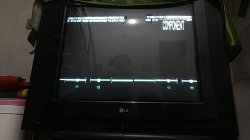
It's LG 29FU1RLFrom what we can notice, TV has shown component:
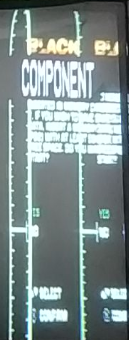
Can you add full name of your TV (brand & model)?
LG...
I don't think so, but I'll check againAre you sure you have not confused the two red cables? Since one is for video and the other for audio but it's possible to confuse them on some cables.
Last edited by a moderator:
@dailyroutine I merged your 3 posts, which you posted in 2 minutes! This is a forum and not a chat!
Are you sure that your TV accepts progressive signals?
Are you sure that your TV accepts progressive signals?
dailyroutine
Member
I don't know, there is no Specification about the TV online@dailyroutine I merged your 3 posts, which you posted in 2 minutes! This is a forum and not a chat!
Are you sure that your TV accepts progressive signals?
dailyroutine
Member
The user manual is in my local language, you have to translate it.There is a user-manual...
480i, so It's not supported?
Similar threads
-
PS2 Difference between 50 Hz/60 Hz modes and progressive scan
- Started by Windows10User
- Replies: 30
-
PS2 No signal with Component to HDMI converter in OSDSYS
- Started by AkiyoSSJ
- Replies: 0
-
PS2 Does anybody have a backup of the 480p cheat codes posted in this thread on psx-scene?
- Started by garou64
- Replies: 8
-
 PS3 Screen tearing - PS2 480p games on BC PS3
- Started by Alonso240
- Replies: 0