Berion
Developer
Although Solid-State Drives have been with us on the market for a very long time, it's only in the last few years that large capacities have begun to become attainable for the average consumer's wallet, and thus have become commonplace in use. Is an SSD suitable for an ancient console like the PS3 - which, after all, has always been sold exclusively with a hard disk drive (HDD)? It depends... And from what and why I will try to explain in this guide.
Speed
The internal storage interface is Serial ATA 1.0, or so-called SATA-150 (SATA-I). The maximum amount of data it can transfer is 1.5Gb/s (~188MB/s), or ~179MiB/s. From which it follows that no matter how fast an SSD you put in your console, you won't get read speeds above that barrier - and that's the theoretical value anyway - in practice it's even half that!
What makes it possible for games or their textures to load faster is a significantly faster sector access time than HDD and a much larger cache. This is especially important in the case of the so-called "JB format", copied files from the disc to the SSD (not to be confused with a copy in the form of a disc image *.iso), in games that have thousands of these files.
Capacity
As with HDDs, a relatively safe barrier is a capacity of 1TiB (~1.1TB). It's not clear what is specifically because the UFS2 file system, which is used on the user's partition, can handle up to zeta bytes of data. Above this size, file system checking stops working, useful, for example, when a game crashes while writing data and potentially corrupts UFS2. Then the next time the console starts, the firmware just calls the fsck and usually fixes it.
The second barrier is the limit from 1.5TiB (~1.65TB) to 1.75TiB (~1.9TB). Above this size, the media stops being detected by the console at all. It's not clear why this happens, nor is it clear why it's 1.5 for some consoles and/or fw and a little more for others.
If the SSD exceeds the size of, for example, 1TiB, you can limit it by setting up an HPA area, which will reduce the reported capacity to the PS3. For example, using hdparm.
SLC & MLC
The best type of NAND Flash, used in SSDs are SLC chips. Although the slowest, as you probably already know from the first chapter, it doesn't really matter for the PS3. The best because they are the least unreliable, have the most write cycles per cell and hold data the longest.
MLC stands for Multi-Level Cells, whether the write is single or multi-bit per cell. MLC, therefore, also covers so-called "TLC" (3-bit) and "QLC" (4-bit) which is what manufacturers painstakingly use in misinforming customers who are looking for 2-bit MLC.
New SSDs built with SLC or 2-bit MLC are unlikely to be found for sale today, and the used ones are by now mostly heavily used. What you can realistically buy is TLC and QLC. Avoid the last one, among others, because it can slow down to speeds even below HDD 5400rpm and is the most unreliable of all.
TRIM
To write any sector to the NAND Flash, that sector must be empty. If it is not, it must first be cleared to write other data there. The SSD groups sectors into pages, and during a write operation, the entire page is overwritten, so some of the data must be cached so as not to lose it, that is, written to the cache, which in the case of SSDs without DRAM is on the NAND. Calling TRIM, tells the SSD firmware which sectors are no longer in use and can be cleared without unnecessary caching.
As you can easily guess, this significantly reduces the amount of data written which in turn affects not only the performance, but also the life of the SSD.
The problem is that CellOS, does not support TRIM, or at least in version 4.90 (which is the latest currently available), and it doesn't look like Sony will ever add it. This can be prostheticized by periodically manually invoking TRIM from within NetBSD 6.0 on a PC, but it requires Linux, a virtual machine, removing the SSD from the console and, of course, reading the EID Root Key to be able to decrypt data on the fly, and it's unclear how secure this is (how compatible UFS2 on the PS3 is with the UFS2 supported by the tools in NetBSD).
There is another internal SSD firmware mechanism called wear-leveling, which works similarly to TRIM. To what extent it can replace it, opinions are divided, I would tend to lean towards the theory that the importance of TRIM is greatly overestimated.
DRAM
The presence of DRAM affects SSD performance - which in theory is irrelevant for the PS3, but in practice has a big one due to the lack of TRIM support.
Incompatibility
The biggest hassle in choosing an SSD is mysterious incompatibility. Many SSDs work flawlessly with the PS3, but on many, strange problems quickly appear that are difficult to diagnose and attribute to a potential cause. No one knows what the causes are, let alone how to determine which SSD will be compatible. And a compatible one is one on which none of the following anomalies occur, which - importantly - with almost all the space used (sometimes problems start only when the media is almost full).
The most common symptoms are (they do not have to occur all at once):
Buy or not to buy?
Don't. Probably the best solution for the PS3 is SHDD, which is a hybrid drive where the cache is the "big SSD" and the data ultimately goes to the platters. It's not a popular media type, but I've also never seen anyone report mystical deaths.
Buy only if you know that someone plays heavily (that is, frequently uploads large amounts of games, and where the "dev_hdd1" partition is heavily used), then and only then, only this particular model.
Speed
The internal storage interface is Serial ATA 1.0, or so-called SATA-150 (SATA-I). The maximum amount of data it can transfer is 1.5Gb/s (~188MB/s), or ~179MiB/s. From which it follows that no matter how fast an SSD you put in your console, you won't get read speeds above that barrier - and that's the theoretical value anyway - in practice it's even half that!
What makes it possible for games or their textures to load faster is a significantly faster sector access time than HDD and a much larger cache. This is especially important in the case of the so-called "JB format", copied files from the disc to the SSD (not to be confused with a copy in the form of a disc image *.iso), in games that have thousands of these files.
Capacity
As with HDDs, a relatively safe barrier is a capacity of 1TiB (~1.1TB). It's not clear what is specifically because the UFS2 file system, which is used on the user's partition, can handle up to zeta bytes of data. Above this size, file system checking stops working, useful, for example, when a game crashes while writing data and potentially corrupts UFS2. Then the next time the console starts, the firmware just calls the fsck and usually fixes it.
The second barrier is the limit from 1.5TiB (~1.65TB) to 1.75TiB (~1.9TB). Above this size, the media stops being detected by the console at all. It's not clear why this happens, nor is it clear why it's 1.5 for some consoles and/or fw and a little more for others.
If the SSD exceeds the size of, for example, 1TiB, you can limit it by setting up an HPA area, which will reduce the reported capacity to the PS3. For example, using hdparm.
SLC & MLC
The best type of NAND Flash, used in SSDs are SLC chips. Although the slowest, as you probably already know from the first chapter, it doesn't really matter for the PS3. The best because they are the least unreliable, have the most write cycles per cell and hold data the longest.
MLC stands for Multi-Level Cells, whether the write is single or multi-bit per cell. MLC, therefore, also covers so-called "TLC" (3-bit) and "QLC" (4-bit) which is what manufacturers painstakingly use in misinforming customers who are looking for 2-bit MLC.
New SSDs built with SLC or 2-bit MLC are unlikely to be found for sale today, and the used ones are by now mostly heavily used. What you can realistically buy is TLC and QLC. Avoid the last one, among others, because it can slow down to speeds even below HDD 5400rpm and is the most unreliable of all.
TRIM
To write any sector to the NAND Flash, that sector must be empty. If it is not, it must first be cleared to write other data there. The SSD groups sectors into pages, and during a write operation, the entire page is overwritten, so some of the data must be cached so as not to lose it, that is, written to the cache, which in the case of SSDs without DRAM is on the NAND. Calling TRIM, tells the SSD firmware which sectors are no longer in use and can be cleared without unnecessary caching.
As you can easily guess, this significantly reduces the amount of data written which in turn affects not only the performance, but also the life of the SSD.
The problem is that CellOS, does not support TRIM, or at least in version 4.90 (which is the latest currently available), and it doesn't look like Sony will ever add it. This can be prostheticized by periodically manually invoking TRIM from within NetBSD 6.0 on a PC, but it requires Linux, a virtual machine, removing the SSD from the console and, of course, reading the EID Root Key to be able to decrypt data on the fly, and it's unclear how secure this is (how compatible UFS2 on the PS3 is with the UFS2 supported by the tools in NetBSD).
There is another internal SSD firmware mechanism called wear-leveling, which works similarly to TRIM. To what extent it can replace it, opinions are divided, I would tend to lean towards the theory that the importance of TRIM is greatly overestimated.
DRAM
The presence of DRAM affects SSD performance - which in theory is irrelevant for the PS3, but in practice has a big one due to the lack of TRIM support.
Incompatibility
The biggest hassle in choosing an SSD is mysterious incompatibility. Many SSDs work flawlessly with the PS3, but on many, strange problems quickly appear that are difficult to diagnose and attribute to a potential cause. No one knows what the causes are, let alone how to determine which SSD will be compatible. And a compatible one is one on which none of the following anomalies occur, which - importantly - with almost all the space used (sometimes problems start only when the media is almost full).
The most common symptoms are (they do not have to occur all at once):
- random lack of SSD detection at console startup
- frequent UFS2 corruption (console startup with fsck, showing 0KB free space, etc.)
- boot loop on file system check
- PS2 games not launching on any of the emulators
- very low read and write speeds
Buy or not to buy?
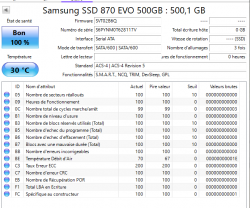
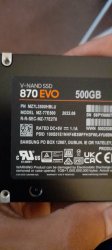
Don't.
Probably the best solution for the PS3 is SHDD, which is a hybrid drive where the cache is the "big SSD" and the data ultimately goes to the platters. It's not a popular media type, but I've also never seen anyone report mystical deaths.Buy only if you know that someone plays heavily (that is, frequently uploads large amounts of games, and where the "dev_hdd1" partition is heavily used), then and only then, only this particular model.