PS4 HDD reading

Berion

Developer
Based on the video tutorial, I've made config file for cryptmount. To bad that I'm on 5.55, but should be ok. :( Key can be dumped by OrbisMAN. In theory partition should be mounted read only, but without kernel flag set for rw, UFS2 it always be mounted with ro, even if in config is set rw.

Please, let me know if this works (and for what exactly partitions).

Code:
# Add to the configuration file "/ect/cryptmount/cmtab" below script.
# Use "cryptmount -m ps4hdd" for mounting and "cryptmount -u ps4hdd" for unmounting.
# Device will be mounted as "/dev/mapper/ps4hdd".
# Filesystem will be mounted in "/home/<user>/ps4/hdd/".
# For CUH-1xxx models remove ivoffset parram.
# For CUH-2xxx up to CUH-7xxx use "ivoffset=111669149696".

ps4hdd {
   dev=/dev/sdd27
   dir=/home/user/ps4/hdd/
   flags=user,nofsck
   fstype=ufs
   mountoptions=ro,noatime,noexec,ufstype=ufs2
   cipher=aes-xts-plain64
   ivoffset=111669149696
   keyfile=/home/user/ps4/eap_key.bin
   keyformat=raw
}
 
Last edited:
Fun fact: :)
If You have Psxitarch Linux v2, loader will automatically dump EAP Key and put it to "/etc/cryptsetp/eap_hdd_key.bin". So it is enough to just copy it into pendrive or something - so no need for OrbisMAN.

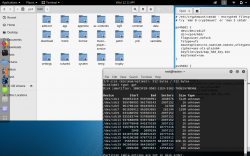
Mini dump from partition 27 of CUCH-1116a HDD, decrypted on Linux Mint v19.1 on PC:
ps4hdd_p27dec.png
 
very cool :cool:

it works! tested on 5.05 HDD with Kali

i wanted to try this mounting later on another console to dump files from HDD on newer FW after dumping key on 5.05 and sacrificing a console to newest FW update
 

Attachments

  • Screenshot from 2019-08-14 00-12-29.png
    Screenshot from 2019-08-14 00-12-29.png
    607.5 KB · Views: 533
i wanted to try this mounting later on another console to dump files from HDD on newer FW after dumping key on 5.05 and sacrificing a console to newest FW update

That was my plan too long ago, but for the key collection still missing PFS key and full IDPS on 5.xx. But anyway, I never have hacked console because kexploits always was published year or so after the latest firmware...
 
Is there any user friendly way to gain write permissions to the mounted hdd? I've heard you need to change the Linux kernel source so that it allows read-write but I have no idea on how to do that :(
Screenshot_from_2020-08-20_20-47-04.png

@Berion
 
Is there any user friendly way to gain write permissions to the mounted hdd? I've heard you need to change the Linux kernel source so that it allows read-write but I have no idea on how to do that :(
Screenshot_from_2020-08-20_20-47-04.png

@Berion

Try first changing that line in your cmtab file:
mountoptions=ro,noatime,noexec,ufstype=ufs2
to
mountoptions=rw,noatime,noexec,ufstype=ufs2
if this can't help, then you must recompile kernel module with ufs write enabled
 
Seems like a clear step by step guide thanks. So after booting into Linux kernel 5.6.9 will I be able to write to ufs or do I have to configure it in a particular way? (Please keep everything user friendly as I don't have any experience with kernel stuff)
 
Seems like a clear step by step guide thanks. So after booting into Linux kernel 5.6.9 will I be able to write to ufs or do I have to configure it in a particular way? (Please keep everything user friendly as I don't have any experience with kernel stuff)
You can specify the option when compiling with make menuconfig command (iirc ncurses is required for this). it should be in the filesystem options (UFS RW Support change from No or Maybe to Yes)
 
User partition file system in PS3 is also UFS2. And we have struggle with this for some time too. ;] There is no good solution because ufs module (You can compile it alone, and attach it on demand) is slow as hell. The best current approach is using FreeBSD (like i.e user friendly GhostOS) if data order isn't Big Endian (Geli should support AEX-XTS-256 and also custom iv offset if You have such PS4 model which need tweak that). Why FreeBSD? Because it is their native filesystem with stable support, instead to Linux.

Look at one of the last pages, there are even already compiled modules (but not for Your kernel, You need older):
https://www.psx-place.com/threads/tutorial-hdd-mounting-and-decryption-on-linux.23308/

I'm curious about Your journey so please mention me if You make some progress. ^^ I don't have hacked PS4 but I'm curious type of guy.
 
Last edited:
I've read all the replies in the thread you linked and maybe it is better for me to use already compiled modules rather than messing with FreeBSD as I've only been using linux for a week so be patient with me :(
So in summary, I install Ubuntu 19.10, install the kernel that allows UFS2 rw with the command
sudo apt-get install linux-image-5.3.0-24
I stopped understanding from here, should I put the bswap file in the mounting place which in my case is /home/name/ps4/user/ and then use sudo cryptmount ps4_user??
I was based of this reply:
image0.PNG


My cmtab file:
# /etc/cryptmount/cmtab - encrypted filesystem information for cryptmount
# try 'man 8 cryptmount' or 'man 5 cmtab' for more details
ps4_user {
dev=/dev/sdb27
dir=/home/name/ps4/user
flags=user,nofsck
fstype=ufs mountoptions=rw,noatime,noexec,ufstype=ufs2
cipher=aes-xts-plain64
ivoffset=111669149696
keyfile=/home/name/ps4/eap_key.bin
keyformat=raw
}
@Berion
 
Last edited:
This is tutorial for PS3 HDD, not PS4. ;) You cannot follow it. I just said that like PS3, PS4 using UFS2 for user partition. So both words at the end facing the same problem on Linux with UFS2 writing. bswap16 is an app for converting on the fly BE to LE. AFAIK, PS4 doesn't writing on disk in BE so it is useless for You.

And two peoples already compiled modules for specific kernel. To using them, You need first load specific version kernel for which specific version module was compiled (it will not work on any other). So You need (nothing more than below):
1. install kernel
2. boot from this kernel
3. load external ufs module
4. and after that mounting PS4 HDD the way You want with -rw privileges instead to -ro.

- - -

It is not. I tried. None of the Fedora or OpenSuse have kernels with rw for UFS (I cannot understand why for the f*ck sake is even disabling by default; even if is unstable, for choosing mounting type is user which have consciousness and put parrams on his own will...).

- - -

You don't need cryptmount. It is app which automate some things making Your life easier (but if there is no cryptmount in repositories then below is how to do it without it). All current Linux distributions have needed tools to do this (whole dmcrypt package).

Determine which HDD is PS4 HDD by i.e using lsblk (sdx, i.e sdb), then type:
Code:
sudo cryptsetup create -c aes-xts-plain64 -d /path-to-your-hdd-key -s 256 ivoffset=111669149696 ps4hdd /dev/sdx
ls -la /dev/mapper
Determine which mapper is bigger and this will be Your user partition (probably it will be ps4hdd27)
And then mount:
Code:
mount -t ufs -o ufstype=ufs2,rw /dev/mapper/ps4hdd27 /path-to-folder-in-home-where-you-want-mount
 
Last edited:
Thank you for your reply
I will uninstall OpenSUSE real quick and start again.
So, I install back Ubuntu 20.04 lts (or do you suggest using latest Mint like you?)
Then I follow your steps:
  1. I install the kernel (but which one and with which command?)
  2. How do I boot into the newly installed kernel? Sorry I'm a total noob >.<
  3. I'll have to load the compiled module (where can I download it? And how do you load it?) Not sure if it matters but I've read from the discussion you have linked that new kernel versions have missing source?
  4. After I've done those 3 points I can use cryptmount the same way and it will mount it rw this time? The cmtab says rw so it will do it right? I find cryptmount method easier btw
 
User Gimpf attached compiled ufs module with rw here: https://www.psx-place.com/threads/hdd-keys-generating-scripts.10610/page-6#post-224630 Based on what he said, it's match to default kernel used in Ubuntu 19.10 Cinnamon Remix. So You don't need to install Linux, just run this one from i.e pendrive ("burn" disc image on pendrive using i.e Rufus).

Remember to change file permission to execute; in Nemo file manager is in GUI, or just type
Code:
sudo chmod +x /home/mint/ps4/ufs.ko
You can load module by:
Code:
sudo insmod /home/mint/ps4/ufs.ko

If You want to use cryptmount, remember to change paths to keys and mount point to match for You, as I saw that You didn't do that.
 
Last edited:
Okay I've booted Ubuntu 19.10 cinnamon remix from the usb using Rufus and downloaded gmipf's ufs.ko
I've tried your commands but something appears to be wrong :/
image0.jpg

EDIT: nevermind, the problem was that I had to turn off secureboot on the bios
 
Last edited:
I've done all your steps and used @gmipf 's ufs.ko
It mounted without giving me the warning "mouted read-only" which is a very good sign.
But I still can't paste or drag&drop files in it unfortunately :(
Any reasons why?
image0.jpg


By the way, in the hdd properties/permissions it says this:
image0.jpg


And thank you for your huge help @Berion !
 
Last edited:
I've done all your steps and used @gmipf 's ufs.ko
It mounted without giving me the warning "mouted read-only" which is a very good sign.
But I still can't paste or drag&drop files in it unfortunately :(
Any reasons why?
image0.jpg


By the way, in the hdd properties/permissions it says this:
image0.jpg


But in the mouted point (/home/cinnamon-remix/ps4/user) it says in all 3 of the slots that I have "create and delete files" permissions

Thank you for your huge help @Berion !

console hdd is mounted as root and you are normal "cinnamon-remix" user as i see...
try this commands
dd if=/dev/zero of=/tmp/test.img bs=1M count=1
sudo mv -fv /tmp/test.img [PATH_TO_CONSOLE_HDD_MOUNTPOINT]
and look if "test.img" file shows in the root of console hdd.

OLD TRASH WRITTEN BY ME:
compile kernel ufs.ko module with "CONFIG_UFS_FS_WRITE=y"
so grab pendrive with 16 GB (32 GB is recommended) use rufus on windows and select maximum (to right) "Persistent partition size", burn iso, next run in terminal
sudo apt update && sudo apt install git build-essential sed make libncurses5-dev libssl-dev bison flex -y && sudo apt clean
, download kernel source using
git clone --depth=1 https://github.com/torvalds/linux ${HOME}/linux
, cd to kernel source dir and run
yes '' | make oldconfig
then run command
sed -i -r "s/# CONFIG_UFS_FS_WRITE is not set/CONFIG_UFS_FS_WRITE=y/" .config
then build using
make -j`nproc --all`
then
sudo make install && sudo make modules_install
finally
sudo update-grub
and reboot ubuntu with your new kernel
 
Last edited:
Back
Top