PS2 HDLGameInstaller

Originally posted on psx-scene:
SP193 said:
@jolek : could you please try the files below? With the code from Linux mainline that @Maximus32 shared before, I have adjusted the Rx Watermark urgent level to 512 (down from 1024) since Linux has it set lower (with respect to FIFO sizes).
I suspect that the EMAC Rx FIFO is suffering from an overrun condition since the Rx FIFO is only 2KB in the PS2, unlike some of the IBM devices (which can have 4KB... or even more!). The PS2Linux code has a remark that the Overrun bit does not work (hardware bug?)... and so we have no way of knowing that! Personally, I have never seen it work before.

On my SCPH-77006 (when connected to the RTL8138/8111), the frame loss seems to have disappeared after I made this adjustment, but it did not do anything for my Lenovo (with RTL8102E).
But the RTL8102E causes my DP83846A (within the SCPH-10190) to negotiate for 100Mbit FDX without flow control, hence why this adjustment does not help. There might be some incompatibility with it. I did try to forcing flow control on, but that caused severe communications problems, so... maybe the hardware was right: flow control cannot be enabled correctly with my RTL8102E.

Lower Rx Watermark Urgent level: https://www.sendspace.com/file/mutzkv

Same as above, but with the link mode/speed fixed to 100Mbit FDX with Flow Control: https://www.sendspace.com/file/b8rb1o
If the above file already eliminates or visibly lessens the frame losses, then there is no need to use this. I'm providing this in case you somehow need to have the 100Mbit Full-DupleX (FDX) mode selected with Flow Control. HDLGameInstaller provides no method for selecting this, nor does it allow us to determine whether Flow Control was negotiated for...

I never connected my SCPH-10190 to my RTL-8138/8111 because it is used by my TOOL and SCPH-15000, and those are huge. But perhaps the RTL8138/8111 will not cause the same problem as the RTL8102E...
At least, the laptop with the RTL8102E is going to be 9 years old, so it is... very old. If they still make the RTL8102E, it may not be the same as the one from 2010.

That's a fantastic news.
Thank you for trying to make progress in this matter.

Thank you for your support!
Even though I do hate the problems, I wish to see it completed. After all, this console has been ignored for quite a long while...

I've only one PC with multiple OS (Linux 18.3, Win XP, Win 10).
I can't get OPL to work on Linux, so I'm using Win.
I don't have any router.

Ah okay. Thanks for the clarification.

Sorry for late reply, but mostly during workdays I'm out of home and I cannot do a tests with FAT PS2 + NA.

No, it is fine. This is just a small thing in life, so please take your time!

I've notice that you put new test version on PSX-Scene.
I'll try to test them ASAP.

Take your time! We can also continue our discussion here.

Thanks.
I hope that you still can have fun with this "old" console.
I'm hoping that people can enjoy it too.
 
Last edited:
@sp193 I've tried:
  • HDLGameInstaller-180530-ctrl
  • HDLGameInstaller-180530-RxWM
  • HDLGameInstaller-180530-RxWM-100FDX-FC
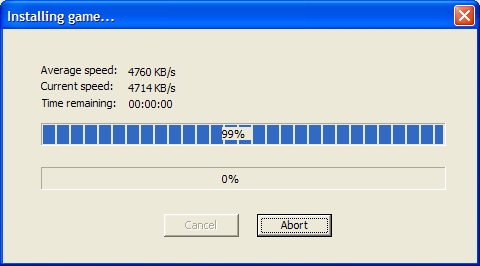
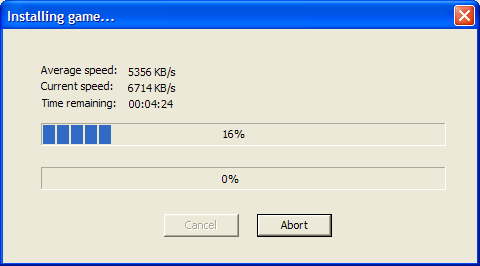
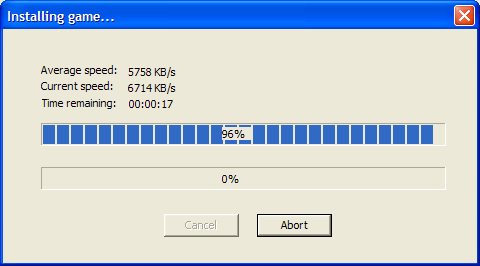
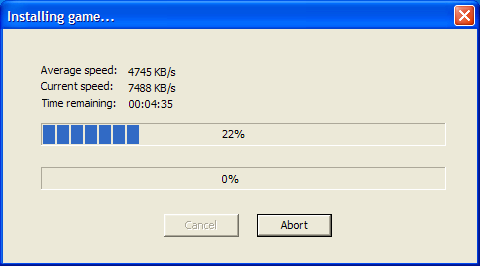
Mostly average speed was ~4700-5000 KB/s:
ctrl.png

I really can't tell which version was the fastest.
All versions have some transfer drops (even to 2000 KB/s).

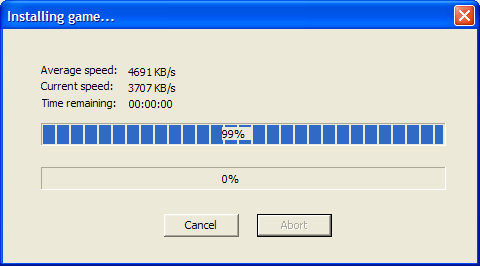
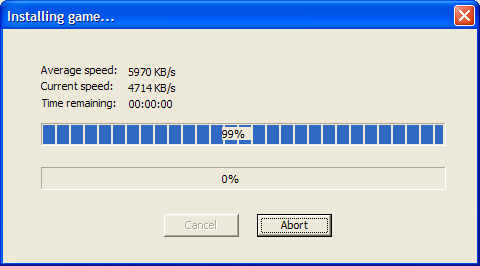
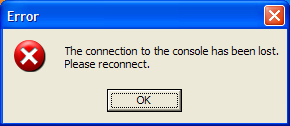
I still have the problem that when I reach 99%, HDL "hangs".
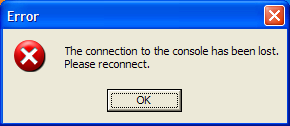
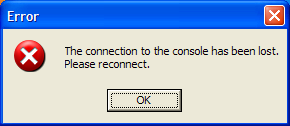
Only this time after ~30 sec, I've this message:
wrrx.png


Tried with PC client from v0.814B.

EDIT:
I've also checked [PS2] HDLGameInstaller-0814B (29/05/2018)
with the same PC client and the game was installed successful,
but the transfer speed was poor (~2300 KB/s).
 
Last edited:
HDLGameInstaller v0.814C Released

Changelog for v0.814C:

  • Updated with latest PS2SDK fixes.
  • Adjusted font rendering to advance the cursor based on input from FreeType.
  • Organized deinitialization code for cleaner shut-downs.
  • Replaced network status screen code.
  • Added flow control status to network status screen.
  • Converted hardcoded labels on the network status screen into translatable labels.
  • Updated translation template.

I think the program is getting very unstable now and I do not want to work on it anymore.
For reasons, now I am getting crashes within FreeType. Either it is bugged or I have corrupted the memory it uses.

I've gone as far as giving data transfers its own socket connection, causing absolutely zero overhead. Putting frames into LWIP on the EE-side is now zero-copy as well. But despite all that, I could only get about 6.1MB/s, despite what I could get during simple tests (~8.6MB/s).
It may be caused by frame losses, or maybe the overhead from everything else (e.g. writing to the HDD, which also involves the SIF and DEV9 DMA channels).

Pinging normally results in very low RTT, but specifying a longer payload (e.g. 1490, to give the maximum frame size of 1514 per ping) gives high RTT of about 8ms each. Since we no longer have one extra memcpy() step (other than the one used at the socket layer), the limitation must be with the DMA channels... unfortunately.

But that being said, thank you all, for your support and patience.

Downloads/links
HDLGameInstaller project page (downloads at bottom): https://sites.google.com/view/ysai187/home/projects/hdlgameinstaller

***

@sp193 I've tried:
  • HDLGameInstaller-180530-ctrl
  • HDLGameInstaller-180530-RxWM
  • HDLGameInstaller-180530-RxWM-100FDX-FC
Mostly average speed was ~4700-5000 KB/s:

I really can't tell which version was the fastest.
All versions have some transfer drops (even to 2000 KB/s).

Really? That's... :(
Then I know of nothing I can do about this hardware problem, sorry.
There is just no way to even tell where the frame losses are occurring at, but I suspect it happens in the EMAC3 Rx FIFO - just that the hardware function for indicating an overrun does not work.

By the way, I made a mistake. It was a RTL8102E that was installed in my laptop.

I still have the problem that when I reach 99%, HDL "hangs".
Only this time after ~30 sec, I've this message:
wrrx.png


Tried with PC client from v0.814B.

If it's an occasional thing, then it has got to do with the great amounts of frame losses you are experiencing. I can work around it by adding code that will re-connect, but that is very silly because I would be trying to make TCP reliable - when TCP should be making IP & Ethernet work reliably. It's just so unreliable that even TCP cannot fix it!

I think we're just all very unfortunate to have PCs that have Realtek adaptors - that somehow always trigger the hardware bug in the PlayStation 2 SMAP. :(
If it doesn't even occur with all PlayStation 2 SMAP models, then we were just unfortunate to have the ones that are affected.

But thank you for standing with me, to try to make the PlayStation 2 experience great.

EDIT:
I've also checked [PS2] HDLGameInstaller-0814B (29/05/2018)
with the same PC client and the game was installed successful,
but the transfer speed was poor (~2300 KB/s).

Although it's mixed with problems with the IOP being unable to accept frames quickly (due to a configuration problem), it shows that when we have very slow transfers, then the hardware bug isn't really an issue...

As of the fixed version I sent yesterday, the code within HDLGameInstaller was exactly the same lol. Just these 2 settings were changed, within the PS2SDK!
 
Last edited by a moderator:
Really? That's... :(
Then I know of nothing I can do about this hardware problem, sorry.
There is just no way to even tell where the frame losses are occurring at, but I suspect it happens in the EMAC3 Rx FIFO - just that the hardware function for indicating an overrun does not work.

Even so, thanks for attempts.

By the way, I made a mistake. It was a RTL8102E that was installed in my laptop.

I don't know if this might help, but I have RTL8111B.

If it's an occasional thing, then it has got to do with the great amounts of frame losses you are experiencing. I can work around it by adding code that will re-connect, but that is very silly because I would be trying to make TCP reliable - when TCP should be making IP & Ethernet work reliably. It's just so unreliable that even TCP cannot fix it!

I think we're just all very unfortunate to have PCs that have Realtek adaptors - that somehow always trigger the hardware bug in the PlayStation 2 SMAP. :(
If it doesn't even occur with all PlayStation 2 SMAP models, then we were just unfortunate to have the ones that are affected.

Although it's mixed with problems with the IOP being unable to accept frames quickly (due to a configuration problem), it shows that when we have very slow transfers, then the hardware bug isn't really an issue...

As of the fixed version I sent yesterday, the code within HDLGameInstaller was exactly the same lol. Just these 2 settings were changed, within the PS2SDK!

Hey, no problem.

I think that we will have v0.814D.
8d2ad9671de3.jpg


I'm still having a problem at:
991.png

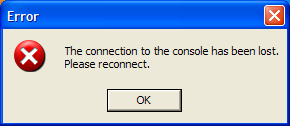
After taking a while (about ~30 sec) this ugly error pops out:
814_C.png


But thank you for standing with me, to try to make the PlayStation 2 experience great.

I'll try to do my best, even when we gonna have to test "Z" version.
8d2ad9671de3.jpg


Best regards.

EDIT: I forgot to add that, new font looks cool on LCD TV:
31052018425.png

I hope that people with CRT TV will not complains that it's too small. ;)
 
Last edited:
I don't know if this might help, but I have RTL8111B.

Yeah, that's in the same family as the one in my desktop (RTL8168B). But I cannot connect it to my TOOL console because it's too far away. :X

At least, they're both PCIe Gigabit Ethernet adaptors.

But at this point, I've got no idea how to solve this because I did check on LWIP and it did not drop any frames.
It has to be a hardware thing... :D


I think that we will have v0.814D.
8d2ad9671de3.jpg


I'm still having a problem at:

Yeah, nothing was changed there. Sorry.
As of now, if your network has this problem, then...

I will wait for Maximus32 to write his findings. If nothing good can be discovered, then maybe some workable compromise can be reached...

After taking a while (about ~30 sec) this ugly error pops out:

haha.
8d2ad9671de3.jpg


It doesn't happen here, so I think it really depends on whether the connection gets disrupted for long enough.

I'll try to do my best, even when we gonna have to test "Z" version.
8d2ad9671de3.jpg

8d2ad9671de3.jpg

8d2ad9671de3.jpg


EDIT: I forgot to add that, new font looks cool on LCD TV:
31052018425.png

I hope that people with CRT TV will not complains that it's too small. ;)

That is the MAGIC! The font is exactly the same as before, just that I let FreeType decide on the spacing.
I did not do that earlier because I was wondering if the spacing is too small. But then I remembered that OPL was also like that, so.... nevermind! The weird spacing was also driving me
8d2ad9671de3.jpg


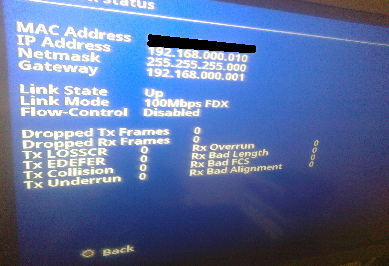
Oh oh. Your SMAP negotiated to have flow control disabled too?
I wonder if all Realtek adaptors cause this same problem lol.
8d2ad9671de3.jpg


With flow control disabled, I have to agree with Maximus32 that it may have frame losses. At least because of the stupidly small Rx FIFO within EMAC3.

What's your network adaptor model? Best if you can tell us the SPEED and PHY models too.
The one that I was using in my TOOL is a SCPH-10190, with a CXD9624GG and a National Semiconductor DP83846A4 PHY.
PS2Ident can give this information, so you do not need to open it up.
 
Last edited:
It doesn't happen here, so I think it really depends on whether the connection gets disrupted for long enough.

Maybe I wrote something wrong.
This error pops out after 99% has been reached, for ~30 sec nothing is going on.
And out of the sudden:
814_C.png


That is the MAGIC! The font is exactly the same as before, just that I let FreeType decide on the spacing.
I did not do that earlier because I was wondering if the spacing is too small. But then I remembered that OPL was also like that, so.... nevermind! The weird spacing was also driving me
8d2ad9671de3.jpg

Maybe something else will drive you...
When I want to add space (" ") in FlatOut2, to have FlatOut 2
The marker is in strange position (way beyond wanted):
31052018429.png


Oh oh. Your SMAP negotiated to have flow control disabled too?

I wonder if all Realtek adaptors cause this same problem lol.
8d2ad9671de3.jpg


With flow control disabled, I have to agree with Maximus32 that it may have frame losses. At least because of the stupidly small Rx FIFO within EMAC3.

When I enter Network status in HDL this option is Disabled.
31052018425.png


On PC side in my advanced Realtek settings this, option is on (flow control):
flow.png

"Sterowanie przepływem" means Flow control.
"Włącz" means ON.

What's your network adaptor model? Best if you can tell us the SPEED and PHY models too.
The one that I was using in my TOOL is a SCPH-10190, with a CXD9624GG and a National Semiconductor DP83846A4 PHY.
PS2Ident can give this information, so you do not need to open it up.

My NA is SCPH-10350
Speed rev: 0x0011 CXD9624GG ES
Speed capabilities: 0003. 0002 SMAP, ATA.
PHY vendor: National Semiconductor
PHY model: 0x02 DP83846A
PHY rev: 0x03

More info has been sended in PM.
 
Last edited:
Maybe I wrote something wrong.
This error pops out after 99% has been reached, for ~30 sec nothing is going on.
And out of the sudden:

No, I understood what you meant.

How the system works, is that it'll send commands across the network. For every bit of data sent, it must be acknowledged.
So if your network is unreliable enough, then the command would be lost.

The tool will try to reconnect (which is why there is a ~30 second pause). However, if the network is unreliable enough, then it would fail again...

Right now, I cannot replicate this issue, but the client on my laptop is not the latest one.
If anything changes, I will let you know again.

EDIT: Yes, I cannot replicate it. Sorry.
When communicating with my PC that has the RTL8168B (over all the network nodes), there are zero frame drops at about 5.5MB/s. So I am pretty convinced (or in denial) that it is a compatibility problem with Realtek PHYs.

Maybe something else will drive you...
When I want to add space (" ") in FlatOut2, to have FlatOut 2
The marker is in strange position (way beyond wanted):

It's caused by the old code working with the new font-drawing ways. I haven't figured out how I would handle this.
Previously, each character would take up the same amount of space. Now each character may take up any amount of space, but it is usually half of the old width.

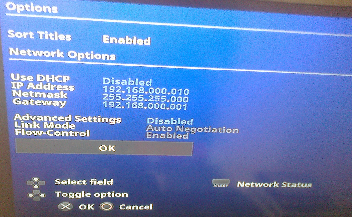
When I enter Network status in HDL this option is Disabled.


On PC side in my advanced Realtek settings this, option is on (flow control):

We can enable it on the PC, but to the DP83846A:
Code:
dsidb S> ow 0xB000205C 0x10250000
dsidb S> iw 0xB000205C      
 0xb000205c: 0x802541e1
This was an access to the PHY Automatic-Negotiation Link Partner Ability Register (ANLPAR). The PAUSE bit is not set, so the Realtek RTL8102E is not advertising support for the flow control...
So it cannot be enabled because the Realtek does not advertise support for it.

It is a good question as to whether this is a compatibility problem with the DP83846A or if flow control never worked! lol

It's worth noting that the Sony driver does check this register for the PAUSE bit (bit 10), while the datasheet for the DP83846A indicates that it is a reserved bit. So either the DP83846A we have for the PS2 is a custom device or if it is an undocumented feature.

My NA is SCPH-10350
Speed rev: 0x0011 CXD9624GG ES
Speed capabilities: 0003. 0002 SMAP, ATA.
PHY vendor: National Semiconductor
PHY model: 0x02 DP83846A
PHY rev: 0x03

Thank you. I've also received your PM.
So your network adaptor has the same parts as mine. What a coincidence!

EDIT: this also happens with my SCPH-10281, which has the CXD9731GP and the STE100S PHY. Must be a thing with Realteks...

I think the R/W buffer length may be too long, allowing the HDD to spend a long time writing (maybe even attributing to any overrun conditions), so I tried to lower it until I found some zen point: out of 4 buffers, 2 will be available. I'm getting 6.4MB/s, slightly higher than the usual 6.2MB/s.
Maybe the speed is more regular for me, even though my Realtek causes flow control to be disabled. If you can, please let us know if this actually helps with : https://www.sendspace.com/file/5tiagr
 
Last edited:
@sp193,
I still have a problem with HDLGameInstaller-180601-48K.elf when I reach 99%:
wrrx.png


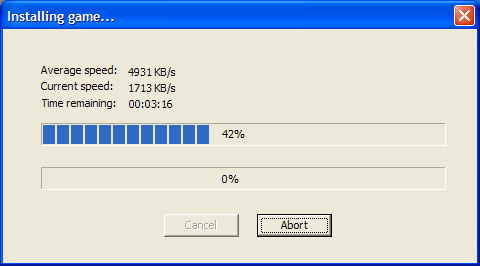
But look at the speed:
wwww.png

3333.png


Transfer drop sometimes to ~2400 KB/s, but for most of the time it stays at 4500-6700 KB/s,
PS2HDD OLED is for most of the time light up solid (sometimes for 1-2 sec OLED stops shines).
Probably when the transfer speed drops.
Progress has been made!

BTW I also tried to switch off flow control in Win, but the results where the same.

So your network adaptor has the same parts as mine. What a coincidence!

8d2ad9671de3.jpg


EDIT:
I also tried HDLGameInstaller-180601-48K-32x256.elf.
OMG! It was very fast commit:
image.png

image.png


Sometimes speed drops, but overall THIS version is the fastest that I tried.

Even so, when I reach 99%... you probably know what's gonna happen.
8d2ad9671de3.jpg
 
Last edited:
That's very great news! Thanks!

Special thanks for the adjustment, goes to wisi. I wouldn't have thought of trying this.

Have you been trying to install the game, over and over again? Or have you been installing different games, but they all end with the same problem at 99%?
If you've been installing the same game over and over again, what game is this? It would be good if you can mention the game ID as well.
 
Have you been trying to install the game, over and over again? Or have you been installing different games, but they all end with the same problem at 99%?

I've been installing different games, but they all end with the same problem at 99%.
The last version that don't have problems with it was HDLGameInstaller-0814B (29/05/2018)
with the same PC client (from 29/05/2018), but the transfer speed was poor (~2300 KB/s).

If you've been installing the same game over and over again, what game is this? It would be good if you can mention the game ID as well.

No, I haven't tried to install the same game over and over again.
I've been trying to install mostly CD games, because transferring them to PS2 takes less time (obviously).
  • SLES_501.26.Quake III - Revolution
  • SLES_505.04.Half-Life
  • SLES_520.95.Gradius V
  • SLES_535.08.Ultimate Pro-Pinball

I've tried also DVD games:
  • SLES_518.24.Colin McRae Rally 04
  • SLES_528.59.Project Snowblind

    These games works through SMB, I've also checked MD5 and it matches the ones from redump.
 
Changelog for v0.815
  • Updated font-rendering for the soft keyboard and various menus, to work properly with the variable-width fonts.
  • Updated network protocol for faster game-list transmission.
  • Changed I/O strategy: 64KB R/W buffer, with 32x512KB ring buffer.
  • Added support for DHCP.
  • Added support for title-sorting (controlled from the PlayStation 2).
  • Added options screen.
  • Network settings are now stored in the HDLGameInstaller save, on the HDD unit.
  • Added IP address indicator to main menu.
  • Added free disk space indicator to the main menu.
  • Network Settings can now be changed from the options screen.
  • Changed internal game list format to store titles in UTF-8 instead, for memory savings.
  • Fixed booting from the HDD unit.
  • Added key-repetition functionality to the soft keyboard and menus.

Changelog for the PC client
  • Changed I/O strategy to match the PlayStation 2 side: 32x512KB ring buffer.
  • Adjusted control sizes and placement on install dialog box. DVD is now the default disc type.
  • Adjusted network protocol for quicker transfer of game list.
  • Removed old TCP_NODELAY setting for better utilization of the command socket.
  • Fixed division by zero glitch during installation and game copying.

Settings are now saved into the HDLGameInstaller save data folder:
Code:
hdd0:__common/Your Saves/HDLGAMEINSTALLER
If you wish to delete the save, you may do so with the HDD Browser or compatible homebrew (e.g. LaunchELF).

Downloads/Links
HDLGameInstaller project page (downloads at bottom): https://sites.google.com/view/ysai187/home/projects/hdlgameinstaller

***

I've been installing different games, but they all end with the same problem at 99%.

So as to follow up, I think it might have been due to a lack of flow control. But Maximus32 doesn't seem to think so.
For now, I have no further advice for you, other than trying to get flow control working, putting a switch/router between the PS2 and PC, or even using another PC. I don't actually know what's even happening with the SMAP... :'(

Thank you for your help and support during this period of time.
 
Last edited by a moderator:
@sp193 thanks for new version, unfortunately now I've another problem.
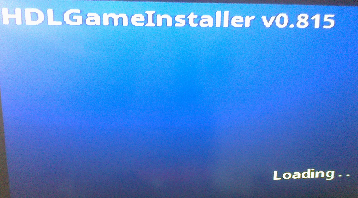
When I launch "HDLGameInstaller.elf" from latest "[180604]HDLGameInstaller-0815-bin",
I can't pass this screen:
sss.png

After ~30-40 sec Loading stops.

I've tried different flash drives.
I even formatted my PS2HDD.
None of these steeps helps.
 
Have you tried waiting for about 1 minute? Now that it has support for DHCP, it will default to and try to get an IP address on its own - unless it successfully found your old IP address settings. In that case, then it would self-configure for static IP address use.

But if it defaults to using DHCP, then it will not get a response when connected directly to your PC. The only way out, is to wait for it to time-out.
Once you get to the main menu, change the IP address setting to static and save (select the OK button).

I had it hard-freeze on me once, but only once though.
 
I've waited even longer (~5 min).
I think that app hangs always in the same point, when Loading have two dots (Loading..).
Even picture in previous post show it.
In Windows, I've configured my network to have static IP with PS2.

I've even tried to load HDL without ETH cable plug into NA,
unfortunately this method also fails.
 
HDLGameInstaller v0.816 released!

Changelog for v0.816:

  • Improved rendering of button labels between half-width and full-width characters.
  • Fixed freeze when network connection is unavailable.
  • Updated PFS to correct creation of "Your Saves" folder.
  • Fixed save-file generation.
  • Settings will be automatically saved once the defaults are loaded, if the user never saved the settings before.
  • Improved network performance.
Downloads/Links
HDLGameInstaller project page (downloads at bottom): https://sites.google.com/view/ysai187/home/projects/hdlgameinstaller
 
Last edited by a moderator:
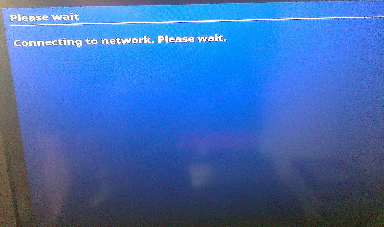
1. With new version I can pass this screen (Connecting to network. Please wait.):
connecting.png

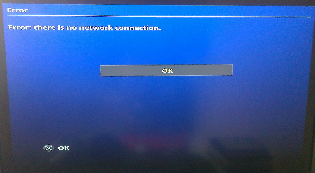
I'm getting error that (Error: there is no network connection)
image.png


But no matter if the static IP is set (Use DHCP - Disabled):
network.png


I will still get the same error, even when I launch HDL one more time:
connecting.png

image.png


Even with "no network connection", I can establish connection
using PC Client ("HDLGManClient.exe").

My transfer was:
1fast.png

Fastest speed
1slow.png

Slowest speed

So I'm not complaining. ;)

2. You will not believe, but...
8d2ad9671de3.jpg

When I reach 99%, I'm getting:
eeee.png
 
I have replaced the PS2 server. Please use the new file instead.

So I'm not complaining. ;)

7.5MB/s is amazing, really! Thanks.
Now if only Realtek will fix the flow-control problem for us.

2. You will not believe, but...
8d2ad9671de3.jpg

When I reach 99%, I'm getting:
eeee.png
This (including the slow speeds) can only be fixed by Realtek, unfortunately. Since we can both experience the bug, it has to be an actual bug.
8d2ad9671de3.jpg


My RTL8102E will not advertise support for flow control, even when connected to my desktop PC, which has a RTL8168B. The RTL8168B has no problem with flow control.
My newer laptop has a RTL8168GU. It has no issues with flow control either.

I am still waiting for Realtek to get back to me, since our last message. Hopefully, they will be able to replicate the glitch and take action. That would be, IMO, the best-possible ending.
 
I have replaced the PS2 server. Please use the new file instead.

Where can I found it?

I am still waiting for Realtek to get back to me, since our last message. Hopefully, they will be able to replicate the glitch and take action. That would be, IMO, the best-possible ending.

I hope they will get in touch with you soon.
Thanks, best regards.
 
Where can I found it?

Download from the same link again. The filename is exactly the same, but it'll work.
The only difference, is a small correction that affects that error message, which was a cosmetic problem (there is a network connection).
 
Download from the same link again. The filename is exactly the same, but it'll work.
The only difference, is a small correction that affects that error message, which was a cosmetic problem (there is a network connection).

Okay, I was asking because my browser highlight this link from HDLGameInstaller project page:
655e6eea-6be2-4e48-a29f-028d10e9e7b9.png

like I already use it.

Normally unused links in my browser have this color:
ee4ead11-61e8-427c-8eca-1e6c384ea554.png


EDIT: MD5Checksum is different.
 
Last edited:
Back
Top