HEN Toolbox

PS3 HEN Toolbox v1.00

But are you thinking made a plug-in about this? Everyone has been complained about this issue, we can't take Screenshot in perfect in game without go to Pause Menu then we can't print the perfect moment of the game, it should create with shortcut when pressing a button them immediately save into photos
No, I'm not making a plugin, I would not know how. There is not enough RAM free in lots of games to run screen capture plugins anyway afaik. You can try to use remote play on PC and capture that , or you can get a hardware PVR like I have, then you can record games, take screenshots etc.
 
Not really, but people like what they like, so I added support. HAN Toolbox is mostly obsolete though yeah.


Not sure, that option is working fine here, I cant really fix it if I cant replicate the issue here. Sorry.
Ok I will detail everything I did to explain you. First I disabled the Singstar icon and soft reboot the console and it worked fine. After that I made games go in alphabetic order and added the soft reset option to power options...after that I soft reboot the console and the Singstar logo got back...already tried to enable and disable multiple times but no results where found :/
 
Ok I will detail everything I did to explain you. First I disabled the Singstar icon and soft reboot the console and it worked fine. After that I made games go in alphabetic order and added the soft reset option to power options...after that I soft reboot the console and the Singstar logo got back...already tried to enable and disable multiple times but no results where found :/

Try reinstall the HEN Toolbox, then try disable it again just once.
 
Ok I will do that now. Also when trying to install PSN Apps I am getting error 80010006 at installing (right after hitting 100% in transfering)
Try reinstall the HEN Toolbox, then try disable it again just once.
Ok I finished testing but here is what happens: I uninstalled and reinstalled Hen Toolbox and disabled Singstar. It worked but after I turn off or soft reboot the PS3 again it comes back :/

Also still have the 80010006 error when installing PSN Apps :/

Either way thank you very much for your amazing support!!!
 
Ok, sorry, cant help then with Singstar, I thought that patch worked for everyone. Also not sure why those PSN packages are doing that, I will look into it, thanks for report.
 
No, I'm not making a plugin, I would not know how. There is not enough RAM free in lots of games to run screen capture plugins anyway afaik. You can try to use remote play on PC and capture that , or you can get a hardware PVR like I have, then you can record games, take screenshots etc.
I don't mean recording gameplay, I know because of RAM but it was just about screenshots, I know it's possible take screenshots without RAM costs, so why exists option Take Screenshot in XMB while in-game, I know is possible create a plug-in by pressing a button to do a screenshot immediately (shortcut) with code is possible everything
 
Ok I finished testing but here is what happens: I uninstalled and reinstalled Hen Toolbox and disabled Singstar. It worked but after I turn off or soft reboot the PS3 again it comes back :/

Also still have the 80010006 error when installing PSN Apps :/

Either way thank you very much for your amazing support!!!
Do you have WMM? Make sure it doesn't remove it already for else it will not work. If it removes it turn off the option and redo the singstar thing!
 
Also still have the 80010006 error when installing PSN Apps :/
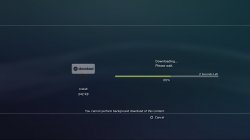
If you go to update icon, there is a small patch available there that will fix the 80010006 error on the PSN apps. Thanks for reporting it. It might also fix your singstar errors. but probably not.

upload_2019-6-14_17-16-27.png

ls-screenshot-1 (1).jpg
 
Okay...Just installed the HEN Toolbox, it's works but for after installation, controller went unresponsive and even the power button also unresponsive while the wave background still moves.
 
Okay...Just installed the HEN Toolbox, it's works but for after installation, controller went unresponsive and even the power button also unresponsive while the wave background still moves.
Might have just been a one off glitch, Not sure, Not seen that here at all and none of the beta testers had it either.
 
The update pkg has a couple of more features added, only small, grab it if you want.

  • Fixed PSN pkg downloading, the links were URL encoded, and should not have been
  • Added a package manager xml to one of the patch folders, might be needed in rare circumstances.
  • Added OFW Font to the font installer
  • Added HEN coldboot to the coldboot installer
  • Small info text fix in the Firmware_Settings.xml
upload_2019-6-14_17-16-27-png.18392
 
Last edited:
The update pkg has a couple of more features added, only small, grab it if you want.

  • Fixed PSN pkg downloading, the links were URL encoded, and should not have been
  • Added a package manager xml to one of the patch folders, might be needed in rare circumstances.
  • Added OFW Font to the font installer
  • Added HEN coldboot to the coldboot installer
  • Small info text fix in the Firmware_Settings.xml
Thank you very much for all your support, you have been truly amazing!!! Once I arrive home I will test everything. The Singstar icon is really weird but I can live with that don't worry ;) Thanks for supporting the community :)
 
Do you have WMM? Make sure it doesn't remove it already for else it will not work. If it removes it turn off the option and redo the singstar thing!
No it does not remove webman. I am using the version 1.47.22.4 Beta though...will check if that is what is messing it up but don't think so since I updated the 1.47.22 to 1.47.22.4 Beta after getting the Singstar icon error
 
Back
Top