theundertaker180
Forum Noob
Hi There
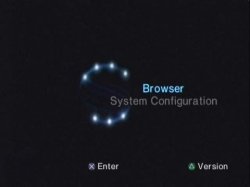
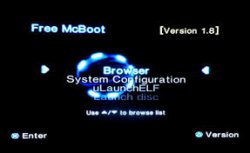
I'm quite new to the softmodding scene and after modding my PHAT PS2 PAL SCPH-70003 console with FreeMcBoot, I have been able to install OPS2 and POPLAUNCHER to play PS1 and PS2 backup games
off an USB flash drive (I haven't tried a HDD yet), however I can't seem to get the images to show correctly
and every version of OPL I seem to use all act differently. Some don't show the games or the ART where as
others will show the games but still no game ART. I have followed many tutorials on YouTube and I am confident I have done everything correctly, but still need help?
Now onto my second question. My question is that I have just bought two PS2 SLIM consoles off eBay. Both are PAL model's. One being SCPH-79002 Oceania (I didn't know it was an Australian console when I purchased it as the buyer said it was a PAL console, so I assumed it was a normal UK one.) The other one is a UK PAL model with SCPH-79003. Both consoles play original PS1 and PS2 PAL discs without a problem but the Oceania console has 3.11A after the DVD drive and it doesn't play a load of my UK PAL Region 2 DVD's. The UK console 3.11E is working perfectly fine and plays all UK PAL Region 2 DVD's and original PS1 and PS2 discs fine. I need help with MECHAPWN. I have read up and followed a load of tutorials online but I am still unsure on a lot of things that need to be done. I have installed the latest version (I think) of mechapwn with FreeMcBoot and run the mechapwn installer on both consoles. I have backed up both (NVB) bios files safely and chosen...
Change Region > and then chosen RETAIL-DEX but then when it asks you to select the model, mine doesn't give me those options like all other YouTube tutorials have. Others say you then need to choose the region of the console so in my case it would be either SCPH-79002 or SCPH-79003 but all mine says is...
JAPAN (MUTLI 7)
USA (MULTI 7)
OCEANIA (MULTI 7)
UK (MULTI 7)
EUROPE (MULTI 7)
KOREA (MULTI 7)
I have selected the Oceania (Multi 7) for the 79002 console
and I have selected UK (multi 7) for the 79003 console...
but no backups of a PS1 or PS2 game boot straight from power up on both consoles like other tutorials do.
I am made to understand that ALL PS2 SLIM models are mechapwn compatible so am I doing something wrong here? I even restored the backups and then tried selecting USA (MULTI 7) on both consoles and the DVD drives both change from 3.11A and 3.11E to 3.11U. That means only NTSC DVD's could be played on both consoles which is fine as the region has been changed and both play REGION 1 discs fine then. But
I'm still at a loss as to why PS1 and PS2 backups fail to boot up and play. Are my consoles both fully compatible to be completely hacked with mechapwn or am I limited with what I can do, or do I need to do something else with the discs like patch them to play? I'm aware of ESR as a lot of my PS2 backups play through ESR on my PHAT PS2 but now I've heard of region patching PS1 and PS2 discs to make them region free and making them show as master discs or something. Can someone please help me out here???
I'm quite new to the softmodding scene and after modding my PHAT PS2 PAL SCPH-70003 console with FreeMcBoot, I have been able to install OPS2 and POPLAUNCHER to play PS1 and PS2 backup games
off an USB flash drive (I haven't tried a HDD yet), however I can't seem to get the images to show correctly
and every version of OPL I seem to use all act differently. Some don't show the games or the ART where as
others will show the games but still no game ART. I have followed many tutorials on YouTube and I am confident I have done everything correctly, but still need help?
Now onto my second question. My question is that I have just bought two PS2 SLIM consoles off eBay. Both are PAL model's. One being SCPH-79002 Oceania (I didn't know it was an Australian console when I purchased it as the buyer said it was a PAL console, so I assumed it was a normal UK one.) The other one is a UK PAL model with SCPH-79003. Both consoles play original PS1 and PS2 PAL discs without a problem but the Oceania console has 3.11A after the DVD drive and it doesn't play a load of my UK PAL Region 2 DVD's. The UK console 3.11E is working perfectly fine and plays all UK PAL Region 2 DVD's and original PS1 and PS2 discs fine. I need help with MECHAPWN. I have read up and followed a load of tutorials online but I am still unsure on a lot of things that need to be done. I have installed the latest version (I think) of mechapwn with FreeMcBoot and run the mechapwn installer on both consoles. I have backed up both (NVB) bios files safely and chosen...
Change Region > and then chosen RETAIL-DEX but then when it asks you to select the model, mine doesn't give me those options like all other YouTube tutorials have. Others say you then need to choose the region of the console so in my case it would be either SCPH-79002 or SCPH-79003 but all mine says is...
JAPAN (MUTLI 7)
USA (MULTI 7)
OCEANIA (MULTI 7)
UK (MULTI 7)
EUROPE (MULTI 7)
KOREA (MULTI 7)
I have selected the Oceania (Multi 7) for the 79002 console
and I have selected UK (multi 7) for the 79003 console...
but no backups of a PS1 or PS2 game boot straight from power up on both consoles like other tutorials do.
I am made to understand that ALL PS2 SLIM models are mechapwn compatible so am I doing something wrong here? I even restored the backups and then tried selecting USA (MULTI 7) on both consoles and the DVD drives both change from 3.11A and 3.11E to 3.11U. That means only NTSC DVD's could be played on both consoles which is fine as the region has been changed and both play REGION 1 discs fine then. But
I'm still at a loss as to why PS1 and PS2 backups fail to boot up and play. Are my consoles both fully compatible to be completely hacked with mechapwn or am I limited with what I can do, or do I need to do something else with the discs like patch them to play? I'm aware of ESR as a lot of my PS2 backups play through ESR on my PHAT PS2 but now I've heard of region patching PS1 and PS2 discs to make them region free and making them show as master discs or something. Can someone please help me out here???


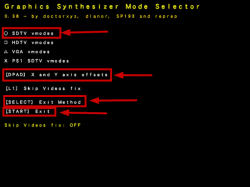
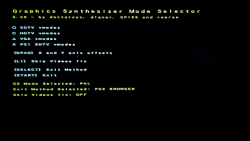
 to change to SDTV 576i 50 Hz.
 to select exit method (PS2 Browser).
 to exit.