PS2 Linux for PlayStation 2--need help to properly organize HDD from community...

SkyNet

Member
Hello everybody. I am trying to follow MegaMans tutorial from Sourceforge to put Linux Kit to hdd.
http://kernelloader.sourceforge.net/linux.html
https://sourceforge.net/projects/kernelloader/files/Sony Linux Toolkit/

In tutorial it says to create two partition one is swap and another is for linux:

Installation: ############# For installation you need a running Linux system. You need to create 2 partitions on an IDE hard disc. The first partition need to be formated with mkswap. The second partition need to be formated with mkfs.ext2 -I 128. You need to extract the archive on the second partition: tar -xzf sony_ps2linux_install_image.tgz

I have Ubuntu. I have connected hdd to computer through usb to ide converter.

I opened gnome discs GUI app and it shows hdd as /dev/sdb
I also can use gparted GUI.

But as far as I understand the best is to do it in command line in linux because ext2 partition has special arguments to use in command line like size of claster.

As far as I understand there are two line utilities: parted and fdisk.

Also I just wonder if table should be gpt or mbr(Ms-dos)?

Magaman was on Psx scene website, but now site is closed, so I do not know how to reach megaman in order to find out how properly format and create partitions.

I know that he had some videos on youtube and maybe could reach through there.

But anyway I just wonder if somebody could make section for Linux on PSX-place forums?

And also could somebody help by finding out which commands in sequence to press on keyboard in order to create properly partitions and follow MegaMans tutorial?

Thank you.
 
Last edited:
But as far as I understand the best is to do it in command line in linux because ext2 partition has special arguments to use in command line like size of claster.

It doesn't matter how You will do this. By what tools, and if they are CLI or GUI.

Also I just wonder if table should be gpt or mbr(Ms-dos)?

MBR.

However, there is a way to put Linux on APA partitions (also EXT2 only + RAW for swap and of course with APA IDs for them) but I'm not sure if all kernels supporting it.
 
So scenario should be something like this:

# Sudo parted /dev/sdb
#sudo:---------
#parted mklabel msdos
#parted mkpart primary linux-swap 1MiB 128MiB
#mkswap /dev/sdb1
#parted mkpart primary ext2 129MiB 100%
# sudo mkfs.ext2 -l 128 /dev/sdb2
#tar -xzf sony_ps2linux_install_image.tgz /dev/sdb2


????????

How it looks?
 
All those commands needs elevated privilages so for all You must use "sudo" or just only once type "sudo su".

Why You creating EXT2 partition with 129MiB in size? It is too small for desktop environment. In example Black Rhino taking ~1.7GiB.

Could You link to tutorial which You talking about? I have in plans write about Linux installation for my APA Partitionology tutorial, but I was thinking of taking different route like making APA partitions and extracting contents from last Black Rhino squashfs (also finding kernel which would support APA).
 
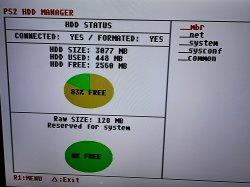
Well I have 3077Megabyte IDE HDD but if to format and partition it properly--should be enough. 128 MB for swap partition and the rest for EXT2 partition. In parted you choose where partition starts and where it ends. So it starts from 129thMegabyte since Swap ended on 128th and 100% means to the end, in other words ext2 partition should be 2.8GB I think.

I just wonder if its possible , lets say I have bigger HDD, to have everything on same hdd, games and Linux at same time? What is partitiong then should be?

Linux needs two partitions, swap and main one with ext2. Opl adds its own OPL partition.
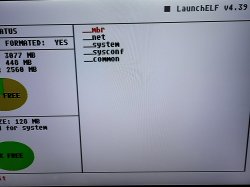
When uLaunchELF formats HDD it creates:
_Mbr
_net
_system
_sysconf
_common

Just wonder if it possible to have Linux, games and all files on same hdd? How partitiong would be?

I have two 8GB HDDs from Original Xbox but they are locked, when connect to PS2 it says connected but fails to format, I know keys, just wonder if possible to permenantly to unlock them and get good use of them?

The tutorial which I follow is on sourceforge over here:
https://sourceforge.net/projects/kernelloader/files/Sony Linux Toolkit/

Purpose: ######## The file sony_ps2linux_install_image.tgz is an archive of a fresh installation of Sony Linux Toolkit for Playstation 2. System configuration: ##################### Host name: ps2linux. DHCP: activated. root password: password Window Maker is installed. Time Zone: GMT Keyboard: us Swap partition: /dev/hda1 (see /etc/fstab) Root file system: /dev/hda2 (see /etc/fstab) Graphic: VGA Main user is "ps2" with password "password". bwlinux_default_vga.tgz contains the configuration from the memory card used by Sony Linux Toolkit. vmlinux.ker is the Linux 2.2 kernel from Sony Linux Toolkit. Installation: ############# For installation you need a running Linux system. You need to create 2 partitions on an IDE hard disc. The first partition need to be formated with mkswap. The second partition need to be formated with mkfs.ext2 -I 128. You need to extract the archive on the second partition: tar -xzf sony_ps2linux_install_image.tgz
Source: readme_sony_ps2linux_install_image.txt, updated 2011-02-26

Looks like MegaMan installed Linux Kit and made copy of hdd into image and uploaded it to sourceforge.
I asked him in past if its ok to use it and he said that first disc of linux kit which is RunTimeEnvironment is property of Sony because sony wrote code to run it--so people can not use first disc in order to be on safe side, but second disc which is Raw Linux is ok since sony separated it and on second disc only Linux. And as we know it Linux is free and open source--anybody can create packages for it, of course if he knows how.
So looks like MegaMan used Kloader in order to run Linux Kit, because in kloader you can choose kernel and initrd and run linux .
Then he made image of it and uploaded to sourceforge.

Its like on PlayStation 3--you can freelly download Ubuntu PS3 edition, YellowDogLinux, OpenSuse, Fedora Xubuntu, Kubuntu--they all free, But "RunTimeEnvironment" which is "OtherOS" in Menu of PS3--is property of Sony...

So Linux is free and opensource and for everyone...

I just wonder why here on web-site we do not have Linux Section for PS2 Forum?
 

Attachments

  • 3GB hdd ps2.jpeg
    3GB hdd ps2.jpeg
    4.4 MB · Views: 90
  • 3GB HDD 2.jpeg
    3GB HDD 2.jpeg
    4.3 MB · Views: 82
Last edited:
First of, do NOT mislead "hdd0:/__mbr" partition with MBR partition table.

PS2 software native and homebrew (with exception of Linux) doesn't using MBR but instead APA. In APA partitioning scheme, in "__mbr" there is partition index for sequenced partitions. Each of partition must have 4MiB of APA header. While MBR is partition table, and all partitions not only do not need to be in sequence but also anywhere and are clean (without any additional meta data which partition table would use). Completely two different philosophy. You can find more details about it in my tutorial. https://www.psx-place.com/threads/apa-patitionology.30912/

And yes, it is possible but not by any Linux homebrew tools. It must be forged by hand and it is not easy task. You must create APA scheme i.e by uLE; changing filesystem type for each partitions which will be used by Linux from PFS ID to Linux and Linux Swap IDs; correcting APA checksums for those partitions in header section; attach sector ranges for each partitions on Linux on PC and format it to EXT2+raw for swap; extract kernel, initrd, userland etc. on EXT2; and most important: having kernel which support APA at all (because homebrew Linux'es doesn't understand it and they expecting MBR).

- - -
To remove "lock" from Xbox HDD, You must unlock it via ATA Master Password. Nowadays not all motherboards support it so even could be impossible to unlock it via ATA User Password. PS2 (and every other consoles) will not operate on locked HDD/SHDD/SSD. Easiest way it doing that dashboard on Xbox itself (i.e UnleashX can unlock drive for You if You ask him politely ;]).

- - -
Maybe because Linux on PS2 is not popular? Like Linux on PS3? ;) Those consoles are too weak to use it for anything interesting in home. So, You know, no one want talk about it or care it. Personally I care, but only because I never did it yet. ;p
Before I finished my tutorial, my PS2 "died" (battery died, but I'm unable to disassemble it and assemble it back). So PSBBN (Sony special Linux) and Linux on APA tutorial sections wasn't finished. If You want, we can experiment, and I can help in that.

But on first, try with MBR because this is much easier to setup.

- - -
PS: It is possible to have HDD OSD + every other PS2 homebrew related stuff + PSBBN + Linux on the same disk.
 
Last edited:
Hey Berion sorry for late reply, busy so much recently.
Tried first Gparted gui and it lloked not right ext2 partition. So then I formated ext2 partition in Gnome Discs as ext2 and then with archiver gui extracted Megamans archive onto EXT2 partition.
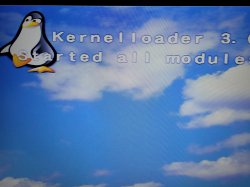
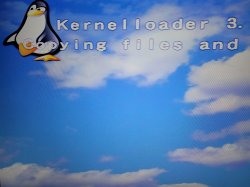
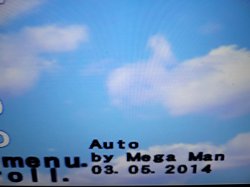
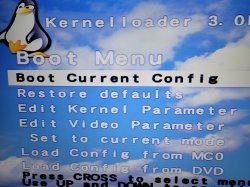
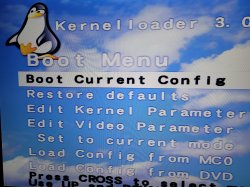
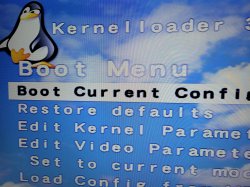
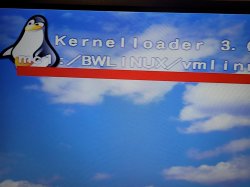
In Kloader chose kernel from MEmory card save bwlinux_default_vga.tgz and started kloader. Linux loaded but it stopped at kernel panic.
I think it can not mounted what it needs or something else...
So looks like first try was fail...

Kernel says:
Partition check.
hda: hda1 hda2
VFS: Can not open root device 00:00
Kernel Panic: VFS: Unable to mount root fs on 00:00
 

Attachments

  • 20210115_205250.jpg
    20210115_205250.jpg
    7.1 MB · Views: 80
  • 20210115_205256.jpg
    20210115_205256.jpg
    6.4 MB · Views: 81
  • 20210115_205412.jpg
    20210115_205412.jpg
    6.6 MB · Views: 81
  • 20210115_205415.jpg
    20210115_205415.jpg
    6.4 MB · Views: 76
  • 20210115_205419.jpg
    20210115_205419.jpg
    4.4 MB · Views: 76
  • 20210115_205632.jpg
    20210115_205632.jpg
    3.9 MB · Views: 76
  • 20210115_205638.jpg
    20210115_205638.jpg
    3.1 MB · Views: 76
Last edited:
Tried first Gparted gui and it lloked not right ext2 partition.

And this opinion based of what? ;) What have You in mind by "right EXT2"?

In Kloader chose kernel from MEmory card save bwlinux_default_vga.tgz and started kloader

What initrd have You used?

What is Yours PS2 model?

- - -
BTW: Why those screenshots are cut? They show nothing interesting in such form. And why in full resolution? Not everyone have high speed internet to load in few seconds ~40MiB in total. ;p
 
Back
Top