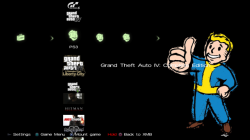
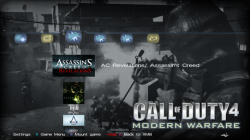
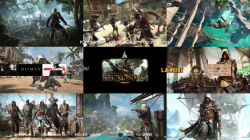
The newestbackup manageron the block known as ManaGunZ has been updated to v1.10 by developer Zar today. This update provides some new fixes and some new additions such as 4.70 CFW support, The ability to use multiMAN themes, ability to mount JB games with mamba, mount App_home with ISOs and even more additions and other changes that can be viewed in the included changelog.[break][/break]. Also be sure to checkout the release thread via this link for additional information and details of this new but very impressive backup manager that already has features some of the other managers do not have.

ABOUT
This is another Backup Manager. It allow you to mount a backup stored in your USB device or in the internal hdd as a virtual Blu-Ray. I tryed to do a "AIO backup manager".
-ZAR
Features:
- Support multiMAN's themes (*.thm) and original static themes (*p3t). (see note)
- Customize colors used by ManaGunZ
- mount app_home with ISO
- mount JB games with mamba (syscall 35)
- Change IDPS in LV2
- Clean Syscall: 6, 7, 8, 9, 10, 35, 36
- Direct Boot
- Install gamedata in your usb device (redirect /dev_hdd0/game to /dev_usb000/GAMEI)
- Support multiple Payloads: Cobra ISO, Mamba, Iris (Sky), MM, Cobra OFW
- BD Emulation: BD-EMU (patched libfs.sprx), BD-Mirror (for only 1 usb connected)
- Redirect /app_home as /dev_bdvd
- Backup/Copy games
- Delete game
- Favorite games
- Rename title of your backups
- Patch EBOOT (4.21-4.6x) to 4.21 (prevents error 0x80010009)
- Extract/Convert to ISO
- Fix permission (Change permission to 0777 of every folder and file of a game)
- Download update
- Re-sign every executable of your backup with the 4.21 keys
- Make PKG / Make PKG stealth
- Choose directories where ManaGunZ will find your backups
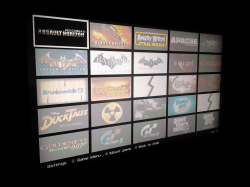
- 4 differents UI : "List", "Grid", "XMB" and "Flow"
CHANGELOGS
NEW ManaGunz v1.10
- Change : UI "Flow" movement is inversed by default
- Fix : folder "game_settings" was missing
- Fix : after extracting an ISO, there is no more 2 game added in the list
- Fix : issue in the display of properties
- Fix : issue with NTFS devices
- Fix : issue in Plug & Play thread
- Add : New mamba 1.20 by _NZH_ (i just removed the map_path("/app_home", "dev_usb000", 0))
- Add : mount JB games with mamba (syscall 35)
- Add : mount app_home with ISO
- Change : In Game Settings with UI "XMB", the 'back' button isn't triangle anymore, it's circle like in other UI
- Add : Hold Circle 3s to go back to XMB
- Add : Customize colors used by ManaGunZ
- Fix : Minor stuff (I forgot)
- Add : Support multiMAN's themes (*.thm) and original static themes (*p3t). (see note)
- Add : Support fw 4.70
Note:
To use a new theme (*.p3t or *.thm) you just have to put it in the root of USB device inside the folder "Themes".
For example :
Code:dev_usbXXX/Themes/MyTheme.p3t" or "/dev_usbXXX/Themes/MyTheme.thm
You can also put a new "native" ManaGunZ themes in this folder.
For example :
Then go in ManaGunZ settings to load it.Code:/dev_usbXXX/Themes/List/MyTheme" or "/dev_usbXXX/Themes/XMB/MyTheme
v1.00
- Added: confirmation to delete a game
- Adding: "Fix permission"
- Correction: Patch black screen
- Added: "Set Primary USB"
- Correction: rewrite mode AutoMount
- Added: New interface of the "Settings" menu
VIDEO & SCREENSHOTS
[video=youtube;UaaVV73GceE]https://www.youtube.com/watch?feature=player_embedded&v=UaaVV73GceE[/video]
Video based on v1.00
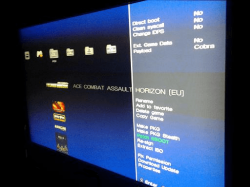
ScreenShots
Last edited by a moderator: