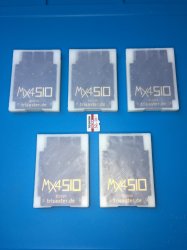
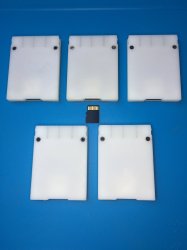
PS2 [MX4SIO/SIO2SD] SD Card Adapter and SD-driver for the PS2 SIO2 interface

I think it's ungrateful for me to say this given I have contributed nothing to the development of this project, but I share the sentiment of "arriving too early."

I also found the Nacho and Mr Mario tutorials and I combined those with what I've learned from spending time on this forum. Even when everything was functioning it was still severely lacking. Now suddenly everything has stopped working. No games load properly, sometimes the Slim doesn't even recognize I have a FMCB memory card in it.

Originally I wanted to mod a Slim model so I could have a more portable alternative to lugging around my modded Fat, but as of right now having a working console is worth the small inconvenience.

There's soo many variables as to why you and me are having this issue. Console model, OPL version, SD card, etc. If you turned PADEMU on, I would guess it's a SD card issue. I don't have a link to the compatability sheet, but I know it's around here somewhere.

Thanks for the reply. For note, PADEMU is turned off globally for me in OPL (Game Settings, it's confusing), as I'm just using a Dualshock 2.

As for the SD Card, I found someone in this very thread that has basically the exact same card (256 GB TeamGroup) and has it working. I'm hoping that's not the issue, although I could just move the card to my Vita if necessary.

I've been wishing more and more that I picked up the Fat when I did rather than the Slim, back in ~2017. I managed to snag my machine New in Sealed Box for 150 dollars locally, which I couldn't pass up - however, as the pandemic hit and retro game prices exploded, it became more and more apparent that the fat would have been a better choice. I still have over 70 physical copies and intended to move them all at some point to digital, but considering the disk drive probably has less than 1K hours on it, and the myriad issues these loaders seems to be having, I'm going to put that on hold.

It's to the point, I think, that I'm just going to wait it out until it's cold outside again here in the Northern Hemisphere to check back in. Even though I've gotten everything up to the very end of getting things to run, there's plenty of things that are finicky/clearly not quite there yet. One annoying issue I have is that I have a cheap 8GB Ultraslim USB stick plugged into USB0, just to transfer saves around with ULaunchELF. Only one folder, SAVE GAMES, on the drive. However, recently (and just recently, it used to not do this as recently as 2 weeks ago), when loading into OPL with the MC2SIO plugged in, it will essentially format the USB stick for OPL, folders and all, and show nothing (as there's no games on the USB stick) rather than showing the MC2SIO ISOs. Extremely annoying that it does this, as I have to unplug the USB drive every time I boot into OPL, and again, it used to not be an issue at all. Apparently, OPL's 1.2.0 Beta has an MC2SIO selection for loading, which would alleviate this issue, but again, saving games is completely non-functional on 1.2.0 (as of a few weeks ago/at the time of MrMario's video). It's just a huge headache.

Apologies for the run-on, but after a few days this week of tooling around, I've gotten exasperated. I recently softmodded my Wii to the nines and it just works brilliantly with zero hitches whatsoever. I don't doubt that perhaps someday this project will end up similarly, but I think perhaps the hassle of getting everything working at the moment is too much, especially considering that my limited coding expertise precludes me from helping with the beta myself.
 
Hi all,

Been tinkering around with Helder's MC2SIO and having no luck loading into anything, unfortunately.

Running latest version of FMCB (1.966), and the specified version of OPL that his site has up for the MC2SIO. I have a 77000 Silver model, so I'm using the OPLPS2LD2.ELF file rather than the standard one for below the 7000 series. My SD card is a TEAMGROUP GAMING 256GB SDXC, formatted to FAT32 with GUIFormat, 16KB clusters (took forever). I chose this card as multiple people have confirmed that TEAMGROUP SD cards are working, both here and on Reddit, and it was on sale and has a hefty amount of storage space. My PS2 is hooked up via OEM Component Cables to an Open Source Scan Converter, and led via HDMI into my LG CX65 OLED.

Followed both Nacho and MrMario's videos to a T, and have basically gotten all the way to the end - OPL loads up properly, and shows all my games (at this point in time, just R-TYPE FINAL and Ridge Racer V for testing, as they are listed as Working in the compatibility Google Spreadsheet). I just can't boot into anything. I launch the game from OPL, and am met with a black screen nearly every time. I've tried on almost a dozen ISOs now, and the only thing that has ever booted in at all is F1 2002 (EA), which got to the main menu but failed to load up gameplay or FMVs. Every other game has not booted. I've tried all major game strata - USBUTIL-split >4GB games, <4GB ISOs and <700MB CD games, all the same. Black screen on launch, MC2SIO light unresponsive.

I've tried compatibility modes as well, to no avail. For example, Ridge Racer V apparently works better with only Mode 6 enabled, but changingthat didn't do anything for me either.

I'm starting to wonder if it's the SD card, or a compatibility problem, or I've simply arrived too early to this project. I've even deleted and repasted a fresh /OPL folder on my FMCB card to see if it was something wrong with OPL itself, but that's not looking likely. I may just load games onto my USB drive itself and see if anything boots, even though I abandoned doing that years ago when I saw how bad the FMV stutter was.

I'd appreciate confirmation/help from anyone that's come across this issue, as this project is looking like a dead end for me for now if I simply can't load into anything.

Cheers.

Which version of OPL are you using? You should be using 1629 aka BDM3.
As I see it, it could be 3 things:

- OPL version compatibility.
- MicroSD card (I doubt that if games are being displayed, in any case a 2nd compatible sd card would be recommended in order to discard possible incompatibilities)
-Faulty MC2SIO (bad soldering, bad components¿?)

And finally Pademu should be enabled because it improves compatibility.

Also don't plug anything to the usb slot when using mx4sio because it emulates as if the usb was being used in order to be able to save into Memory Cards. As far as I understand it. (not completely sure)
 
Last edited:
Thanks for the reply. For note, PADEMU is turned off globally for me in OPL (Game Settings, it's confusing), as I'm just using a Dualshock 2.

As for the SD Card, I found someone in this very thread that has basically the exact same card (256 GB TeamGroup) and has it working. I'm hoping that's not the issue, although I could just move the card to my Vita if necessary.

I've been wishing more and more that I picked up the Fat when I did rather than the Slim, back in ~2017. I managed to snag my machine New in Sealed Box for 150 dollars locally, which I couldn't pass up - however, as the pandemic hit and retro game prices exploded, it became more and more apparent that the fat would have been a better choice. I still have over 70 physical copies and intended to move them all at some point to digital, but considering the disk drive probably has less than 1K hours on it, and the myriad issues these loaders seems to be having, I'm going to put that on hold.

It's to the point, I think, that I'm just going to wait it out until it's cold outside again here in the Northern Hemisphere to check back in. Even though I've gotten everything up to the very end of getting things to run, there's plenty of things that are finicky/clearly not quite there yet. One annoying issue I have is that I have a cheap 8GB Ultraslim USB stick plugged into USB0, just to transfer saves around with ULaunchELF. Only one folder, SAVE GAMES, on the drive. However, recently (and just recently, it used to not do this as recently as 2 weeks ago), when loading into OPL with the MC2SIO plugged in, it will essentially format the USB stick for OPL, folders and all, and show nothing (as there's no games on the USB stick) rather than showing the MC2SIO ISOs. Extremely annoying that it does this, as I have to unplug the USB drive every time I boot into OPL, and again, it used to not be an issue at all. Apparently, OPL's 1.2.0 Beta has an MC2SIO selection for loading, which would alleviate this issue, but again, saving games is completely non-functional on 1.2.0 (as of a few weeks ago/at the time of MrMario's video). It's just a huge headache.

Apologies for the run-on, but after a few days this week of tooling around, I've gotten exasperated. I recently softmodded my Wii to the nines and it just works brilliantly with zero hitches whatsoever. I don't doubt that perhaps someday this project will end up similarly, but I think perhaps the hassle of getting everything working at the moment is too much, especially considering that my limited coding expertise precludes me from helping with the beta myself.
I gotta agree with szczuru, I also use a dualshock 2 but turning on PADEMU increased compatability a ton for some reason, Don't give up just yet!
 
Hello,
I recently downloaded the gerber files and decided to get a run done down here in Australia, since you can't really get these down here.

I paid for the board production and assembly, and then the place came back today saying I also need to send them a pick and place file for the parts!
I am not happy with them since I discussed this with them for a week before I got the quote and paid it, that's another story. Currently asking them why, when I repeatedly told them this was my first time doing anything like this, that they neglected to mention a pick and place file before I PAID them... but I was wondering, for the person who made the gerber files in the first place, would you happen to be able to generate a pick and place file from the original PCB file for me? I may have to get a refund otherwise as I have never done that before.

Thanks in advance.
 
Hello,
I recently downloaded the gerber files and decided to get a run done down here in Australia, since you can't really get these down here.

I paid for the board production and assembly, and then the place came back today saying I also need to send them a pick and place file for the parts!
I am not happy with them since I discussed this with them for a week before I got the quote and paid it, that's another story. Currently asking them why, when I repeatedly told them this was my first time doing anything like this, that they neglected to mention a pick and place file before I PAID them... but I was wondering, for the person who made the gerber files in the first place, would you happen to be able to generate a pick and place file from the original PCB file for me? I may have to get a refund otherwise as I have never done that before.

Thanks in advance.


I think the zip files contains the Bill of Materials which is the main component of pick and place files.

Also you cannfollow this and it may help you generate one

https://seeed.uservoice.com/knowled...w-do-i-export-pcb-pick-and-place-xy-files-for
 
Last edited by a moderator:
I think the zip files contains the Bill of Materials which is the main component of pick and place files.

Also you cannfollow this and it may help you generate one

https://seeed.uservoice.com/knowled...w-do-i-export-pcb-pick-and-place-xy-files-for

That certainly helps, and thank you for that, my only worry is that since I have never done one of these before, that I will make a mistake and destroy the whole run! There was a BOM in the ZIP that I sent them and they quoted me based on that but now that I paid suddenly they are asking for the pick and place file to get going, saying that's standard procedure though I clearly told them I was novice at this and asked for a full quote, and all they asked for was a BOM.
Still not happy with them, but I'll see what I can do. If anyone can help, apparently the original .pcb file can generate an auto list, but since these are gerber files that info was lost. If the creator still has the .pcb file and can auto generate one for me, I would be eternally greatfull.
In the mean time, I'll see what I can do, it's only 10 parts. I just don't want to ruin a run of 300 because I put the pick machine half a mil inside the board or something!
Thanks again.

Quick update, I got an email back from the company and they offered to do the pick and place for free based on it only being 10 parts. If I can't get anything here, at least I should still be ok. Still, if the original pick and place is still around somewhere and someone can provide it, I'll use that instead.
Thanks again (again)
 
Last edited by a moderator:
  • Like
Reactions: TnA
Quick update, I got an email back from the company and they offered to do the pick and place for free based on it only being 10 parts. If I can't get anything here, at least I should still be ok. Still, if the original pick and place is still around somewhere and someone can provide it, I'll use that instead.
Thanks again (again)

Hiya, which version are you speaking of? The MicroSD version or the SD version? Either way, the main (needed) BOM components are very hard to source:- those being the "inversed" MicroSD / SD sockets, and the MOSFETs. Even with a pick and place arranged by the PCB fabricators, i'm not sure they could source and assemble those (hard to find) components in the end, but maybe, you'll have to let us know.
 
Hiya, which version are you speaking of? The MicroSD version or the SD version? Either way, the main (needed) BOM components are very hard to source:- those being the "inversed" MicroSD / SD sockets, and the MOSFETs. Even with a pick and place arranged by the PCB fabricators, i'm not sure they could source and assemble those (hard to find) components in the end, but maybe, you'll have to let us know.

Oh sorry, it was the micro SD version. I know the BOM had a couple of hard to find parts, I looked around for a day for replacement mosfets and card slots because my original plan when I got their quote was to get the parts and assemble myself (I have a heat gun and the tools needed, though it would have been a pain) but when I saw the price of the parts, the assembly quote looked much more reasonable! Apparently they had no issues sourcing the parts or equivalent because they gave me a quote to pay, and they are a large PCB manufacturer in Sydney, and the run alone is costing me a pretty penny of investment, so I doubt they would do that if they couldn't source the parts. My big problem is the pick n place apparently.

I had a look over the files, and as they are gerber files they won't include the pick n place data, so I might just get them to make it for me. Since they offered to do it for free, I even offered to pay them a little, since further research has told me I probably should have known this to begin with, so I'm 50/50 my fault/their fault.

If anyone can help me in the next couple of days, thank you thank you thank you, otherwise, don't worry too much I'll just get them to generate one with their machine.

Oh sorry, it was the micro SD version. I know the BOM had a couple of hard to find parts, I looked around for a day for replacement mosfets and card slots because my original plan when I got their quote was to get the parts and assemble myself (I have a heat gun and the tools needed, though it would have been a pain) but when I saw the price of the parts, the assembly quote looked much more reasonable! Apparently they had no issues sourcing the parts or equivalent because they gave me a quote to pay, and they are a large PCB manufacturer in Sydney, and the run alone is costing me a pretty penny of investment, so I doubt they would do that if they couldn't source the parts. My big problem is the pick n place apparently.

I had a look over the files, and as they are gerber files they won't include the pick n place data, so I might just get them to make it for me. Since they offered to do it for free, I even offered to pay them a little, since further research has told me I probably should have known this to begin with, so I'm 50/50 my fault/their fault.

If anyone can help me in the next couple of days, thank you thank you thank you, otherwise, don't worry too much I'll just get them to generate one with their machine.

also, sorry, just to let people know, I made a bodge version using the gerber file from a cheapy 64mb memory card from amazon wired to a micro SD adapter and hot glued in place back in the modified case, I believe it works but I only had sandisk cards to test with so I had to get a couple of cheapy cards on amazon so I can do some testing. If they work I'll post a link to the sale page in case the particular cards aren't on the list of working cards yet. TBD as I haven't tested them yet.
If nothing else, at least it was an excuse to splash out on a half decent 3D printer (ender 5 pro) to print the cases with, so at least I'll have that!
 
Last edited by a moderator:
Oh sorry, it was the micro SD version. I know the BOM had a couple of hard to find parts, I looked around for a day for replacement mosfets and card slots because my original plan when I got their quote was to get the parts and assemble myself (I have a heat gun and the tools needed, though it would have been a pain) but when I saw the price of the parts, the assembly quote looked much more reasonable! Apparently they had no issues sourcing the parts or equivalent because they gave me a quote to pay, and they are a large PCB manufacturer in Sydney, and the run alone is costing me a pretty penny of investment, so I doubt they would do that if they couldn't source the parts. My big problem is the pick n place apparently.

I had a look over the files, and as they are gerber files they won't include the pick n place data, so I might just get them to make it for me. Since they offered to do it for free, I even offered to pay them a little, since further research has told me I probably should have known this to begin with, so I'm 50/50 my fault/their fault.

If anyone can help me in the next couple of days, thank you thank you thank you, otherwise, don't worry too much I'll just get them to generate one with their machine.


also, sorry, just to let people know, I made a bodge version using the gerber file from a cheapy 64mb memory card from amazon wired to a micro SD adapter and hot glued in place back in the modified case, I believe it works but I only had sandisk cards to test with so I had to get a couple of cheapy cards on amazon so I can do some testing. If they work I'll post a link to the sale page in case the particular cards aren't on the list of working cards yet. TBD as I haven't tested them yet.
If nothing else, at least it was an excuse to splash out on a half decent 3D printer (ender 5 pro) to print the cases with, so at least I'll have that!

Please could you let us know, once you have received everything, where the PCB people are finding those "inversed" MicroSD sockets from? I'm finding it hard to source. There was a company in Japan selling some of them, but they recently put their prices up 3x the original price since i last ordered some from them.

I'm keen to see your results using a Ender 5 pro for the 3D printed cases, would be great if you could post some photos of the finished / complete MX4SIO product once you have everything in hand.
 
Please could you let us know, once you have received everything, where the PCB people are finding those "inversed" MicroSD sockets from? I'm finding it hard to source. There was a company in Japan selling some of them, but they recently put their prices up 3x the original price since i last ordered some from them.

I'm keen to see your results using a Ender 5 pro for the 3D printed cases, would be great if you could post some photos of the finished / complete MX4SIO product once you have everything in hand.

Yep that won't be a problem, I might even live stream the prints on twitch or something yet, a friend gave me the idea since people watch those things endlessly.
Either way, I'll get some photos of the process, might even make a video once i start receiving parts and such, I'm still waiting on the delivery of the Ender 5 and the PCB's won't be here for at least a couple of weeks if not more, so I have to clear a workspace to start printing!
I just send the manufacturer an email asking if they used the part numbers I gave them from the BOM or if they had their own supplier. They are a pretty big place, QualEco circuits in Sydney, so I don't doubt they have their own places to get parts from. I gave them the digi-key part numbers if that helps, they might just go there with their likely huge existing account and get the parts way cheaper than I could have myself.
If they clarify, I'll let you know. I noticed that the pdf with the gerber file did mention wanting a 3d printer case design to add to it, and I plan to modify an open source design and proto it a little before going all out, so once I have something made up I will post the 3d file here as well for the creator to add to the files. I'd be honoured to help.
 
I noticed that the pdf with the gerber file did mention wanting a 3d printer case design to add to it, and I plan to modify an open source design and proto it a little before going all out, so once I have something made up I will post the 3d file here as well for the creator to add to the files. I'd be honoured to help.

There are already the MX4SIO 3D printed case files in the folder, ready to use. Here's what the 3D printed cases look like from the Dev's specs, see photos below...​

IMG_0177.JPG IMG_0179.JPG

photo-4-B.jpg


There are already the MX4SIO 3D printed case files in the folder, ready to use. Here's what the 3D printed cases look like from the Dev's specs, see photos below...​
Oh! I used the SIO2SD zip file, I must have an old version that's missing the case!
Any chance you could link me to somewhere I can download the 3d file so I can slice it up for printing?
I was just looking at the case file I had to see where I needed to make a few boolean cuts, so your reply is perfect timing!
Thanks!

EDIT, oof, I used an older file I think, the one listed on the front page of this forum might be an older version, I looked up the one you posted and it has more components rather than just the one resistor to detect the SD card, says you can just use the resistor but it's not recommended. That's all the one here does though, have I made a grave mistake?
 
Last edited:
Oh! I used the SIO2SD zip file, I must have an old version that's missing the case!
Any chance you could link me to somewhere I can download the 3d file so I can slice it up for printing?
I was just looking at the case file I had to see where I needed to make a few boolean cuts, so your reply is perfect timing!
Thanks!

EDIT, oof, I used an older file I think, the one listed on the front page of this forum might be an older version, I looked up the one you posted and it has more components rather than just the one resistor to detect the SD card, says you can just use the resistor but it's not recommended. That's all the one here does though, have I made a grave mistake?

Ah, you have the SIO2SD files, that version is a different shape and size PCB to the MX4SIO. They both do the exact same job and work the same. SIO2SD is the first version. That one can fit inside a PS1 or PS2 memory card case, but the MX4SIO PCB can't do that. So you just need to 3D print a PS1 / PS2 memory card case and fit the SIO2SD PCB into that.

There should be plenty open source 3D printed PS1 / PS2 memory card files available online. If you find any good ones, please post them here, that would be most appreciated for anyone needing to 3D print a PS1 / PS2 memory card case.
 
Ah, you have the SIO2SD files, that version is a different shape and size PCB to the MX4SIO. They both do the exact same job and work the same. SIO2SD is the first version. That one can fit inside a PS1 or PS2 memory card case, but the MX4SIO PCB can't do that. So you just need to 3D print a PS1 / PS2 memory card case and fit the SIO2SD PCB into that.

There should be plenty open source 3D printed PS1 / PS2 memory card files available online. If you find any good ones, please post them here, that would be most appreciated for anyone needing to 3D print a PS1 / PS2 memory card case.

Ahh, fair enough, I will make some mods to the file I have in that case, I zipped up the top and base files I found to add here in case it helps anyone. I'll have to mod the case to open up the back and make sure the LED's can shine, though I did get a roll of black and a roll of glow in the dark PLA, so I plan to make the tops from that and the LED's should be visible, and even make the stuff glow after a while!
I'll re-post the modified design when I have made it, I haven't done 3D modelling in a long time, and never for a 3D printer, so it might take me a little bit, but I'll get there.
Also, amazon... Ordered that Ender 5 on tuesday I believe, it arrived this morning, thursday in aussieland. Now I have to clean up a spot and assemble the bugger!

EDIT: The manufacturer came back to me, they said this specifically about the parts. About what I assumed really.
"All parts are purchased by our China based team. They purchase from conventional suppliers like Digikey, Mouser, E14, RS, Future etc and also from a reputed stockist directly"
So they get china to do it for them and ship it out, straight from the source I would imagine.
 

Attachments

Last edited:
  • Like
Reactions: TnA
Ahh, fair enough, I will make some mods to the file I have in that case, I zipped up the top and base files I found to add here in case it helps anyone. I'll have to mod the case to open up the back and make sure the LED's can shine, though I did get a roll of black and a roll of glow in the dark PLA, so I plan to make the tops from that and the LED's should be visible, and even make the stuff glow after a while!
I'll re-post the modified design when I have made it, I haven't done 3D modelling in a long time, and never for a 3D printer, so it might take me a little bit, but I'll get there.
Also, amazon... Ordered that Ender 5 on tuesday I believe, it arrived this morning, thursday in aussieland. Now I have to clean up a spot and assemble the bugger!

EDIT: The manufacturer came back to me, they said this specifically about the parts. About what I assumed really.
"All parts are purchased by our China based team. They purchase from conventional suppliers like Digikey, Mouser, E14, RS, Future etc and also from a reputed stockist directly"
So they get china to do it for them and ship it out, straight from the source I would imagine.

Hiya, thank you, that's great you got your 3D printer already, hope you get your PCBs fast too. Looking forward to seeing the finished glow-in-the-dark product.
 
I have not been using the MX4SIO and PS2 for about month (or since I got a regular Wii for the 1st time...), glad to see that there is a compatibility list for SD card! I should provide some inputs as well.
The game compatibility list was extended so much since I last checked....although my OCD kicked in fairly quickly while reading thru the list :hopelessness:

* I printed the memory card case on a Ender 3 in plain black PLA. Final results are ok but not as good as the print shown on the above picture. Been meaning to try with PETG as the bottom half ended up being flimsy due to limited number of layers.
 
I have not been using the MX4SIO and PS2 for about month (or since I got a regular Wii for the 1st time...), glad to see that there is a compatibility list for SD card! I should provide some inputs as well.
The game compatibility list was extended so much since I last checked....although my OCD kicked in fairly quickly while reading thru the list :hopelessness:

* I printed the memory card case on a Ender 3 in plain black PLA. Final results are ok but not as good as the print shown on the above picture. Been meaning to try with PETG as the bottom half ended up being flimsy due to limited number of layers.

@Vendest yeah someone (Algol) really likes using the red color lol ;) ...i feel the need to test all those red ones, especially the Burnout series, i had no problem with them myself. Although i was testing NTSC games and those red games are mainly Euro ones. If anyone else wants to try those Euro red games on the compatiblity list - lets see if we can get more green back on the google sheet!

See link here:- https://docs.google.com/spreadsheets/d/1zHxhwT4nSkrCCAqJNlSndw1Yeh_9g3eL/edit#gid=1828055140

Would be cool to see your 3D printed case, oh and yeah the Wii, i was playing Paper Mario Thousand Year Door on my Wii (Nintendont) not so long ago, i think i sunk 80+ hours into that game, still one of my favorite games of all time! :love heart:
 
@Workz_777.

Si vous désirez que je stoppe mes tests, alors je les stoppe !!!
N'oubliez pas qu'il y a sûrement des soucis de compatibilité entre divers modèles de PS2 (des FATs et des Slims par exemple). Je possède une autre FAT de modèle SCPH-50004 et pour finir 2 Slims SCPH-70004.
J'ai l'intention de reprendre mes tests (jeux en rouge uniquement) sur la 50004 puis la 70004 une fois que j'en aurai fini avec toute la ribambelle de jeux en ISO PS2 que nous avons, mes amis et moi. La liste de compatibilité n'en sera que plus complète ...


In English via G-Trad :

If you want me to stop my tests, then I stop them !!!
Don't forget that there are probably compatibility issues between various PS2 models (FATs and Slims for example). I have another FAT model SCPH-50004 and finally 2 Slims SCPH-70004.
I intend to resume my tests (games in RED only) on the 50004 then the 70004 once I'm done with all the string of games in ISO PS2 that we have, my friends and me. The compatibility list will only be more complete...
 

Similar threads

Back
Top