
You are using an out of date browser. It may not display this or other websites correctly.
You should upgrade or use an alternative browser.
You should upgrade or use an alternative browser.
PS2 [Open PS2 Loader] Game Bug Reports
- Thread starter jolek
- Start date
heinzgruber
Member
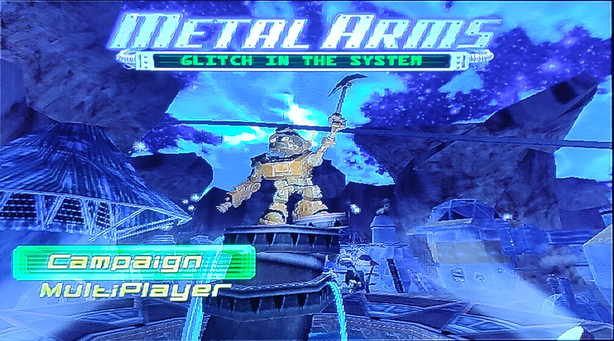
okay. now it's working. it was my fault. i've tested 1+2 -> not working. 6 -> not working. With 1+2+6 it's booting. Thanks!I have tried Metal Arms with "the latest OPL beta" and it boots fine (with modes 1+2+6):
hiddenchar
Forum Noob
as already mentioned on github Singstar is broken. With current opl beta it boots but the output voice form the mic is lagging so much that i is unplaybable.
https://github.com/ps2homebrew/Open-PS2-Loader/issues/593
Currently playing Xenosaga Ep 1 via SMB on latest OPL. I get random blackscreens during gameplay before a cutscene starts. Trying out Mode 3+6 and will report back if it still occurs
still occurring, V1.2.0-Beta-2194-a626d9 SMB
Modes tried:
1
2
1+2
3
3+6
My actual post starts at "currently" not sure what happened with the singstar comment
https://github.com/ps2homebrew/Open-PS2-Loader/issues/593
Currently playing Xenosaga Ep 1 via SMB on latest OPL. I get random blackscreens during gameplay before a cutscene starts. Trying out Mode 3+6 and will report back if it still occurs
still occurring, V1.2.0-Beta-2194-a626d9 SMB
Modes tried:
1
2
1+2
3
3+6
My actual post starts at "currently" not sure what happened with the singstar comment
Last edited by a moderator:

nickxab
Glitta
I tested today the latest releases from here: https://github.com/ps2homebrew/Open-PS2-Loader/releases/tag/latest
I tested everything from these:
OPNPS2LD-v1.2.0-Beta-2197-d5e0998.7z
OPNPS2LD-VARIANTS-v1.2.0-Beta-2197-d5e0998.7z
The app starts but the controller is unresponsive in the main menu.
I tested ALL of the variants, all had the same issue. Tested with SCPH-39004
Previously i had
OPNPS2LD-v1.2.0-Beta-2194 which worked normally.
Also what's the difference between OPNPS2LD-v1.2.0-Beta-2197-d5e0998.7z and OPNPS2LD.7z ?
I'm asking because both had the same file inside ( OPNPS2LD-v1.2.0-Beta-2197-d5e0998.ELF ) .
I tested everything from these:
OPNPS2LD-v1.2.0-Beta-2197-d5e0998.7z
OPNPS2LD-VARIANTS-v1.2.0-Beta-2197-d5e0998.7z
The app starts but the controller is unresponsive in the main menu.
I tested ALL of the variants, all had the same issue. Tested with SCPH-39004
Previously i had
OPNPS2LD-v1.2.0-Beta-2194 which worked normally.
Also what's the difference between OPNPS2LD-v1.2.0-Beta-2197-d5e0998.7z and OPNPS2LD.7z ?
I'm asking because both had the same file inside ( OPNPS2LD-v1.2.0-Beta-2197-d5e0998.ELF ) .

jolek
Senior Member
Also what's the difference between OPNPS2LD-v1.2.0-Beta-2197-d5e0998.7z and OPNPS2LD.7z ?
They are the same but have different names...
Also md5sum is identical: a10a70c769895541ad96f9719a3e9ac8.
Additionally:
https://github.com/ps2homebrew/Open-PS2-Loader/issues/1452#issuecomment-2587432856.
So I really do know why...
The app starts but the controller is unresponsive in the main menu.
I tested ALL of the variants, all had the same issue. Tested with SCPH-39004
I have the same issue with OPL 2197.
nickxab
Glitta
Yeah it's kinda confusing, well you can check it by downloading but it makes you lose time for no reason xDThey are the same but have different names...
Also md5sum is identical: a10a70c769895541ad96f9719a3e9ac8.
Additionally:
https://github.com/ps2homebrew/Open-PS2-Loader/issues/1452#issuecomment-2587432856.
So I really do know why...
Oooh ok.I have the same issue with OPL 2197.
jolek
Senior Member
I tried now Driv3r
Can you try to compress this game ISO to ZSO and try it with the latest OPL 2199?
PSXiSO Compression Tool v0.1-R4 (CHD/ZSO):
https://www.psx-place.com/threads/psxiso-compression-tool-v0-1-r4-chd-zso.37543/.
OPL 2199:
https://github.com/ps2homebrew/Open-PS2-Loader/releases/tag/latest.

MadSaint1998
Member
I tested now the game in ZSO with this OPL, the game freezes on the Loading before the main menu, just after the intro and save loading.Can you try to compress this game ISO to ZSO and try it with the latest OPL 2199?
PSXiSO Compression Tool v0.1-R4 (CHD/ZSO):
https://www.psx-place.com/threads/psxiso-compression-tool-v0-1-r4-chd-zso.37543/.
OPL 2199:
https://github.com/ps2homebrew/Open-PS2-Loader/releases/tag/latest.
the game booted to main menu with Accurate Reads mode On but it still has the freezes while driving.
heinzgruber
Member
it seems that Hot Shots Golf 3 (SCUS-97130) is broken with some version of the latest betas. Tried with 1.2.0 Beta 2199 and the version before and it freezes very often in the loading screen for a course. Already tried a few compatibility modes without luck: 6, 1+3+6, 1+2+6, 1+3, 1. Maybe someone can look into it. Thanks!
because i can't edit my own post i've to quote myself. sorry!
it seems that hot shots golf 3 is a problematic title which works sometimes with OPL and is regulary broken with new versions of OPL:
https://www.psx-place.com/threads/minna-no-golf-3.32112/page-4
it seems that Hot Shots Golf 3 (SCUS-97130) is broken with some version of the latest betas. Tried with 1.2.0 Beta 2199 and the version before and it freezes very often in the loading screen for a course. Already tried a few compatibility modes without luck: 6, 1+3+6, 1+2+6, 1+3, 1. Maybe someone can look into it. Thanks!
because i can't edit my own post i've to quote myself. sorry!
it seems that hot shots golf 3 is a problematic title which works sometimes with OPL and is regulary broken with new versions of OPL:
https://www.psx-place.com/threads/minna-no-golf-3.32112/page-4
Last edited by a moderator:

1052
Member
@heinzgruber check out this.
1052
Member


mimi
Member
@1052 JPEG is image format. OPL dropped support for it because it is 24bit image. Instead, PNG must be used for all assets (ART and THM), and while supported are 8, 24 and 32bit, strongly recommended are 8 only. This saves a lot of VRAM and increasing themes compatibility.
whats up with UDMA speeds and IOP ram usage. How much more ram UDMA4 uses compared to lower speed standards?
thanks, i need the euro version to get spanish language. no way to launch crash woc after version 2125 for me.Crash Bandicoot The Wrath of Cortex [SLUS_202.38]:
OPL Stable 1.1.0 SMB & USB - works well
OPL Beta 1.2.0 2210 SMB & USB - works well
My PS2 model is SCPH-90008. I use redump images and don't use PADEMU, VMC, GSM.
@PLAYER 1 for Gran Turismo 4 you need to use Mode 6. Also what are JPGs?
jolek
Senior Member
2125 is the last one compatible with crash woc, please restore compatibility again, thanks.
thanks, i need the euro version to get spanish language. no way to launch crash woc after version 2125 for me.
Next time please provide more info:
-
Code:
Title = ID = Media = OPL version = Device = Compatibility Mode(s) used = VMC = PADEMU = IGR = Compatible = MD5 Checksum = Notes = -
E.g.
Notes = v2.01: http://redump.org/disc/1326/.Code:Title = Crash Bandicoot: The Wrath of Cortex ID = SLES_503.86 Media = CD OPL version = 2212 Device = USB Compatibility Mode(s) used = None VMC = Not tried PADEMU = Not tried IGR = Not tried Compatible = Yes (with SCPH-750XX or higher) No (with SCPH-700XX or lower) - It crashes after starting new game MD5 Checksum = 1ff83fc2204c416594d10dd323127dcb (BIN)
v1.03: http://redump.org/disc/2870/.
-
This game (at least v2.01) works with OPL 2212 on SCPH-750XX or higher.
-
On SCPH-700XX or lower through USB with OPL 2212 it takes some time for it to load:
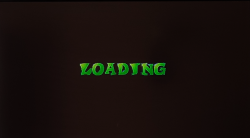
When it loads you can select Spanish language:
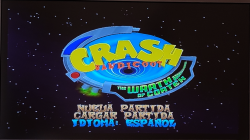
However it crashes when a demo level needs to be loaded.
The same thing happens after starting a new game (after 1st cut-scene).
So it is compatible on SCPH-750XX or higher with OPL 2212.
Not fully compatible (it crashes after 1st cut-scene when you start new game) on SCPH-700XX or lower with OPL 2212.
On the other hand it is compatible on all models with nhddl-mmce-hdl-4-27-gfeeb78a + neutrino_v1.7.0-24-g9bc1ef6.

TonyClifton
Member
Also trying to get stuntman to work over here lol tried to replace the cutscenes with the ones on the Jap version but then the game doesn't start. Japanese version seems to play without issues cutscenes and all no shuttering, replacing the videos on the Jap version doesn't work either, I guess these games don't like when you mess with the .img file
Unfortunately on my Slim 70004 the game just crashes during the very first seconds of the cutscene or before that, only got to the menu once of twice on some older OPL version.
Unfortunately on my Slim 70004 the game just crashes during the very first seconds of the cutscene or before that, only got to the menu once of twice on some older OPL version.
Similar threads
-

-
-
-
PS2 Problems Launching "Buzz! The Big Quiz (Europe) (v2.00)" via OPL through sd2psx (PSxMemCard Gen2)
- Started by SawJig511
- Replies: 7