
You are using an out of date browser. It may not display this or other websites correctly.
You should upgrade or use an alternative browser.
You should upgrade or use an alternative browser.
PS2 [Open PS2 Loader] Game Bug Reports
- Thread starter jolek
- Start date

jolek
Senior Member
Here is what fragmentation means:
https://en.wikipedia.org/wiki/Fragmentation_(computing).

Basically all the games images (ISOs, ul) should be continuous on a USB device.
In USBUtil files are being split max into 1 GiB peaces, because FAT32 file system cannot handle single file over 4 GiB.
Did you turn ON "Check USB game fragmentation" in OPL's settings?
https://en.wikipedia.org/wiki/Fragmentation_(computing).
Basically all the games images (ISOs, ul) should be continuous on a USB device.
In USBUtil files are being split max into 1 GiB peaces, because FAT32 file system cannot handle single file over 4 GiB.
Did you turn ON "Check USB game fragmentation" in OPL's settings?
jolek
Senior Member
There is an Edit button at the bottom of your post, try to use it...
Then turn it ON.
If you get an error, it means that your game is fragmented (on a USB device).
Fragmentation of file system?
You can use any file system as you like through ETH (SMB).
Fragmentation (ISO, ul) affects USB, that is why there is an option: "Check USB game fragmentation".
Umm no it's turned off
Then turn it ON.
If you get an error, it means that your game is fragmented (on a USB device).
It affects SMB too?!
Fragmentation of file system?
You can use any file system as you like through ETH (SMB).
Fragmentation (ISO, ul) affects USB, that is why there is an option: "Check USB game fragmentation".

SPARKPLUG
Member
Okay thanks! I'll reply if I get further queries. I meant fragmentation of the fileThere is an Edit button at the bottom of your post, try to use it...
Then turn it ON.
If you get an error, it means that your game is fragmented (on a USB device).
Fragmentation of file system?
You can use any file system as you like through ETH (SMB).
Fragmentation (ISO, ul) affects USB, that is why there is an option: "Check USB game fragmentation".
jolek
Senior Member
A note from simplified changelog:
DO not forget that the files (ul) on you USB device have to be continuous (not fragmented).
IGR stands for In Game Reset.
When mode 6 is off you should be able to softly reset your console with these buttons combination:
 +
+  +
+  +
+  +
+  +
+ 
So grab v1.0.0.* Fix for God of War II (SCES-54206 & SCUS-97481) [USBExtreme format & SMB].
DO not forget that the files (ul) on you USB device have to be continuous (not fragmented).
IGR stands for In Game Reset.
When mode 6 is off you should be able to softly reset your console with these buttons combination:
+ + + + + SparkingEX
Forum Noob
Are you sure that this game don't have any problems even with previous revisions?
I have checked:
Code:Title = Xenosaga Episode I: Der Wille zur Macht ID = SLUS_204.69 Media = DVD OPL version = 1436, 1442, "1443", 1486, "1505". Device = USB\ETH Mode(s) = Tried various mode(s) combinations Compatible = See notes MD5 Checksum = 542ecb80b46c710664d3c9eb1547692e Notes = Game crashes after 2nd FMV... or in recent OPL version after starting new game through SMB. Through USB everything is fine
In other words...
Game through SMB always crashes after end of 2nd FMV:
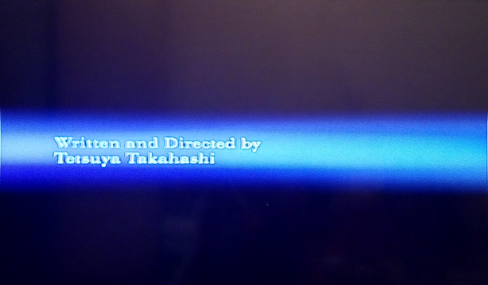
When it will be skipped, it will launch 3rd FMV
and I can start new game.
Thrugh SMB I also have stuttering FMV and after a while A\V will start to loose sync.
It seems that problem with being unable to start new game, starts with theoretically 1443:
https://www.psx-place.com/threads/open-ps2-loader-v0-9-3.13415/page-48#post-240445.
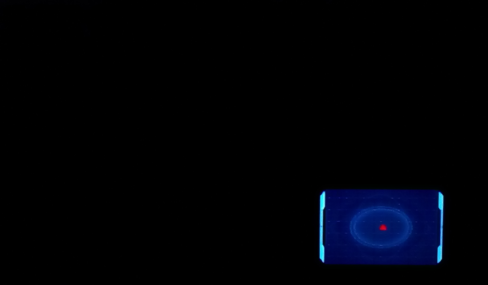
So insufficient remaining memory through SMB might cause these troubles.
Through USB, everything is fine no matter which rev I have tried.
Even FMV plays fine:
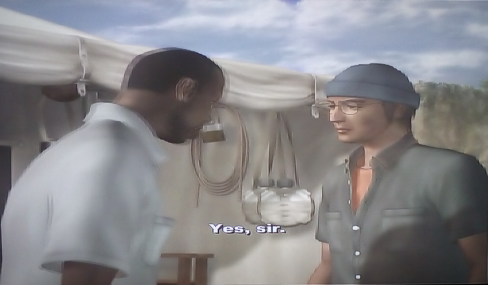
Try these games e.g. through USB.
Maybe only SMB is affected by this issue.
Code:
Title = Xenosaga Episode I: Der Wille zur Macht
ID =  SLUS_204.69
Media = DVD
OPL version = 1436, 1442, "1505",1.0
Device = USB
Mode(s) = Tried various mode(s) combinations

Notes = After selecting new game option, screen goes black except the radar on the bottom right and only the start button(which pauses the game) and the triangle button(which opens the menu). Menu works fine.

TL;DR running into the same problem as Roshea, but I am using an usb stick.
Good day sir.
I have a Slim Model SCPH-77004 PS2 and I have installed fmcb and opl r1559. After loading Xenosaga to my Toshiba 16 gb USB stick, I launched the game, it shows the namco logo, the monolithsoft logo too and the title screen. Later I select the new game option and I get the same black screen problem like in Roshea`s post.
After finding this thread, I tried other versions of opl like 1442,1436,1505(i think) and the newest 1.0 version.
Am I missing something or is this situation doomed?
Code:Title = Xenosaga Episode I: Der Wille zur Macht ID = SLUS_204.69 Media = DVD OPL version = 1436, 1442, "1505",1.0 Device = USB Mode(s) = Tried various mode(s) combinations Notes = After selecting new game option, screen goes black except the radar on the bottom right and only the start button(which pauses the game) and the triangle button(which opens the menu). Menu works fine. TL;DR running into the same problem as Roshea, but I am using an usb stick.
Good day sir.
I have a Slim Model SCPH-77004 PS2 and I have installed fmcb and opl r1559. After loading Xenosaga to my Toshiba 16 gb USB stick, I launched the game, it shows the namco logo, the monolithsoft logo too and the title screen. Later I select the new game option and I get the same black screen problem like in Roshea`s post.
After finding this thread, I tried other versions of opl like 1442,1436,1505(i think) and the newest 1.0 version.
Am I missing something or is this situation doomed?
I don't have that game. However if it doesn't work with newer builds you could try with OPL 0.9.3 and if still not success, try OPL 0.9.2
If it doesn't work with any OPL version, you can also try with PS2ESDL 0.821 (it has a very good compatibility when it comes to USB playing).
jolek
Senior Member
I have a Slim Model SCPH-77004 PS2 and I have installed fmcb and opl r1559.
If you have FMCB+OPL 1559, that probably means that you have FunTuna?
Am I right?
After finding this thread, I tried other versions of opl like 1442,1436,1505(i think) and the newest 1.0 version.
Am I missing something or is this situation doomed?
There was a problem with DVD-9 games in OPL from ~OPL 1443 (I do not remember exactly).
This problem was fixed in rev1553.
Till this day there is no fix for this game.
I mean for BSOD after 2nd FMV.
However you can skip intro as a workaround.
You can try other versions of OPL as Peppe90 wrote or try PS2ESDL:
https://sites.google.com/view/ysai187/home/projects/ps2esdl#h.p_n75I1MYC7BD0.
Turn the USB fragmentation check in OPL's settings ON!
I am not sure if I understand you, because even with USB fragmentation check set to ON game will stuck at BSOD
after starting new game.
However it is good especially for USB's users to always have this function ON.
Well... I am not sure about this particular game... I mentioned it, because 95% of the time the issues arise because the users do not defragment their files properly...
User: Oh, but I did defragment files with USB-Util...
Me: FACEPALM!
I am serious... I had that quite often... Last time was 3 hours, 10 minutes ago.
User: Oh, but I did defragment files with USB-Util...
Me: FACEPALM!
I am serious... I had that quite often... Last time was 3 hours, 10 minutes ago.
jolek
Senior Member
User: Oh, but I did defragment files with USB-Util...
Me: FACEPALM!

YES, that is also my favorite part.

He's a nice fella.
It's just... Well... "Beginners" who wanna "play" (in OPL's case literally), with "Scene-Stuff".
But that USB-Util-thingy I brought up "up there", came SO often.
I wonder if some Spanish or Brazilian video said "Defrag with USB-Util"! I could BET it's a video of one of either!
It's just... Well... "Beginners" who wanna "play" (in OPL's case literally), with "Scene-Stuff".
But that USB-Util-thingy I brought up "up there", came SO often.
I wonder if some Spanish or Brazilian video said "Defrag with USB-Util"! I could BET it's a video of one of either!
Last edited:
jolek
Senior Member
I wonder if some Spanish or Brazilian video said "Defrag with USB-Util"! I could BET it's a video of one of either!
I have also seen recommendation to turn Off "Check USB Game fragmentation":
Code:
https://youtu.be/KpOUylfmQdM?t=1306Similar threads
-

-
-
-
PS2 Problems Launching "Buzz! The Big Quiz (Europe) (v2.00)" via OPL through sd2psx (PSxMemCard Gen2)
- Started by SawJig511
- Replies: 7