
PS2 OPL on the PSX DESR

SvenGDK

Member
Hi everyone!

I recently got a PSX DESR-5700, installed FMCB-1966 on it and tested 3 OPL versions, v1.0.0, v.1.1.0 and the latest v1.2.0 Beta.
Somehow games only boot on v1.0.0, all newer versions give me a pink screen (New_Reset_Iop()) no matter what settings I try on the games (Tested MGS3, NFS Underground & Crash Bandicoot: The Wrath of Cortex).

I'm also somehow not able to launch any homebrew like OPL from the XMB if I install them as partition like this:
1. Create "PP.APPS.OPL" partition
2. Create a signed executable with kelftool -> "kelftool encrypt mbr OPNPS2LD.ELF EXECUTE.KELF"
3. Create a "system.cnf" file with:
Code:
BOOT2 = pfs:/EXECUTE.KELF
VER = 1.00
VMODE = NTSC
HDDUNITPOWER = NICHDD
4. And also the files "list.ico" and "icon.sys"
5. Inject the files with "hdl_dump.exe modify_header IP PP.APPS.OPL"
6. Place the "EXECUTE.KELF" file into "PP.APPS.OPL"

When I start the app the screen flickers a little and takes me back to the XMB.

I also tried:
1. Signing with SCEDoormat_NoMe
2. Install with PFS BatchKit Manager (Download & Install as partition for HDD-OSD, PSBBN, XMB)
but I always get the same result: back to XMB.
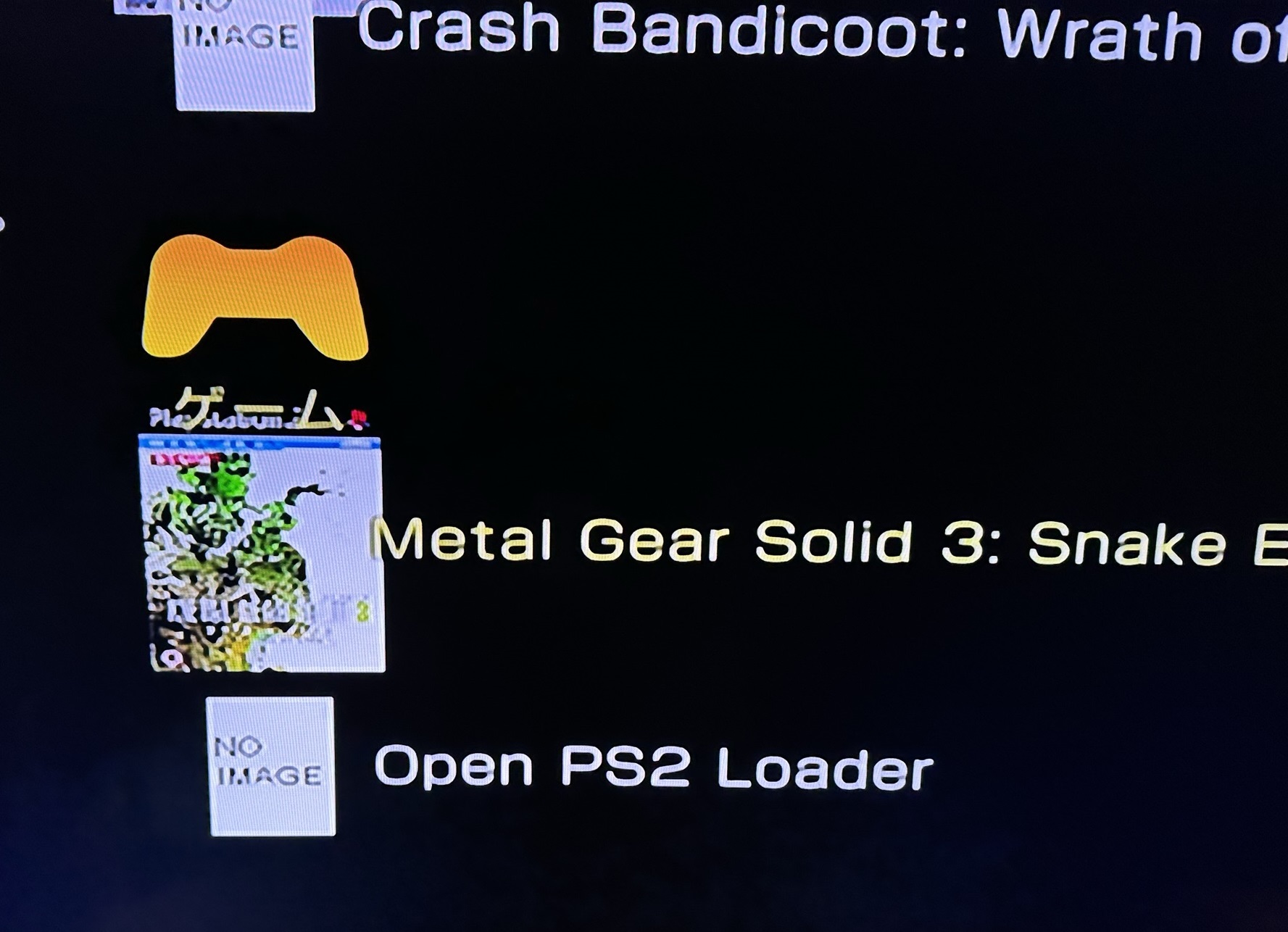
FjnNXqcWYAA6GCo


Is there something I'm missing ?

Thanks for any help :)
 
I'm not sure if DESR XLFs don't need different flags than XLFs for SCPH. Besides that, apps which start from "PP." or "PC." partition must be loaded at 0x10000 in memory, almost none doing that (uLE kHn for "hdd0:/__mbr" should works and OPL-Launcher).

If You want keep Yours DVR functionality, do not exceed 40GiB LBA, or else You will overwrite second partition index which current apps don't see and understand. I'm not sure if this is even possible (maybe DVRP prevent that) but be warned.
 
I'm not sure if DESR XLFs don't need different flags than XLFs for SCPH. Besides that, apps which start from "PP." or "PC." partition must be loaded at 0x10000 in memory, almost none doing that (uLE kHn for "hdd0:/__mbr" should works and OPL-Launcher).

If You want keep Yours DVR functionality, do not exceed 40GiB LBA, or else You will overwrite second partition index which current apps don't see and understand. I'm not sure if this is even possible (maybe DVRP prevent that) but be warned.

Thanks on the info with different memory loading, now I understand why uLe was the only one that worked somehow on my very first test.
Well I just discovered that kelftool and SCEDoormat_NoMe are signing the .KELF files to "Target Machine Type == PS2 (CEX Only)", I'm going to try again with the one that also targets DESR consoles, maybe that could change the boot behaviour.

I also injected OPL-Launcher for the game, but it still didn't work from the XMB, but as I said the files are probably signed with the wrong krypto.khn.

Don't worry, I wont messing arround with the partition sizes on the PSX :)
 
Your partition does not boot because name is incorrect it should be

PP.SLUS-123.45..OPL
PP.APPS-123.45..OPL
this name scheme must be respected only on PSX DESR

Usually PFS Batchkit Manager does this for you and also signs the ELF with SCEDoormat_NoMe
 
Last edited:
Your partition does not boot because its name is incorrect it should be

PP.SLUS-123.45..OPL
PP.APPS-123.45..OPL
this name scheme must be respected only on PSX DESR

Usually PFS Batchkit Manager does this for you and also signs the ELF with SCEDoormat_NoMe

IMG-1162.jpg


Thanks for your reply, I already tried that before and had the correct scheme but your tool seems to sign the file only CEX consoles.
Now again with PFS Batchkit Manager I replaced the KRYPTO.KHN file inside the "BAT" folder with the correct KRYPTO.KHN file (the one for the PSX) and now the applications are finally running :)

Tested now with:
wLaunchELF latest release -> Loads
wLaunchELF kHn -> Loads
Open PS2 Loader -> Loads
ESR -> Stays at black screen but doesn't return to XMB
Game -> Still flickering and returning to XMB, probably the injected OPL Launcher is messing around here.

Still testing around to get a game working. (It boots without any issues in OPL v1.0.0)
 
Nice
Interesting I didn't know there were two version of KRYPTO.KHN

concerning ESR the screen remains black because you must insert a disk patched with esr patcher
but if the screen stays black i guess it works

For OPL-Launcher I signed it with Kelftool
so I don't know if it is also necessary to sign it with keys different from the CEX
 
Last edited by a moderator:
Nice
Interesting I didn't know there were two version of KRYPTO.KHN

concerning ESR the screen remains black because you must insert a disk patched with esr patcher
but if the screen stays black i guess it works

Yes, I also replaced now the EXECUTE.KELF that your tool pushes to the game partition with the latest OPL-Launcher signed with the PSX KRYPTO.KHN file and now the game seems also boot into a black screen without returning to XMB.
I'm on the right way I only need now a working Open PS2 Launcher above v1.0.0 that actually supports OPL Launcher :/

Does someone know why I can't boot any game from the HDD after updating OPL to v1.1 or v1.2 Beta ? No matter what settings I use it always results in a pink screen.
 
Last edited:
Pink screen?

Try removing All OPL configs
This doesn't help, I always delete the OPL configs and save them again when I test another version.

I tried with now Open PS2 Loader v1.1.0 "Build 1939" and the game now boots to Open PS2 Loader but not directly into the game, i don't know if this build supports OPL-Launcher yet or only the stable v1.1.0 one, but it's getting very close to a game boot.
This one doesn't give me a pink screen if I boot the game from OPL.
 
I remember having the same pink screen problem also trying to delete the cache.bin
I can't find any cache.bin ? If you mean games.bin, I don't use "Cache Game List" at the moment for testing.
It don't think it's the config files.

v1.1.0 DB Beta Build 1939 -> Game boots in this build, but from the XMB it goes only into Open PS2 Launcher, not into the game.
v1.1.0 Beta Build 1633 -> Same result as before.
v1.1.0 ifcaro All Build 1791 -> Results in pink screen.
v1.1.0 from GitHub -> Results in pink screen.
 
Yes I meant game.bin I confused with another hombrew my bad :D

Try to Delete it anyway because even if it is not activated OPL will still read it if it exists during my tests I noticed that.

and it turns out when deleting the game.bin the pink screen disappeared

it may not come from there but just to exclude this possibility
 
Yes I meant game.bin I confused with another hombrew my bad :D

Try to Delete it anyway because even if it is not activated OPL will still read it if it exists during my tests I noticed that.

and it turns out when deleting the game.bin the pink screen disappeared

it may not come from there but just to exclude this possibility

Well there is also no games.bin because I don't use the setting "Cache Game List" that creates this file in +OPL.

I also deleted the entire OPL folder on:
MC0:/OPL
HDD0:/__common/OPL
Removed +OPL partition
Reinstalled OPL v1.1.0 (v1.2.0 Beta also tested with new install)

but I still always get the same pink screen.

Tried again with:
OPNPS2LD-v1.2.0-Beta-1955-c5a659a -> No game boot from internal HDD
OPNPS2LD-v1.2.0-Beta-1955-c5a659a - DTL_T10000=0-IGS=0-PADEMU=0-RTL=0 -> No game boot from internal HDD
OPNPS2LD-v1.2.0-Beta-1955-c5a659a - DTL_T10000=1-IGS=1-PADEMU=1-RTL=1-> No game boot from internal HDD
OPNPS2LD-v1.1.0---- -> No game boot from internal HDD
OPNPS2LD-v1.1.0----RTL=1 -> No game boot from internal HDD
OPNPS2LD-v1.1.0-DTL_T10000=1-IGS=1-PADEMU=1-RTL=1 -> No game boot from internal HDD
 
Last edited:
I'm interesting of KRYPTO.KHN file which You used for signing which works for You. There are few of those files, each for different purpose so I'm curious if I have missing some or at least want to know which works in DESR case. Could You upload it to eg. MedaiFire?

BTW: "hdd0:/__common/OPL/conf_hdd.cfg" telling OPL 1.1.0 and newer where to seek OPL resources. If You don't want "hdd0:/+OPL", use eg. "hdd0:/__common/" (can be any) then OPL will seek all resources from "hdd0:/__common/OPL/". Just FYI.
 
I'm interesting of KRYPTO.KHN file which You used for signing which works for You. There are few of those files, each for different purpose so I'm curious if I have missing some or at least want to know which works in DESR case. Could You upload it to eg. MedaiFire?

I used the KRYPTO.KHN for the PSX only, I know only about 3 KRYPTO's:
(All)
Dnas_WithHDD container... Reference 0E319097.
Is a HDD Master Boot Record Container == True
Target Machine Type == PS2 (CEX & DEX) + PSX
Target Application Type == Dnas_WithHdd
(PSX)
It's not MBR flagged.
Is a HDD Master Boot Record Container == False (User Header Starts With 01 00 00 01)
Target Machine Type == PSX
Target Application Type == DVDPLAYER
(CEX)
Suitable for (normal) retail PS2 consoles.
Is a HDD Master Boot Record Container == True
Target Machine Type == PS2 (CEX Only)
Target Application Type == DVDPLAYER

For me, only the PSX one allows to boot from XMB.
You can get the files from my GitHub:
https://github.com/SvenGDK/DESR-Tools/blob/main/Tools/NoME_Files.7z

BTW: "hdd0:/__common/OPL/conf_hdd.cfg" telling OPL 1.1.0 and newer where to seek OPL resources. If You don't want "hdd0:/+OPL", use eg. "hdd0:/__common/" (can be any) then OPL will seek all resources from "hdd0:/__common/OPL/". Just FYI.

Does it also work on OPL v1.0.0 ? Because that's the version I use.
Thanks for mentioning it, if someone uses my version then you have to manually create the file "hdd0:/+OPL/conf_hdd.cfg" with:
Code:
hdd_partition=+OPL
 
Last edited:
Thanks.
BTW: You are using old uLE kHn. ;]

No, earlier versions not looking for this file. And no, You don't need write +OPL there because it will be created by default if OPL will not find this partition and this file. Which BTW is very bad design, OPL shouldn't create any partition without user ask, especially that for many 128MiB is not sufficient. However OPL have some regressions so people also using few versions instead always newer, so in such case, "hdd0:/+OPL" is the solution which will work on all.
 
Well there is also no games.bin because I don't use the setting "Cache Game List" that creates this file in +OPL.

I also deleted the entire OPL folder on:
MC0:/OPL
HDD0:/__common/OPL
Removed +OPL partition
Reinstalled OPL v1.1.0 (v1.2.0 Beta also tested with new install)

but I still always get the same pink screen.

Tried again with:
OPNPS2LD-v1.2.0-Beta-1955-c5a659a -> No game boot from internal HDD
OPNPS2LD-v1.2.0-Beta-1955-c5a659a - DTL_T10000=0-IGS=0-PADEMU=0-RTL=0 -> No game boot from internal HDD
OPNPS2LD-v1.2.0-Beta-1955-c5a659a - DTL_T10000=1-IGS=1-PADEMU=1-RTL=1-> No game boot from internal HDD
OPNPS2LD-v1.1.0---- -> No game boot from internal HDD
OPNPS2LD-v1.1.0----RTL=1 -> No game boot from internal HDD
OPNPS2LD-v1.1.0-DTL_T10000=1-IGS=1-PADEMU=1-RTL=1 -> No game boot from internal HDD

Hi! could you upload OPNPS2LD-v1.2_.0-Beta-1955-c5a659a_.7zv somewhere please? for some reason I cannot access to the site. Thanks :)
 
Hi, thanks for sharing :) These don't include the specific PS1 section right? That was very handy and easy to use.
 

Similar threads

Back
Top