PlayStation 2 Basic BootLoader

PS2 PlayStation 2 Basic BootLoader v1.2.0

I figured I should post this here and not just Discord. For whatever reason if I have a exFAT formatted USB stick plugged into my PS2 it will cause PS2BBL to hang when it triggers the auto boot. If I hit a button for a manual boot it'll load fine.

The splash screen will come up, it'll wait the normal time, go to black, the screen will flash white, and then just hang on black when normally the OPL splash would come up.

Booting FMCB works fine, OPL recognizes the USB stick.

Removing the USB stick or inserting a FAT32 one will work normally with PS2BBL. It's a 64GB SanDisk Cruiser USB 3.0.

OPL was the latest main fork beta build.

rn_image_picker_lib_temp_d8f3e905-468f-4f9a-b0bc-781be01b33aa.jpg
 
I figured I should post this here and not just Discord. For whatever reason if I have a exFAT formatted USB stick plugged into my PS2 it will cause PS2BBL to hang when it triggers the auto boot. If I hit a button for a manual boot it'll load fine.

The splash screen will come up, it'll wait the normal time, go to black, the screen will flash white, and then just hang on black when normally the OPL splash would come up.

Booting FMCB works fine, OPL recognizes the USB stick.

Removing the USB stick or inserting a FAT32 one will work normally with PS2BBL. It's a 64GB SanDisk Cruiser USB 3.0.

OPL was the latest main fork beta build.

rn_image_picker_lib_temp_d8f3e905-468f-4f9a-b0bc-781be01b33aa.jpg
are you sure the issue is the EXFAT format and not your USB????????????
 
are you sure the issue is the EXFAT format and not your USB????????????
The exact same USB works just fine with PS2BBL formatted as FAT32, and OPL did recognize it and load games from it when it was formatted as exFAT.

I did a health check and a full format on the stick too and it's good.


I got the name wrong, it's an Ultra not a Cruiser.

This one.
SanDisk 64GB 2-Pack Ultra USB 3.0 Flash Drive (2x64GB) - SDCZ48-064G-GAM462 https://a.co/d/hGVJedD
 
Hello I installed this bootloader to my MC and changed the OPL with other versions and had some problems with it
First I used the OPL version that added ExFAT support for USB and the games worked fine. The USB is formatted to ExFAT 64GB
Then I changed it for the new OPL version that added support of ExFAT for internal HDD and the games just freeze blackscreen after launching them
For this last OPL version I mentioned, I use the original adapter with an old IDE HDD, I use it with this new OPL version with FMCB and it works fine there
My ps2 has matrix chip. not sure if that matters
 
ive found the issue with PS2BBL not booting an app if you hold the specified button BEFORE the logo appears on screen

Now lets start the debate

PS2BBL should:

A: stay as is (Only boot app if user Presses the key while logo is showing)
B: Boot the specified app even if button is held before logo display (FreeMcBoot logo like)
 
I think that B is more friendly, considering that many tvs have lag in scart automatic switching, therefore it could be useful to have the same behaviour of freemcboot.

I tried PS2BBL, it is valid for systems that require to not hack the osdsys, but at this moment i think that fmcb with hacked osdsys is more powerful all-rounder.

I was able to launch only ps1 original discs, why not include a function like the one on PSXLauncher that enables reading from toc of an original disc and then swap to backup?
 
ive found the issue with PS2BBL not booting an app if you hold the specified button BEFORE the logo appears on screen

Now lets start the debate

PS2BBL should:

A: stay as is (Only boot app if user Presses the key while logo is showing)
B: Boot the specified app even if button is held before logo display (FreeMcBoot logo like)

C: Fixing issue, so PS2BBL will not freeze if user press button before logo. ;}

But if You cannot do that for some reason, then better is B. Variant A is unacceptable from user experience point of view. However B can make confusion, especially if someone is familiar with DEV1 from modchips, so for sure he will be keep pressed button before he press power button on a console.

I tried PS2BBL, it is valid for systems that require to not hack the osdsys, but at this moment i think that fmcb with hacked osdsys is more powerful all-rounder.
Different purpose, different app. FMCB in general is OSDSYS hack, while PS2BBL is bootstrap+launcher. Tiny as possible, to just booting apps from eg. external storage with exFAT which FMCB cannot do.

I was able to launch only ps1 original discs, why not include a function like the one on PSXLauncher that enables reading from toc of an original disc and then swap to backup?
Because it is not PS1DRV hack/replacement? Try PS2BBL with XEB Dashboard. It behaves as OSDSYS and after disc verification, You will be able to swap discs as You doing with OSDSYS+PSXLauncher (probably ^^). Eventually if You model is Decard one, use DKWDRV.
 
Last edited by a moderator:
C: Fixing issue, so PS2BBL will not freeze if user press button before logo. ;}
Isn't that "B"?
FMCB in general is OSDSYS hack,
No... It HAS that, but it IS NOT 'only' that...
Because it is not PS1DRV hack/replacement?
It doesn't have to be??!!!
It behaves as OSDSYS and after disc verification, You will be able to swap discs as You doing with OSDSYS+PSXLauncher (probably ^^).
Did you miss the word "original"?
Eventually if You model is Decard one, use DKWDRV.
DKWDRV works on EEEEEVERY PS2........ How more often should I tell you that Berion?!?
 
Isn't B. In assumption I understand that B variant means booting specified default app to boot, not the one assigned to button.

I know that, but I said "in general". For end user perspective it is Browser hack.

Ah, yes, good point. Only special features in DKVDRV are available for Decard models, but application works on all.
 
Isn't B. In assumption I understand that B variant means booting specified default app to boot, not the one assigned to button.
B is like FMCB logo behaviour, so even if the button is keep pressed before ps2bbl logo the elf associated with that key will be run. I think this is the most logic and user friendly choice.

@El_isra why not release two versions, one for standard ps2 and one for modchip ps2? I think that nowadays nobody wants anymore modchip, i removed also modchips from some ps2 that i retrieved... the only reason to have a modchip in 2023 is to run ps1 disc backups, even if it's possible via psxlauncher and slimline modified lid (without TOC updating unfortunately). I mean that obviously the choice of 90% users will be the standard versions, but perhaps some user want the PS2BBL_MODCHIP version because the only ps2 they have is chipped...
 
El_isra updated PlayStation 2 Basic BootLoader with a new update entry:

v1.2.0 release

Changes since 1.0.0 release:

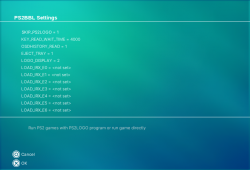
  • Internal HDD Support
  • MX4SIO Support
  • PSX dedicated config file (mc?:/PS2BBL/XCONFIG.INI)
  • Simplified config reading code
  • Ability to declare IRX modules to be loaded when reading configuration (LOAD_IRX_E#, where # can be any number from 0 to 50)
  • Ability to have prioritary config files on program CWD (eg: if program is located at mc0:/BAEXEC/SYSTEM/, then...

Read the rest of this update entry...
 
Excellent application! Using this memory card I can tap the button to disengage BBL if I'm fast after powering on. Thank you for this system of shortcuts, makes me smile not having to hear the browser on the way to my HDD list


20231028_033507.jpg


Edit: I ended up clearing bank 2 after testing and just installing it to bank 1 with 0000 delay in the .cfg file. (Pix show when fmcb card was used at install and then after this change) Outstanding!
 
Last edited:

Similar threads

Back
Top