Berion
Developer
Bunch of bash scripts for automate PS2 HDD mounting and unmounting etc. In future, also DESR disks decryption. Read more about this resource...

Last edited:




That's OPL bugs which I hope will be fixed in future.The official OPL works, but it does not save the settings in the APA or EXFAT partitions. However, when activating the MBR/GPT mode in OPL, it activates the language that was previously chosen.
Unfortunately, does functionality needs special drivers which would do similar job to BDM Assault. Such software not exist yet so currently POPStarter cannot read/write to exFAT on internal drive (no matter if on APA-Jail, exFAT on MBR/GPT or exFAT alone).POPSTARTER unfortunately does not work, the OPL (Official and uOPL) lists but does not run, it gives a black screen and returns to the home screen.

To assemble full PS2HDH you need in addition to download:
1. https://www.mediafire.com/file/geoqlf8j4m63air/PS2HDH+Exploits+Pack+(2024-12-04).tar.xz/file
MD5: 2f631a4ea73ab818fb8eef73f35b991d
Unpack "PS2HDH Exploits Pack (2024-12-04).tar.xz" and move "exploits" to "${TOOLKIT_PATH}/apps/". Without it, you will not be able to add any exploits, apps etc. to disk. I couldn't do that because of file size limit in resource section, so I split it into important and less important packages. This archive will be updating from time to time independently from PS2HDH so bookmark this thread for future updates.
2. If you want HDD OSD (so called Browser 2.0), you need to provide files unpacked from HDD OSD file, from SUDC4 disc. This is proprietary data so I cannot add it to Exploits Pack. What files and how to name them, along to checksums, you will find in "${TOOLKIT_PATH}/apps/exploits/HDD OSD/missing files.txt".
3. If you want been able to i.e format PS2 Memory Card (in future more tasks related to mc). You need to find PS3MCA Tool and place it in "${TOOLKIT_PATH}/apps/PS3MCA Tool.elf". Sony highly not like that application, due to MechaCon emulator and some Magic Gate keys, so I also couldn't add it to PS2HDH.
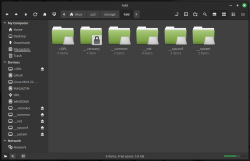
Look at the screenshot:
@Dominic363
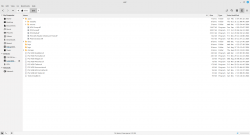
Exploit Pack must be unpacked to apps, it cannot be anywhere else.
https://www.psx-place.com/attachments/nemo_1-png.44831/
You cannot manipulate APA space while any MBR/GPT partition is mounted. Probably that's why You've got errors (because PFS Fuse doesn't mount APA partitions, when "OPL" is mounted). Look at this post, point no.1: https://www.psx-place.com/threads/ps2-hdd-decryption-helper.45447/#post-403927
No, You don't feeding script by partition name because Linux, just like Windows, not understand APA, so it doesn't listing its partitions. What you see are MBR/GPT partitions which PS2 fw not understand (remember, it is hybrid disk, each environments doesn't know about existence of each other). So you feeding it by device name, and script will figure out the rest (in example from your screenshot: "/dev/sdd", not "/dev/sdd1" which is closed APA space to protect it from overwritten).
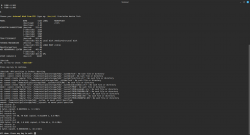
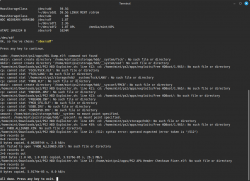
thank you very much for your reply again, i have reformatted the hdd as you suggested it and gave it a try again and here's the log whenever i am trying to install the FHDB even though the files directory are correct and the exploits folder is correctly placed in apps folderDirs looks fine but PFS Fuse reported that APA is broken. Which can be only a trivial thing like bad APA checksum (which should not happen, script correcting it) or can be broken really. You should reformat it now.

I get similar errors when trying to install softdev2 :/thank you very much for your reply again, i have reformatted the hdd as you suggested it and gave it a try again and here's the log whenever i am trying to install the FHDB even though the files directory are correct and the exploits folder is correctly placed in apps folder
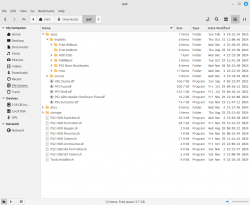
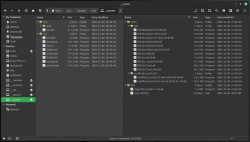
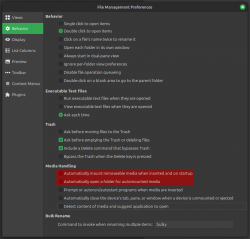
And on screenshot above, I see that you have mounted exFAT partition from MBR/GPT space, with label "OPL" under "/media/mint/OPL"). Disable automounting in Nemo like I described in post no. 3 (Eventually start "PS2 HDD Unmounter.sh" which unmounting both: APA and MBR/GPT stuff; or type in Terminal "sudo umount -l /media/mint/OPL", before run "PS2 HDD Exploiter.sh").Berion said:You cannot manipulate APA space while any MBR/GPT partition is mounted.
Ive tried from various locations and same. Dont know if it matters but the PSBBN english files from @CosmicScale work fine on latest Linux Mint@Dominic363 / @psydefx
First issue:
It seems that executables (like eg. "HDL Dumb.elf") have not execute attribute set on each of pc ELF files (if you unpacked *.tar archive, all *.elf and *.sh should have them). Or latest Mint live not allows to run applications from "/home" (noexec flag for it, but it works always for me). I will check that later, maybe Mint 22.1 disabled that.
Second one:
And on screenshot above, I see that you have mounted exFAT partition from MBR/GPT space, with label "OPL" under "/media/mint/OPL"). Disable automounting in Nemo like I described in post no. 3 (Eventually start "PS2 HDD Unmounter.sh" which unmounting both: APA and MBR/GPT stuff; or type in Terminal "sudo umount -l /media/mint/OPL", before run "PS2 HDD Exploiter.sh").