PS2 PS2 HDD Formatting and FHDB install Problem

Baluu2001

Member
Hello,dear forum members.I have a problem with my PS2 SCPH-50001.
I Have an Original PS2 Adapter with Sata Mod in it.
I've tried formatting my drive using different versions of WLaunchElf,PFS Shell,WinHiiip, everything that is possible.
This is my problem:When I Use a WlauncherElf or UlauncherElf,it says hdd "connected yes,formatted no",okay,i format It,go to FMCB Installer on my flash drive(many versions tested),i press install FHDB,it says that drive is not formatted,when i press format,it says "Failed to Format the HardDisk Drive(HDD) Unit."Okay,i press console reset button,reboot my console,after that I go to WlaunchElf,i go to HDDManager,and what do I see there?It says again:Connected Yes,Formatted No.I know about famous fuse problems in PS2,but checked it many times, there is not any problem.Oh,when i try to use FHDB images found in internet,installed through HDD RAW IMAGE COPY,I see sony boot logo,after that it's black screen and i see hdd starts spinning,then i hear click sound and it stops spinning,being in a loop of this things.Nothing helps,tried at least 10 hard drives,all of them were 2.5 and 3.5 sata,the same thing on every of them.Right now I tried Hitachi HTS542580K9SA00,80 GB SATA,2.5 HDD,the same thing on it.Please someone help me,i am badly stuck,followed every single tutorial in youtube,this forum, other forums, can't figure it out.
 
Format drive on PC by PFS Shell. After that, open disk by IsoBuster v4.7 or any newer (current is 5.2) and make screen from what You will see. This will prove if drive was formatted or doesn't.

If You will see partitions like __mbr, __system etc. etc. and on PS2 side, disk is show as "formatted: no", then it is some kind of NA issue. Unknown to me TBH but at least You will be sure.

Why are You made three the same threads?
 
Format drive on PC by PFS Shell. After that, open disk by IsoBuster v4.7 or any newer (current is 5.2) and make screen from what You will see. This will prove if drive was formatted or doesn't.

If You will see partitions like __mbr, __system etc. etc. and on PS2 side, disk is show as "formatted: no", then it is some kind of NA issue. Unknown to me TBH but at least You will be sure.

Why are You made three the same threads?
I will reply to you as soon as I check.No one answered to me on previous,one of them was posted long time ago,so that's because I maid other threads.I will check everything out and write here.

Forgot to mention.I format hdd,and after console is rebooted,no partitions in hdd0,no partitions in HDDMANAGER,It just says connected yes,formatted no again.So it's like doing the same thing.Also I don't think that this would help,but when i format it in hddmanager,i go to hdd0 folder straightly to check everything out,and there is no _mbr folder,but in hdd manager it shows up.other hard drives do the same thing.


Format drive on PC by PFS Shell. After that, open disk by IsoBuster v4.7 or any newer (current is 5.2) and make screen from what You will see. This will prove if drive was formatted or doesn't.

If You will see partitions like __mbr, __system etc. etc. and on PS2 side, disk is show as "formatted: no", then it is some kind of NA issue. Unknown to me TBH but at least You will be sure.

Why are You made three the same threads?

I have done formatting with PFS Shell,Then went to IsoBuster's last version,and here is a screenshot.
Can you tell me if everything is correct here?
Photo is in attached file.


After that,I inserted HDD in PS2,went to FHDB installation,and again it says HDD is not formatted,i press yes to format,it says formatting failed and when i press install it says install failed,then cleanup failed.The same thing again.In WlaunchElf it says,connected yes,formatted no.The same thing too,nothing visible in hdd0 too.
 

Attachments

  • isobusterresults.png
    isobusterresults.png
    148.1 KB · Views: 202
Last edited by a moderator:
On attached by You screen, IB shows proper APA structure (this MSFT partition came from leftover from MBR, because IsoBuster supports APA Jail so displaying at once both environments). Which means disk has been partitioned properly (until You try write something on it on PS2), so something is wrong with Your hardware (on PS2 or NA side).
 
On attached by You screen, IB shows proper APA structure (this MSFT partition came from leftover from MBR, because IsoBuster supports APA Jail so displaying at once both environments). Which means disk has been partitioned properly (until You try write something on it on PS2), so something is wrong with Your hardware (on PS2 or NA side).
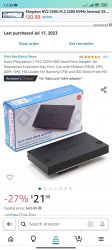
I bought new network adapter,inserted the same sata modification in it,that i had in previous one.And now it is trying to read hard drive,but says Connected No,Formatted No.I think that this could be a sata mod failure,not a network adapter.I've ordered new sata modification kit,will try going with it,but it will take like two weeks to get to my country,so i will wait and then will post what i will achieve here.I hear hard drive spinning,and an yellow light from inside of Playstation comes out and i see it.But i think it can't read it properly to show that it's working.Checked out console hardware,fuses,port where I insert the adapter,it is just great, everything works,so the only one reason is left that it is a sata modification kit,that I installed,because it was saying connected yes,formatted no before,now it's no on both sides,so i think it died till the very end
 
Your case is interesting. Don't forget to reply please if You solved this problem or not.
I will reply here in one week,maybe a little more,waiting for this adapter to arrive(see it in attached files).
 

Attachments

  • Screenshot_2023-07-20-13-30-21-304_com.amazon.mShop.android.shopping.jpg
    Screenshot_2023-07-20-13-30-21-304_com.amazon.mShop.android.shopping.jpg
    888.9 KB · Views: 130
Double check ribbon connection, because it's cramped there. I use official HDD adapter with sata mod, no problems.
 
Double check ribbon connection, because it's cramped there. I use official HDD adapter with sata mod, no problems.
I bought two original boards and one sata modification kit,you can read it above,double checked everything,but i think sata modification died,maybe it was not good from the beggining.
 
Definitely a faulty board or some pins not properly connected.
Original Network Adapters work well,checked everything inside,checked everything in ps2 motherboard also,i think it is sata modification kit,that causes a problem,I've heard that some sata kits are not reliable and can come to you broken or dying from the beggining.
 
Bad sectors doesn't results in not recognizing HDD (he have random "connected: no") but eventually not recognizing logic structure if bad sector is first. But if would be first, then he would not be able to write image to it just like that - which worked until he write any data to HDD.

So checking disk condition via S.M.A.R.T. report is always ok to do, but it is not source of problems for sure. Could been just another, parallel issue but not main one.
 
Bad sectors doesn't results in not recognizing HDD (he have random "connected: no") but eventually not recognizing logic structure if bad sector is first. But if would be first, then he would not be able to write image to it just like that - which worked until he write any data to HDD.

So checking disk condition via S.M.A.R.T. report is always ok to do, but it is not source of problems for sure. Could been just another, parallel issue but not main one.

Yeah right, no, I'm calling BS on that, had a bunch of clients with almost dying HDs that would seem like that they were "connected" but in practice bad sectors are physical damage and not something cosmetic, specially that software is dumb as hell and it thinks that it actually wrote info to a damage disk but in practice it didnt do anything, and when something tries to actually read the info in there, even if isnt in a bad sector it will get stuck and wont be able to read it properly because whatever is trying to deal with the damaged disk isnt going to go nowhere because instead of "error -> stop" its going to insist on trying over and over and over again, and fun fact because of that, even on secondary HDs saw situations where the OS in another storage got corrupted because of that infinite try again that anything does which got in the way and destroyed the OS files in the proccess, so don't act like a bad sector is a "software problem" and rule it out, at this rate theres some kind of hardware issue somewhere in there.
Also even if in S.M.A.R.T. says its all good theres always the ussual HD thats defective from the factory(I'm talking about you seagate!), which can have problems like this happen just like with bad sectors, info was "written" but not really and you keep having problems like this, and this type of problem always end up in the "replace everything" until you find the culprit and it was the HD.

EDIT: Forgot to say, freelancer pc hardware maintenance guy here.
 
Yeah right, no, I'm calling BS on that, had a bunch of clients with almost dying HDs that would seem like that they were "connected" but in practice bad sectors are physical damage and not something cosmetic,
Data on HDD, even from SA, isn't use for communication. It is firmware job. So how many bad sectors are on HDD it doesn't matter to physical disk recognition or not...
specially that software is dumb as hell and it thinks that it actually wrote info to a damage disk but in practice it didnt do anything,
None client ask disk to writing any "info" on it for recognizing it. What a nonsense. :P
and when something tries to actually read the info in there
You should know that none disk info is written on HDD, besides geometry in service area, not accessible from atacmd level but internal fw requests as (in theory) read only.

You have no idea what are You talking about.
 
You have no idea what are You talking about.

Have been working with that stuff since I was a kid and saw all that crap happen IRL and I have friends in IT that ask my opinion when they have problems in their jobs but this is the internet, when someone doesnt like it I have no idea what I'm talking about :)
 
Don't be childish, it is not matter if I like Your opinion or doesn't... It is matter how things works and how doesn't. What is true and what isn't. Simple as that. And what You wrote in post no.14 is literally nonsense. In cases You mentioned, reasons are elsewhere than bad sectors...
 
Don't be childish, it is not matter if I like Your opinion or doesn't... It is matter how things works and how doesn't. What is true and what isn't. Simple as that. And what You wrote in post no.14 is literally nonsense. In cases You mentioned, reasons are elsewhere than bad sectors...
Well just replying to how I was replied to, you are overcomplicating things that are ussually simpler than, I got the same setup as OP releated to the sata modification kit(mine is from bitfunx in an original adapter), and unless he bought the most unreliable one he could find(ussually the cheapest) I doubt it could be whats causing the issue, specially with how dumb the ps2 is but without having another HD to test it out it's hard to say exactly whats the cause as well so you can't just rule out stuff.
>Unless someone isn't telling the full story and is doing everything wrong which is ussually the case with these kind of posts.
 
Original Network Adapters work well,checked everything inside,checked everything in ps2 motherboard also,i think it is sata modification kit,that causes a problem,I've heard that some sata kits are not reliable and can come to you broken or dying from the beggining.

Indeed, I meant the SATA board. It could be either faulty or not perfectly connected (the flat cable that comes with the kit could be damaged or the other one for power).

Just in case, make sure the flat cable pins are correctly oriented either in the SATA board and the NA. I seems to remember some SATA kits have both connection pins to the same side.
 
@Kevin8082 I explained why it is hardware issue, why high probably NA, and why checking HDD health which You propose is waste of time in this case and why what You said is nonsense. You distorting the facts.
 

Similar threads

Back
Top