
PS2 not detecting (401) hdd

Shinobi_gamerx21

Forum Noob
before this things happens my ps2 reads my hdd, but when the time i plug my hdd using (sata to usb) (Brand: Astone Hdd Dock)to my laptop it seems that my enclosure suddenly turn off its power and the hdd wasn't detected on my laptop. So i remove my hdd from the hdd dock and put it back on my ps2 fat and there it can't be detected on ps2 fat. but when i try pluging my games on a pendrive it works perfectly

what seems to be the problem can you help me ??
is it the hdd, the sata to drive (enclosure), or the network adapter
i need your help guys

I used "astone hdd dock":
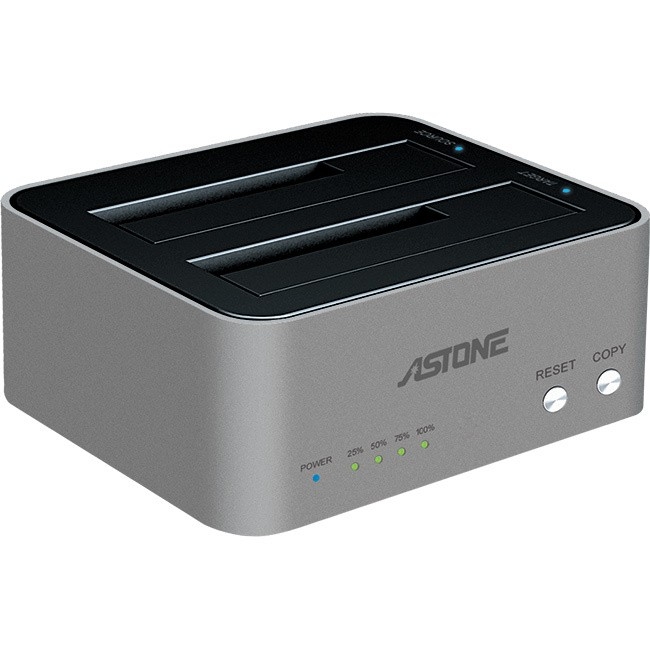
astone_dual_bay_hdd_dock_with_usb3.0_capability_1.jpg
 
Last edited by a moderator:
First of all... I merged your 2 posts. Please don't multi-post!

How do you know that your HDD is "not detected"??? HOW did you even try to "detect it" in the first place?

...and what has a USB-Storage-device to do with an HDD???
If you speak of an "internal HDD" and what is commonly referred to as "HDD" regarding the PS2, that has NOTHING to do with a USB-Storage-device, nor a "pendrive".
It tells us nothing...

On another note: "Network Adapter"? IS it ACTUALLY a "Network Adapter"?
 
@Shinobi_gamerx21 https://www.psx-place.com/threads/a...ything-you-should-know-about-hdd-in-ps2.30912

Read second chapter "Brak HDD".

No HDD:

The console may not detect the hard drive if the jumpers are set incorrectly. As I wrote above, there must be at least one, which sets the drive as Master (MA). Sometimes it happens that no jumpers are MA. Everything depends on the particular HDD model. The information about PATA disk configuration is always on a label stick to the case.

The second possible reason is inaccurate insertion of the drive into the Network Adaptor. Especially if the spacing between Molex and IDE does not match perfectly with the spacing between the plugs on the HDD side, and the user had to wrestle with it to get it in. ;) Sometimes they don't fit at all, and the user rescues himself by knitting bridges to the torn out sockets that don't withstand too many insertion/removal cycles.

The third reason that comes to my mind is a worn out Network Adaptor slot in the console. It's quite shallow and fragile, so the less often you remove it from your PS2 the better.

The fourth reason is that the Network Adaptor is not pressed tightly enough to the console. Theoretically NA doesn't even have to be screwed down, but it's better not to give up, because even the slightest looseness can result in not detecting HDD.

The last cause may be simply a defective Network Adaptor. Never remove it while the console is turned on (even in standby mode).

Translated with www.DeepL.com/Translator (free version)
 
Last edited:
First of all... I merged your 2 posts. Please don't multi-post!

How do you know that your HDD is "not detected"??? HOW did you even try to "detect it" in the first place?


...and what has a USB-Storage-device to do with an HDD???
If you speak of an "internal HDD" and what is commonly referred to as "HDD" regarding the PS2, that has NOTHING to do with a USB-Storage-device, nor a "pendrive".
It tells us nothing...

On another note: "Network Adapter"? IS it ACTUALLY a "Network Adapter"?


I apologize its just that im worried about my ps2

after the incident when my hdd was pluged in into the pc using (sata to usb) connector its just suddenly wont detect to my 3 ps2's simultaneously :concern::apologetic:


Thank you for this im feel assured that my console isnt the problem
 
Last edited by a moderator:

Similar threads

Back
Top