PS2 PS2 slim con OPL non legge i giochi da CD/PS2 slim with OPL does not read games from CDs

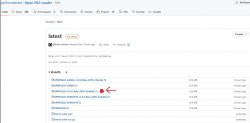
If I'm not wrong it should be version 1.2.0

So is it better that I upgrade to 1.2.0 to have exfat?

OPL recognizes that format, UlaunchElf does not. For that you had to have installed OPL on your memory card, as indicated before.

OPL is installed on mc0

In that case it is easier to modify the paths in your "conf_apps.cfg" file with the new letter of your hard drive.

So in the conf_apps.cfg file it is now:

POPStarter =mass:/APPS/POPStarter_20190605/POPSTARTER.ELF
Bubble Bobble =mass:/POPS/XX.SLES_004.48.Bubble Bobble.ELF
Wacky Races =mass:/POPS/XX.SLES_024.68.Wacky Races.ELF
Crash Bandicoot Warped =mass:/POPS/XX.SCES_014.20.Crash Bandicoot Warped.ELF

then I will have to change to:

POPStarter =N:/APPS/POPStarter_20190605/POPSTARTER.ELF
Bubble Bobble =N:/POPS/XX.SLES_004.48.Bubble Bobble.ELF
Wacky Races =N:/POPS/XX.SLES_024.68.Wacky Races.ELF
Crash Bandicoot Warped =N:/POPS/XX.SCES_014.20.Crash Bandicoot Warped.ELF

You mean this ?
 
So in the conf_apps.cfg file it is now:

POPStarter =mass:/APPS/POPStarter_20190605/POPSTARTER.ELF
Bubble Bobble =mass:/POPS/XX.SLES_004.48.Bubble Bobble.ELF
Wacky Races =mass:/POPS/XX.SLES_024.68.Wacky Races.ELF
Crash Bandicoot Warped =mass:/POPS/XX.SCES_014.20.Crash Bandicoot Warped.ELF

then I will have to change to:

POPStarter =N:/APPS/POPStarter_20190605/POPSTARTER.ELF
Bubble Bobble =N:/POPS/XX.SLES_004.48.Bubble Bobble.ELF
Wacky Races =N:/POPS/XX.SLES_024.68.Wacky Races.ELF
Crash Bandicoot Warped =N:/POPS/XX.SCES_014.20.Crash Bandicoot Warped.ELF

You mean this ?
Sorry, I was confused, you don't have to assign the letter, just verify that the folder names are as you indicated in the configuration file for the applications.
 
Sorry, I was confused, you don't have to assign the letter, just verify that the folder names are as you indicated in the configuration file for the applications.

I copied everything exactly, so I don't understand what's wrong...maybe because I formatted in exfat?

The name of the folders is always the same... all I did was transfer from one place to the other, without any changes
 
I copied everything exactly, so I don't understand what's wrong...maybe because I formatted in exfat?

The name of the folders is always the same... all I did was transfer from one place to the other, without any changes

What OPL version are you running exactly?
 
What OPL version are you running exactly?

OPNPS2LD-v1.1.0

But given that UlanchELF is always loaded first at startup and this is not compatible with exfat and then OPL (which is compatible), how will it be possible to make it work?

Also because the HDD disk as a possibility of formatting from NTFS or Exfat.....so I don't have "much choice"...
 
Last edited:
OPNPS2LD-v1.1.0

But given that UlanchELF is always loaded first at startup and this is not compatible with exfat and then OPL (which is compatible), how will it be possible to make it work?

Also because the HDD disk as a possibility of formatting from NTFS or Exfat.....so I don't have "much choice"...

Please reread my message #60, there I explained it to you.

Edit: You also have "wLaunchELF" which is compatible with exfat.

https://www.psx-place.com/resources/wlaunchelf-4-43x_isr.1112/
 
Last edited:
I reread it but something escapes me: to have OPL working with exfat you need to install version 1.2.0.....as I had already said OPL is installed on the memory card (mc0:/) and at the moment it is version 1.1. 0. So I imagine downloading the new version, placing the folder on the HDD disk, and then transferring (overwriting) to the mc0.....but you said that ulanchelf doesn't support exfat...so how do I do it since it is the first program that is loaded and which should I use to copy/transfer the new version of OPL?
 

Attachments

  • Immagine 2024-01-22 235112.jpg
    Immagine 2024-01-22 235112.jpg
    111.5 KB · Views: 18
I reread it but something escapes me: to have OPL working with exfat you need to install version 1.2.0.....as I had already said OPL is installed on the memory card (mc0:/) and at the moment it is version 1.1. 0. So I imagine downloading the new version, placing the folder on the HDD disk, and then transferring (overwriting) to the mc0.....but you said that ulanchelf doesn't support exfat...so how do I do it since it is the first program that is loaded and which should I use to copy/transfer the new version of OPL?

I assumed you would pass it with some other FAT32 device
but if you don't have one, I left you a link in my comment #66


Edit:but the problem of transferring them would still be present...:sco hmmthink:

Then you have no choice but to reformat your hard drive to FAT 32, transfer the necessary files (OPL 1.2.0 and wLaunchELF)
Then reformat to exfat.

Or get a USB on fat 32.
 
Last edited:
Sempre piĂą difficile....o_O
Quindi devo eliminare ulanchelf da mc0 e copiare il programma (cartella + file) di wlaunchelf-4-43x_isr.1112 da hdd a mc0?

If you have an external 1TB HDD, how do you do it??
 
I assumed you would pass it with some other FAT32 device
but if you don't have one, I left you a link in my comment #66


Edit:but the problem of transferring them would still be present...:sco hmmthink:

Then you have no choice but to reformat your hard drive to FAT 32, transfer the necessary files (OPL 1.2.0 and wLaunchELF)
Then reformat to exfat.

In windows 10 I can't format the disk in fat32....it just gives me ntfs and exfat...how do I format it in fat32?

Or get a USB on fat 32.

Do you intend to use a USB only to install new exfat compatible programs?

Then I didn't understand if I should completely delete the OPL and ulanchELF folders from mc0 and then copy the new OPL 1.2.0 and wlanchELF there or what to do...
 
Last edited:
Sempre piĂą difficile....o_O
Quindi devo eliminare ulanchelf da mc0 e copiare il programma (cartella + file) di wlaunchelf-4-43x_isr.1112 da hdd a mc0?

If you have an external 1TB HDD, how do you do it??

Another problem you face is that Windows does not allow you to format 1 TB hard drives to fat 32, you must use another tool like "EaseUS Partition Master Free."

https://es.easeus.com/partition-manager-tips/como-formatear-mi-disco-duro-de-1tb-a-fat32.html


Edit:
Format your hard drive to FAT 32 but not before making a backup.
Then you do the whole process that you had done before.
get the tools for exfat (OPL, wLaunchELF).
Finally, format your hard drive again to exfat.
 
Last edited:
Another problem you face is that Windows does not allow you to format 1 TB hard drives to fat 32, you must use another tool like "EaseUS Partition Master Free."

https://es.easeus.com/partition-manager-tips/como-formatear-mi-disco-duro-de-1tb-a-fat32.html


Edit:
Format your hard drive to FAT 32 but not before making a backup. I just making a backup on HDD on pc
Then you do the whole process that you had done before.
get the tools for exfat (OPL, wLaunchELF). I don't understand if I must delete OPL 1.1.0 and ulanchelf from mc0 and then copy OPL 1.2.0 and wlanchelf ?!?!?
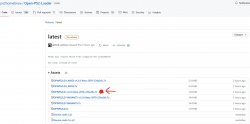
Good links to download wlanchelf? OPL 1.2.0 is correct the one indicated on my screenshot ?

Finally, format your hard drive again to exfat.
 
@Andymln

You must work with OPL 1.1.0 and Ulaunch ELF
then you move OPL 1.2.0 and wLaunchELF to your Memory Card.
When you already have them on your memory card, all that remains is to eliminate OPL 1.1.0 and UlaunchELF, which are the ones that support fat 32, to keep the ones that support exfat.
 
1) formatted hdd with partition master free in fat32, created BOOT folder and copied the wlanchelf file (BOOT-EXFAT) into the folder. Copied the OPNPS2LD folder and its files to the HDD disk. Started PS2, started ulanchelf, I try to enter mass:/ but I don't see anything inside! EMPTY

2) The BOOT folder with wlanchelf inside and the ONPPS2LD folder with the new OPL 1.2.0, is it better to rename them with another name? Let me explain better: in mc0:/ there are already two folders with the same name, correct? So moving something with the same name will ask me to overwrite...which we don't want.....naturally they will then be renamed correctly

3) the file "BOOT-EXFAT.ELF" must be renamed to "BOOT.ELF" ?? or do I leave the original downloaded name?

4) Should the OPL folder with the configuration files inside (example conf_apps.cfg) remain as it is?
 
Last edited:
1) formatted hdd with partition master free in fat32, created BOOT folder and copied the wlanchelf file (BOOT-EXFAT) into the folder. Copied the OPNPS2LD folder and its files to the HDD disk. Started PS2, started ulanchelf, I try to enter mass:/ but I don't see anything inside! EMPTY

Check that your hard drive has a master boot record (MBR) partition. To do this, do the following:
1.-press the "Windows+x" keys
2.- Select "Disk Manager".
3.-Right click on the bottom where it says "Dico" selecting the number of your disk. (Left area).
4.-Click on the "Volumes" tab and check if it is partitioned as a master boot record.

2) The BOOT folder with wlanchelf inside and the ONPPS2LD folder with the new OPL 1.2.0, is it better to rename them with another name? Let me explain better: in mc0:/ there are already two folders with the same name, correct? So moving something with the same name will ask me to overwrite...which we don't want.....naturally they will then be renamed correctly
3) the file "BOOT-EXFAT.ELF" must be renamed to "BOOT.ELF" ?? or do I leave the original downloaded name?

I suggest that you leave a single folder with "WlaunchELf" and delete UlaunchELF itself that you renamed as told before.


4) Should the OPL folder with the configuration files inside (example conf_apps.cfg) remain as it is?

Everything stays as it is.
 
TWO doubts:
1) starting from an external HDD or USB stick, I create a "WlaunchELf" folder and copy the "BOOT-EXFAT.ELF" file and the "ONPPS2LD" (OPL 1.2.0) folder and related files to then transfer to mc0: ? After transferring everything to mc0: I'm going to delete the old UlaunchELF and relocate the "ONPPS2LD+file" and "BOOT+file" folder to mc0:/ONPPS2LD/files and mc0:/BOOT/BOOT-EXFAT.ELF ?

***IMPORTANT***
2) rename/move/delete "UlaunchELF" and its files: if I am using the UlaunchELF program to copy from HDD/usb to mc0, how will it be possible to delete these folders/files? Are they not in use at the time?
 
1) starting from an external HDD or USB stick, I create a "WlaunchELf" folder and copy the "BOOT-EXFAT.ELF" file and the "ONPPS2LD" (OPL 1.2.0) folder and related files to then transfer to mc0: ? After transferring everything to mc0: I'm going to delete the old UlaunchELF and relocate the "ONPPS2LD+file" and "BOOT+file" folder to mc0:/ONPPS2LD/files and mc0:/BOOT/BOOT-EXFAT.ELF ?

The goal is to have WlaunchELF as a boot application in DEV1 so that when you connect your hard drive it can recognize EXFAT.

***IMPORTANT***
2) rename/move/delete "UlaunchELF" and its files: if I am using the UlaunchELF program to copy from HDD/usb to mc0, how will it be possible to delete these folders/files? Are they not in use at the time?

You just have to rename to boot WlaunchELF as "BOOT" in DEV1 as indicated before, use the UlaunchELF disk provided in the other thread.
1.-Insert the UlaunhELF disk into the tray.
2.-Delete the UlaunchELF folder.
3.-Move the BOOT folder with WlaunchELF to the memory card.
4.-Format the hard drive to exfat.
5.-Connect your hard drive and check if it is read by WlaunchELF, do not forget to verify that it must be partitioned as a master boot disk (MBR).
 

Similar threads

Back
Top