Technomancer
Forum Noob
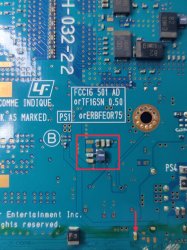
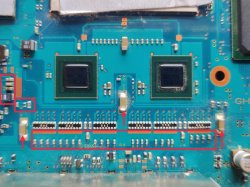
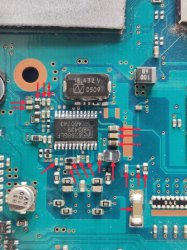
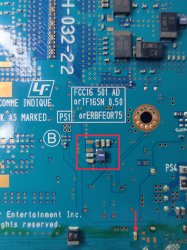
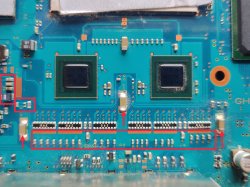
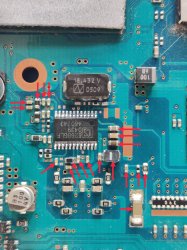
I am tinkering with a PS2 slim to try and bring it back to life again and was hoping someone might be able to point me in the right direction for the issue I'm having. The unit get a standby light, then turns green when you push the power button. However, there is no fan spin and no other signs of life. While poking around the board, checking fuses (the ones that I could find seemed ok) and looking for caps potentially shorted to ground, I came across an are near the controller ports around a specific IC that seemed to have a lot of components that are possibly shorted to ground. I removed the IC (which read 626BGLF and I assume made a company called ICS) to see they would go away but they didn't. I also noticed some components on the other side of the board where that IC is also possibly shorted to ground.
I've linked 3 photos I uploaded with arrows pointed to the components in question. If anyone has a guess as to what the problem might be, or where I should be going from here, I'd appreciate it.
https://imageshack.com/i/pnCGXb7Uj
https://imageshack.com/i/pn5NSSajj
https://imageshack.com/i/pmGDWCZRj
I've linked 3 photos I uploaded with arrows pointed to the components in question. If anyone has a guess as to what the problem might be, or where I should be going from here, I'd appreciate it.
https://imageshack.com/i/pnCGXb7Uj
https://imageshack.com/i/pn5NSSajj
https://imageshack.com/i/pmGDWCZRj