

Alex Zografos
Member
I did some progress finally.By doing some tests and I figured out that if you run BOOT.ELF with the ps2splash.png only without any memory card with FMCB intalled , a message pops up that says : Image is too large and does not fit in your screen. I tried both PAL and NTSC still the same. I wondeered if BOOT.ELF can really recognise if ps2splash.png exists, so I did the same thing again but without the png inside and another message popped up : ps2splash.png could not be found in mc0 neither mc1. So in conclusion I suppose that the png has to be in another size than the one we were told. I tried your pictures as well still the same message.But still to see the message the memory card must not have installed FMCB which doesn't make sense to me.I have tried it with SCPH-50004 which has ROMVER 1.90
and with SCPH-75004 which has ROMVER 2.20.
Both of the consoles are from PAL region and on both of them I have FMCB 1.966.
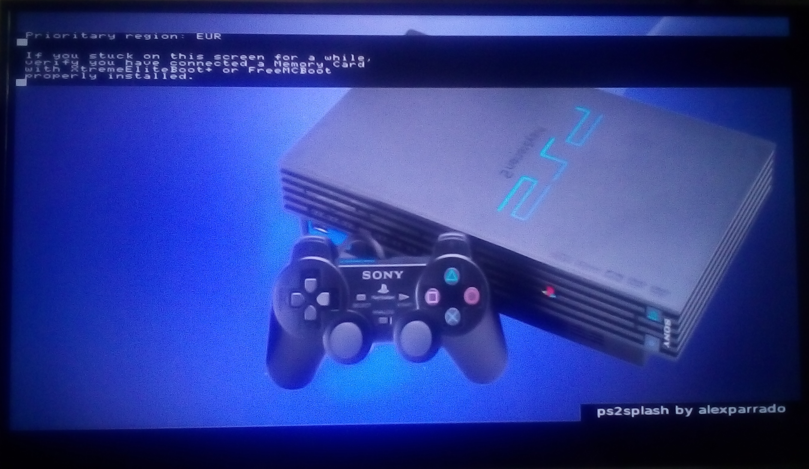
I decreased the size by one in both length and it worked but I still have some issues like the picture I've loaded shows up before the FMCB logo, I thought that it wouldn't be shown. Another problem is that in order to work I have to select the BOOT.ELF from ulaunchELF every time, it's not going to work if I just reset the console
Last edited by a moderator:

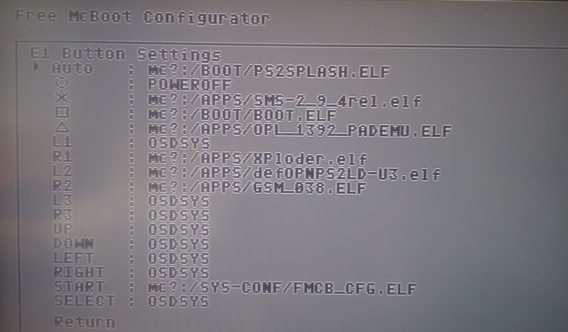
 , but I am not sure if that is the way that you want it.
 and assign it to PS2SPLASH while boot to load your picture,


