PS3 HAN PS3 OFW 4.82 How to follow HAN tutorial without PSN account activation.

Hi I have OFW 4.82.
I noticed that the guides mentioned that you must create a PSN account and activate the ps3. However, I updated from 3.77 to 4.82. I cannot sign into PSN without updating to 4.83.

- I just purchased this PS3 second hand and it was wiped clean.
- How do I proceed with the exploit?

Any help greatly appreciated.
 
not working for me :(

You have to make sure the folder is in the right place. Basically create a folder in C: (or wherever) and name it Ps3proxyserver. Make sure to extract the files there. Be sure your playstation and computer are connected to the same network.

It didn't work for me at the start either, but after creating the folder manually and placing the files there, I had no problems.

Would probably help to completely disable firewall as well, though that might not be something most windows users are comfortable with doing lol.
 
Hello, I am also stuck with this. Actually I am on 4.82 so it will work, right? And please can anyone post the steps to set up a manual connection on PS3, I am so confused with that I think because of that only it's not working.
 
Hello, I am also stuck with this. Actually I am on 4.82 so it will work, right? And please can anyone post the steps to set up a manual connection on PS3, I am so confused with that I think because of that only it's not working.

It will work on 4.82. I'll help as much as I can, I'm not necessarily the best at explaining these sort of things but yeah.

For the PC part:

- It probably helps to have Firewall completely disabled, or to add an exception for the program.
- Make sure your PS3 and PC are connected to the same network.
- Make sure to extract the folder of ps3proxyservergui.rar to C: (or whatever your drive letter is.)
- Set up the ps3proxyserver, open a CMD on your PC and type in "ipconfig" without the quotations.
- Take note of your PC's IP and input it into the ps3proxyserver gui.
- Select PS3 mode.
- Start the server. (if you run into errors, try installing the dotnetfx.)

For the PS3 part:

- Go to internet connection settings, select the option to set up a manual connection.
- Connect to the same network your PC is on.
- Run through the next few bits as per normal, until you get to where it asks if you want to use a proxy server.
- Set up the proxy server by inputting your PC's IP address, and the port number.
- Test the connection, and if all went well it should work and you will be able to sign in and use PSN.
 
It will work on 4.82. I'll help as much as I can, I'm not necessarily the best at explaining these sort of things but yeah.

For the PC part:

- It probably helps to have Firewall completely disabled, or to add an exception for the program.
- Make sure your PS3 and PC are connected to the same network.
- Make sure to extract the folder of ps3proxyservergui.rar to C: (or whatever your drive letter is.)
- Set up the ps3proxyserver, open a CMD on your PC and type in "ipconfig" without the quotations.
- Take note of your PC's IP and input it into the ps3proxyserver gui.
- Select PS3 mode.
- Start the server. (if you run into errors, try installing the dotnetfx.)

For the PS3 part:

- Go to internet connection settings, select the option to set up a manual connection.
- Connect to the same network your PC is on.
- Run through the next few bits as per normal, until you get to where it asks if you want to use a proxy server.
- Set up the proxy server by inputting your PC's IP address, and the port number.
- Test the connection, and if all went well it should work and you will be able to sign in and use PSN.

On PS3, for IP address do I use automatic? I did all things but when in proxy address I put PC's IP, it gets connected but I am not able to use internet.
 
It will work on 4.82. I'll help as much as I can, I'm not necessarily the best at explaining these sort of things but yeah.

For the PC part:

- It probably helps to have Firewall completely disabled, or to add an exception for the program.
- Make sure your PS3 and PC are connected to the same network.
- Make sure to extract the folder of ps3proxyservergui.rar to C: (or whatever your drive letter is.)
- Set up the ps3proxyserver, open a CMD on your PC and type in "ipconfig" without the quotations.
- Take note of your PC's IP and input it into the ps3proxyserver gui.
- Select PS3 mode.
- Start the server. (if you run into errors, try installing the dotnetfx.)

For the PS3 part:

- Go to internet connection settings, select the option to set up a manual connection.
- Connect to the same network your PC is on.
- Run through the next few bits as per normal, until you get to where it asks if you want to use a proxy server.
- Set up the proxy server by inputting your PC's IP address, and the port number.
- Test the connection, and if all went well it should work and you will be able to sign in and use PSN.


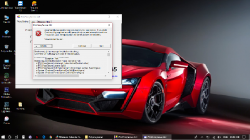
Did everything and getting this error (uploading attachment) when I start the server. Even installed the framework still. Can you or anyone help?
 

Attachments

  • Untitled.png
    Untitled.png
    655.5 KB · Views: 297
Did everything and getting this error (uploading attachment) when I start the server. Even installed the framework still. Can you or anyone help?
On PS3, for IP address do I use automatic? I did all things but when in proxy address I put PC's IP, it gets connected but I am not able to use internet.

Yeah on the ps3 let it obtain the IP address automatically, or however you normally would have had it set up. Only thing different is when you get to the part where it asks if you want to use a proxy server, you select "use" and input your PC's IP and the port number listed in ps3proxyservergui.

I checked the screenshot you attached, and for some reason I couldn't read any of the text (picture quality is low / compressed.) but I honestly have no idea how to solve the error you are running into. That didn't happen to me when I was setting it up. The only errors I ran into were crashes when starting the server (fixed by installing the framework and moving the ps3proxyservergui folder to the root of my C: drive.) and some error about the value being null (fixed by inputting the correct IP address.)

For reference, I run it on windows 7. These days I feel forced to even boot up widows (dual boot) but I leave it for app necessity.
 
It will work on 4.82. I'll help as much as I can, I'm not necessarily the best at explaining these sort of things but yeah.

For the PC part:

- It probably helps to have Firewall completely disabled, or to add an exception for the program.
- Make sure your PS3 and PC are connected to the same network.
- Make sure to extract the folder of ps3proxyservergui.rar to C: (or whatever your drive letter is.)
- Set up the ps3proxyserver, open a CMD on your PC and type in "ipconfig" without the quotations.
- Take note of your PC's IP and input it into the ps3proxyserver gui.
- Select PS3 mode.
- Start the server. (if you run into errors, try installing the dotnetfx.)

For the PS3 part:

- Go to internet connection settings, select the option to set up a manual connection.
- Connect to the same network your PC is on.
- Run through the next few bits as per normal, until you get to where it asks if you want to use a proxy server.
- Set up the proxy server by inputting your PC's IP address, and the port number.
- Test the connection, and if all went well it should work and you will be able to sign in and use PSN.
I've done every step as you said and it works fine for me! Thanks!
 
Yeah on the ps3 let it obtain the IP address automatically, or however you normally would have had it set up. Only thing different is when you get to the part where it asks if you want to use a proxy server, you select "use" and input your PC's IP and the port number listed in ps3proxyservergui.

I checked the screenshot you attached, and for some reason I couldn't read any of the text (picture quality is low / compressed.) but I honestly have no idea how to solve the error you are running into. That didn't happen to me when I was setting it up. The only errors I ran into were crashes when starting the server (fixed by installing the framework and moving the ps3proxyservergui folder to the root of my C: drive.) and some error about the value being null (fixed by inputting the correct IP address.)

For reference, I run it on windows 7. These days I feel forced to even boot up widows (dual boot) but I leave it for app necessity.
Thanks for helping me. Now I am not able to install the framework it keeps giving me errors don't what's the problem. For that I even installed windows 7, stills it's not working.

Sent from my ONEPLUS A3003 using Tapatalk
 
Thanks for helping me. Now I am not able to install the framework it keeps giving me errors don't what's the problem. For that I even installed windows 7, stills it's not working.

Sent from my ONEPLUS A3003 using Tapatalk

Did you extract the contents and place them directly in C: ?? For reference, here's a few screens of how my ps3proxyserver folder looks (I'm not on windows right now, but you should be able to get the idea.)

1.png


2.png


If all is said and done and it's still not working, it might be a problem with your network configuration. What errors is it giving you when you try to install the framework? Are you sure it's not already installed?
 
Did you extract the contents and place them directly in C: ?? For reference, here's a few screens of how my ps3proxyserver folder looks (I'm not on windows right now, but you should be able to get the idea.)

View attachment 13950

View attachment 13951

If all is said and done and it's still not working, it might be a problem with your network configuration. What errors is it giving you when you try to install the framework? Are you sure it's not already installed?


Yes I have put that in root of my C disk. When I run the PS3.ProxyServer.GUI.exe with administrator privileges it gives me following error - Common Language Runtime Debugging Services
Application has generated an exception that could not be handled.

Process id=0x10b0 (4272), Thread id=0x8e0 (2272).
Click Ok to terminate the application.
Click CANCEL to debug the application.
 
Did you extract the contents and place them directly in C: ?? For reference, here's a few screens of how my ps3proxyserver folder looks (I'm not on windows right now, but you should be able to get the idea.)

View attachment 13950

View attachment 13951

If all is said and done and it's still not working, it might be a problem with your network configuration. What errors is it giving you when you try to install the framework? Are you sure it's not already installed?
Update - Finally, everything worked. But now it still shows the 4.83 update. Even tried that all proxy list and all stuff but no luck. My PS3 is of India(RU) region.

Sent from my ONEPLUS A3003 using Tapatalk
 
Update - Finally, everything worked. But now it still shows the 4.83 update. Even tried that all proxy list and all stuff but no luck. My PS3 is of India(RU) region.

Sent from my ONEPLUS A3003 using Tapatalk

Maybe try the other thread again for more info on changing the proxy list to work with your region. I'm not sure how that part works at all, but there might be someone over there with more info in that regard.

P.S. glad you got it working! What did you do to fix lol?
 
Maybe try the other thread again for more info on changing the proxy list to work with your region. I'm not sure how that part works at all, but there might be someone over there with more info in that regard.

P.S. glad you got it working! What did you do to fix lol?
And finally everything is done. Why can't I message you personally, it gives some error?


Nothing that all problem was due to framework only. The main I did was manually removed it and did a clean install and it worked.

Sent from my ONEPLUS A3003 using Tapatalk
 

Similar threads

Back
Top