PS3 Plugin developer MixeryMaxe has released the latest version of PS3Lock v0.5, the plugin that is an "authentication-system" for the Custom Firmware PlayStation 3 User's, as this plugin gives you the ability to password protect and stop unauthorized access to your PS3 console, it also or even offers a newly (re-added) restricted access mode with various new options.[break]ss[/break] Such as a Sleep Timer, ability to hide the "hdd0/GAMEZ" folder among many other new settings, See all the details in the info provided and also at this link to the developer's release thread for this version of PS3Lock.

PS3Lock v0.5
PS3 Lock Latest Changelog & History
0.5
- re-add restricted mode
- add xmb pw protektion
- add ps3lock settings pw protection
- add sleep timer
- add manually hide/unhide hdd0/GAMEZ folder
- add manually lock/unlock xmb settings and "deleting apps/games"
- confirm password while set a new password
- add fail-safe button combo (password reset)
0.4
- re-wrote the whole plugin (now based on VSH Menu)
- add statistics
**********
0.2
- add restricted mode
0.1
- initial release
- add usb authentication
Change Settings
In XMB you have to push START + R3 to open the settings menu.
- Password protection:
- Enable/Disable password request after every reboot.
- XMB password protection:
- Enable/Disable password request after closing apps/games(USB authentication possible).
- PS3Lock Sett. PW protection:
- Enable/Disable password request for PS3Lock settings(USB authentication not possible).
- USB authentication:
- Enable/Disable USB authentication. This saves the password entry when you restart.
- Restricted mode:
- Without password XMB settings (NOT system update) and "deleting apps/games" is locked. "dev_hdd0/GAMEZ" folder is hidden (rename to GAMEZx).
- Buzzer -incorrect PW-:
- Enable/Disable PS3 buzzer if the entry is false.
- 1. misentry = 1 beep
- 2. misentry = 2 bepp
- 3. misentry = 3 beep = PS3 shutdown
- Menu sound:
- Enable/Disable Menu sound.
Advanced settings
L1
- PS3Lock (sleep) timer:
- Automatically turn off the PS3 after the defined time.
- 0:30h, 1:00h, 1:30h, 2:00h, 2:30h, 3:00h.
- Hide "GAMEZ" folder:
- Manually hide/unhide your games in "dev_hdd0/GAMEZ" folder.
- Lock XMB settings:
- Manually lock/unlock XMB category "settings" and "deleting apps/games".
- Set new password:
- Here you can set a new password (min 2 digits, max 10 digits).
- !! CAUTION !! If you use the "USB authentication", you have to set up again the USB device.
- View Additional details and Instructions on how to use PS3Lock via the release thread: Link -
Credits to
- @3141card
- @ermak86
- @mysis
- @deank
- @aldostools
- @bitsbubba
DOWNLOAD: View attachment PS3Lock_05_ENG.rar
I have a new "language.h" with more strings (of course), i add GER and ENG.
Just add your language and i will compile a new version.
View attachment language.rar
A small hint: since v0.4 there is an easter egg in this plugin
Have fun

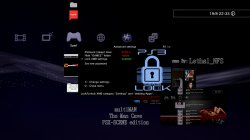


 i'm working on it.