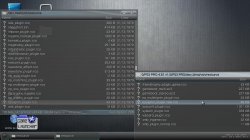
PS3 PS3 PRO MOD - Give your XMB a new look with these mods by LuanTeles

Here is a cool mod for 4.81 PS3 Custom Firmware user's as psx-place memeber LuanTeles has put together and released a suite of XMB modifications that he has dubbed the PS3 PRO MOD. This collections contains he PS3 PRO coldboot & gameboot, new boot & xmb sounds, New Custom Icons & new xmb wave , Checkout the video preview and see the included release post for additional details​
-STLcardsWS​

ps3pro.jpg

  • Hey Guys, I made a little mod for PS3 to PS3 PRO as long now we have PS4 PRO, and our PS3 (w/ CFW) just does everything better than a regular PS3 so i created this PS3 PRO MOD


    The Mod Contains
    • PS3 PRO Coldboot
    • PS4 Boot Sound
    • PS4 XMB Sounds
    • PS3 strings changed to PS3 PRO
    • Some Custom Icons
    • PS3 PRO Gameboot
    • PS4 Gameboot Sound
    • PSP Wave Background

    UPDATE 6/22/17:
    v1,1
    • Resized Pro Logo in GAMEBOOT to fit better
    • Dev_hdd0 custom RetroArch, PSP Launcher, PKG Launcher And Multiman ICONS like folders, to fit better the XMB

    Next Release: PS4 Browser Enter and Exiting Sounds


Last edited by a moderator:

Hello guys, I'm going to start update now and test everything and later I will give my feedback
 
Lol i forgot to rename it HAHHA just delet the New in the name
i will change the download link

And you know right? u are in dev_flash not mounted as dev_blind, so it wont replace
Yes I know.
one question, can I convert normally to DEX or CEXX with the mod installed?
 
Yes I know.
one question, can I convert normally to DEX or CEXX with the mod installed?

there's very little that differentiates a cex dump from a dex dump, but offsets r sometimes different for things. chances r some mods simply won't work. gameboots, for example, don't seem to work with the game_ext_plugin.sprx patch, but it won't harm the system, it just simply won't work. I think cex and dex use the same rco files which make up the majority of this mod, so those will probably work (not entirely sure). as is the case with any flash files, backup ur originals just in case. from what I've heard (never tried it), the mounting of dev_blind with something like webman mod will still work even if the xmb freezes from a malformed/incorrect flash file. u should be okay with the wave and the coldboot as well.

edit: what I was talking about was for dex. all mods should work in cex.
 
Last edited:
For the record early versions of my coldboot tools did indeed just modify already existing coldboot.raf (what @sandungas calls injection I think). The newer versions use the ps3 raf tools to generate the coldboot. All the newer tools really are is an automation which makes the process easier.
 
yeah, I've been using the injection method with all of my coldboots including ones made with those newer apps. I don't know y I go with the longer method. I think it's due to being unable to find the automation apps. my tutorial on coldboots follows the injection method as well.
 
yeah, I've been using the injection method with all of my coldboots including ones made with those newer apps. I don't know y I go with the longer method. I think it's due to being unable to find the automation apps. my tutorial on coldboots follows the injection method as well.

I would argue the injection method is limited as the scripts used is unchanged and the only real thing you can change are the images. To be honest my tools were originally supposed to have a dynamic part to it which would implement an easy method to generate those scripts which could be distributed (as templates) but I ended up never getting to that.

PS: There are a lot of things I planned but didn't do lol. Sorry for being lazy guys.
 
I would argue the injection method is limited as the scripts used is unchanged and the only real thing you can change are the images. To be honest my tools were originally supposed to have a dynamic part to it which would implement an easy method to generate those scripts which could be distributed (as templates) but I ended up never getting to that.

PS: There are a lot of things I planned but didn't do lol. Sorry for being lazy guys.

I read that u lost the source code, then gave up on it entirely...until possibly recently. what I'd had hoped was a full screen white fade-in/out coldboot via the script. I've not found that option in the script if it's even in there. I know the custom render plugin manipulates the coldboot. it may even be responsible for it. I tried changing it in there, and a white, flashing bar appeared during the coldboot segment. it wouldn't let me change the x y or scale height or length either. I gave up on it after that.
 
I read that u lost the source code, then gave up on it entirely...until possibly recently. what I'd had hoped was a full screen white fade-in/out coldboot via the script. I've not found that option in the script if it's even in there. I know the custom render plugin manipulates the coldboot. it may even be responsible for it. I tried changing it in there, and a white, flashing bar appeared during the coldboot segment. it wouldn't let me change the x y or scale height or length either. I gave up on it after that.

Yeah i did lose the source for it but that shouldn't have stopped me, only slow me down. I mean I know exactly what I had to do so rewriting everything wasn't an issue, just my laziness I have to blame. As for the fade effect I remember on other forums people were asking me for that as well when I was still maintaining the program. But I'm sure you can just modify the script found in my tool with parts of the original coldboot script and you will obtain the fade effect you want.

http://www.psdevwiki.com/ps3/Coldboot.raf#Script
 
thanks, but I don't think the size of the coldboot works. I tried hexing in a colored coldboot to have it fade in/out, and it came out as a garbled mess. it didn't soft brick though. I'm not sure if a colored coldboot can have fade in/out. it doesn't seem to work. the size of the coldboot doesn't seem to be in the script, only in the custom render script, but it fights u to maintain its original shape.
 
thanks, but I don't think the size of the coldboot works. I tried hexing in a colored coldboot to have it fade in/out, and it came out as a garbled mess. it didn't soft brick though. I'm not sure if a colored coldboot can have fade in/out. it doesn't seem to work. the size of the coldboot doesn't seem to be in the script, only in the custom render script, but it fights u to maintain its original shape.

I mean you can make a custom script which implements the same fade. I don't mean hex-editing/injecting. The original coldboot isn't fullscreen nor is it in color. I forget exactly what the original coldboot details were but I'm sure you can make color coldboots fade, I mean I don't see why not. Just got to do it via a custom script i think.

PS: I dont even remember if the original was DXT5.
 
it would require an entirely new script of some sort. the fade in/out section is at the top of the white coldboot's script. it's in milliseconds. what I'm curious about is what each value means since they all have meaning and the script is less than forecoming about that. the custom render plugin's script has either coldboot1 or coldboot2's script still in it. however, u can manipulate both including the gameboot. the gameboot also uses milliseconds, and is in the custom render plugin. sony seems to have changed something with post 4.xx to remove the gameboot and coldboot stuff. I know the gameboot was removed with firmware 2.80. I have 2.76 decrypted on my computer, and it has two coldboots and the gameboot. I wasn't around on firmware that old, so I'm curious what's going on with both coldboots. I uploaded both to this thread actually since someone preferred the original coldboot sound. afaik, the coldboot we all know now is coldboot2.
 
Yes it would require a new script, but it shouldn't be too difficult. If you take a look at the script used in my tool im sure you can understand it. Its pretty basic (extremely basic lol).

https://pastebin.com/raw/VX1vT2e0

As for what the values mean you can find them documented in the SDK (most useful being RAF-Specifications_e.pdf).
 
Last edited:
yeah, I got a separate script from @eXtreme . I'm not sure where he got it from, but the cobra/rebug coldboot he wanted was for a colored coldboot. the one I made for him was from an image that I don't know where it came from. anyway, the cobra coldboots I make for each firmware of rebug r from that same image. I like the fade in./out more than a colored one, but a colored one that can do that is an A+ from me. :)
 
The fade original effect with the dynamic coldboot would be amazing

indeed. I find the scripts rather confusing since I don't know what each item does without testing it. when u test these things, u need to issue a large enough difference to tell what has been changed...if it's even noticeable. some scripts r pretty big too. the normal coldboot script is 5KBs compressed/encoded (15KBs decompressed/decoded). however, I've seen some scripts that were over 100KBs. these r usually for the really complicated dynamic themes. they also, usually have several images in the anim_1.jpg which make it impossible to use as a coldboot considering the size of the file is several MBs. u want one image with a complicated script to save space. ;)
 
I actually don't know what the dynamic themes script's look like which is another reason why I want to finish up JSXviewer. Though I'd have to say the original coldboot is showing 3.14KBs on my end. If you mean in jsx form then maybe? I haven't messed with jsx files in a long while but I figure they would be smaller in size than the plain js version. If I remember correctly those anim_1.jpg files are compressed via zlib and wont work as normal jpgs? Most complicated aspects to dynamic themes I think would involve moving models around which textures are slapped on.
 
u can tell what's compressed with zlib on the ps3. it will have hex 78 DA followed by a third byte which I think refers to the compression level. both normal coldboots and dynamic themes have this in the same place (after the first eight bytes). I'm not sure about the difference in size of scripts. I have the encoded (jsx) and decoded (js) scripts to a normal coldboot in my coldboot scripts tutorial, so maybe u could compare? I did decode the script with rcomage, and I got the encoded script by using p3textractor. maybe there's an issue with them? I know there r some problems with rcomage though.

I've seen some dynamic themes' scripts have thousands of lines to sift through which makes it very difficult especially if doing this manually without debugging.
 

Featured content

Trending content

Back
Top