
You are using an out of date browser. It may not display this or other websites correctly.
You should upgrade or use an alternative browser.
You should upgrade or use an alternative browser.
PS3 PS3 PRO MOD Release/Information Thread
- Thread starter kozarovv
- Start date
- Status
- Not open for further replies.


Where is CFW download?
I only see the file for HEN users
Uploading guys... please hold on

Maculo
Member
Ok sorry for thatUploading guys... please hold on

LuanTeles updated PS3™ 4K Pro with a new update entry:
v5.1
Read the rest of this update entry...
v5.1
- Added: PSP™Remasters now shows under PSP™ Folder.
- Improved: Webman Updated.
- Improved: Uninstaller for Avoiding Next Installation Errors.
- Fixed: PS2™ Game Playback.
Read the rest of this update entry...


1BERTOX
Forum Noob
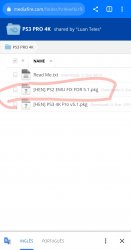
do you still need to install the ps2 fix?
Edit:
I installed v5.0.1. you don't need the fix. the ps2 games opened really well! thanks @LuanTeles for the new version.
Edit:
I installed v5.0.1. you don't need the fix. the ps2 games opened really well! thanks @LuanTeles for the new version.
Attachments
Last edited:
v5.1
v5.0 users
-Delete the dev_hdd0/game/PROTOOLBX before installing.
Updating:
Every new update past v5.1 or superior the user must uninstall the mod first. ( Just to avoid the installer errors, in the future i'll remove the checks).
Btw the errors in just when installing the 4K PRO variant after the mod has been installed once, so this will be the temporary fix.
- Added: PSP™Remasters now shows under PSP™ Folder.
- Improved: Webman Updated.
- Improved: Uninstaller for Avoiding Next Installation Errors.
- Fixed: PS2™ Game Playback.
v5.0 users
-Delete the dev_hdd0/game/PROTOOLBX before installing.
Updating:
Every new update past v5.1 or superior the user must uninstall the mod first. ( Just to avoid the installer errors, in the future i'll remove the checks).
Btw the errors in just when installing the 4K PRO variant after the mod has been installed once, so this will be the temporary fix.
v5.1
Warning:
- Added: PSP™Remasters now shows under PSP™ Folder.
- Improved: Webman Updated.
- Improved: Uninstaller for Avoiding Next Installation Errors.
- Fixed: PS2™ Game Playback.
v5.0 users
-Delete the dev_hdd0/game/PROTOOLBX before installing.
Updating:
Every new update past v5.1 or superior the user must uninstall the mod first. ( Just to avoid the installer errors, in the future i'll remove the checks).
Btw the errors in just when installing the 4K PRO variant after the mod has been installed once, so this will be the temporary fix.
Update only for HEN users? Or CFW users can use it also?
Update only for HEN users? Or CFW users can use it also?
The cfw upload is at 95% just wait a little bit
i think it's the game file that multiman loaded, if you don't load anything, give you a errorWhere I can edit /app_home/PS3_GAME/ in the XMB "Game" section? When I open it I get 80028F14
Last edited:
Maculo
Member
Yess, is what you sayi think it's the game file that multiman loaded, if you don't load anything, give you a error
Where I can edit /app_home/PS3_GAME/ in the XMB "Game" section? When I open it I get 80028F14
This is the path for the games mounted, what are you trying to do?
I am having issues copying BO2 (in disc) with multiman to have bo2 digital... I have 500gb memory and gets stuck at 60% saying aborted error! Idk how to fix it...
And im having issues also installing some hombrews gettins 8003001A I think it is. I know I have to enable dev blind in multiman and then try but is not working: I have "enable dev blind on start up" with webman enabled and doesnt let me to install, then I go mmCM and I enable dev blind & quit but same error. I do the same and reset console but cant do it either
And im having issues also installing some hombrews gettins 8003001A I think it is. I know I have to enable dev blind in multiman and then try but is not working: I have "enable dev blind on start up" with webman enabled and doesnt let me to install, then I go mmCM and I enable dev blind & quit but same error. I do the same and reset console but cant do it either
Rafael48563
Member
v5.1
Warning:
- Added: PSP™Remasters now shows under PSP™ Folder.
- Improved: Webman Updated.
- Improved: Uninstaller for Avoiding Next Installation Errors.
- Fixed: PS2™ Game Playback.
v5.0 users
-Delete the dev_hdd0/game/PROTOOLBX before installing.
Updating:
Every new update past v5.1 or superior the user must uninstall the mod first. ( Just to avoid the installer errors, in the future i'll remove the checks).
Btw the errors in just when installing the 4K PRO variant after the mod has been installed once, so this will be the temporary fix.
The fix for PS2 Playback is built in package or need PS2 EMU FIX found in your folder install too?
- Status
- Not open for further replies.
Similar threads
-
-
 PS3 PS3 Firmware 4.93 - Update is Live! (CFW and HFW Released)
- Started by LuanTeles
- Replies: 38
-
-
