
PS4 PS4 Firmware 9.00 Jailbreak Update (Released)

"In this project you will find an implementation that tries to make use of a filesystem bug for the Playstation 4 on firmware 9.00. The bug was found while diffing the 9.00 and 9.03 kernels. It will require a drive with a modified exfat filesystem. Successfully triggering it will allow you to run arbitrary code as kernel, to allow jailbreaking and kernel-level modifications to the system. will launch the usual payload launcher (on port 9020). - via project's official readme"

PS4 Firmware 9.00 Jailbreak Released

(awesome work by chendochap & @Znullptr)
https://twitter.com/i/status/1470225946007556097
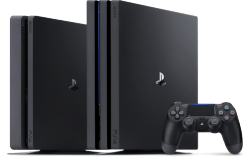
ps4.png
9.00 Jailbreak Update

  • Readme below via (also see link for most upto date):
    https://github.com/ChendoChap/pOOBs4

    .PS4 9.00 Kernel Exploit

    Summary
    • In this project you will find an implementation that tries to make use of a filesystem bug for the Playstation 4 on firmware 9.00. The bug was found while diffing the 9.00 and 9.03 kernels. It will require a drive with a modified exfat filesystem. Successfully triggering it will allow you to run arbitrary code as kernel, to allow jailbreaking and kernel-level modifications to the system. will launch the usual payload launcher (on port 9020).

    Patches Included


    The following patches are applied to the kernel:
    1. Allow RWX (read-write-execute) memory mapping (mmap / mprotect)
    2. Syscall instruction allowed anywhere
    3. Dynamic Resolving (sys_dynlib_dlsym) allowed from any process
    4. Custom system call #11 (kexec()) to execute arbitrary code in kernel mode
    5. Allow unprivileged users to call setuid(0) successfully. Works as a status check, doubles as a privilege escalation.
    6. (sys_dynlib_load_prx) patch
    7. Disable delayed panics from sysVeri

    Short how-to

    • This exploit is unlike previous ones where they were based purely in software. Triggering the vulnerability requires plugging in a specially formatted USB device at just the right time. In the repository you'll find a .img file. You can write this .img to a USB using something like Win32DiskImager.
    Note: This will wipe the USB drive, ensure you select the correct drive and that you're OK with that before doing this


    When running the exploit on the PS4, wait until it reaches an alert with "Insert USB now. do not close the dialog until notification pops, remove usb after closing it.". As the dialog states, insert the USB, and wait until the "disk format not supported" notification appears, then close out of the alert with "OK".

    It may take a minute for the exploit to run, and the spinning animation on the page might freeze - this is fine, let it continue until an error shows or it succeeds and displays "Awaiting payload".

    Notes
    • You need to insert the USB when the alert pops up, then let it sit there for a bit until the ps4 storage notifications shows up.
    • Unplug the USB before a (re)boot cycle or you'll risk corrupting the kernel heap at boot.
    • The browser might tempt you into closing the page prematurely, don't.
    • The loading circle might freeze while the webkit exploit is triggering, this means nothing.
    • This bug works on certain PS5 firmwares, however there's no known strategy for exploiting it at the moment. Using this bug against the PS5 blind wouldn't be advised.

    Contributors


    Special Thanks


  • Tutorial

    About the Jailbreak


Thread edited by Admin (added info)
 
Last edited by a moderator:
Are you sure you flashed the image to the drive correctly? What program did you use to create the drive?
I used Win32DiskImager and rufus.

From my experience with the exploit, some pendrives don't let you overwrite certain partition bits for some reason. Use a different pendrive. I'm not sure if GPT/MBR partition table matters but try both anyway.
I'll try it with another one.

From my experience with the exploit, some pendrives don't let you overwrite certain partition bits for some reason. Use a different pendrive. I'm not sure if GPT/MBR partition table matters but try both anyway.
Unfortunately that's true. I changed the flash drive and then it worked perfectly fine.

--------------------------

Now i have another question, can i use the psn after i turn off the console without being banned? I have some games in my accont that i want to download.
 
I used Win32DiskImager and rufus.


I'll try it with another one.


Unfortunately that's true. I changed the flash drive and then it worked perfectly fine.

--------------------------

Now i have another question, can i use the psn after i turn off the console without being banned? I have some games in my accont that i want to download.
No, you need to update to newest firmware first. Updating to newest firmware and logging into PSN without factory resetting your console first will most likely get your account banned.
 
I just heard on Modern Vintage Gamer that there is finally a fix for the bad CMOS problem.

If I want to use this fix along with this Jailbreak, which model should I buy?
 
Hi guys. I have a problem with my ps4 slim. The jailbreak worked great. However yesterday i left usb stick plugged in and played games for maybe 5 hours, after that i unplugged usb and continue playing games for maybe 2 more hours, then i turned off my console. Today i turned on my console, start jailbreak normal, unplugged stick and tried plying games. In the middle of my game the console turned off and after i tried to turn it on it gave me BLOD for few seconds and turned off. Second time i tried to turn it on it was blue light then white, and console again turned off. Did i do something wrong here? Should i try to boot into safe mode? Thank you in advance for your answers
 
Hi guys. I have a problem with my ps4 slim. The jailbreak worked great. However yesterday i left usb stick plugged in and played games for maybe 5 hours, after that i unplugged usb and continue playing games for maybe 2 more hours, then i turned off my console. Today i turned on my console, start jailbreak normal, unplugged stick and tried plying games. In the middle of my game the console turned off and after i tried to turn it on it gave me BLOD for few seconds and turned off. Second time i tried to turn it on it was blue light then white, and console again turned off. Did i do something wrong here? Should i try to boot into safe mode? Thank you in advance for your answers
Did you turn on the ps4 with the usb stick in? If yes the kernel heap might've got corrupted.
 
Did you turn on the ps4 with the usb stick in? If yes the kernel heap might've got corrupted.
No, i was just playing game with usb still plugged in, and later unplugged the drive.
UPDATE:
I have managed to get into safe mode by pressing and holding power button. I didn't do database rebuild just restart the ps4. It is working normal now. But i still can't figure it out why did it crash in the middle of the game. I have heard on older jailbreak versions it happened quite a lot. This is my first attempt at jailbreaking ps4 so i didn't know what to expect.
 
No, i was just playing game with usb still plugged in, and later unplugged the drive.
UPDATE:
I have managed to get into safe mode by pressing and holding power button. I didn't do database rebuild just restart the ps4. It is working normal now. But i still can't figure it out why did it crash in the middle of the game. I have heard on older jailbreak versions it happened quite a lot. This is my first attempt at jailbreaking ps4 so i didn't know what to expect.

Also, i forgot to mention that i use Autoloader for goldhen from nightkinghost.com if that helps.
 
No, you need to update to newest firmware first. Updating to newest firmware and logging into PSN without factory resetting your console first will most likely get your account banned.
Are you sure? This means i can't sync the throphies with the psn in the future just updating the firmware? With factory reset all my trophies would be lost
 
I think so many people accidentally update the hacked firmware everyday... we should read about a banhammer somewhere, if S*ny is really tracking everyone for a ban. First time for me with a ps4 (so i'm a little scary), but with the ps3 i have always (for 3 years and 80 different games) synced the trophies. I got them on ferrox and then, once at month, i synced switching on littlebalup FW for psn connection
 
Last edited:
I think so many people accidentally update the hacked firmware everyday... we should read about a banhammer somewhere, if S*ny is really tracking everyone for a ban. First time for me with a ps4 (so i'm a little scary), but with the ps3 i have always (for 3 years and 80 different games) synced the trophies. I got them on ferrox and then, once at month, i synced switching on littlebalup FW for psn connection
If you initialize the PS4 you should be good. I made a full system backup before jailbreaking using the official PS4 tool, restored it and then updated to newest firmware and logged in, no ban. It doesn't make sense for Sony to go out of their way to ban every console that has ever been jailbroken. I understand it if you didn't reset your console, for example due to potential cheating. Otherwise, if they ban consoles, people will just wait for a new jailbreak and pirate games. Speaking of ps3, you can sync trophies for digital games that you don't even own and you won't get banned.
 
System backup on PS3 contains literally every data from HDD (except trophies) so probably on PS4 it works the same (besides content which user excluding when prompted). If this is true, You restoring exploits and homebrews leftovers from this kind of backup. :)

They don't banning for trophies because different accounts can use games from different accounts.
 
I recently got myself a OG PS4, at firmware 8.03. Really lucky about this find since my other one is sitting at 9.03.
I intend to update it to 9.00 and jailbreak it. However I will going away for work until late in the year. And it will sit in storage until then.
What is the steps to take for it not to be able to automatically grab a newer firmware when I eventually start it up?
Is it enough to have it disconnected from the internet and plug a USB with the correct 9.00-update on it?
I know about changing the DNS addresses but I need to update it to 9.00 first. What other steps to take?
 
@wk1207
  • Wisely would be first turned of whole internet connection in system options, to avoid free WiFi accidentally connection (via open AC i.e from printer, phone tethering or some demo internet provider's line etc. which signal reaching Yours PS4).
  • In options also disabling automatic updates for everything (one of them is for fw update).
  • Be sure that there is no already downloaded update package as it will be used instead of any other media. So, if (all conditions must be fulfilled) You try to launch game which is for Your fw or below and You don't see update message asking to do it, and You don't have internet connection; it means tmp update folder is clear.
  • Be sure to not have original game disc in drive as from games updates are possible.
Update to 9.00 of course via USB.
 
@wk1207
  • Wisely would be first turned of whole internet connection in system options, to avoid free WiFi accidentally connection (via open AC i.e from printer, phone tethering or some demo internet provider's line etc. which signal reaching Yours PS4).
  • In options also disabling automatic updates for everything (one of them is for fw update).
  • Be sure that there is no already downloaded update package as it will be used instead of any other media. So, if (all conditions must be fulfilled) You try to launch game which is for Your fw or below and You don't see update message asking to do it, and You don't have internet connection; it means tmp update folder is clear.
  • Be sure to not have original game disc in drive as from games updates are possible.
Update to 9.00 of course via USB.
Note that it's not possible to disable automatic software update download on ofw, the PS4 doesn't care about that option. Back when my ps4 was on 6.72, it always wanted to download the newest firmware when connected to the internet despite having all automatic firmware download options disabled.
 
Note that it's not possible to disable automatic software update download on ofw, the PS4 doesn't care about that option. Back when my ps4 was on 6.72, it always wanted to download the newest firmware when connected to the internet despite having all automatic firmware download options disabled.
So there's also the option to change DNS settings (to addresses that "blocks Sony") and also use "disable updates payload" after jailbreak. Are those more effective?
 
@Izofeu That... was true. One day Sony stops respecting this option, while since fw v8.00 start to respect it again. At least on my two PS4s. Currently on Fat I have 9.03 and doesn't downloading 9.50, only annoying me about to do it when I try look at trophies or start any game; while in the past it automatically download it and if I wasn't quick enough, ending with downloaded fw without a way to remove it (not hacked PS4). Of course installation needs user agree and doesn't start automatically in both cases (@wk1207 downloading upd package it is not the same as unpacking it and installing it, just FYI).
 
@Izofeu That... was true. One day Sony stops respecting this option, while since fw v8.00 start to respect it again. At least on my two PS4s. Currently on Fat I have 9.03 and doesn't downloading 9.50, only annoying me about to do it when I try look at trophies or start any game; while in the past it automatically download it and if I wasn't quick enough, ending with downloaded fw without a way to remove it (not hacked PS4). Of course installation needs user agree and doesn't start automatically in both cases (@wk1207 downloading upd package it is not the same as unpacking it and installing it, just FYI).
Maybe it forces downloading an update if you're at least one major version behind like 6.xx and newest is 7.xx or something like this?
 
That would have zero sense if You ask me. Better trail would be "mandatory update" vs "not mandatory" (mandatory to sign-in to SEN, some updates not demanding them). But who knows, so far it works for me on Fat PS4 (my broken Slim already have some downloaded before 9.00 appears, so in earlier post I wasn't precise enough).

Or there is another possibility. Possibility that Sony still disrespect auto-download firmware update turned off. Maybe it already downloaded it but no longer show it on download list? I'll check this later without internet connection, as in such case update notification shouldn't appear.
 
Last edited:
Back
Top


