Berion
Developer
The PSUja project is a collection of *.psu packages to facilitate console exploitation. All you need to do is run any version of the unofficial LaunchELF program, in any way you like, and from "mass:/" (USB), copy (R1 >> Copy) the selected PSU files by circle button, and paste them on the "mc0:/" memory card (R1 >> psuPaste).
Note: PSUja does not install either Free McBoot or PlayStation 2 Basic Bootloader as an application launched via the OSD Update function present in firmware up to and including 2.20 (MMCE is an exception, as it uses the same MC ID). FMCB/PS2BBL/OSDM are only launched in this case using modchip or exploits: OpenTuna or ProtoPwn.
If you have an original PlayStation 2 Memory Card with Magic Gate and console firmware older than 2.30, then PSUja is not for you. Use a "normal installation" by running Free McBoot Installer (installs FMCB) or KELFBinder (installs PS2BBL).
XEB+ and XMB-OSD
Both FMCB and PS2BBL are configured to look for the XEB+ or XMB-OSD dashboards on the USB when the console starts. If they can't find either of these, the normal modified console menu (FMCB or OSDM) starts up.
VMC
VMC versions are intended exclusively for SD2PSX (the entire family, i.e. SD2PSX, SD2psx, PSxMemCard Gen2 and MemCard PRO2. These are 8MiB cards with *.psu files already installed, appropriate for the type of exploit.
Select VMC, rename the file from "<exploit>.bin" to the appropriate name for your MMCE and copy it to the SD card:
Dev.olution Mode 1
Many modchips have a DEV1 function that allows the program to be started from the PlayStation 2 Memory Card (either at console start-up or on demand). Most modchips expect you to press and hold the R1 button on the joypad for a while while the console starts, but there are some where it is a triangle.
The standard path to the bootable "elf" is "mc0:/BOOT/BOOT.ELF" – and this is the one used by PSUja (for Matrix Infinity, DMS 4, Ghost 2 etc.). I came across a rather exotic case once (Ripper 2 Gold) where the path was "mc0:/\BOOT\BOOT.ELF" (yes, a file with such a bizarre name) – in this case PSUja is not suitable.
If you want install FMCB then I recommend version 1.8c, as 1.966 won't work properly on most modchips (although 1.8c won't work with SCPH-10000/15000 models). Not all modchips will like FMCB at all, so I suggest installing the PS2BBL variant straight away.
installation:
OpenTuna is an exploit for people with firmware 2.30 (late SCPH-9xxxx, the first ones had 2.20) or 2.50 (KDL), possibly for those who cannot use ProtoPwn or do not have the original PlayStation 2 Memory Card with Magic Gate.
Using OpenTuna for a firmware other than the one you have may result in corruption of the MCFS file system on the memory card (in which case the card will need to be formatted). Therefore, be careful with your choice of PSU:
installation:
ProtoPwn
ProtoPwn is an exploit for people with models: SCPH-10000, SCPH-15000, DTL-H10000, DTL-H10100 or DTL-H10000S.
installation:
Multipurpose Memory Card Emulator
MMCEs are memory card emulators. All MCP2 and the entire SD2PSX family use the same MC ID. Therefore, PSU packages can be prepared with an environment that will boot with OSD Update (the generated digital signature will be compatible for all SD2PSX or all MCP2). Of course, still the console firmware must not be newer than 2.20 (OSD Update no longer works on newer ones).
installation:
Create a new VMC using MMCE and paste the packages from the list below into it. After unpacking the *.psu from System Apps you can delete the file: "mc?:/BOOT/BOOT.ELF".

Special thanks:
Note: PSUja does not install either Free McBoot or PlayStation 2 Basic Bootloader as an application launched via the OSD Update function present in firmware up to and including 2.20 (MMCE is an exception, as it uses the same MC ID). FMCB/PS2BBL/OSDM are only launched in this case using modchip or exploits: OpenTuna or ProtoPwn.
If you have an original PlayStation 2 Memory Card with Magic Gate and console firmware older than 2.30, then PSUja is not for you. Use a "normal installation" by running Free McBoot Installer (installs FMCB) or KELFBinder (installs PS2BBL).
XEB+ and XMB-OSD
Both FMCB and PS2BBL are configured to look for the XEB+ or XMB-OSD dashboards on the USB when the console starts. If they can't find either of these, the normal modified console menu (FMCB or OSDM) starts up.
VMC
VMC versions are intended exclusively for SD2PSX (the entire family, i.e. SD2PSX, SD2psx, PSxMemCard Gen2 and MemCard PRO2. These are 8MiB cards with *.psu files already installed, appropriate for the type of exploit.
Select VMC, rename the file from "<exploit>.bin" to the appropriate name for your MMCE and copy it to the SD card:
| Path | MMCE |
|---|---|
| mmce0:/MemoryCards/PS2/BOOT/BootCard-1.mcd | SD2PSX |
| mmce0:/PS2/MemoryCard1/MemoryCard1-1.mc2 | MCP2 |
Many modchips have a DEV1 function that allows the program to be started from the PlayStation 2 Memory Card (either at console start-up or on demand). Most modchips expect you to press and hold the R1 button on the joypad for a while while the console starts, but there are some where it is a triangle.
The standard path to the bootable "elf" is "mc0:/BOOT/BOOT.ELF" – and this is the one used by PSUja (for Matrix Infinity, DMS 4, Ghost 2 etc.). I came across a rather exotic case once (Ripper 2 Gold) where the path was "mc0:/\BOOT\BOOT.ELF" (yes, a file with such a bizarre name) – in this case PSUja is not suitable.
If you want install FMCB then I recommend version 1.8c, as 1.966 won't work properly on most modchips (although 1.8c won't work with SCPH-10000/15000 models). Not all modchips will like FMCB at all, so I suggest installing the PS2BBL variant straight away.
installation:
- System Apps (<loader>).psu
- System Configuration.psu
OpenTuna is an exploit for people with firmware 2.30 (late SCPH-9xxxx, the first ones had 2.20) or 2.50 (KDL), possibly for those who cannot use ProtoPwn or do not have the original PlayStation 2 Memory Card with Magic Gate.
Using OpenTuna for a firmware other than the one you have may result in corruption of the MCFS file system on the memory card (in which case the card will need to be formatted). Therefore, be careful with your choice of PSU:
| Model | Firmware |
|---|---|
| SCPH-18xxx / 3xxxx | 1.10 – 160 |
| SCPH-50xxx (some) | 1.70 |
| SCPH-50xxx / 7xxxx / 9xxxx and KDL | 1.90 – 2.50 |
- OpenTuna (for firmware <fw version>).psu
- System Apps (<loader>).psu
- System Configuration.psu
ProtoPwn
ProtoPwn is an exploit for people with models: SCPH-10000, SCPH-15000, DTL-H10000, DTL-H10100 or DTL-H10000S.
installation:
- ProtoPwn.psu
- System Apps (<loader>).psu
- System Configuration.psu
Multipurpose Memory Card Emulator
MMCEs are memory card emulators. All MCP2 and the entire SD2PSX family use the same MC ID. Therefore, PSU packages can be prepared with an environment that will boot with OSD Update (the generated digital signature will be compatible for all SD2PSX or all MCP2). Of course, still the console firmware must not be newer than 2.20 (OSD Update no longer works on newer ones).
installation:
Create a new VMC using MMCE and paste the packages from the list below into it. After unpacking the *.psu from System Apps you can delete the file: "mc?:/BOOT/BOOT.ELF".
- System Update (<MMCE>) (<loader>) (<all regions>).psu
- System Apps (<loader>).psu
- System Configuration.psu
Special thanks:
- Nuno6573, Rubén Perales and Yornn for QA tests
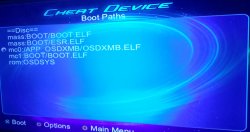
 , uLE v4.43a black screens after PS2Logo, uLE v4.42d works but it resets the ps3 when trying to launch the OSD-XMB.ELF from the memory card, you have to use PS2CheatDevice to launch ELF instead it's kinda slow to bootup but it works, i'll upload another fixed iso later today.
 so i'm using it as my main PS2 ELF launcher now, the Disc tray setting causes it to hang & the network has no effect, idk if hacking the Mechacon nvm will unlock Ethernet & Host or not.