PSX-FPKG

PS4 PSX-FPKG (by Jabu) - A Tool to convert PS1 (PSX) games for use on PS4 v0.3

Ace Combat 3: Electrosphere - (SLPS-02020, SLPS-02021)

config-title.txt
Code:
# Ace Combat 3: Electrosphere (all regions)

--ctlanalog=true

--bios-hide-sce-osd=1
--has-shown-start-select-help=1
--bios=SCPH101.bin
--gpu-scanout-fps-override=ntsc

--xobuttonmode=oenter

--enable-change-disc-ui=true

--gamma=5
--brightness=9
--contrast=8

# Enable LopnorSPU to fix some audio issues
--use-lopnor-spu=1

# Use the new shared image directory
--image-dir=data

# following settings are machine-generated
--ps4-trophies=0
--ps5-uds=0
--trophies=0

--globalgamedata-dir=global

--force-frame-blend=false

# Allow the user to change between PAL and NTSC
--userui-region-selector=true

# Emu used = The Legend of Dragoon
# Website: ps4storepkgclassic.wordpress.com

app_boot.lua
Code:
require "disc-selection"

local pal_disc_map = {
--en = { "name_pal.bin" },
--de = { "name_pal.bin" },
--it = { "name_pal.bin" },
    es = { "Ace_Combat_3_Disc1_SLPS02020_Spanish_Patched.bin", "Ace_Combat_3_Disc2_SLPS02021_Spanish_Patched.bin" },
--fr = { "name_pal.bin" },
}

local ntsc_disc_map = {
    en = { "Ace_Combat_3_Disc1_SLPS02020_English_Patched.bin", "Ace_Combat_3_Disc2_SLPS02021_English_Patched.bin" }
 
}

RegisterDiscs(pal_disc_map, ntsc_disc_map)

@Megaman X @Drobovik2

Source: English Patched, Spanish Patched
 

Attachments

Ace Combat 3: Electrosphere - (SLPS-02020, SLPS-02021)

config-title.txt
Code:
# Ace Combat 3: Electrosphere (all regions)

--ctlanalog=true

--bios-hide-sce-osd=1
--has-shown-start-select-help=1
--bios=SCPH101.bin
--gpu-scanout-fps-override=ntsc

--xobuttonmode=oenter

--enable-change-disc-ui=true

--gamma=5
--brightness=9
--contrast=8

# Enable LopnorSPU to fix some audio issues
--use-lopnor-spu=1

# Use the new shared image directory
--image-dir=data

# following settings are machine-generated
--ps4-trophies=0
--ps5-uds=0
--trophies=0

--globalgamedata-dir=global

--force-frame-blend=false

# Allow the user to change between PAL and NTSC
--userui-region-selector=true

# Emu used = The Legend of Dragoon
# Website: ps4storepkgclassic.wordpress.com

app_boot.lua
Code:
require "disc-selection"

local pal_disc_map = {
--en = { "name_pal.bin" },
--de = { "name_pal.bin" },
--it = { "name_pal.bin" },
    es = { "Ace_Combat_3_Disc1_SLPS02020_Spanish_Patched.bin", "Ace_Combat_3_Disc2_SLPS02021_Spanish_Patched.bin" },
--fr = { "name_pal.bin" },
}

local ntsc_disc_map = {
    en = { "Ace_Combat_3_Disc1_SLPS02020_English_Patched.bin", "Ace_Combat_3_Disc2_SLPS02021_English_Patched.bin" }
 
}

RegisterDiscs(pal_disc_map, ntsc_disc_map)

@Megaman X @Drobovik2

Source: English Patched, Spanish Patched
Have for SLUS-00972 ?
 
Have for SLUS-00972 ?

try this:

Ace Combat 3: Electrosphere - (SLUS-00972)

config-title.txt
Code:
# Ace Combat 3: Electrosphere (all regions)

--ctlanalog=true

--bios-hide-sce-osd=1
--has-shown-start-select-help=1

--gpu-scanout-fps-override=ntsc

--gamma=5
--brightness=9
--contrast=8

# Enable LopnorSPU to fix some audio issues
--use-lopnor-spu=1

# Use the new shared image directory
--image-dir=data

# following settings are machine-generated
--ps4-trophies=0
--ps5-uds=0
--trophies=0

--globalgamedata-dir=global

--force-frame-blend=false

# Allow the user to change between PAL and NTSC
--userui-region-selector=false

# Emu used = The Legend of Dragoon
# Website: ps4storepkgclassic.wordpress.com

app_boot.lua
Code:
require "disc-selection"

local pal_disc_map = {
--en = { "name_pal.bin" },
--de = { "name_pal.bin" },
--it = { "name_pal.bin" },
--es = { "name_pal.bin",},
--fr = { "name_pal.bin" },
}

local ntsc_disc_map = {
    en = { "Ace_Combat_3_SLUS00972_en.bin", }
  
}

RegisterDiscs(pal_disc_map, ntsc_disc_map)

@Megaman X
 

Attachments

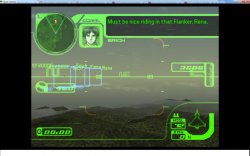
Thanks for the config @JSimesen, but unfortunately it doesn't fix the issues of broken drawing of the horizon. Just double checked using your files. AC3 JP translated needs more then just using different emu. I thought it might be related to scaling which i set to 1 instead of 6 and still same result. Black blobs of geometry poping at horizon. Normally horizon supposed to be in the fog as you flying around the map.
 

Attachments

  • AC3_bugged_horizon.jpg
    AC3_bugged_horizon.jpg
    252.1 KB · Views: 53
  • AC3_bugged_horizon1.jpg
    AC3_bugged_horizon1.jpg
    264.3 KB · Views: 53
Disney / Pixar - Toy Story Racer - USA-PAL - (SLUS-01214, SLES-03396, SLES-03397, SLES-03398)

config-title.txt
Code:
#  Disney / Pixar - Toy Story Racer (all regions)

--ctlanalog=true

--bios-hide-sce-osd=1
--has-shown-start-select-help=1

--multitap=on

# Use the new shared image directory
--image-dir=data

# following settings are machine-generated
--ps4-trophies=0
--ps5-uds=0
--trophies=0

--globalgamedata-dir=global

--force-frame-blend=false

# Allow the user to change between PAL and NTSC
--userui-region-selector=true

# Emu used = The Legend of Dragoon
# Website: ps4storepkgclassic.wordpress.com

app_boot.lua
Code:
require "disc-selection"

local pal_disc_map = {
    en = { "Disney-Pixar_Toy_Story_Racer_SLES03396_EN.bin" },
    de = { "Disney-Pixar_Toy_Story_Racer_SLES03397_Fr.De.bin" },
    it = { "Disney-Pixar_Toy_Story_Racer_SLES03398_Es.It.Nl.bin" },
    es = { "Disney-Pixar_Toy_Story_Racer_SLES03398_Es.It.Nl.bin" },
    fr = { "Disney-Pixar_Toy_Story_Racer_SLES03397_Fr.De.bin" },
    nl = { "Disney-Pixar_Toy_Story_Racer_SLES03398_Es.It.Nl.bin" },
}

local ntsc_disc_map = {
   en = { "Disney-Pixar_Toy_Story_Racer_SLUS01214_EN.bin" }
}

RegisterDiscs(pal_disc_map, ntsc_disc_map)

local titleId = EM_GetLegacyTitleId()

if (titleId:find("^SLUS")) then -- US
    EM_SetSettingCli("--gpu-scanout-fps-override=ntsc")
elseif (titleId:find("^SLES")) then -- PAL
    EM_SetSettingCli("--gpu-scanout-fps-override=60")
end

Disney / Pixar - Toy Story Racer - USA-PAL - Download.!
 
Disney / Pixar - Toy Story Racer - USA-PAL - (SLUS-01214, SLES-03396, SLES-03397, SLES-03398)

config-title.txt
Code:
#  Disney / Pixar - Toy Story Racer (all regions)

--ctlanalog=true

--bios-hide-sce-osd=1
--has-shown-start-select-help=1

--multitap=on

# Use the new shared image directory
--image-dir=data

# following settings are machine-generated
--ps4-trophies=0
--ps5-uds=0
--trophies=0

--globalgamedata-dir=global

--force-frame-blend=false

# Allow the user to change between PAL and NTSC
--userui-region-selector=true

# Emu used = The Legend of Dragoon
# Website: ps4storepkgclassic.wordpress.com

app_boot.lua
Code:
require "disc-selection"

local pal_disc_map = {
    en = { "Disney-Pixar_Toy_Story_Racer_SLES03396_EN.bin" },
    de = { "Disney-Pixar_Toy_Story_Racer_SLES03397_Fr.De.bin" },
    it = { "Disney-Pixar_Toy_Story_Racer_SLES03398_Es.It.Nl.bin" },
    es = { "Disney-Pixar_Toy_Story_Racer_SLES03398_Es.It.Nl.bin" },
    fr = { "Disney-Pixar_Toy_Story_Racer_SLES03397_Fr.De.bin" },
    nl = { "Disney-Pixar_Toy_Story_Racer_SLES03398_Es.It.Nl.bin" },
}

local ntsc_disc_map = {
   en = { "Disney-Pixar_Toy_Story_Racer_SLUS01214_EN.bin" }
}

RegisterDiscs(pal_disc_map, ntsc_disc_map)

local titleId = EM_GetLegacyTitleId()

if (titleId:find("^SLUS")) then -- US
    EM_SetSettingCli("--gpu-scanout-fps-override=ntsc")
elseif (titleId:find("^SLES")) then -- PAL
    EM_SetSettingCli("--gpu-scanout-fps-override=60")
end

Disney / Pixar - Toy Story Racer - USA-PAL - Download.!

Screenshot_2.png
 
Resident Evil 2 - USA-PAL - (SLUS00421, SLUS00592) - (SLES00972, SLES00973, SLES00974, SLES00975, SLES00976)

config-title.txt
Code:
# Resident Evil 2 (all regions)

--ctlanalog=true
--sim-analog-pad=0x2020

--bios-hide-sce-osd=1
--has-shown-start-select-help=1
--enable-change-disc-ui=true

--gamma=5
--brightness=9
--contrast=8

--cdrom-cmd-time=1000
--cdrom-max-seek=true

--pace-gpu-dma=false
--defer-linked-dma-irq=false
--opt-cache-isolation=false

# Enable LopnorSPU to fix some audio issues
--use-lopnor-spu=1

# Use the new shared image directory
--image-dir=data

# following settings are machine-generated
--ps4-trophies=0
--ps5-uds=0
--trophies=0

--globalgamedata-dir=global

--force-frame-blend=false

# Allow the user to change between PAL and NTSC
--userui-region-selector=true

# Emu used = The Legend of Dragoon
# Website: ps4storepkgclassic.wordpress.com

app_boot.lua
Code:
require "disc-selection"

local pal_disc_map = {
    en = { "Resident_Evil_2_(Disc1)_SLES00972_EN.bin", "Resident_Evil_2_(Disc2)_SLES10972_EN.bin" },
    de = { "Resident_Evil_2_(Disc1)_SLES00974_DE.bin", "Resident_Evil_2_(Disc2)_SLES10974_DE.bin" },
    it = { "Resident_Evil_2_(Disc1)_SLES00975_IT.bin", "Resident_Evil_2_(Disc2)_SLES10975_IT.bin" },
    es = { "Resident_Evil_2_(Disc1)_SLES00976_ES.bin", "Resident_Evil_2_(Disc2)_SLES10976_ES.bin" },
    fr = { "Resident_Evil_2_(Disc1)_SLES00973_FR.bin", "Resident_Evil_2_(Disc2)_SLES10973_FR.bin" },
}

local ntsc_disc_map = {
   en = { "Resident_Evil_2_(Disc1)_SLUS00421_EN.bin", "Resident_Evil_2_(Disc2)_SLUS00592_EN.bin" }
 
}

RegisterDiscs(pal_disc_map, ntsc_disc_map)

local titleId = EM_GetLegacyTitleId()

if (titleId:find("^SLUS")) then -- US
    EM_SetSettingCli("--cdrom-cmd-time=1000", "--gpu-scanout-fps-override=ntsc")
elseif (titleId:find("^SLES")) then -- PAL
    EM_SetSettingCli("--cdrom-cmd-time=2000", "--gpu-scanout-fps-override=60")
end
 

Attachments

How do we swap emulators while using PSX FPKG? I have the legend of dragoon emu but unlike the PS2 FPKG, this one has no option to change.
 
Use 'pause before creating pkg (debug)' check mark. It will open a temp folder before creating a pkg. And you can just swap eboot file from different emu then click ok to create a package.
 
What is the config for Toy Story 2? I'm getting some visual bugs like the green laser and health bars not going down and the game zooms in when I talk to other characters.

EDIT: You can use The Legend Of Dragoon emu to fix the HUD health/laser bars and there seems to be even less z-fighting as well with this emu. It works better than the offical emu Sony implemented for this game because according to official gameplay, it also had these issues, it wasn't an exclusive problem of the syphonfilter emu.

I'd also recommend to disable dithering.

LUA For NTSC 1.0 (SLUS-00893.lua):

local patcher = function()
--Disable Dithering
R3K_WriteMem16(0x80086EA0,0x0000)

end

EM_AddVsyncHook(patcher)

Fixed TS2. ^

Also, a fix for Ridge Racer Type 4 white lines and very blurry text
Emu: Legend of Dragoon

SLUS00797.txt:
--antialias=SSAA4x
--bios-hide-sce-osd=1
--ctlanalog=true

I have compared it to someone playing the official release on PS5 and it's now identical. The font can be cleaned a bit by using SSAA, I assume it's what the official version uses and the new dragoon emu fixes the white lines. The dithering patch doesn't work well for this game so it's better to not use it, Sony left it on too.

Now I would like to fix the blood particles in Silent Hill 1 - the blood that comes out of the monsters or your character during day time is red and white instead of being fully red. Legend of dragoon and Syphon filter 3 emus don't seem to make a difference, happens on both PAL/NTSC... any commands worth trying?
 
New psx emu detected on PS Store!

Disney•Pixar Buzz Lightyear of Star Command PPSA14381
Release: 12/19/2023
 
Parasite Eve (NTSC) (Combined Disc)

config-title.txt

Code:
--bios=SCPH1001.bin
--scale=6
--gamma=5
--brightness=9
--contrast=8
--gpu-scanout-fps-override=ntsc
--cdrom-cmd-time=100
--cdrom-max-seek=true
--sim-analog-pad=0x2020

LUA.
Code:
-- Parasite Eve (NTSC)(Combined Disc)
-- ported to PS4 lua
-- emu used=syphonfilter v2
if true then
end
local patcher = function()
--No Battles
if R3K_ReadMem16(0x0009D0F0) == 0x0005 then --L1+L2 For On
R3K_WriteMem16(0x800A781A,0x8000)
end

if R3K_ReadMem16(0x0009D0F0) == 0x0006 then --L1+R2 For Off
R3K_WriteMem16(0x800A781A,0x0000)
end
--Disable Dithering
R3K_WriteMem16(0x80067134,0x0400)
end
EM_AddVsyncHook(patcher)

Parasite Eve. Before\\\After Second Disc Swap Comparison + Disabled dithering cheat + Font Hack by GreenGoblin!
VIDEO

Old emu used for PS5 owners!
 
Tomb Raider - usa (SLUS-00152), pal (SLES-00024, SLES-00485, SLES-00486)

config-title.txt
Code:
# Tomb Raider (all regions)

--ctlanalog=false
--sim-analog-pad=0x2020

--gpu-scanout-fps-override=60
--bios-hide-sce-osd=1
--has-shown-start-select-help=1
--pace-gpu-dma=true

--gamma=5
--brightness=9
--contrast=8

# Enable LopnorSPU to fix some audio issues
--use-lopnor-spu=1

# Use the new shared image directory
--image-dir=data

# following settings are machine-generated
--ps4-trophies=0
--ps5-uds=0
--trophies=0

--globalgamedata-dir=global

--force-frame-blend=false

# Allow the user to change between PAL and NTSC
--userui-region-selector=true

# Emu used = The Legend of Dragoon

app_boot.lua
Code:
require "disc-selection"

local pal_disc_map = {
    en = { "Tomb_Raider_SLES00024_EN.bin" },
    de = { "Tomb_Raider_SLES00486_DE.bin" },
    it = { "Tomb_Raider_SLUS00152_IT.bin" },
--  es = { "pal_name.bin" },
    fr = { "Tomb_Raider_SLES00485_FR.bin" },
}

local ntsc_disc_map = {
    en = { "Tomb_Raider_SLUS00152_EN.bin" }
}

RegisterDiscs(pal_disc_map, ntsc_disc_map)

Languages: Italian Patched, English, French, German
 
Last edited:
Tomb Raider - usa (SLUS-00152), pal (SLES-00024, SLES-00485, SLES-00486)

config-title.txt
Code:
# Tomb Raider (all regions)

--ctlanalog=false
--sim-analog-pad=0x2020

--gpu-scanout-fps-override=60
--bios-hide-sce-osd=1
--has-shown-start-select-help=1
--pace-gpu-dma=true

--gamma=5
--brightness=9
--contrast=8

# Enable LopnorSPU to fix some audio issues
--use-lopnor-spu=1

# Use the new shared image directory
--image-dir=data

# following settings are machine-generated
--ps4-trophies=0
--ps5-uds=0
--trophies=0

--globalgamedata-dir=global

--force-frame-blend=false

# Allow the user to change between PAL and NTSC
--userui-region-selector=true

# Emu used = The Legend of Dragoon

app_boot.lua
Code:
require "disc-selection"

local pal_disc_map = {
    en = { "Tomb_Raider_SLES00024_EN.bin" },
    de = { "Tomb_Raider_SLES00486_DE.bin" },
    it = { "Tomb_Raider_SLUS00152_IT.bin" },
--  es = { "pal_name.bin" },
    fr = { "Tomb_Raider_SLES00485_FR.bin" },
}

local ntsc_disc_map = {
    en = { "Tomb_Raider_SLUS00152_EN.bin" }
}

RegisterDiscs(pal_disc_map, ntsc_disc_map)

Pic1.png Download .


Languages: Italian Patched (Italian translation by LoadWordTeam), English, French, German

you might want to remove that website from your config before Coro sees it...
 
Parasite Eve II (SLUS01042) (Combined Disc)
Code:
-- Parasite Eve II (NTSC) (Combined Disc)
-- emu used=syphonfilter v2

config-title.txt
Code:
--gpu-scanout-fps-override=ntsc
--scale=6
--gamma=5
--brightness=9
--contrast=8

Parasite Eve II. Short GamePlay!
VIDEO

I also attach save file with with all modes and gunblade unlocked. You can find saves to view true ending(se room 8), normal ending (se room 7), and sad ending(se room 3).
 

Attachments

Back
Top