Rinnegatamante
Developer
jfduke3d -vita

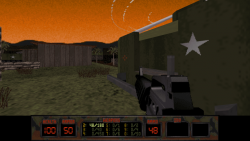
-
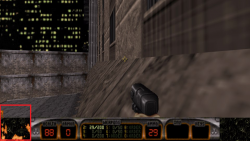
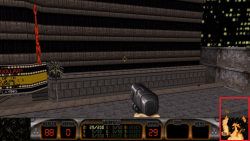
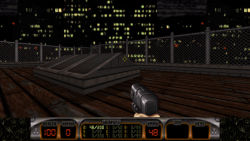
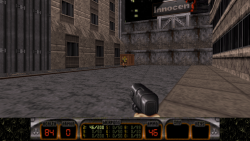
jfduke3d-vita is a port of jfduke3d (JonoF's Duke 3D), a popular multi-platform source port of Duke Nukem 3D.
It supports both shareware and full game data files as well as the full game of NAM. The shareware files of Duke Nukem 3D are included in the data files.
This port implements both classic 8 bit renderer and the new 32 bit Polymost renderer with hardware acceleration through vitaGL.
-
To install the full game data files of Duke Nukem 3D, copy DUKE3D.GRP, GAME.CON and PALETTE.DAT from your installation of Duke Nukem 3D to ux0:data/jfduke3d/duke. Optionally copy all the .ogg files inside music folder as well to have BGMs support.
To install the full game data files of NAM, copy NAM.GRP and NAM.RTS from your game installation to ux0:data/jfduke3d/nam. Copy as well the file GAME.CON and rename it to NAM.CON. Ultimately copy duke3d.cfg from the ux0:data/jfduke3d/duke to ux0:data/jfduke3d/nam.
-
Controls:
X = Jump
Circle = Open
Square = Crouch
Triangle = Inventory Right
Select = Toggle Crosshair
Start = Pause Game
L Trigger = Inventory Left
R Trigger = Fire
DPad Down = Holster Weapon
DPad Up = Open Inventory
DPad Left = Previous Weapon
DPad Right = Next Weapon
Left Analog = Movement
Right Analog = Move Camera -
Credits:
- JonoF for the awesome source port
- All my Patroners for their awesome support:
- Colin VanBuren
- Freddy Parra
- Tain Sueiras
- Badmanwazzy37
- drd7of14
- The Libretro Team
- The Vita3K project
- Titi Clash
- @Sarkies_Proxy
- Al Capwn
- Colin Steinmann
- Count Duckula
- Croakier
- Enzo Perdomo
- Igor Kovacs Biscaia
- Joseph Campo
- Koen B
- Martin Sanles
- Mored4u
- nsx555nsx555
- polytoad
- PSX-Place.com
- rsn8887
- styroteqe
- Tanguy Dip
- TheIcebomber
- Tomg
- Waffeleisen
- Wiese
- Wolf Ronny
- Zendrick42
- Other Retro Matt
- qlGGlp
- Sandeep Rai
- suLac4ever
- CatoTheYounger
- mxadi25
- Jonathan Steen
- Vlad
- Daniel Krusenbaum
- Elwood Blues
- Enrique Romero
- Justin
- Heraldian Despot
- sanyok snk
- 2Mourty
- Alfredo Gutierrez
- armandyno 85
- BOBdotEXE
- ckPRO
- CyberSweeny2077
- Daniel Cassidy
- Daria
- David Stieben
- Dr Yosef Lodgardes IV
- Ethan
- FM_JN
- frankyfife
- GregoryRasputin
- Gwijde MAegherman
- Hugh Patterson
- Igor Rosa Vilas Verde
- Jack Chiu
- James Vanegas
- Jean_Monje
- Jihel Jay
- Joe brindle
- Keeponjammin
- LaFlex
- Lars Zondervan
- Lucas Brugnaro Badur
- Mark Davidson
- Marshall Westall
- Martial B.
- Matt Hargett
- Mauci
- Michael Kristensen
- mineer4
- gnmmarechal
- Neil MacAlasdair
- NeX
- Peter Knoll
- Pirloui
- Rick T
- Roman Murashov
- spriteice
- Stefanos P.
- steven powell
- Thomas Radeck
- Thomas Wurgler
- Дмитрий Верисов