mrjaredbeta
Developer
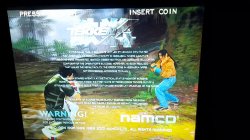
They are broken on both netemu and gxemu. There is no fix currently.Suggestion: Play Scooby Doo First Frights, and the spooky swamp one too i guess
I want to see the distortion gone.


They are broken on both netemu and gxemu. There is no fix currently.Suggestion: Play Scooby Doo First Frights, and the spooky swamp one too i guess
I want to see the distortion gone.

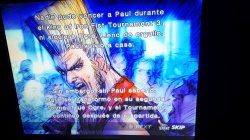
¿Qué Tekken es ese?

Mind if I ask how this works? There doesn't seem to be a readme or instructions. Hoping to do some tests with netemu to gxemu conversions.Here is a new gxemu mod by kozarovv that adds command 0x2C, a backport of command 0x0A from netemu.
Tool to convert netemu configs to gxemu created by @Zar here: https://github.com/Zarh/ps2config
Run *.exe file. There will be help.Mind if I ask how this works? There doesn't seem to be a readme or instructions. Hoping to do some tests with netemu to gxemu conversions.

Here is a new gxemu mod by kozarovv that adds command 0x2C, a backport of command 0x0A from netemu.
Tool to convert netemu configs to gxemu created by @Zar here: https://github.com/Zarh/ps2config
Yup!Does it include the previous patches?


I tried it that way, but all I get is "Input directory not found." I've written it like this.Run *.exe file. There will be help.
ps2_config -mode input output
Net to gx -1
Etc
Pretty simple. I've compiled tool for linux and tried it.

I tried it that way, but all I get is "Input directory not found." I've written it like this.
ps2config-cmd -1 SLUS_212.69.CONFIG SLUS_212.69
Am I missing something? I'm a noob with cmd stuff lol
cd <path_to_ps2config_app>
ps2config-cmd.exe -1 net gx
That did the trick. If I had a readme it would be different, but I got it to work. Thank you!You have to make two folders inside "ps2config-main" one (or whatever you called app's main folder).
In my case it was "net" and "gx".
Now, place all the netemu configs you want to convert inside the "net" folder.
Important part is they have to contain game ID in config's name (just like Aldo's convention - SLES_509.97.CONFIG).
Without it app will not recognize configs properly.
The commands in cmd now should look like:
cd <path_to_ps2config_app>
ps2config-cmd.exe -1 net gx
All configs from "net" folder will be converted and placed in "gx" folder.
They can be placed now under /hdd0/vm/gx on the PS3 and their name should remain exactly as after conversion, eg: SLES_509.97
Modded emu on ISO boot will recognize the game ID and compare it with config's names in /gx/ dir. If there will be a match - config will be applied to booted game.
Just remember to use gxemu.self from "new_cfg_cmd_ps2_gxemu.rar"! It is very important step, as without it gxemu custom configs will not work properly, as it contains ported 0x0A and 0x42 netemu commands combined into gx 0x2C - as @mrjaredbeta mentioned earlier.
Hope it helps with conversion.
Good luck with testing
That did the trick. If I had a readme it would be different, but I got it to work. Thank you!
I'll make sure to compile a set of configs for gxemu when I do some testing. Waiting on my CECHC Frankie to arrive next week.
@mrjaredbeta some ideas and suggestions I have you might be interested in looking into. I hail from the IT realm so neither me or my contacts have the time or familiarity to look at these things in detail to ascertain their viability but we are quite certain some of these things are likely possible.
- Insert code to prevent a black screen (requiring hard reset) if someone tries to load a PS2 game directly from disc which happens with any PS3 model that lacks the PS2 hardware. We have tossed a few ideas around as to a possible workaround including maybe trying to have the disc treated as an ISO. That way even though the disc won't start you'll probably just have a "unsupported" error thrown out instead of a PS3 just entering panic mode.
Un No creo que funcione pero se podria hacer algo mejor
I don't think it will work but something better could be done with the idea
- Internal resolution upscaling. This one might be tricky but some ideas have been discussed, nothing concrete has come about as to a possible good way to go about it though, we have toyed with the idea of an interception as the game is loading to output at a higher resolution but this would likely require a configuration file linked to the emulator that automatically runs or a hard coded DLL which we don't know if such an approach would work on the PS3 itself.
- Texture smoothing, exactly the same as what the PS2 can do to PS1 games to clean them up a bit.
- Detection of PS3 model being used and automatic selection of most suitable emulator (manually overridable) to help with n00bs who might select the wrong emulator then complain it doesn't work when its really just them using the wrong emulator lol.
These are the main ideas we just basically scribbled on the back of a beer mat and briefly theorised about, without the level of familiarity with the quirks of the PS3 others have we'll leave these ideas with those who have more of an in-depth understanding of the PS3s PS1\2 emulators, capabilities, and kernels.