PS2 Renaming games on internal PS2 HDD

kruuth

Member
I've got an internal SATA 1TB hard drive in my fat PS2. It works, but I don't have the game names right. When I go through OPL, instead of seeing the name of the game, I see something like:
"SLUS_206.24.Simpsons Hit & Run" or "SLUS_207.80.R-Type Final (USA)" Is there a way for me to rename the games in OPL without reinstalling them on the HDD? I've got lots and lots of these and I'd hate to go through and do all of them again. I initially added these all several years ago.
 
I'm not sure, you can maybe do it through ulaunchelf FTP? You should at least be able to use a USB keyboard within OPL to speed things up a bit.
 
I was hoping I could plug the HDD into my PC and do it some way there. I don't have to change the filename, just the display name.
 
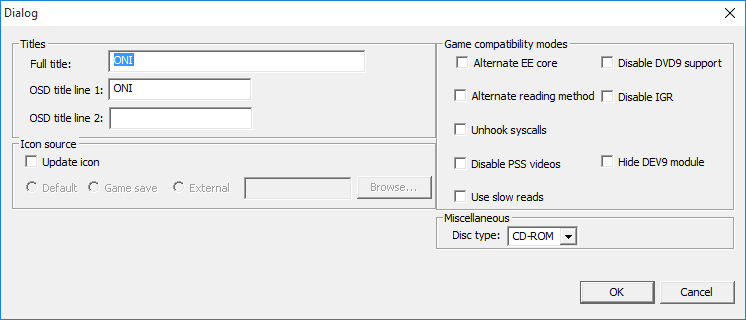
Try to rename your games through ETH with HDLGameInstaller by SP193:
oni3.png

https://www.psx-place.com/resources/hdlgameinstaller-by-sp193.709/.
 
Is there a way to do this en masse? I've got 200+ games like this on the drive

In PFS Batchkit Manager there is an option to automatically rename all games on the hard drive.

Advanced menu > Game Management > Rename a game

If you use it maybe it won't be able to rename everything because if you installed the games with an old version of hdl_dump it won't be able to rename them. test and let me know

https://github.com/GDX-X/PFS-BatchKit-Manager
 
Last edited:
Whenever I try to rename a game I get the error "OSD title line 2 is too long (Maximum is 16 characters)
Right now, I'm looking at the dialog box and it has this:

Full title: SLPS_200.24.Hresvelgr
OSD title line 1: HD Loader
OSC title line 2: PBPX_952.01.Hresvꯍ�纐盿

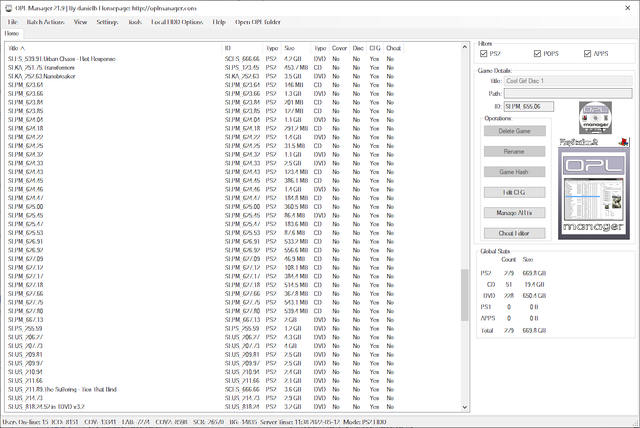
What do those two lines do and can I change them? Also, I have OPL Manager, is there some way to auto-populate the game info somehow?
 
OSD as name suggesting ;) are names displayed in HDD OSD. First one is in partition view, second one is inside partition or partition properties. Top right corner. If You don't use HDD OSD and/or don't have bootable partitions with miniOPL or OPL-Launcher (PP.*) ignore this. Took from icon.sys in APA section.
Full title is the name displayed in OPL - took from partition name.

I hope I didn't mislead anything, don't remember now. ;p
 
OSD as name suggesting ;) are names displayed in HDD OSD. First one is in partition view, second one is inside partition or partition properties. Top right corner. If You don't use HDD OSD and/or don't have bootable partitions with miniOPL or OPL-Launcher (PP.*) ignore this. Took from icon.sys in APA section.

Full title is the name displayed in OPL - took from partition name.

I hope I didn't mislead anything, don't remember now. ;p

Is there any possible way to get the game ID from the game on the HD? I think I may have the wrong value in there
 
Thanks, is there any way that I can see what the game actually is on the HD? I ask b/c I think I have a couple that I might have misnamed
 
Running now. I keep getting this"

hdd2:: partition not found: "startup name".
hdd2:: partition not found: "dma".
 
Thanks
Ok now try again with the first script I sent it will rename those that are not renamed if there are errors it's normal leave it until the end
 

Similar threads

Back
Top