
i did not know that there were that many. i never knew about Home untill recently. keep up the good work, boss.browse a list of 500

i did not know that there were that many. i never knew about Home untill recently. keep up the good work, boss.browse a list of 500

    <gap:assetFolder name="Assets">
        <gap:asset name="Script_MotelLift" source="file://resource_root/Build/Environments/Home_internal_SCEE/Home_Lobbies/Home_Square/HomeSquare.lua" />
        <gap:asset name="Home_Square" source="file://resource_root/Build/Environments/Home_internal_SCEE/Home_Lobbies/Home_Square/Home_Square_nova.mdl" />
        <gap:asset name="Arcade_Facade" source="file://resource_root/Build/Environments/Home_internal_SCEE/Home_Lobbies/Home_Square/Arcade_Facade/Arcade_Facade.mdl" />
        <gap:asset name="Cinema_Facade" source="file://resource_root/Build/Environments/Home_internal_SCEE/Home_Lobbies/Home_Square/Cinema_Facade/Cinema_Facade_Nova.mdl" />
        <gap:asset name="Home_Square_Distant_Buildings" source="file://resource_root/Build/Environments/Home_internal_SCEE/Home_Lobbies/Home_Square/Home_Square_Distant_Buildings.mdl" />
        <gap:asset name="Home_Square_Hotel" source="file://resource_root/Build/Environments/Home_internal_SCEE/Home_Lobbies/Home_Square/Home_Square_Hotel_nova.mdl" />
        <gap:asset name="marketplace_facade" source="file://resource_root/Build/Environments/Home_internal_SCEE/Home_Lobbies/Home_Square/Marketplace_Facade/marketplaceFacade.mdl" />
        <gap:asset name="Home_Square_1" source="file://resource_root/Build/Environments/Home_internal_SCEE/Home_Lobbies/Home_Square/Home_Square_nova.hkx" />
        <gap:asset name="Home_Square_2" source="file://resource_root/Build/Environments/Home_internal_SCEE/Home_Lobbies/Home_Square/Home_Square_nova.probe" />
        <gap:asset name="home_square_env" source="file://resource_root/Build/Environments/Home_internal_SCEE/Shared_Assets/Env_Maps/home_square_env.dds" type="image" />
        <gap:asset name="home_square" source="file://resource_root/Build/Environments/Home_internal_SCEE/Home_Lobbies/Home_Square/audio/home_square.bank" />
        <gap:asset name="marketplaceDoors" source="file://resource_root/Build/Environments/Home_internal_SCEE/Home_Lobbies/Home_Square/Marketplace_Facade/marketplaceDoors.mdl" />
</gap:assetFolder> <assetFolder name="Assets">
<folder name="Base_Assets">
<asset name="collision" source="file:///resource_root/Build/environments/subway_apartment/subway_apartment.hkx" script_type="collision" />
<asset name="probe" source="file:///resource_root/Build/environments/subway_apartment/subway_apartment.probe" script_type="file" />
<asset name="environment" source="file:///resource_root/Build/environments/subway_apartment/subway_apartment.mdl" type="geometry" script_type="model" />
<asset name="enviromentality.dds" source="file:///resource_root/build/environments/subway_apartment/textures/enviroments/enviromentality.dds" type="image" script_type="texture" />
</folder>
<folder name="Scripts">
<asset name="main.lua" source="file:///resource_root/build/environments/subway_apartment/scripts/main.lua" type="script" script_type="lua" scripted="true" protected="true" />
<asset name="Playmetrix.lua" source="file:///resource_root/build/environments/subway_apartment/scripts/Playmetrix.lua" type="script" script_type="lua" scripted="true" protected="true" />
<asset name="Jamin.lua" source="file:///resource_root/build/environments/subway_apartment/scripts/Jamin.lua" type="script" script_type="lua" scripted="true" protected="true" />
<asset name="OHS.lua" source="file:///resource_root/build/environments/subway_apartment/scripts/OHS.lua" type="script" script_type="lua" scripted="true" protected="true" />
<folder name="dynfx">
<asset name="DynFx.lua" source="file:///resource_root/build/environments/subway_apartment/scripts/dynfx/DynFx.lua" type="script" script_type="lua" scripted="true" protected="true" />
<asset name="DynFx_Libs.lua" source="file:///resource_root/build/environments/subway_apartment/scripts/dynfx/DynFx_Libs.lua" type="script" script_type="lua" scripted="true" protected="true" />
<asset name="DynFxSetup.lua" source="file:///resource_root/build/environments/subway_apartment/scripts/dynfx/DynFxSetup.lua" type="script" script_type="lua" scripted="true" protected="true" />
<asset name="ExportedINST.lua" source="file:///resource_root/build/environments/subway_apartment/scripts/dynfx/ExportedINST.lua" type="script" script_type="lua" scripted="true" protected="true" />
</folder>
</folder>

scetool -l 72F990788F9CFF745725F08E4C128387 --sce-type=SELF --compress-data=TRUE --skip-sections=FALSE --key-revision=04 --self-ctrl-flags=4000000000000000000000000000000000000000000000000000000000000002 --self-auth-id=1010000001000003 --self-add-shdrs=TRUE --self-vendor-id=01000002 --self-app-version=0001008600000000 --self-type=NPDRM --self-fw-version=0003004000000000 --np-license-type=FREE --np-content-id=EP9000-HOME00097_00-HOME000000000001 --np-app-type=EXEC --np-real-fname="EBOOT.BIN" --encrypt "EBOOT.elf" "EBOOT.BIN"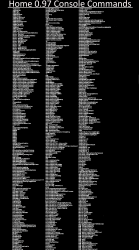
Great, that would be so handy. To have an asset verifier. Is it grabbing the UUIDs for objects from further down the scene file too and checking for those? Each object UUID in the scene file should have a folder in USRDIR/OBJECTS/, inside that UUID folder there will be a resources.xml with another list of required files. These will be related to minigames and anything really. Almost every type of ingame object will have a UUID folder. It's kind of how everything is linked up.That's cool! I'm back after a few day's break, and I made some progress on my config check — it now parses through all the .scene files and reports everything that is missing. I wanted to run it through this build, but how do I convert it back into the base files? I guess I could install it on rpcs3 and extract the folder that way, but is there an easier way?
Awesome, thanks for the link. Right now it's only checking for assets by verifying the contents of the source:// tags, but I can add more functionality to check the UUID stuff... that should be fairly easy now that the main crawler is done.Great, that would be so handy. To have an asset verifier. Is it grabbing the UUIDs for objects from further down the scene file too and checking for those? Each object UUID in the scene file should have a folder in USRDIR/OBJECTS/, inside that UUID folder there will be a resources.xml with another list of required files. These will be related to minigames and anything really. Almost every type of ingame object will have a UUID folder. It's kind of how everything is linked up.
For Source of that pkg, here it is in a zip. You can build an identical pkg to the one above by putting that HOME00097 folder into True Ancestor PKG repackers game folder and selecting option 1 fast pkg. Or just right click it with ps3tools installed.
There is a good bit missing in this build when it comes to object anyway, but it would be nice to have a proper list. There must be a lot of stuff in the 20GB build that will work here too.
DOWNLOAD
Yeah its an epic sized project by Sony that was really ahead of its time. I don't actually know how much content there was/is in total, possibly hundreds of gigabytes if you include different versions of stuff, different regions. I would say its Sonys biggest single playstation project ever? I don't know. Is there anything else that comes close.i did not know that there were that many. i never knew about Home untill recently. keep up the good work, boss.
https://secure.cprod.homeps3.online.scee.com/tss/coreHztFmpQrx0002_en-US.xml
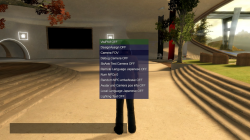
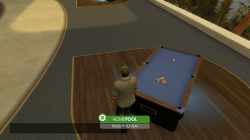
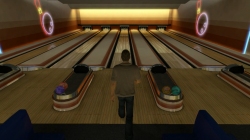
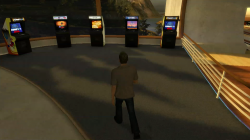
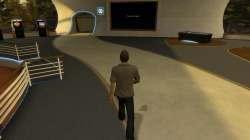 View attachment 38611
Great, that would be so handy. To have an asset verifier. Is it grabbing the UUIDs for objects from further down the scene file too and checking for those? Each object UUID in the scene file should have a folder in USRDIR/OBJECTS/, inside that UUID folder there will be a resources.xml with another list of required files. These will be related to minigames and anything really. Almost every type of ingame object will have a UUID folder. It's kind of how everything is linked up.
For Source of that pkg, here it is in a zip. You can build an identical pkg to the one above by putting that HOME00097 folder into True Ancestor PKG repackers game folder and selecting option 1 fast pkg. Or just right click it with ps3tools installed.
There is a good bit missing in this build when it comes to object anyway, but it would be nice to have a proper list. There must be a lot of stuff in the 20GB build that will work here too.
DOWNLOAD
Yeah, That is an issue. See I have learned since getting into all this that the 20GB Destination Home builds, and the 4GB and 30GB HHQ build all have loads of removed object UUIDs, if they were not working fully they removed them as they didn't want non working pop ups showing up apparently. It's a bit of a shame really as for me it makes all those files kinda useless.
They deleted UUID from scenes files and deleted the objects from the objects folder, If they had just disabled them in better way it would have saved us so much time. Like adding "disabled" to the end of the UUID or something simple.
They have had mods done to them to remove official stuff, and we really have no way to know what that removed stuff was without going back to the SDATs and starting again. Really I think it needs to be done in a more methodical way from the start, rather than disabling stuff if it does not work, fix it instead or remove the scene completely and label is as partially working. Put it into a Beta build or something separately.
We basically can not trust any of those files now, These were bad habits that started with Destination Home and were never fixed since, probably never will be by them, they have stated they don't care about offline or any of that, and will now only work on the encrypted retail sharc now (so they can keep fully control over it)

Yeah, That is an issue. See I have learned since getting into all this that the 20GB Destination Home builds, and the 4GB and 30GB HHQ build all have loads of removed object UUIDs, if they were not working fully they removed them as they didn't want non working pop ups showing up apparently. It's a bit of a shame really as for me it makes all those files kinda useless.
They deleted UUID from scenes files and deleted the objects from the objects folder, If they had just disabled them in better way it would have saved us so much time. Like adding "disabled" to the end of the UUID or something simple.
They have had mods done to them to remove official stuff, and we really have no way to know what that removed stuff was without going back to the SDATs and starting again. Really I think it needs to be done in a more methodical way from the start, rather than disabling stuff if it does not work, fix it instead or remove the scene completely and label is as partially working. Put it into a Beta build or something separately.
We basically can not trust any of those files now, These were bad habits that started with Destination Home and were never fixed since, probably never will be by them, they have stated they don't care about offline or any of that, and will now only work on the encrypted retail sharc version now (so they can keep full control over it obviously)
I can also compare the other two releases you put out to see if they have different UUIDs available. It might be a matter of stitching them all together...
