PS4 [Research]PS2 emulator configuration on PS4

God of War (SLPM-67010)

CONFIG TXT

--gs-adaptive-frameskip=1
--gs-kernel-cl="h2lpool"
--gs-kernel-cl-up="h2lpool2x2"
--gs-progressive=1

--ee-cycle-scalar=2.0

--vu1-mpg-cycles=2000
--vu1-di-bits=0
--vu1=trans

LUA

-- God of War NTSC-J (SLPM-67010)
-- emu used=JakX v2

apiRequest(2.2)

local gpr = require("ee-gpr-alias")
local cpr = require("ee-cpr0-alias")
local hwaddr = require("ee-hwaddr")

local emuObj = getEmuObject()
local eeObj = getEEObject()
local gsObj = getGsObject()
local eeOverlay = eeObj.getOverlayObject()
local iopObj = getIOPObject()

local thresholdArea = 600

emuObj.SetDisplayAspectWide()
gsObj.SetDeinterlaceShift(1)

local patches = function()

-- 480p
eeObj.WriteMem32(0x2027A974,0x3C050000) --00052C00
eeObj.WriteMem32(0x2027A97C,0x3C060050) --00063400
eeObj.WriteMem32(0x2027A984,0x3C070001) --00073C00

end

emuObj.AddVsyncHook(patches)

-- Fix shadow
emuObj.SetGsTitleFix( "forceSimpleFetch", "reserved", { texMode=1 } )
 
Looks like finally we not need waste time with testing ps2 versions!:flustered::tranquillity:

Probably even will have new ps2 emus?o_Oo_Oo_O

Edit:
Looks like MGS2 and 3 are ports of the ps3/vita/x360 versions

what do you think it will be? let say it is ps2 version not a port.
 
Disney-Pixar Toy Story 3 (SLES55622)

FIX

TXT.

Code:
--host-display-mode=16:9
--force-pal-60hz=1

--gs-progressive=1
--gs-motion-factor=50

--cdvd-sector-read-cycles=4000

LUA.

Code:
-- Disney-Pixar's Toy Story 3 (SLES55622)
-- Widescreen by Arapapa
-- Jak v2

apiRequest(0.1)

local gpr = require("ee-gpr-alias")
local eeObj = getEEObject()
local emuObj = getEmuObject()

local patcher = function()

--Widescreen hack 16:9

--Zoom fix (Internal Widescreen)
--aa3f033c 0040023c 713d6334
eeObj.WriteMem32(0x004f6ee8,0x3c033f80)
eeObj.WriteMem32(0x004f6ef0,0x34630000)

end
emuObj.AddVsyncHook(patcher)

emuObj.SetGsTitleFix( "forceSimpleFetch", "reserved", { texMode=1 } )
emuObj.SetGsTitleFix( "forceSimpleFetch", "reserved", { texMode=2 } )

emuObj.SetGsTitleFix( "forceSimpleFetch",  "reserved", {psm=0} )
emuObj.SetGsTitleFix( "fetchFromCurrBuff", "reserved", {psm=0} )

Disney-Pixar Toy Story 3. Short GamePlay!
VIDEO
 
Tom and Jerry War of the Whiskers (SLES51053)

FIX

TXT.

Code:
--force-pal-60hz=1
--host-gamepads=2

LUA.
Code:
-- Tom and Jerry in War of the Whiskers [SLES-51053] (E)
-- emu used=KOF 2000

apiRequest(1.0)   

local gpr = require("ee-gpr-alias")

local eeObj  = getEEObject()
local emuObj = getEmuObject()

local patcher = function()


emuObj.ThrottleMax()
end

emuObj.AddVsyncHook(patcher)

Tom and Jerry War of the Whiskers. Short GamePlay!
VIDEO
 
Brave - The search for spirit dancer
emu=jakxv2

Code:
--gs-uprender=2x2
--gs-upscale=edgesmooth
--safe-area-min=0.9
--host-display-mode=full
--vu1-mpg-cycles=850
--cop2-opt-flags=0 #fix falling through the ground.
Lua:
Code:
apiRequest(1.0)
local emuObj    = getEmuObject()
emuObj.ThrottleMax()
emuObj.SetDisplayAspectWide()
 
Black screen/freeze fixes for:

Code:
--emu used=redfac2

--SLPM_624.27 Dance Dance Revolution Party (J)
--eeObj.WriteMem32(0x00100ffc,0)
--SLUS_211.74 Dance Dance Revolution Extreme 2
--eeObj.WriteMem32(0x0010108c,0)
--SLUS_209.16 Dance Dance Revolution Extreme
--eeObj.WriteMem32(0x0010109c,0)
--SLPM_657.75 DDR Festival - Dance Dance Revolution (Japan)
--eeObj.WriteMem32(0x0010109c,0)
--SLPM_652.77 DDRMAX 2 - Dance Dance Revolution 7th MIX (Japan)
--eeObj.WriteMem32(0x00100ffc,0)
--SLUS_207.11 Ddrmax 2 Dance Dance Revolution
--eeObj.WriteMem32(0x00100ffc,0)
--SLUS_209.16 Dance Dance Revolution Extreme(proto)
--eeObj.WriteMem32(0x0010109c,0)
--SLPM_662.42 Dance Dance Revolution Strike (Japan)
--eeObj.WriteMem32(0x0010108c,0)

Games still have graphical issues.
 
Last edited:
Hello everyone I am new to this and was curious if there was a graphical fix for one of my favorite childhood games. The game is ATV OffRoad Fury/SCUS-97104 I've noticed that the 3rd is listed as unplayable on the PS2 compatibility chart but there isn't one listed for the first one. There are some pretty extreme graphical issues which I can attach if that would lead to someone who is way smarter than me providing a fix haha. The game itself runs fine besides the obvious graphical errors but frames etc. seem to be ok. Thanks for all your guys time and effort and if someone has already posted a fix for this a link to it would be very much appreciated.
 
Rule of Rose (Graphics Booster) (SLES54218)

FIX

TXT.

Code:
--host-display-mode=16:9
--gs-optimize=60fps
--force-pal-60hz=1

LUA.
Code:
-- Rule of Rose (PAL)
-- emu used=KOF 2000

apiRequest(1.0)
local eeObj = getEEObject()
local emuObj = getEmuObject()

local patcher = function()

-- Widescreen Hack
eeObj.WriteMem32(0x0013bf48,0x3c013f12)
eeObj.WriteMem32(0x0013bf70,0x3c013f10)

-- Remove Black Bars in Cutscenes
eeObj.WriteMem32(0x001914AC,0x24030000)

-- Camera Zoom Out
eeObj.WriteMem32(0x00750878,0x3F400000)

-- Noise Filter Off
-- [Control Address and its Value: 007675A0 00000000]
eeObj.WriteMem32(0x001d4d88,0x64050000)

-- Maximum far clear Sight
-- Outdoors and in Rooms
eeObj.WriteMem32(0x007506B4,0x461C4000)
eeObj.WriteMem32(0x00750800,0x00000000)
eeObj.WriteMem32(0x00750804,0x00000000)
eeObj.WriteMem32(0x00750780,0x00000000)
eeObj.WriteMem32(0x00750784,0x00000000)
eeObj.WriteMem32(0x00750788,0x00000000)
eeObj.WriteMem32(0x0075078C,0x00000000)
eeObj.WriteMem32(0x00750790,0x461C4000)
eeObj.WriteMem32(0x00750794,0x00000000)
eeObj.WriteMem32(0x00750798,0x00000000)
eeObj.WriteMem32(0x0075079C,0x3F800000)

-- Remove all Characters Body Shadow on the
-- Ground and the Shadow around their Feet
eeObj.WriteMem32(0x0013AA8C,0x00000000)

-- Disable Extra Light [light1]
eeObj.WriteMem32(0x0017569C,0x44800000)
eeObj.WriteMem32(0x001756A0,0x44800800)

-- Disable Extra Light [light2]
eeObj.WriteMem32(0x00175AE4,0x44800000)
eeObj.WriteMem32(0x00175AEC,0x44801000)

-- Last Part of the Game where
-- Jennifer is a little Girl
-- completely in Real-Colours!
-- [Control Address and its Value: 00727F64 00000000]
eeObj.WriteMem32(0x00145454,0x24030000)

-- Jennifer Never gets Exhausted
-- [Control Address and its Value: 00750B30 000003E8]
eeObj.WriteMem32(0x0011bf70,0x2402FFFF)

-- All Costumes in "Four Leaf Clover"-Room unlocked
eeObj.WriteMem32(0x00860100,0x80B70000)

end

emuObj.AddVsyncHook(patcher)

Rule of Rose|Graphics Booster|1 Hour of Classic|Widescreen|60fps PS2toPS4 LONGPLAY
 
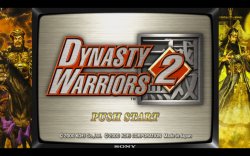
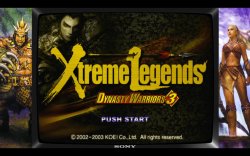
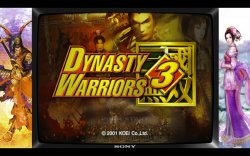
Total FIX (Upgrade) for classic Dynasty Warriors 2, 3, 3 Xtreme Legends (NTSC-U) [3-Disc]

Comes with completely fixed and customizable Widescreen values for all the discs in package. Switch discs in PS button menu. Use O to confirm. PS4 remembers which disc you were playing last from the pkg and loads it automatically when you start the game.
--- Performance tested in most of the modes including 2-player co-op. Another great feature of this combined config - save transferring (Character unlocks from DW2 to DW3 and then to DW3XL) works! This allows to have the intended by developers progression thru the games if desired by playing DW2 then go to DW3 and to XL.
--- DW3 Xtreme Legends feature of Load Original works as intended without needing to switch isos. (Created a custom DW3XL iso with DW3 files inlcuded. New iso would need to be repacked with something like UltraISO to be functional in the PS4 emu. I chose new template for PS2 DVD. Actually good practice for all modded ISOs to be used on PS4.)
--- Some QoL features added to these older titles to bring them into present while retaining all the core aspects of the originals (on-horse item pickups, character direction autolock during combo moves, annoying camera behavior, etc).
--- Draw distance expanded a bit, fixed widescreen related crashes, DW3 SPS issues with in-game engine intro graphics, complete fix for corrupted pre-stage loading screens in DW2. (Thanks @mrjaredbeta)
--- Old major crash at loading of one of the stages (Battle of Wan Castle) was mitigated by using a work-around button selector to turn off the patch after playing Wan Castle. Use R1+L3 to activate before loading Wan Castle and R1+R3 to turn off after playing the stage otherwise character will be falling thru other maps at random places. Big thanks to @Scalerize for his help on this.
--- Some codes required an iso patch to work properly. Refer to notes in the config. Use ps2_patch_engine.
--- ThrottleMax is not on by default. Loading is not too bad in these games but you can still use it by pressing L3+R3 and holding to speed up loading screen. Controller light will turn red as indicator of frame limiter being unlocked.
--- Some parts of the config disabled by default but there for further experimentation if someone wants to mod further. Can be changed by uncommenting (--) the lines.

Thanks @Stayhye for original config and awesome example of Multi-disc-multi-game lua with Mortal Kombat config. And @nifengyuexia for ideas and answering my questions.

NOTES: Games load initially in PS2 normal 4x3 aspect ratio for going old school (with Goldhen 2.4b14 scanlines overlay maybe). Widescreen selector can be used on-the-fly
For DW2 --- Use Left Touchpad+L3 for original widescreen hack, Left Touchpad+R3 for wider FOV and Left Touchpad+L3+R3 for switching back to normal 4x3 ratio.
For DW3 and XL --- Use Left Touchpad+L3 for original widescreen hack, Left Touchpad+R3 for wider FOV
If you want to go old school PS2-style check out LUA features file.
Config TXT
Code:
#Speedhacks
--ee-cycle-scalar=1.2
--vu1-di-bits=0
#Force 480p
--gs-progressive=1
#Fix for the flickering white lines at distant textures
--gs-ignore-rect-correction=1
LUA
Code:
--Dynasty Warriors 2 + 3 + Xtreme Legends Combined (U)(SLUS-20079)(SLUS-20277)(SLUS-20617)
--Widescreen Hack (16:9) by ElHecht (NTSC-U by Arapapa)
--FOV hack and other codes by Michael from DW discord
--Fixes by mrjaredbeta and Scalerize
--Combined into one pkg for PS4 by Drobovik
--emu used=jakX v2

apiRequest(2.3)
local gpr    = require("ee-gpr-alias")
local cpr    = require("ee-cpr0-alias")
local hwaddr    = require("ee-hwaddr")

local emuObj = getEmuObject()
local eeObj = getEEObject()
local gsObj = getGsObject()
local eeOverlay = eeObj.getOverlayObject()
local iopObj        = getIOPObject()

local ThrottleOn = 3
local lightDef = {0,0,255}
local lightThr = {255,0,0}
emuObj.PadSetLightBar(0, lightDef[1], lightDef[2], lightDef[3])

local WSpatchDW2 = function()
--Increase max units rendered on screen (22 -> 28) DW3
eeObj.WriteMem32(0x003e1cfc,0x0000001c)

--Increased draw distance DW2 (Either 11000/10000 or 8500/7500)
eeObj.WriteMem32(0x002bbcdc,0x00000000)
eeObj.WriteMem32(0x002bbce0,0x00000000)
eeObj.WriteMem32(0x002bbd10,0x00000000)
eeObj.WriteMem32(0x002543ac,0x00000000)
eeObj.WriteMem32(0x002bbcc4,0x00000000)
eeObj.WriteMem32(0x002bbcc0,0x00000000)
--eeObj.WriteMem32(0x003503cc,0x462be000)-- 11000
--eeObj.WriteMem32(0x003503c8,0x461c4000)-- 10000
eeObj.WriteMem32(0x003503cc,0x4604D000) -- 8500
eeObj.WriteMem32(0x003503c8,0x45EA6000) -- 7500

-- Widescreen Selector
local pad_bits  = emuObj.GetPad()
local L1  = pad_bits &  0x0400
local L3  = pad_bits &  0x0002
local R1  = pad_bits &  0x0800
local R3  = pad_bits &  0x0004
local Select  = pad_bits &  0x0001
local Start  = pad_bits &  0x0008

if (Select ~= 0 and L3 ~= 0) then
--Widescreen hack 16:9 (modified fov values) OLD
eeObj.WriteMem32(0x202FA696,0x3FAAAAAB)
--eeObj.WriteMem32(0x202FB4EC,0x3c013fab)--3c013f80 (broken ab value) hor fov real-time intro
eeObj.WriteMem32(0x203320CC,0x3FAAAAAB)
eeObj.WriteMem32(0x203321E8,0x3FAAAAAB)
eeObj.WriteMem32(0x203321F4,0x3FAAAAAB)--3f800000 ver fov
eeObj.WriteMem32(0x20332208,0x3FAAAAAB)
eeObj.WriteMem32(0x20332214,0x3FAAAAAB)
eeObj.WriteMem32(0x2033226C,0x3FAAAAAB)
eeObj.WriteMem32(0x2033236C,0x3FAAAAAB)
eeObj.WriteMem32(0x2033B18C,0x3FAAAAAB)
eeObj.WriteMem32(0x2033B190,0x3FAAAAAB)
eeObj.WriteMem32(0x2033B194,0x3FAAAAAB)
eeObj.WriteMem32(0x0020263c,0x00000000)
eeObj.WriteMem32(0x00202640,0x00000000)
eeObj.WriteMem32(0x00202650,0x46000306)
--Render fix (fix by Arapapa)
--003F013C 00608144 DC9C94C7
eeObj.WriteMem32(0x00253d24,0x3c013f40) --3c013f00
emuObj.SetDisplayAspectWide()
end

if (Select ~= 0 and R3 ~= 0) then
--From regular Widescreen hack
eeObj.WriteMem32(0x202FA696,0x3FAAAAAB)
--eeObj.WriteMem32(0x202FB4EC,0x3c013fab)--3c013f80 broken (ab) hor fov real-time intro
eeObj.WriteMem32(0x203320CC,0x3FAAAAAB)
eeObj.WriteMem32(0x203321E8,0x3FAAAAAB)
eeObj.WriteMem32(0x203321F4,0x3FAAAAAB)--3f800000 ver fov
eeObj.WriteMem32(0x20332208,0x3FAAAAAB)
eeObj.WriteMem32(0x20332214,0x3FAAAAAB)
eeObj.WriteMem32(0x2033226C,0x3FAAAAAB)
eeObj.WriteMem32(0x2033236C,0x3FAAAAAB)
eeObj.WriteMem32(0x2033B18C,0x3FAAAAAB)
eeObj.WriteMem32(0x2033B190,0x3FAAAAAB)
eeObj.WriteMem32(0x2033B194,0x3FAAAAAB)
--FOV and camera mods 16x9
eeObj.WriteMem32(0x0020263c,0x3c013f40) --fov
eeObj.WriteMem32(0x00202640,0x4481f000) -- needed for fov
eeObj.WriteMem32(0x00202650,0x461e0003) -- needed for fov
eeObj.WriteMem32(0x00253d24,0x3c013f80) -- render fix
eeObj.WriteMem32(0x00208610,0x3c01c348)-- slight change to cam pos
eeObj.WriteMem32(0x0022E794,0x00000000)-- disable pan down after L1 -alt 0022E79C
-- camera view values
--eeObj.WriteMem32(0x00208610,0x3c01c35c)-- 3c01c35c=-220 3c01c334=-180 (looks more like dw3/4/5 cam view)
--eeObj.WriteMem32(0x00208618,0x3c0143fa)-- 3c0143fa=500
--eeObj.WriteMem32(0x00208620,0x3c01442f)-- 3c01442f=700
--eeObj.WriteMem32(0x00208628,0x3c014140)-- 3c014140=12
-- camera view values horse
--eeObj.WriteMem32(0x00208668,0x3c01c348)--Y 3c01c35c=-220
--eeObj.WriteMem32(0x00208670,0x3c0141a0)-- 3c01442f=700
--eeObj.WriteMem32(0x00208678,0x3c0143fa)--Z 3c014461=900
--eeObj.WriteMem32(0x00208680,0x3c0141a0)-- 3c0141a0=20
emuObj.SetDisplayAspectWide()
end

if (Select ~= 0 and R3 ~= 0 and L3 ~= 0) then
--From regular Widescreen hack
eeObj.WriteMem32(0x202FA696,0x3f800000)
--eeObj.WriteMem32(0x202FB4EC,0x3c013fab)--3c013f80 broken (ab) hor fov real-time intro
eeObj.WriteMem32(0x203320CC,0x3f800000)
eeObj.WriteMem32(0x203321E8,0x3f800000)
eeObj.WriteMem32(0x203321F4,0x3f800000) --3f800000 ver fov
eeObj.WriteMem32(0x20332208,0x3f800000)
eeObj.WriteMem32(0x20332214,0x3f800000)
eeObj.WriteMem32(0x2033226C,0x3f800000)
eeObj.WriteMem32(0x2033236C,0x3f800000)
eeObj.WriteMem32(0x2033B18C,0x3f800000)
eeObj.WriteMem32(0x2033B190,0x3f800000)
eeObj.WriteMem32(0x2033B194,0x3f800000)
--Normal 4x3
eeObj.WriteMem32(0x0020263c,0x00000000) --00000000 zoom
eeObj.WriteMem32(0x00202640,0x00000000) --00000000
eeObj.WriteMem32(0x00202650,0x00000000) --00000000
eeObj.WriteMem32(0x00253d24,0x3c013f00) --3c013f00 renderfix
eeObj.WriteMem32(0x00208610,0x3c01c35c)-- slight change to cam pos (Like DW3)
eeObj.WriteMem32(0x0022E794,0x2c420001)-- disable pan down after L1 -alt 0022E79C
emuObj.SetDisplayAspectNormal()
end

--Reduce Loading Time
--Note: May cause audio bugs during pre-battle screen. (Doesn't affect gameplay)
--eeObj.WriteMem32(0x0020d724,0x00000000)
--eeObj.WriteMem32(0x0020d784,0x00000000)
--eeObj.WriteMem32(0x0020d6a0,0x00000000)
--eeObj.WriteMem32(0x0020d6a8,0x00000000)
--eeObj.WriteMem32(0x0020d6ac,0x00000000)
--eeObj.WriteMem32(0x0020d73c,0x00000000)
--eeObj.WriteMem32(0x0020d744,0x00000000)

--Stage screen corruption fix
eeObj.WriteMem32(0x00200e98,0x240c0062)
--Army advance
--Makes forces be more offensive and advance to fight the enemy rather than waiting at 1 spot.
eeObj.WriteMem32(0x0023cfe8,0x00000000)
--this one allows to turn when charge attacking
--Possibly not playing well with disable Auto lock code,so pick one or the other
--eeObj.WriteMem32(0x0022E74C,0x0C0821A8)
--disable charge attack camera zoom effect (Doesnt work with allows to turn when charge attacking enabled)
eeObj.WriteMem32(0x0022E570,0x00000000)
--camera doesn't reset after blocking (L1)
--eeObj.WriteMem32(0x00205378,0x00000000)
--camera straight ahead view
--eeObj.WriteMem32(0x002033F4,0x00000000)
-- camera turns when you turn
--eeObj.WriteMem32(0x0022E7E4,0x0C0821A8)
--Disable Musou pause
--eeObj.WriteMem32(0x0020fbb8,0x24020001)
--Names and Healthbars always on (Always on L2 button)
--eeObj.WriteMem32(0x003e2818,0x00000001)
--Disable "PUSH START" text in Demo mode
eeObj.WriteMem32(0x0020e8dc,0x00000000)
--Disable Auto Lock
eeObj.WriteMem32(0x0023f604,0x00000000)
--Able to pick up items on horse
eeObj.WriteMem32(0x00287F70,0x3C01433e)
end

local WSpatchDW3 = function()
--Increase max units rendered onscreen (22 -> 28) DW3
eeObj.WriteMem32(0x00115160,0x2406001c)

--DOES NOT WORK as LUA, needed to patch ISO (I picked 11k-10k)
--Increased draw distance DW3 (Choose only 1 group of 3 codes below)
--eeObj.WriteMem32(0x0020D800,0x00000000)
--eeObj.WriteMem32(0x0020AD08,0x00000000)
--eeObj.WriteMem32(0x0020D42C,0x00000000)
--eeObj.WriteMem32(0x00209B14,0x00000000)
--eeObj.WriteMem32(0x00209B18,0x00000000)
--eeObj.WriteMem32(0x00209B88,0x00000000)
--eeObj.WriteMem32(0x00209B8C,0x00000000)
--eeObj.WriteMem32(0x00209CB0,0x00000000)
--eeObj.WriteMem32(0x00209CB4,0x00000000)
--eeObj.WriteMem32(0x00209D24,0x00000000)
--eeObj.WriteMem32(0x0020D7FC,0x00000000)
--eeObj.WriteMem32(0x0020AC78,0x00000000)
--eeObj.WriteMem32(0x0020D424,0x00000000)
--eeObj.WriteMem32(0x002097A4,0x00000000)
--eeObj.WriteMem32(0x002097A8,0x00000000)
--eeObj.WriteMem32(0x00209818,0x00000000)
--eeObj.WriteMem32(0x0020981C,0x00000000)
--eeObj.WriteMem32(0x00209940,0x00000000)
--eeObj.WriteMem32(0x00209944,0x00000000)
--eeObj.WriteMem32(0x002099B4,0x00000000)
--eeObj.WriteMem32(0x0059506c,0x462BE000)--11k P1
--eeObj.WriteMem32(0x00595068,0x461C4000)--10k P1
--eeObj.WriteMem32(0x00595088,0x462BE000)--P2
--eeObj.WriteMem32(0x00595084,0x461C4000)--P2
--eeObj.WriteMem32(0x0059506c,0x466a6000)--15k P1
--eeObj.WriteMem32(0x00595068,0x465ac000)--14k P1
--eeObj.WriteMem32(0x00595088,0x466a6000)--P2
--eeObj.WriteMem32(0x00595084,0x465ac000)--P2
--eeObj.WriteMem32(0x0059506c,0x468ca000)--18k P1
--eeObj.WriteMem32(0x00595068,0x4684d000)--17k P1
--eeObj.WriteMem32(0x00595088,0x468ca000)--P2
--eeObj.WriteMem32(0x00595084,0x4684d000)--P2

--Disable "PUSH START" text in Demo mode
eeObj.WriteMem32(0x001433A8,0x00000000)
--Disable Auto Lock
eeObj.WriteMem32(0x00103284,0x00000000)
--Disable C5 Auto Lock
eeObj.WriteMem32(0x0013BF50,0x00000000)
--Able to pick up items on horse
eeObj.WriteMem32(0x0014d1f8,0x3C03433e)
--Names and Health bars always on
--eeObj.WriteMem32(0x004FE880,0x00000001)
--eeObj.WriteMem32(0x00507490,0x00000001)
--COP2 flag instance patch by refraction (SPS gfx fix for the opening in-game intro)
--A mac flag check after running another vsub op which is irrelivant, rearranging
eeObj.WriteMem32(0x00273230,0x48438800)
eeObj.WriteMem32(0x0027323c,0x4BE521AC)
--Experimental fix for Wan Castle crash, most likely FPU related. WORKS but crashes game after the stage.
--Causes falling thru maps
--eeObj.WriteMem32(0x0013B5E0,0x00000000)--0c04eb0c
--eeObj.WriteMem32(0x0013B5E4,0x00000000)--72002628
--Code below causes crash after loading Wan Castle stage if quit
--eeObj.WriteMem32(0x0013AC30,0x03E00008) --27bdff10

-- Widescreen and other selectors
local pad_bits  = emuObj.GetPad()
local L1  = pad_bits &  0x0400
local L2  = pad_bits &  0x0100
local L3  = pad_bits &  0x0002
local R1  = pad_bits &  0x0800
local R2  = pad_bits &  0x0200
local R3  = pad_bits &  0x0004
local Select  = pad_bits &  0x0001
local Start  = pad_bits &  0x0008

--Experimental fix for Wan Castle crash, most likely FPU related. WORKS but...
--Causes falling thru maps. Use selector below to turn off the patch after playing Wan Castle
if (R1 ~= 0 and L3 ~= 0) then --ON
eeObj.WriteMem32(0x0013B5E0,0x00000000)--0c04eb0c
eeObj.WriteMem32(0x0013B5E4,0x00000000)--72002628
end
if (R1 ~= 0 and R3 ~= 0) then --OFF
eeObj.WriteMem32(0x0013B5E0,0x0c04eb0c)--0c04eb0c
eeObj.WriteMem32(0x0013B5E4,0x72002628)--72002628
end
if (Select ~= 0 and L3 ~= 0) then

-- Widescreen hack 16:9
eeObj.WriteMem32(0x002fa708,0x3fa00000)--3f800000 camera zoom
eeObj.WriteMem32(0x002FA714,0x3FAAAAAB)-- 3f800000 ver fov
eeObj.WriteMem32(0x0025dd14,0x3c023f40)-- 3c023f80 hor fov real-time intro
eeObj.WriteMem32(0x00176580,0x3c023f35)-- 3c023f00 renderfix
emuObj.SetDisplayAspectWide()
end
if (Select ~= 0 and R3 ~= 0) then
-- wider FOV (Field of view)
eeObj.WriteMem32(0x0025dd14,0x3c023f40)-- 3c023f80 hor fov real-time intro
eeObj.WriteMem32(0x002FA714,0x3FAAAAAB)-- 3f800000 ver fov
eeObj.WriteMem32(0x002fa708,0x3fc00000)--3f800000 camera zoom
eeObj.WriteMem32(0x00176580,0x3c023f80)--3c023f00 renderfix
emuObj.SetDisplayAspectWide()
end
end

local WSpatchDW3XL = function()
--Increase max units rendered onscreen (22 -> 28) DW3XL
eeObj.WriteMem32(0x001164d8,0x2406001c)

--Increased draw distance DW3XL
eeObj.WriteMem32(0x001F8B30,0x00000000)
eeObj.WriteMem32(0x001F8B34,0x00000000)
eeObj.WriteMem32(0x001F8BA0,0x00000000)
eeObj.WriteMem32(0x001F8BA4,0x00000000)
eeObj.WriteMem32(0x001F8CAC,0x00000000)
eeObj.WriteMem32(0x001F8CB0,0x00000000)
eeObj.WriteMem32(0x001F8D1C,0x00000000)
eeObj.WriteMem32(0x001F8980,0x00000000)
eeObj.WriteMem32(0x001F8984,0x00000000)
eeObj.WriteMem32(0x001F89E8,0x00000000)
eeObj.WriteMem32(0x001F880C,0x00000000)
eeObj.WriteMem32(0x001F8810,0x00000000)
eeObj.WriteMem32(0x001F8874,0x00000000)
eeObj.WriteMem32(0x001F8878,0x00000000)
eeObj.WriteMem32(0x0053a67c,0x462BE000)--11k
eeObj.WriteMem32(0x0053a678,0x461C4000)
eeObj.WriteMem32(0x0053a698,0x462BE000)
eeObj.WriteMem32(0x0053a694,0x461C4000)
--eeObj.WriteMem32(0x0053a67c,0x466a6000)--15k
--eeObj.WriteMem32(0x0053a678,0x465ac000)
--eeObj.WriteMem32(0x0053a698,0x466a6000)
--eeObj.WriteMem32(0x0053a694,0x465ac000)
--eeObj.WriteMem32(0x0053a67c,0x468ca000)--18k
--eeObj.WriteMem32(0x0053a678,0x4684d000)
--eeObj.WriteMem32(0x0053a698,0x468ca000)
--eeObj.WriteMem32(0x0053a694,0x4684d000)

--< These codes below were added through ISO patching since I'm using combined DW3XL ISO
--And both elf files have the same offsets to patch, I picked only SLUS-20617
--Disable "PUSH START" text in Demo mode
--patch=1,EE,001476c0,word,00000000
--eeObj.WriteMem32(0x001476c0,0x00000000)
--Disable Auto Lock
--patch=1,EE,00103518,word,00000000
--eeObj.WriteMem32(0x00103518,0x00000000)
--Disable C5 Auto Lock
--patch=1,EE,0013f6d4,word,00000000
--patch=1,EE,0013f6ec,word,00000000
--eeObj.WriteMem32(0x0013f6d4,0x00000000)
--eeObj.WriteMem32(0x0013f6ec,0x00000000)
--Able to pick up items on horse
--patch=1,EE,00151978,word,3C03433e
--eeObj.WriteMem32(0x00151978,0x3C03433e)
-->

--Experimental Wan Castle crash fix for DW3XL
--Code below doesn't crash like in DW3 after loading Wan Castle stage and quit or reset to main menu by Touchpad Left+Right
--eeObj.WriteMem32(0x0013e310,0x03E00008) --27bdff00

-- Widescreen and other selectors
local pad_bits  = emuObj.GetPad()
local L1  = pad_bits &  0x0400
local L2  = pad_bits &  0x0100
local L3  = pad_bits &  0x0002
local R1  = pad_bits &  0x0800
local R2  = pad_bits &  0x0200
local R3  = pad_bits &  0x0004
local Select  = pad_bits &  0x0001
local Start  = pad_bits &  0x0008

--Experimental fix for Wan Castle crash, most likely FPU related. WORKS but...
--Causes falling thru maps. Use selector below to turn off the patch after playing Wan Castle
if (R1 ~= 0 and L3 ~= 0) then
eeObj.WriteMem32(0x0013e310,0x03E00008) --27bdff00
end
if (R1 ~= 0 and R3 ~= 0) then
eeObj.WriteMem32(0x0013e310,0x27bdff00) --27bdff00
end

if (Select ~= 0 and L3 ~= 0) then
--16:9
eeObj.WriteMem32(0x00282f58,0x3faaaaab)
eeObj.WriteMem32(0x00282f64,0x3faaaaab)
--Render fix
eeObj.WriteMem32(0x0017f9b0,0x3c023f60) --3c023f60 for 2x2 PS4 uprender
emuObj.SetDisplayAspectWide()
end
if (Select ~= 0 and R3 ~= 0) then
--FOV (Field of view)
eeObj.WriteMem32(0x00282f58,0x3fcc0000)--3f800000
eeObj.WriteMem32(0x00282f64,0x3faaaaab)
eeObj.WriteMem32(0x0017f9b0,0x3c023fa0)--3c023f00 renderfix
emuObj.SetDisplayAspectWide()
end
end

local CheckInputs = function()
    local pad_bits = emuObj.GetPad()
    local UP        = pad_bits &  0x0010
    local DOWN        = pad_bits &  0x0040
    local LEFT        = pad_bits &  0x0080
    local RIGHT        = pad_bits &  0x0020
    local Triangle    = pad_bits &  0x1000
    local Cross        = pad_bits &  0x4000
    local Square    = pad_bits &  0x8000
    local Circle    = pad_bits &  0x2000
    local L1        = pad_bits &  0x0400
    local L2        = pad_bits &  0x0100
    local L3        = pad_bits &  0x0002
    local R1        = pad_bits &  0x0800
    local R2        = pad_bits &  0x0200
    local R3        = pad_bits &  0x0004
    local Select    = pad_bits &  0x0001
    local Start        = pad_bits &  0x0008
    local Nothing = 1
    local onBtn1 = L3
    local onBtn2 = R3
    local onBtn3 = Nothing
    local offBtn1 = L3
    local offBtn2 = Select
    local offBtn3 = Nothing
 
    if (onBtn1 ~= 0) and (onBtn2 ~= 0) and (onBtn3 ~= 0) and (ThrottleOn == 0) then
    emuObj.ThrottleMax()
    emuObj.PadSetLightBar(0, lightThr[1], lightThr[2], lightThr[3])
    ThrottleOn = 1
    elseif (offBtn1 ~= 0) and (offBtn2 ~= 0) and (offBtn3 ~= 0) and (ThrottleOn == 1) then
    emuObj.ThrottleNorm()
    emuObj.PadSetLightBar(0, lightDef[1], lightDef[2], lightDef[3])
    ThrottleOn = 0
    end
 
    if (ThrottleOn == 3) then
    if (onBtn1 ~= 0) and (onBtn2 ~= 0) and (onBtn3 ~= 0) then
    emuObj.ThrottleMax()
    emuObj.PadSetLightBar(0, lightThr[1], lightThr[2], lightThr[3])
    else
    emuObj.ThrottleNorm()
    emuObj.PadSetLightBar(0, lightDef[1], lightDef[2], lightDef[3])
    end
    end
end

local titleid = emuObj.GetDiscTitleId() -- returns string as read from iso img SYSTEM.CNF
if titleid == 'SLUS-20079' then
emuObj.AddVsyncHook(WSpatchDW2)
end
if titleid == 'SLUS-20277' then
emuObj.AddVsyncHook(WSpatchDW3)
end
if titleid == 'SLUS-20617' then
emuObj.AddVsyncHook(WSpatchDW3XL)
end
emuObj.AddVsyncHook(CheckInputs)

LUA features + Overlay
Code:
--Dynasty Warriors 2 + 3 + Xtreme Legends Combined (U)(SLUS-20079)(SLUS-20277)(SLUS-20617) 480p + Custom Overlay + TV Scanlines
-- ported to DW LUA by Drobovik, original MK lua by Stayhye
-- emu used=jakX v2

apiRequest(2.3) -- request version 1.6 API. Calling apiRequest() is mandatory.
local eeObj = getEEObject()
local emuObj = getEmuObject()
local goatman = 0
local sprite0 = getSpriteObject(0)
local sprite1 = getSpriteObject(1)
local texture1 = getTextureObject(1)
local texture2 = getTextureObject(2)
local texture3 = getTextureObject(3)

Global_InitGpuResources = function()
-- # Fragment Shader 0 is fixed as the default no-thrills as-is renderer.
emuObj.LoadFsShader(2, "./shader_SL480_p.sb") -- (2) = 480P ScanLine Sim
texture1.Load("./DW3-1920-4x3border-DongZhuo.png")
texture2.Load("./DW3-1920-4x3border-LuBu.png")
texture3.Load("./DW3-1920-4x3border-MengHuo.png")
end

local scanlineParams = {
240.0, -- float scanlineCount
    0.7, -- float scanlineHeight;
1.5,        -- float scanlineBrightScale;
0.5,        -- float scanlineAlpha;
0.5         -- float vignetteStrength;
}

local scanlines_moder_1 = function()
if goatman == 0 then
sprite0.BindTexture(0)
sprite0.SetPosXY((1920-1330)/2, (1080-1008)/2)
sprite0.SetSizeXY(1330,1008)
sprite0.SetBlendColor(1.0,1.0,1.0,1.0)
sprite0.BindFragmentShader(2)
sprite0.SetShaderParams(scanlineParams)
sprite0.Enable()
sprite1.BindTexture(1)
sprite1.SetPosXY(0,0)
sprite1.SetSizeXY(1920,1080)
sprite1.SetPosUV(0,0)
sprite1.SetSizeUV(1920,1080)
sprite1.Enable()
goatman = 1
end
end
local scanlines_moder_2 = function()
if goatman == 0 then
sprite0.BindTexture(0)
sprite0.SetPosXY((1920-1330)/2, (1080-1008)/2)
sprite0.SetSizeXY(1330,1008)
sprite0.SetBlendColor(1.0,1.0,1.0,1.0)
sprite0.BindFragmentShader(2)
sprite0.SetShaderParams(scanlineParams)
sprite0.Enable()
sprite1.BindTexture(2)
sprite1.SetPosXY(0,0)
sprite1.SetSizeXY(1920,1080)
sprite1.SetPosUV(0,0)
sprite1.SetSizeUV(1920,1080)
sprite1.Enable()
goatman = 1
end
end
local scanlines_moder_3 = function()
if goatman == 0 then
sprite0.BindTexture(0)
sprite0.SetPosXY((1920-1330)/2, (1080-1008)/2)
sprite0.SetSizeXY(1330,1008)
sprite0.SetBlendColor(1.0,1.0,1.0,1.0)
sprite0.BindFragmentShader(2)
sprite0.SetShaderParams(scanlineParams)
sprite0.Enable()
sprite1.BindTexture(3)
sprite1.SetPosXY(0,0)
sprite1.SetSizeXY(1920,1080)
sprite1.SetPosUV(0,0)
sprite1.SetSizeUV(1920,1080)
sprite1.Enable()
goatman = 1
end
end
local titleid = emuObj.GetDiscTitleId() -- returns string as read from iso img SYSTEM.CNF
if titleid == 'SLUS-20277' then
 emuObj.AddVsyncHook(scanlines_moder_2)
 emuObj.SetDisplayAspectNormal()
end
if titleid == 'SLUS-20617' then
 emuObj.AddVsyncHook(scanlines_moder_3)
 emuObj.SetDisplayAspectNormal()
end
if titleid == 'SLUS-20079' then
 emuObj.AddVsyncHook(scanlines_moder_1)
 emuObj.SetDisplayAspectNormal()
end
 

Attachments

  • Untitled.jpg
    Untitled.jpg
    562.2 KB · Views: 49
  • Untitled2.jpg
    Untitled2.jpg
    462.4 KB · Views: 67
  • Untitled3.jpg
    Untitled3.jpg
    544.2 KB · Views: 59
Last edited:
Also i know I am posing a lot of questions etc. But can someone point me toward the KOF2000 emu or maybe someplace where its explained? From my understanding its the emulator that came pre packaged with the ps4 release of kingdom of fighters 2000 but i guess im lost on how to take that emulator and move it to pc to plug it into the ps2 fkpg tool to try and run other iso's through that emulation. Cause it seems like sly 2 and 3 work best with that emu from what I've seen in the forums i just am missing a link on the kof emulation side any input would be helpful. Really am sorry about asking questions just trying to learn more.
 
Also i know I am posing a lot of questions etc. But can someone point me toward the KOF2000 emu or maybe someplace where its explained? From my understanding its the emulator that came pre packaged with the ps4 release of kingdom of fighters 2000 but i guess im lost on how to take that emulator and move it to pc to plug it into the ps2 fkpg tool to try and run other iso's through that emulation. Cause it seems like sly 2 and 3 work best with that emu from what I've seen in the forums i just am missing a link on the kof emulation side any input would be helpful. Really am sorry about asking questions just trying to learn more.


The easy way until new exploit: buy the Limited Run physicals on eBay

https://www.ebay.com/sch/i.html?_fr...king&_sacat=0&_odkw=limited+run+ps4&_osacat=0

red faction 1 and 2, kof 2000, 98, orochi saga, Star Wars Bounty hunter and Racer Revenge, Psychonauts, Art of Fighting, Fahrenheit, etc.

Cause it seems like sly 2 and 3 work best with that emu

Not the case. KoF 2000 is nothing special among the set of emus. These games work great with *most* of the emus. Only sound cutting out is issue that remain on all emus.

Switch discs in PS button menu. Use O to confirm. PS4 remembers which disc you were playing last from the pkg and loads it automatically when you start the game.

Untitled.png


@Drobovik2 You can change that here in the sfo
 
Last edited:
missing a link on the kof emu
we can not share copyrighted files or post links to them. it is considered piracy and is against the site rules. i know some other sites may look the other way, but we can not. if the site were to get sued, it would be gone along with all the information we have discovered and shared. it is not worth risking.
 
Lupin Sansei Lupin ni wa Shi o, Zenigata ni wa Koi o

emu=jakxv2
Code:
--path-patches="/app0/patches"
--host-display-mode=full
--gs-uprender=2x2
--gs-upscale=edgesmooth
--safe-area-min=0.9
--gs-aspect-ratio=0.70
--gs-optimize=60fps
--ee-cycle-scalar=1.5
--vu1=jit-sync #fix black screen
--vu1-mpg-cycles=850
--host-audio-latency=1.6
--gs-adaptive-frameskip=1
--vu0-di-bits=0
--vu1-di-bits=0
Lua:
Code:
apiRequest(2.0)

local emuObj    = getEmuObject()
local eeObj       = getEEObject()

local patcher = function()
--ws by Arapapa
eeObj.WriteMem32(0x0035c5b4, 0x3c023fab)
end
emuObj.AddVsyncHook(patcher)
emuObj.SetGsTitleFix( "forceBiLinear", "reserved", {texMode=1 } )
 
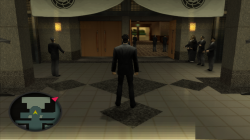
Hello fellas, recently been chilling with OG Yakuza 1 with the undub patch on le PS4, all fine and dandy but there's a small issue that keeps happening every now and then on the screen, basically there's like a weird graphical effect at the bottom of the screen which sometimes it's not there but sometimes it's there and sticks out like sore thumb (attached a screenshot below for you to better understand what i mean). PCSX2 had a similar issue like this in the past but nowadays it's fixed so I was wondering if theres a fix for it. Emu used was more or less Jak emu and the version of the game is the NTSC one (SLUS-21348) which required by the Undub patch
 

Attachments

  • Yakuza_20240120010919.png
    Yakuza_20240120010919.png
    1.5 MB · Views: 90
Hello fellas, recently been chilling with OG Yakuza 1 with the undub patch on le PS4, all fine and dandy but there's a small issue that keeps happening every now and then on the screen, basically there's like a weird graphical effect at the bottom of the screen which sometimes it's not there but sometimes it's there and sticks out like sore thumb (attached a screenshot below for you to better understand what i mean). PCSX2 had a similar issue like this in the past but nowadays it's fixed so I was wondering if theres a fix for it. Emu used was more or less Jak emu and the version of the game is the NTSC one (SLUS-21348) which required by the Undub patch
You have upscaling enabled.

Code:
--gs-kernel-cl-up="up2x2simple"
 
You have upscaling enabled.

Code:
--gs-kernel-cl-up="up2x2simple"

If you don't want the lose the visual quality of 2x2 upscale, use this in lua instead

Code:
emuObj.SetGsTitleFix( "forceSimpleFetch",  "reserved", {psm=0} )
emuObj.SetGsTitleFix( "fetchFromCurrBuff", "reserved", {psm=0} )

emuObj.SetGsTitleFix( "forceSimpleFetch", "reserved", { texMode=1  } )
 

Similar threads

Back
Top