PS4 [Research]PS2 emulator configuration on PS4

The "interp" mode refers to gs-uprender. I have tested it. In this mode all videos play in black screen.
Yup, my bad, I didn't looked deep enough previously :D Interpreter seems to be no option at all, or maybe "trans" is kind of replacement for it. So only 4 options, not 5.
unnamed.jpg
 
Before --ee-hook=0x001124b8,FastForwardClock
photo_2021-01-06_20-56-18.jpg

After --ee-hook=0x001124b8,FastForwardClock
photo_2021-01-06_20-56-17.jpg
freeze is still happening, but it looks like we've skipped over a problem area.
I'm just beginning to understand PCSX2 debugging, it helps well.
 
It looks like the image is flipped
Yes, I noticed that nothing has changed at all. This problem is related to VU1 and GS. PCSX2 community fixed bug with MTVU 14 days ago.
Quote from PCSX2 4035 pull request:
PR Attempts to improve compatibility with games that use FINISH/SIGNAL/LABEL on the GS through VU1 when using MTVU.
Performance impact is reasonably minimal, within a couple of percent of master. Although I cannot guarantee the reliability although it looks good, it's a huge improvement and a vast majority of the games listed are now playable with MTVU.
 
So Burnout 3 and 4 (Revenge) are working great, but you have to select crash mode when you first boot up the game.

Thanks!

Awesome! I presume ISSUE 2 that I mentioned a long time ago in this post isn't present anymore?

Hi Guys.

ISSUE 1: At every boot you have to finish the very first crash event before running any other event, else it'll lock up on the loading screen

ISSUE 2: The game has general problem with exaggerated bloom effects from various light sources, most annoying is the vertical line on the left side, as shown here
v8xYL55.png
 
Awesome! I presume ISSUE 2 that I mentioned a long time ago in this post isn't present anymore?

This can be fixed using
Code:
Burnout 3: Takedown (SLUS-21050)
Widescreen Fix (v2.0) by Aero_

// FOV (16:9)

patch=1,EE,00665ECD,byte,01 // enables widescreen FOV values
patch=1,EE,204E0A38,extended,3FAAAAAB // FOV (Single Player) // 16:9 = 1.33333
patch=1,EE,204E0C70,extended,3FE38E39 // Aspect Ratio (Single Player) // 16:9 = 1.77778
patch=1,EE,204E0C7C,extended,3FE38E39 // FOV (Multiplayer) // 16:9 = 1.77778
patch=1,EE,204E0C80,extended,40638E39 // Aspect Ratio (Multiplayer) // 16:9 = 3.55556

// HUD (16:9)

patch=1,EE,204E105C,extended,3A99999A // HUD Width // 16:9 = 0.00117188
patch=1,EE,206682B0,extended,42A00000 // HUD X Pos // 16:9 = +80
patch=1,EE,20669B30,extended,42A00000 // HUD X Pos // 16:9 = +80
patch=1,EE,204B7688,extended,3F98F5C3 // HUD Top Right X Pos // 16:9 = +0.195
patch=1,EE,204B7678,extended,3F98F5C3 // HUD Bottom Right X Pos // 16:9 = +0.195
patch=1,EE,204B7658,extended,BE47AE14 // HUD Top Left X Pos // 16:9 = -0.195
patch=1,EE,204B7668,extended,BE47AE14 // HUD Bottom Left X Pos // 16:9 = -0.195
patch=1,EE,204CA660,extended,44555555 // Crash Cam Border Width
patch=1,EE,204CA640,extended,44555555 // Crash Cam Border Width
patch=1,EE,204CA650,extended,44555555 // Crash Cam Border Width
patch=1,EE,204CA638,extended,c2d70000 // Crash Cam Border X Pos // 16:9 = -0.107.5
patch=1,EE,204CA658,extended,c2d70000 // Crash Cam Border X Pos // 16:9 = -0.107.5

patch=1,EE,203D7238,extended,3C024456 // Crash Cam List Backing Width // only change the last four bytes // 16:9 = 854
patch=1,EE,203D70BC,extended,08121630 // jumps to code cave
patch=1,EE,204858C0,extended,3C08C2D7 // Crash Cam List Backing X Pos // only change the last four bytes // 16:9 = -0.107.5
patch=1,EE,204858C4,extended,44880800 // moves new x pos value
patch=1,EE,204858C8,extended,080F5C30 // jumps back
patch=1,EE,203D72F4,extended,08121633 // jumps to code cave
patch=1,EE,204858CC,extended,3C19C2D7 // Crash Cam List Text X Pos // -0.107.5 for 16:9; only change the last four bytes
patch=1,EE,204858D0,extended,44991000 // moves new x pos value
patch=1,EE,204858D4,extended,080F5CBE // jumps back

// Menus (16:9)

patch=1,EE,2030D7E4,short,43F0 // Menu Width // 16:9 = 480
patch=1,EE,2030D834,extended,08121636 // jumps to code cave
patch=1,EE,204858D8,extended,E4830008 // saves width value
patch=1,EE,204858DC,extended,3C1942A0 // Menu X Pos // only change the last four bytes // 16:9 = +80
patch=1,EE,204858E0,extended,44991800 // moves new x pos value
patch=1,EE,204858E4,extended,E4830000 // saves new x pos value
patch=1,EE,204858E8,extended,080C360E // jumps back

patch=1,EE,204D1570,extended,44555555 // Car Select Overlay Width  // 16:9 = 853.3
patch=1,EE,204D1568,extended,C2D70000 // Car Select Overlay X Pos  // 16:9 = -107.5

patch=1,EE,2031B180,short,4456 // Top Border Width // 16:9 = 854
patch=1,EE,2031B1F4,extended,0812163B // jumps to code cave
patch=1,EE,204858EC,extended,3C190000 // Top Border X Pos // only change the last four bytes // 16:9 = 0 (4:3 = 80)
patch=1,EE,204858F0,extended,44993800 // moves new x pos value
patch=1,EE,204858F4,extended,E4870000 // saves new x pos value
patch=1,EE,204858F8,extended,C4850004 // original code
patch=1,EE,204858FC,extended,080C6C7E // jumps back

patch=1,EE,2038AE00,short,4456 // Bottom Border Width // 16:9 = 854
patch=1,EE,2038AE38,short,4456 // Bottom Border Width // 16:9 = 854
patch=1,EE,2038AE4C,extended,08121640 // jumps to code cave
patch=1,EE,20485900,extended,3C19C2D7 // Bottom Border X Pos // only change the last four bytes // 16:9 = -107.5
patch=1,EE,20485904,extended,AFB90068 // saves new x pos value
patch=1,EE,20485908,extended,080E2B94 // jumps back
patch=1,EE,2038AE04,extended,08121643 // jumps to code cave
patch=1,EE,2048590C,extended,3C193E00 // Bottom Border X Pos // only change the last four bytes // 16:9 = 0.125
patch=1,EE,20485910,extended,AFB90078 // saves new x pos value
patch=1,EE,20485914,extended,080E2B82 // jumps back

patch=1,EE,2031D6E4,short,4456 // Checkerboard Width // 16:9 = 854
patch=1,EE,2031D73C,short,4456 // Checkerboard Width // 16:9 = 854
patch=1,EE,2031D7E8,short,4456 // Checkerboard Width // 16:9 = 854
patch=1,EE,2031D790,short,4456 // Checkerboard Width // 16:9 = 854
patch=1,EE,2031D840,short,4456 // Checkerboard Width // 16:9 = 854
patch=1,EE,2031D6F8,extended,08121646 // jumps to code cave
patch=1,EE,20485918,extended,3C193E00 // Middle Checkerboard X Pos // only change the last four bytes // 16:9 = 0.125
patch=1,EE,2048591C,extended,AFB90110 // saves new x pos value
patch=1,EE,20485920,extended,080C75BF // jumps back
patch=1,EE,2031D750,extended,08121649 // jumps to code cave
patch=1,EE,20485924,extended,3C193E00 // Top Checkerboard X Pos // only change the last four bytes // 16:9 = 0.125
patch=1,EE,20485928,extended,AFB900F8 // saves new x pos value
patch=1,EE,2048592C,extended,080C75D5 // jumps back
patch=1,EE,2031D7FC,extended,0812164C // jumps to code cave
patch=1,EE,20485930,extended,3C193E00 // Top Middle Checkerboard X Pos // only change the last four bytes // 16:9 = 0.125
patch=1,EE,20485934,extended,AFB900C8 // saves new x pos value
patch=1,EE,20485938,extended,080C7600 // jumps back
patch=1,EE,2031D7A4,extended,0812164F // jumps to code cave
patch=1,EE,2048593C,extended,3C193E00 // Bottom Checkerboard X Pos // only change the last four bytes // 16:9 = 0.125
patch=1,EE,20485940,extended,AFB900E0 // saves new x pos value
patch=1,EE,20485944,extended,080C75EA // jumps back
patch=1,EE,2031D854,extended,08121652 // jumps to code cave
patch=1,EE,20485948,extended,3C193E00 // Bottom Middle Checkerboard X Pos // only change the last four bytes // 16:9 = 0.125
patch=1,EE,2048594C,extended,AFB900B0 // saves new x pos value
patch=1,EE,20485950,extended,080C7616 // jumps back

patch=1,EE,2031DA20,short,4456 // Loading Background Width // 16:9 = 854
patch=1,EE,2031DA40,extended,08121655 // jumps to code cave
patch=1,EE,20485954,extended,3C19C2D7 // Loading Background X Pos // only change the last four bytes // 16:9 = -107.5
patch=1,EE,20485958,extended,AFB901D8 // saves new x pos value
patch=1,EE,2048595C,extended,080C7691 // jumps back

// Speedhack by UlsterRosé

patch=1,EE,20665F28,byte,00000000 // 00000001 // Bloom, disabling this gives biggest performance boost
patch=1,EE,20665F29,byte,00000000 // 00000001 // Background fog, hardware backends don't emulate this correctly as of 23/08/2017
patch=1,EE,20665F2A,byte,00000000 // 00000001 // Motion blur, D3D11 hardware has problems with this
patch=1,EE,20665F20,byte,00000000 // 00000001 // Environment maps (make cars have reflections)

The Speedhack portion should suffice. But B3T really looks awesome with all these patches. Perhaps this can be translated into a LUA script?
The only problem left is the cracking/distorted engine sound. In some older emu builds (around 2015-2016) this is not as bad, but still noticeable.
 
Awesome! I presume ISSUE 2 that I mentioned a long time ago in this post isn't present anymore?
There are patches that can completely eliminate these vertical lines, and disable some shadow and blur effects, which can achieve super sharpness and smoothness. Now the only flaw is that if you load the game directly, the game will freeze. You can only enter the collision mode once, and the game will not freeze again. The 3rd generation, Revenge and Highway Overlord all have the same problem. If someone solves it, I will release the configuration.
 
There are patches that can completely eliminate these vertical lines, and disable some shadow and blur effects, which can achieve super sharpness and smoothness. Now the only flaw is that if you load the game directly, the game will freeze. You can only enter the collision mode once, and the game will not freeze again. The 3rd generation, Revenge and Highway Overlord all have the same problem. If someone solves it, I will release the configuration.
Afaik I had to clear the first collision/crash level and save the game, after that I think it stopped freezing on regular race levels even after restarting the game (presuming you load the save of course).

If you have those patches ready for BO3 and Revenge, would you like to share them here at least? That would be awesome!
 
Afaik I had to clear the first collision/crash level and save the game, after that I think it stopped freezing on regular race levels even after restarting the game (presuming you load the save of course).

If you have those patches ready for BO3 and Revenge, would you like to share them here at least? That would be awesome!
I see that your screenshot should be BO3. I don't know which version you are playing. After BO3 (NTSC-U) enters the game, there will be a lot of noise interference in the audio. Revenge can release patches later.;)
 
Burnout Revenge (SLUS-21242)

LUA
Code:
apiRequest(1.0)
local eeObj = getEEObject()
local emuObj = getEmuObject()

local widescreen = function()
eeObj.WriteMem32(0x0013b1f0,0x3C0242C0)
eeObj.WriteMem32(0x0013b1f4,0x34420000)
eeObj.WriteMem32(0x0013b1f8,0x3C107000)
eeObj.WriteMem32(0x0013b1fc,0x36102000)
eeObj.WriteMem32(0x0013b200,0x3C110000)
eeObj.WriteMem32(0x0013b204,0x36310000)
eeObj.WriteMem32(0x0013b208,0xAE020000)
eeObj.WriteMem32(0x0013b20c,0xAE020004)
eeObj.WriteMem32(0x0013b210,0xAE020008)
eeObj.WriteMem32(0x0013b214,0xAE11000C)
eeObj.WriteMem32(0x0013b218,0xAE020010)
eeObj.WriteMem32(0x0013b21c,0xAE020014)
eeObj.WriteMem32(0x0013b220,0xAE020018)
eeObj.WriteMem32(0x0013b224,0xAE11001C)
eeObj.WriteMem32(0x0013b228,0xAE020020)
eeObj.WriteMem32(0x0013b22c,0xAE020024)
eeObj.WriteMem32(0x0013b230,0xAE020028)
eeObj.WriteMem32(0x0013b234,0xAE11002C)
eeObj.WriteMem32(0x0013b238,0x03E00008)
eeObj.WriteMem32(0x0013b23c,0x00000000)
eeObj.WriteMem32(0x0013b330,0x00000000)
eeObj.WriteMem32(0x0013b334,0x00000000)
eeObj.WriteMem32(0x002f4b7c,0x24030000)
eeObj.WriteMem32(0x0013fffc,0x24020000)
eeObj.WriteMem32(0x00143e8c,0x24020000)
eeObj.WriteMem32(0x0013EA14,0x24020000)
eeObj.WriteMem32(0x00145e04,0x1400000A)
eeObj.WriteMem32(0x00153494,0x0000402d)
eeObj.WriteMem32(0x00153600,0x24020000)
end

emuObj.AddVsyncHook(widescreen)

JAK emus only
Still need to resolve loading freeze
 
Last edited:
Burnout 3 (SLUS-21050)

LUA

Code:
apiRequest(1.0)
local eeObj = getEEObject()
local emuObj = getEmuObject()

local widescreen = function()
eeObj.WriteMem32(0x00426c40,0x0000182d)
eeObj.WriteMem32(0x002FA9d0,0x0000182d)
eeObj.WriteMem32(0x002419fc,0x0000182d)
eeObj.WriteMem32(0x0024D1f8,0x46000830)
eeObj.WriteMem32(0x0024D1fc,0x45010004)
eeObj.WriteMem32(0x002bc278,0x0000182d)
eeObj.WriteMem32(0x002274b4,0x0000102d)
eeObj.WriteMem32(0x002274bc,0x0000182d)
eeObj.WriteMem32(0x002659f0,0x0000182d)
eeObj.WriteMem32(0x00220124,0x3c080022)
eeObj.WriteMem32(0x00220128,0x25080150)
eeObj.WriteMem32(0x0022012c,0x79090000)
eeObj.WriteMem32(0x00220130,0x7c690000)
eeObj.WriteMem32(0x00220134,0x790a0000)
eeObj.WriteMem32(0x00220138,0x7c6a0010)
eeObj.WriteMem32(0x0022013c,0x790b0010)
eeObj.WriteMem32(0x00220140,0x7c6b0020)
eeObj.WriteMem32(0x00220144,0x03e00008)
eeObj.WriteMem32(0x00220148,0x27bd00a0)
eeObj.WriteMem32(0x0022014c,0x00000000)
eeObj.WriteMem32(0x00220150,0x42e00000)
eeObj.WriteMem32(0x00220154,0x42e00000)
eeObj.WriteMem32(0x00220158,0x42e00000)
eeObj.WriteMem32(0x0022015c,0x3f800000)
eeObj.WriteMem32(0x00220160,0x42e00000)
eeObj.WriteMem32(0x00220164,0x42e00000)
eeObj.WriteMem32(0x00220168,0x42e00000)
eeObj.WriteMem32(0x0022016c,0x42800000)
end

emuObj.AddVsyncHook(widescreen)

JAK emus only
Still need to fix loading freezing and messy audio
 
Possible save fix for Growlanser Genereations (2 and 3)
I made it for pcsx2, so no idea it will help on ps4, worth to try. Maybe it is the same issue.

SLUS_207.58


Code:
apiRequest(1.0)
local eeObj = getEEObject()
local emuObj = getEmuObject()
local patcher = function()
eeObj.WriteMem32(0x1153DC,0x0C042618)
end
emuObj.AddVsyncHook(patcher)

SLUS_207.59

Code:
apiRequest(1.0)
local eeObj = getEEObject()
local emuObj = getEmuObject()
local patcher = function()
eeObj.WriteMem32(0x114CBC,0x0C042618)
end
emuObj.AddVsyncHook(patcher)
 
SLUS_207.58
Well, I tested DISC1, because I don't know much about this game, so I can only test it briefly. For the first time, when there is no configuration, the game freezes on the black screen on the world map, but there is sound. After applying this configuration, through the world map menu, everything is normal. Someone needs to do in-depth testing. If it's just a saving issue, this game does not have a storage problem on PS4, and autosave is fine.
 
Last edited:
This configuration breaks the encryption of the game, disables the shadow, blur and some light effects of some characters, and improves the clarity. The cutscenes are no longer lagging, and the game is now running at full speed.

Radiata Stories

SLPM-65800

TXT
Code:
--vu-hack-triace=1

LUA
Code:
apiRequest(1.0)
local eeObj = getEEObject()
local emuObj = getEmuObject()

local widescreen = function()
eeObj.WriteMem32(0x0012181c,0x1400fffa)
eeObj.WriteMem32(0x00125004,0x1400fffa)
eeObj.WriteMem32(0x001250a4,0x1400fffa)
eeObj.WriteMem32(0x0014205c,0x1400fffa)
eeObj.WriteMem32(0x00300be0,0x10000001)
eeObj.WriteMem32(0x00300be4,0xAE200018)
eeObj.WriteMem32(0x00300be8,0x1000001B)
eeObj.WriteMem32(0x00300bec,0xA220000D)
eeObj.WriteMem32(0x001cd75c,0x0000182d)
eeObj.WriteMem32(0x0022f754,0x0000182d)
eeObj.WriteMem32(0x002219ec,0x3c063f80)
eeObj.WriteMem32(0x002219f8,0xac460310)
eeObj.WriteMem32(0x002219fc,0xac460314)
eeObj.WriteMem32(0x00221a04,0xac460318)
eeObj.WriteMem32(0x00272724,0x3c063f80)
eeObj.WriteMem32(0x00272730,0xac660310)
eeObj.WriteMem32(0x00272734,0xac660314)
eeObj.WriteMem32(0x00272738,0xac660318)
eeObj.WriteMem32(0x00274cd4,0x3c063f80)
eeObj.WriteMem32(0x00274ce4,0xac660310)
eeObj.WriteMem32(0x00274ce8,0xac660314)
eeObj.WriteMem32(0x00274cec,0xac660318)
eeObj.WriteMem32(0x00277c2c,0x3c063f80)
eeObj.WriteMem32(0x00277c38,0xac660310)
eeObj.WriteMem32(0x00277c3c,0xac660314)
eeObj.WriteMem32(0x00277c44,0xac660318)
eeObj.WriteMem32(0x002b5404,0x3c063f80)
eeObj.WriteMem32(0x002b5410,0xac460310)
eeObj.WriteMem32(0x002b5414,0xac460314)
eeObj.WriteMem32(0x002b5418,0xac460318)
eeObj.WriteMem32(0x002c255c,0x3c063f80)
eeObj.WriteMem32(0x002c256c,0xac460310)
eeObj.WriteMem32(0x002c2570,0xac460314)
eeObj.WriteMem32(0x002c2574,0xac460318)
eeObj.WriteMem32(0x002c25d4,0x3c063f80)
eeObj.WriteMem32(0x002c25e0,0xac860310)
eeObj.WriteMem32(0x002c25e4,0xac860314)
eeObj.WriteMem32(0x002c25e8,0xac860318)
eeObj.WriteMem32(0x003f61f4,0x3c063f80)
eeObj.WriteMem32(0x003f6204,0xac460310)
eeObj.WriteMem32(0x003f6208,0xac460314)
eeObj.WriteMem32(0x003f620c,0xac460318)
eeObj.WriteMem32(0x003f625c,0x3c063f80)
eeObj.WriteMem32(0x003f626c,0xac660310)
eeObj.WriteMem32(0x003f6270,0xac660314)
eeObj.WriteMem32(0x003f6274,0xac660318)
eeObj.WriteMem32(0x00410b2c,0x3c063f80)
eeObj.WriteMem32(0x00410b3c,0xac460310)
eeObj.WriteMem32(0x00410b40,0xac460314)
eeObj.WriteMem32(0x00410b44,0xac460318)
eeObj.WriteMem32(0x00410b94,0x3c063f80)
eeObj.WriteMem32(0x00410ba4,0xac660310)
eeObj.WriteMem32(0x00410ba8,0xac660314)
eeObj.WriteMem32(0x00410bac,0xac660318)
eeObj.WriteMem32(0x00417bfc,0x3c063f80)
eeObj.WriteMem32(0x00417c0c,0xac460310)
eeObj.WriteMem32(0x00417c10,0xac460314)
eeObj.WriteMem32(0x00417c14,0xac460318)
eeObj.WriteMem32(0x00417c64,0x3c063f80)
eeObj.WriteMem32(0x00417c74,0xac660310)
eeObj.WriteMem32(0x00417c78,0xac660314)
eeObj.WriteMem32(0x00417c7c,0xac660318)
eeObj.WriteMem32(0x002fa4c8,0x00000000)
eeObj.WriteMem32(0x002fa354,0x00000000)
eeObj.WriteMem32(0x002ae4bc,0x00000000)
eeObj.WriteMem32(0x002ae2bc,0x00000000)
eeObj.WriteMem32(0x002ae2c4,0xae2e0000)
eeObj.WriteMem32(0x002ae2c8,0x10000007)
eeObj.WriteMem32(0x002ae2cc,0xae2e0004)
eeObj.WriteMem32(0x002ae398,0x00000000)
eeObj.WriteMem32(0x002ae3d0,0x00000000)
eeObj.WriteMem32(0x002ae408,0x00000000)
eeObj.WriteMem32(0x002ae440,0x00000000)
end

emuObj.AddVsyncHook(widescreen)

Radiata Stories

SLUS-21262

TXT
Code:
--vu-hack-triace=1

LUA
Code:
apiRequest(1.0)

local eeObj = getEEObject()
local emuObj = getEmuObject()

local widescreen = function()
eeObj.WriteMem32(0x0012181c,0x1400fffa)
eeObj.WriteMem32(0x00125004,0x1400fffa)
eeObj.WriteMem32(0x001250a4,0x1400fffa)
eeObj.WriteMem32(0x0014205c,0x1400fffa)
eeObj.WriteMem32(0x00300ea0,0x10000001)
eeObj.WriteMem32(0x00300ea4,0xAE200018)
eeObj.WriteMem32(0x00300ea8,0x1000001B)
eeObj.WriteMem32(0x00300eac,0xA220000D)
eeObj.WriteMem32(0x001cd75c,0x0000182d)
eeObj.WriteMem32(0x0022f754,0x0000182d)
eeObj.WriteMem32(0x002219ec,0x3c063f80)
eeObj.WriteMem32(0x002219f8,0xac460310)
eeObj.WriteMem32(0x002219fc,0xac460314)
eeObj.WriteMem32(0x00221a04,0xac460318)
eeObj.WriteMem32(0x00272724,0x3c063f80)
eeObj.WriteMem32(0x00272730,0xac660310)
eeObj.WriteMem32(0x00272734,0xac660314)
eeObj.WriteMem32(0x00272738,0xac660318)
eeObj.WriteMem32(0x00274cd4,0x3c063f80)
eeObj.WriteMem32(0x00274ce4,0xac660310)
eeObj.WriteMem32(0x00274ce8,0xac660314)
eeObj.WriteMem32(0x00274cec,0xac660318)
eeObj.WriteMem32(0x00277c2c,0x3c063f80)
eeObj.WriteMem32(0x00277c38,0xac660310)
eeObj.WriteMem32(0x00277c3c,0xac660314)
eeObj.WriteMem32(0x00277c44,0xac660318)
eeObj.WriteMem32(0x002b5404,0x3c063f80)
eeObj.WriteMem32(0x002b5410,0xac460310)
eeObj.WriteMem32(0x002b5414,0xac460314)
eeObj.WriteMem32(0x002b5418,0xac460318)
eeObj.WriteMem32(0x002c28bc,0x3c063f80)
eeObj.WriteMem32(0x002c28cc,0xac460310)
eeObj.WriteMem32(0x002c28d0,0xac460314)
eeObj.WriteMem32(0x002c28d4,0xac460318)
eeObj.WriteMem32(0x002c2934,0x3c063f80)
eeObj.WriteMem32(0x002c2940,0xac860310)
eeObj.WriteMem32(0x002c2944,0xac860314)
eeObj.WriteMem32(0x002c2948,0xac860318)
eeObj.WriteMem32(0x003f66f4,0x3c063f80)
eeObj.WriteMem32(0x003f6704,0xac460310)
eeObj.WriteMem32(0x003f6708,0xac460314)
eeObj.WriteMem32(0x003f670c,0xac460318)
eeObj.WriteMem32(0x003f675c,0x3c063f80)
eeObj.WriteMem32(0x003f676c,0xac660310)
eeObj.WriteMem32(0x003f6770,0xac660314)
eeObj.WriteMem32(0x003f6774,0xac660318)
eeObj.WriteMem32(0x004111fc,0x3c063f80)
eeObj.WriteMem32(0x0041120c,0xac460310)
eeObj.WriteMem32(0x00411210,0xac460314)
eeObj.WriteMem32(0x00411214,0xac460318)
eeObj.WriteMem32(0x00411264,0x3c063f80)
eeObj.WriteMem32(0x00411274,0xac660310)
eeObj.WriteMem32(0x00411278,0xac660314)
eeObj.WriteMem32(0x0041127c,0xac660318)
eeObj.WriteMem32(0x004182cc,0x3c063f80)
eeObj.WriteMem32(0x004182dc,0xac460310)
eeObj.WriteMem32(0x004182e0,0xac460314)
eeObj.WriteMem32(0x004182e4,0xac460318)
eeObj.WriteMem32(0x00418334,0x3c063f80)
eeObj.WriteMem32(0x00418344,0xac660310)
eeObj.WriteMem32(0x00418348,0xac660314)
eeObj.WriteMem32(0x0041834c,0xac660318)
end

emuObj.AddVsyncHook(widescreen)

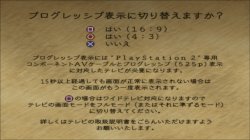
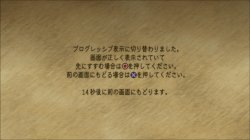
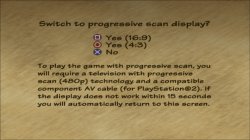
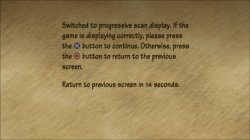
After displaying the PS2 LOGO, quickly press and hold the handle △ key and X key to switch to progressive 480P (US version) and 525P (Japanese version) modes, which can eliminate font and character jitter.

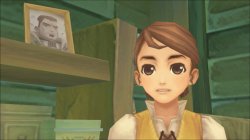
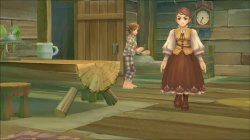
Radiata Stories_20201231215932.jpg Radiata Stories_20201231215943.jpg
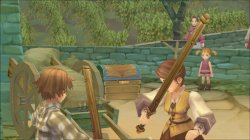
凡人物语_20201231220226.jpg 凡人物语_20201231220238.jpg
凡人物语_20201231220559.jpg 凡人物语_20201231220640.jpg
凡人物语_20201231220656.jpg 凡人物语_20201231220853.jpg

JAK emus only
 
Last edited:
This configuration still comes from our good friend @kozarovv, I just tested and ported it. A large number of graphics issues have been fixed, which has not affected the smooth progress of the game. This may be the only way to solve Castlevania: Curse of Darkness at the moment, but the missing texture color still needs to be solved.

Castlevania - Curse of Darkness

SLUS_211.68
LUA
Code:
apiRequest(1.0)
local eeObj = getEEObject()
local emuObj = getEmuObject()

local patcher = function()
eeObj.WriteMem32(0x0092feb0,0xC37f0000)
eeObj.WriteMem32(0x0092fef8,0xC37f0000)
end
emuObj.AddVsyncHook(patcher)


Castlevania - Curse of Darkness

SLES_537.55
LUA
Code:
apiRequest(1.0)
local eeObj = getEEObject()
local emuObj = getEmuObject()

local patcher = function()
eeObj.WriteMem32(0x009313e0,0xC37f0000)
eeObj.WriteMem32(0x00931428,0xC37f0000)
end
emuObj.AddVsyncHook(patcher)


Castlevania - Curse of Darkness

SLPM_661.75
LUA
Code:
apiRequest(1.0)
local eeObj = getEEObject()
local emuObj = getEmuObject()

local patcher = function()
eeObj.WriteMem32(0x00930590,0xC37f0000)
eeObj.WriteMem32(0x009305d8,0xC37f0000)
end
emuObj.AddVsyncHook(patcher)

JAK emus only
 
Little results on the MTVU problem with THPS4+. I succeeded and ran THUG and it definitely works, only the screen rendering breaks down. It's exactly the same as in PCSX2.
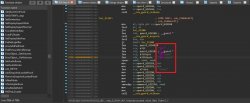
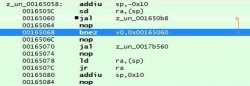
This function runs a recursion that doesn't go through, it is this recursion that causes the load to hang.
photo_2021-01-12_00-28-43.jpg
I replaced the command "bnez v0,pos_00165060" with "nop" and loading hang went away.
This command gives true when it should give false and go on.
When we remove the MTVU setting in PCSX2 then VU0 works a little bit differently.
UPD: video from Jak emu here: https://filebin.net/6kqtxjorrdedc7yt/IMG_4047.MOV?t=wongjjba
 
Last edited:
Is there a way to debug ps2emu on the latest 7.02 fw? JB+Netcat seems to be available. Or is there a better way for these black screen after PS2 logo titles?
 
Little results on the MTVU problem with THPS4+. I succeeded and ran THUG and it definitely works, only the screen rendering breaks down. It's exactly the same as in PCSX2.
This function runs a recursion that doesn't go through, it is this recursion that causes the load to hang.
View attachment 29890
I replaced the command "bnez v0,pos_00165060" with "nop" and loading hang went away.
This command gives true when it should give false and go on.
When we remove the MTVU setting in PCSX2 then VU0 works a little bit differently.
UPD: video from Jak emu here: https://filebin.net/6kqtxjorrdedc7yt/IMG_4047.MOV?t=wongjjba

Have you tried different emus? SO3, NeoGeo+, KOF98, Rogue,...?
I know it's quite a time consuming process. But patch files can help a little bit with that.
 

Similar threads

Back
Top